This is my biggest fear. It’s no coincidence that when stuttering occurs (even in very complex situations), my system (13900k, 64GB RAM, 5090) isn’t under any stress at all; on the contrary… The VRAM, for example, remains a lot even during stuttering. I’d be curious to know if stuttering is present on consoles, reproducing the same test as mine, but I think I understand it is.
Meanwhile, a new version of su5.1 has been released, 1.7.30. The changelog still mentions memory improvements, but it only mentions PS5 and Xbox. I doubt there’ll be any benefit on PC. Let’s hope so, I’ll do some testing right away!
VR doesn’t appear to be affected by this stutter. Another strange piece to the puzzle.
How sad (but I would have expected it given the changelog), I did the same test that I showed in the video posted here, same result.
No change for me eather with new beta update.
Actually… I’ve even noticed a worsening. Previously, the problem was related to stuttering during up/down panning after waiting about ten seconds, now the fps is inconsistent even in normal panning, now it really sucks compared to before. Before, I kept 30 locked with fps at x3 and it held up fine (see the video I posted here), now, same test, during those splendid horizontal rotations at a fixed 90fps, now the fps constantly drops by 2-4fps and ruins everything. I’d say that if before I only had one case of heavy stuttering, now this other problem has also been added. How sad…
Ok so this is most likely going to be my last word on the subject, as it basically confirms everything we already know concerning what is going on with the VRAM pre-cache.
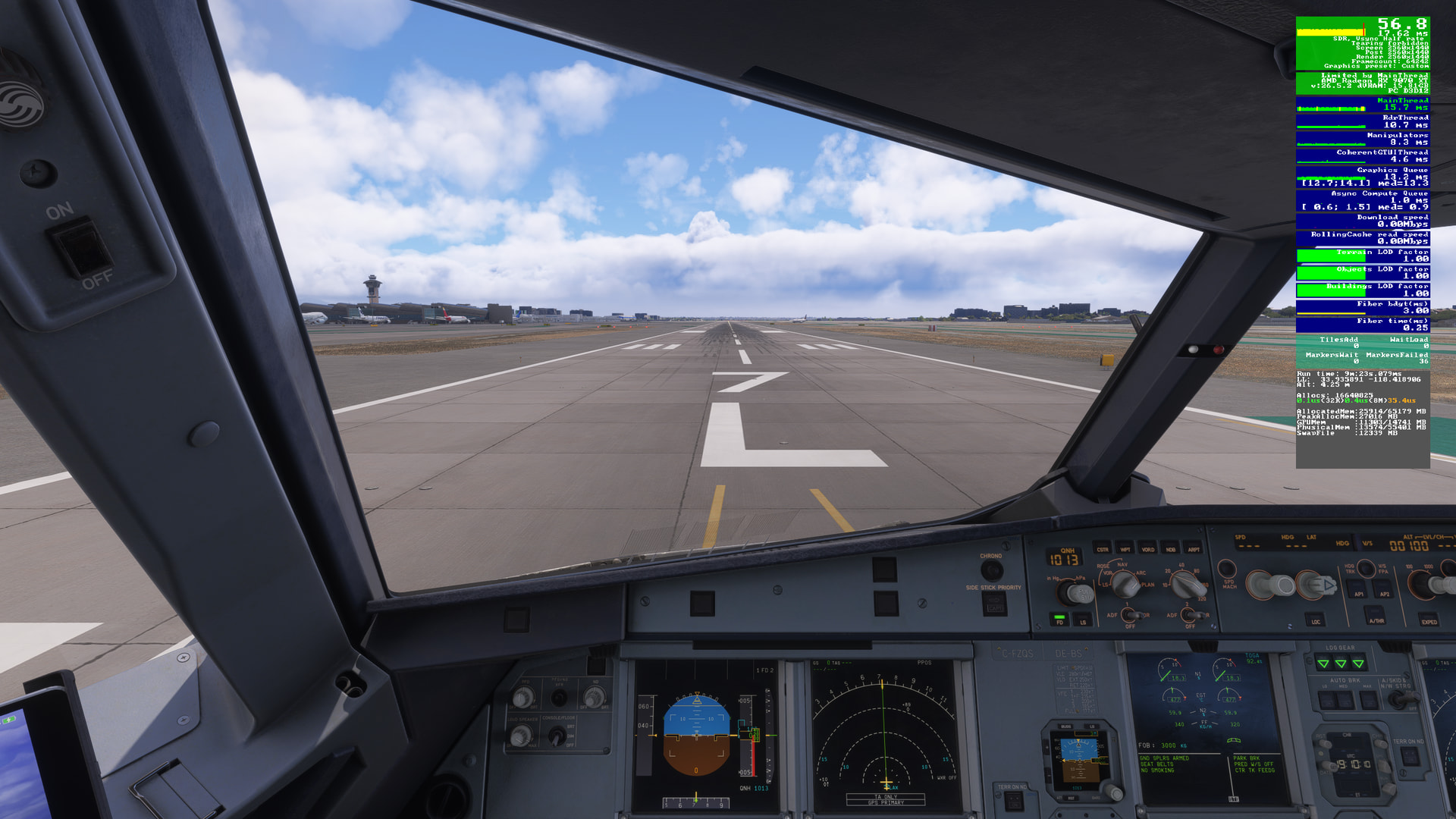
I spawned the Fenix to RW 7L at LAX and waited 60 sec for everything to settle then took this 1st image.
Note the VRAM usage, 11,303 MBs
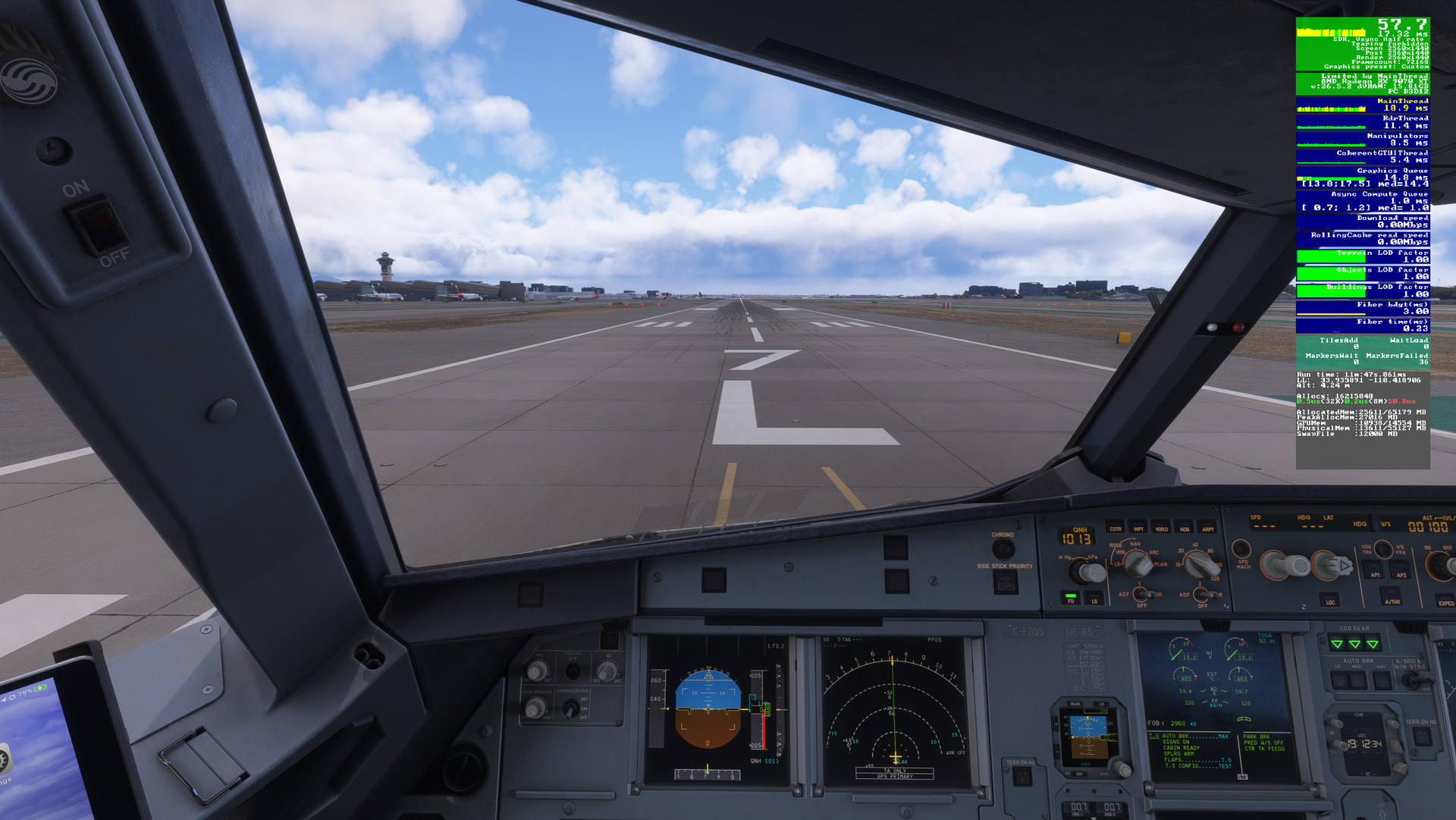
Next, I simply panned upwards to the top of the cockpit and kept it there for 60 secs. Note the VRAM usage dropped to 9923 MBs. Why? (Well we already know why)

Finally, I panned back down to the original position, got hit by those usual stutters and it almost instantly went back up to 10938 MBs, not quite where it started but it did have to re-write 1 GB of details back to VRAM, hence the stutters.
There was no reason for the app to have to clear out over 1 GB of VRAM after I panned up, since at the time I had an additional 3 GBs free, so why is Asobo doing it. Of course the answer is , Consoles!
All they really need to do is optimize the off-screen caching for PC. I’m not sure why it was tuned to flush VRAM as aggressively as it currently does.
That’s what I think too, that the fact that the sim is practically shared with consoles, now even the PS5, has created problems for the PC version. There’s no point beating around the bush, consoles and PCs are different worlds, especially hardware-wise. This doesn’t mean a console has bad graphics—quite the opposite, I’d say. But unfortunately, the hardware, and especially its management, is completely different from that of a PC; no one can deny that. Returning to the problem, I’m just sorry that a sort of faction is forming that almost denies the existence of this problem and blames those who experience it on hardware or software issues, when in reality it’s an easily replicable problem that can easily be attributed to a bug in the sim’s graphics engine. Perhaps, just perhaps, and we’d also like to understand why, it seems that in VR (I’m still talking about PC) the problem isn’t there, or is much less so than in normal mode.
More tests in progress… I set the sim with the global rendering quality set to very low, but, as you can see in the video, the problem is still there. This clearly shows that the global rendering quality settings have nothing to do with it, and that my PC runs the sim perfectly (as previously tested) even with the global rendering quality set to ultra. The strange thing I notice every time the problem appears is the spike in usage of the rolling cache (set to 64GB on the SSD). Now, I don’t know if this means anything or not, but… it’s the only thing I notice. The VRAM also seems to stay more or less the same.
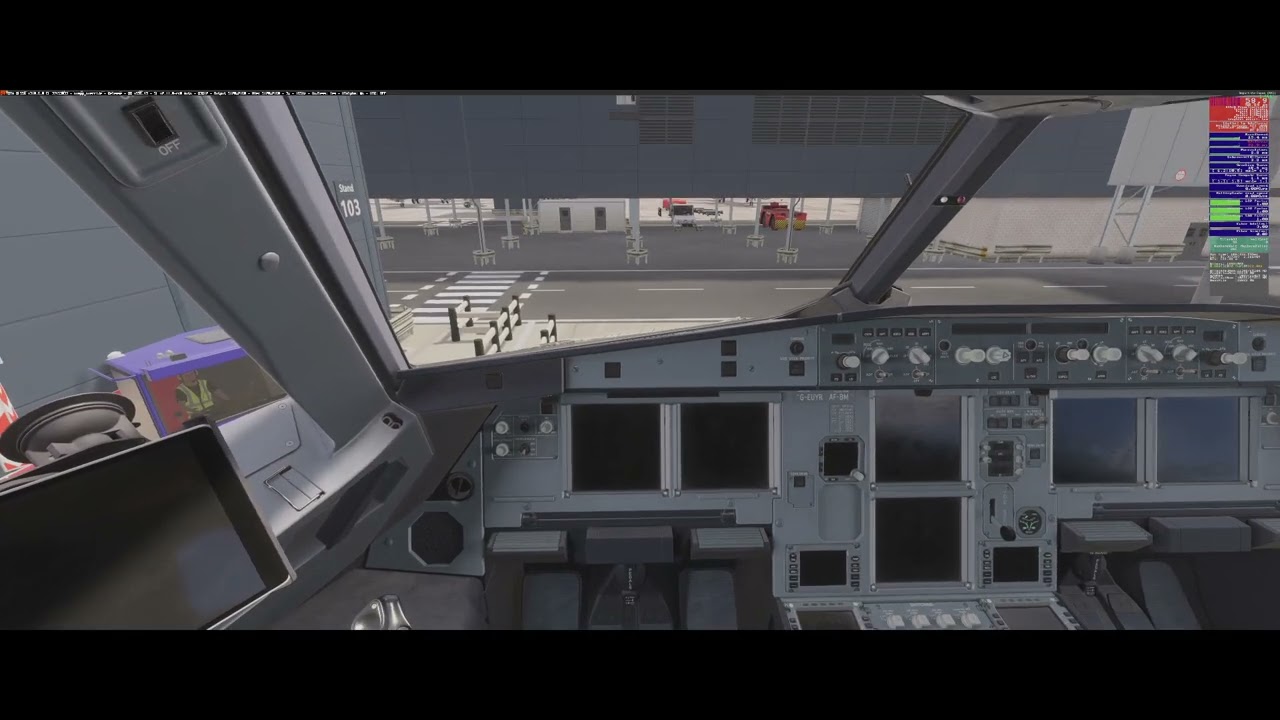
VRAM usage 13153GB

VRAM usage 12183GB

VRAM usage 13409GB
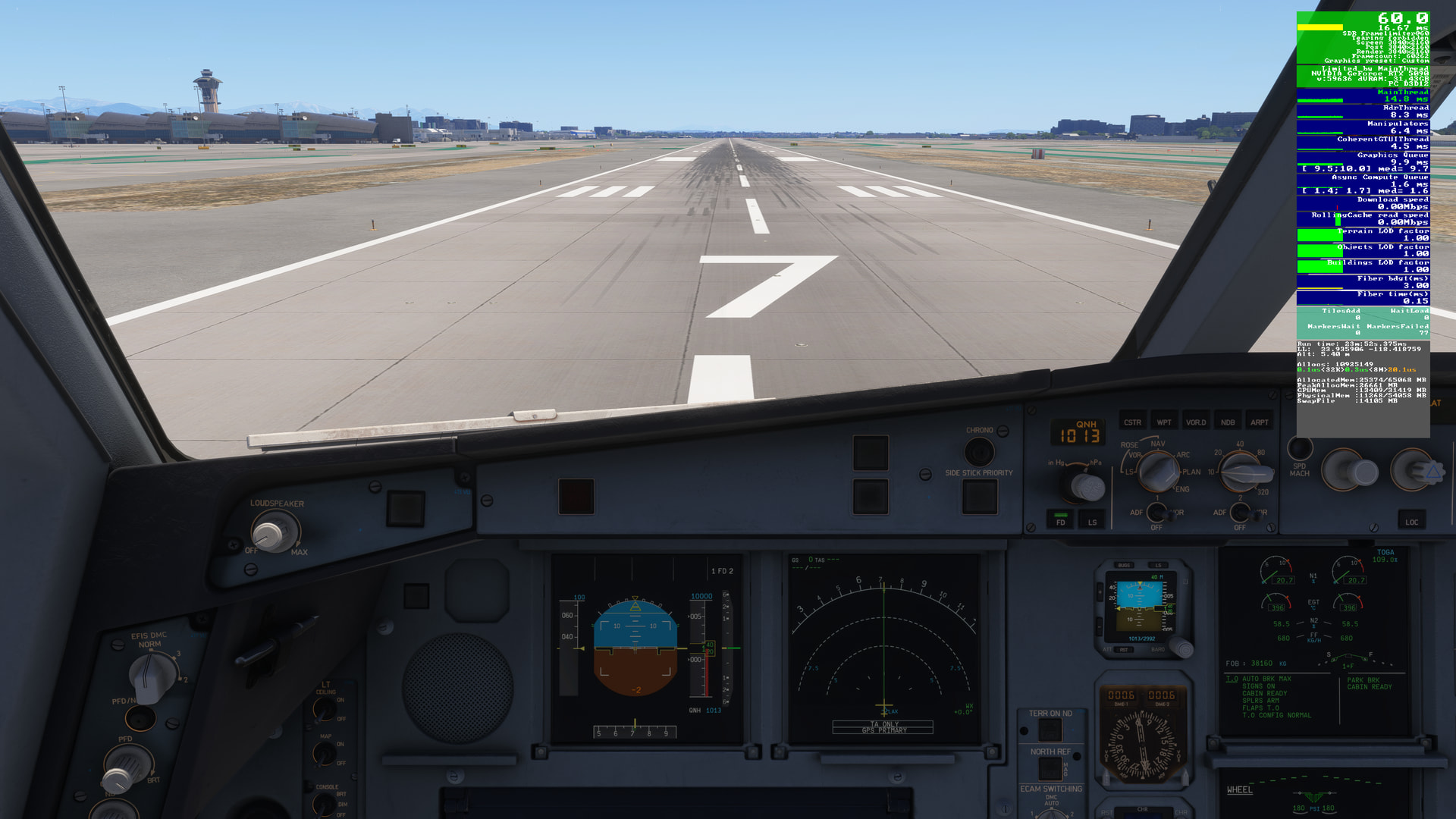
You had 3GB of free VRAM to work with, while I had 18GB of free VRAM!
I could even come up with a scenario where during a flight I’m browsing a million tabs, watching a movie, etc. Let’s assume that takes about 4GB of VRAM - even then I still have 14GB free VRAM left.
MSFS 2024 doesn’t consider that. They just didn’t add enough “if” conditions in the code to handle situations where there is plenty of free VRAM available.
Hi, what do you think of the latest .32 beta on PC regarding the issue discussed in this thread? For me, not much has changed. The sim seems to be getting smoother and more consistent in terms of FPS, but this stuttering when looking down from top to bottom after about 10 seconds seems to have remained unchanged. What do you think?
Just to keep it active, the issue still there with SU 5.1
I can only confirm, at this point we hope that something moves in the su6 beta, hoping it starts soon.
Has the latest beta improved things with this issue?
Nope mate.
Unfortunately, we are still there, the problem persists, but I think Asobo hasn’t even addressed it yet.
This is a bug that really bothers me. I’m not going to buy VR or TrackIR just to hide or mask this issue. The problem is on Asobo’s side, not ours. It should be fixed by the developers rather than expecting users to find workarounds.
In VR I don’t know, but with trackir the problem is present.
I’ve been doing quite a lot of testing lately and at the moment I’m at the default NFFN airport with the iniBuilds A300-200. I haven’t noticed any stuttering, even when switching the view between the overhead panel and the CDU. Could you check how it behaves on your end?