I tried now, but the problem is still there, maybe less than in more demanding scenarios but it is always noticeable, unfortunately.
Well I have to admit, after reading your post, the solution didn’t make much sense to me since the issue is related to VRAM flushing of details, which has little to do with rolling cache and nothing to do with the pagefile, but to be fair I tested out your solution and in my case didn’t find any change to the cockpit stuttering.
I’ve captured some videos to try and demonstrate this from what I see. I have camera presets set for the “pilot view” and the overhead panel and am switching between them using a key binding.
Main observation: There is no obvious hitch/stutter when moving from the pilot view to the overhead, but switching back from the overhead incurs a massive stutter/frame time spike that is reproducible on every attempt.
Because of (what I assume to be) YouTube video encoding magic, this actually looks a lot less bad than it does in-game. That “hitch” when panning from the overhead panel to the pilot view is a lot more jarring in the sim, but this is the best I could do.
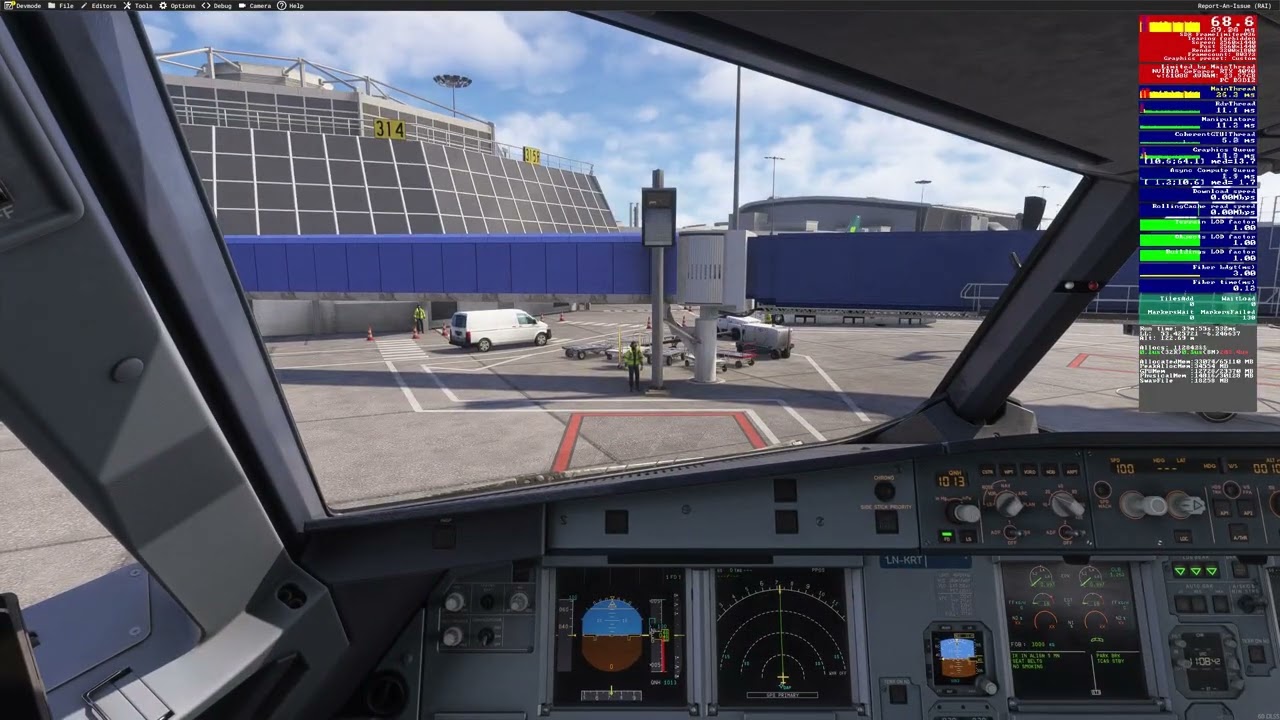
Complex airport with no traffic
Scenario: MK-Studios EIDW - Fenix A319
Observations: Quite painful hitching when moving from the overhead view to the pilot view. Well within memory constraints (~50% VRAM and RAM unallocated/free to use).
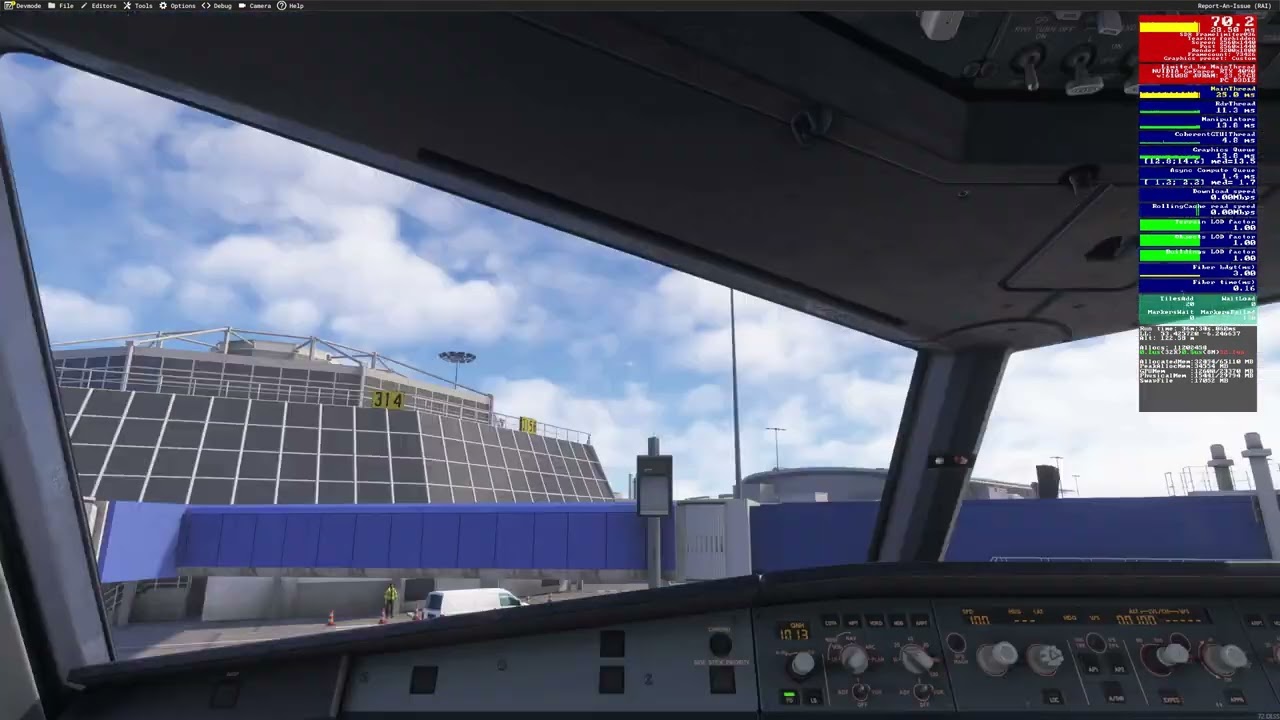
Complex airport with AI traffic
Scenario: MK-Studios EIDW - Fenix A319 - BeyondATC traffic injection
Observations: Even more painful hitching here on every move. The sim is being a bit more challenged here, but RAM/VRAM resources are still around the ~50% mark.
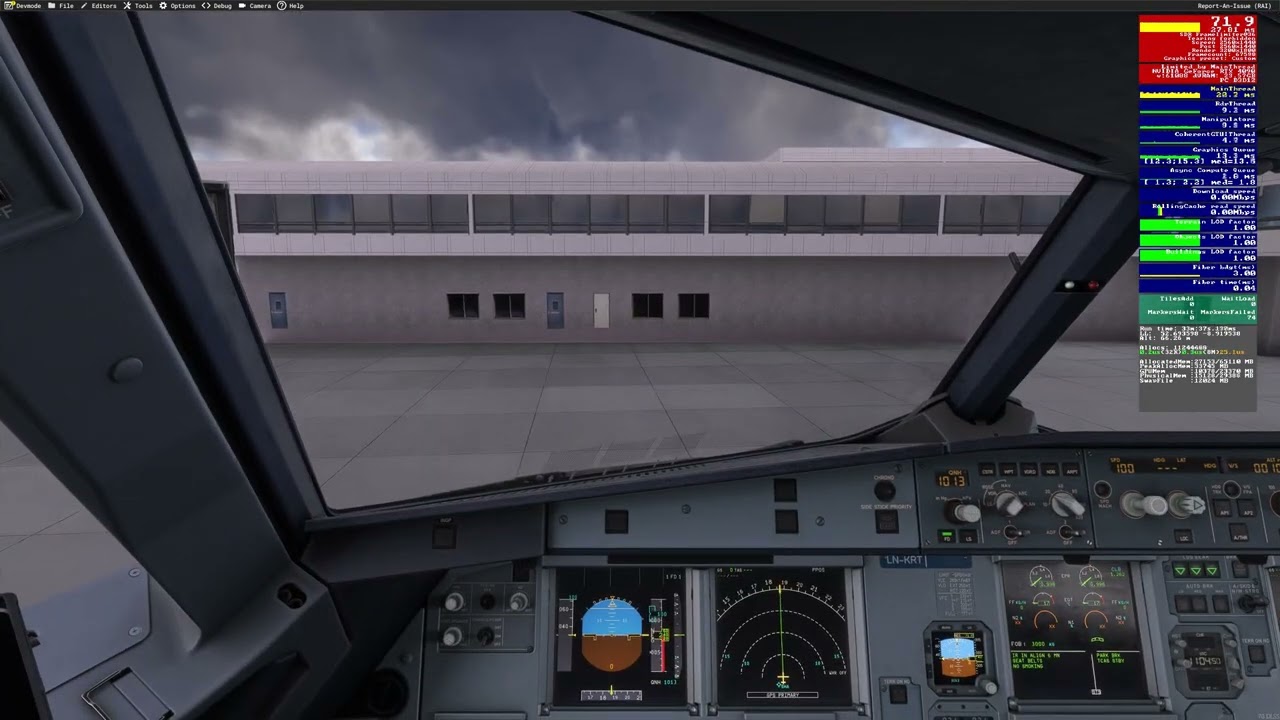
Generic airport with no traffic
Scenario: Generic Asobo EINN (not handcrafted) - Fenix A319
Observations: Hitching is less visibly jarring, but is still observably present in the frame time numbers/FPS counter.
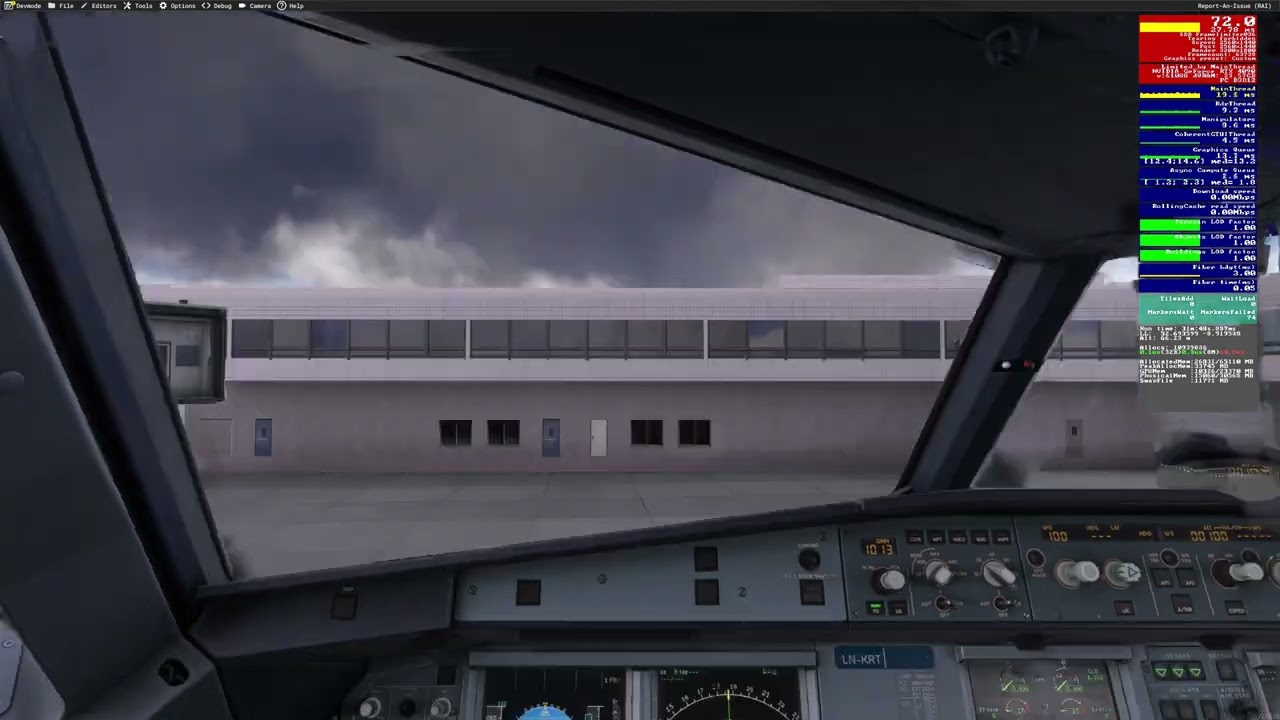
Generic airport with AI traffic
Scenario: Generic Asobo EINN (not handcrafted) - Fenix A319 - BeyondATC traffic injection
Observations: Roughly the same as “no traffic” to my eyes. Perhaps mildly worse performance.
PC/sim info
- CPU: AMD Ryzen 7 7800X3D
- GPU: Nvidia RTX 4090 (24 GiB VRAM)
- Memory: 64 GiB DDR5 6400MTs
- SSD: Samsung 990 Pro (NVMe)
- Network: 1 Gbps wired
- Sim version: SU5.1 (latest stable as of this post)
- Max frame rate: 36 FPS (set via in-sim settings)
- Frame Generation: DLSS
- Graphics settings: Various Ultras, Highs and Mediums. It doesn’t make any discernible difference changing these.
- Anti-aliasing: TAA
Hopefully this is of use to any developers/QA investigating this.
@TenPatrol Is this fundamentally the same bug as this one? I feel like we’re splitting a lot of good discussion here between multiple threads. Are there any others?
It would be great to combine these if so - and combine the votes if possible.
These are two different bugs. For example, I don’t have stuttering when panning the camera in the cockpit. My stuttering occurs when switching views, for example from OVHD to CDU. So I would keep these as separate issues.
In my opinion it is the same as they pretty much point to the same core issue.
I continue to not have any issues with stutters or jitters when panning, translating, or snapping to a whole new view when in the cockpit. This is true in 2D or in VR.
I do not ever use TAA, I always use DLLS anti alias. In 2D I always use dlss frame generation 2x. In VR I always use foveated rendering, 50.
I keep my visual settings low enough to insure this stability. (I use LOD’s of 145 in 2D and 125 in VR).
Testing if my visual settings are too high:
I have mapped External View Look left and External View Look Right on a left/right slider switch on one of my controllers (alpha yoke). The input repeat checkbox is ON.
Therefore when in external view, when I flick that slider left or right, then the view spins round and round as long as I hold the slider. If the fps stays the same while the view spins, then my visual settings are good. If the fps jumps around as the scenery spins, then my visual settings are too high.
In this way I can play with my visual settings and maximize them by trial and error, without causing fps changes while spinning the outside view.
When I set my settings like this, then in cockpit view, changing views, panning views, translating views, etc. produce zero tiny pauses or stutters.
I still think that perhaps the solution would be for us users to compare notes among themselves. Those who say they don’t have the problem should share their settings completely, and we should all try the same situation to see if the problem occurs or not.
The stutter the OP is referencing in this thread is a very specific one related to the aggressive flushing of VRAM when inside the cockpit.
There is a very simple test you can perform as in the videos below.
Using the Cessna 172 spawn to EGLL.
Enable Dev mode FPS counter
Set you TLOD to 145.
Once you’re sitting on the runway pan down to the floor then back up to the forward view. You will see a stutter and a spike in the FPS when the windshield comes into view. The higher you set the TLOD the bigger the stutter. If you don’t notice it at 145 try 200 or 300. Please let us know your findings.
TLOD 145
TLOD 200
Hey @DartoFielder. Can you attempt the test that @SolvedAir1158 just posted above this comment? It’s a simpler version of what I demonstrated. If you do not experience this, then we seriously need to compare notes indeed 
First of all, great job on Sim Update 6, overall PC performance is much better. However me and my friends are facing a specific issue: frame rates are smooth as long as the camera stays in one spot, but moving or switching the camera causes a sudden FPS drops or brief lag. For example, if you’re focused on the MCDU for a couple of seconds and then quickly switch to another view, that’s when the drop happens. As you can see in the video (which I’ve edited down to keep short), it seems like something related to data rendering or unloading while the camera is stationary.
Not a new bug or something its been there since the launch of the sim.
Might be something connected to this issue: Flashing effect when switching between external/cockpit views
Specs
i9 11900k
RTX 4090
64GB
FG ON
FPS base locked : 48
Good demos. And yes, this stutter is rather annoying. I also notice it in the Fenix A320. Would love for it to go away.
For me the whole sim is just not good now.
In SU5 I had almost no problems flying from and to Brussels Airport from Aerosoft but now I have barely 30fps. Even airports like GCLP I had no problems but after SU6 everthing is so low fps.
I have a theory regarding the stutters and frametime spikes that can occur in MSFS 2024 when switching between predefined camera views.
I’m not entirely convinced that these spikes are primarily caused by the simulator loading new scenery or objects. What makes me question that explanation is the difference between switching to a predefined view and manually moving the camera to the same position.
When I switch between predefined camera views using the assigned buttons, I frequently experience a noticeable stutter or frametime spike. However, when I use the right mouse button to pan the camera to essentially the same position and orientation, I experience far fewer stutters, despite the resulting view being virtually identical.
This makes me wonder whether the underlying cause could be related to the camera system itself rather than primarily to object or scenery streaming.
Selecting a predefined view may trigger additional internal processing that does not occur, or occurs to a lesser extent, during continuous camera movement. For example, it could involve rebuilding camera state, applying view-specific parameters, triggering camera-related events, or causing additional visibility, culling, or rendering calculations.
In that case, the stutter would not necessarily mean that MSFS is loading a significant amount of new scenery. Instead, the change of camera state itself could be responsible for the temporary increase in CPU or GPU workload.
Obviously, this is only a theory, and I don’t have access to the internal workings of the simulator. However, the fact that manually panning to essentially the same views results in significantly fewer stutters seems worth investigating.
I’d be interested to hear whether others have observed the same difference between switching predefined views and manually panning the camera, and whether anyone with performance-monitoring tools has noticed a corresponding MainThread or GPU frametime spike during these camera transitions.
I suspect that using the mouse, you may be panning more slowly and that does seem to help. Of course setting off screen terrain pre-caching to ultra helps a lot too.
I have found panning somewhat less smooth and general performance seems to have dropped a little since SU6 and am definitely having a less smooth experience overall with a little more stuttering generally.
Agree, SU6 has actually ruined my sim experience completely. I cannot complete a flight now without getting constant stutters every second. I’ve tried multiple locations, multiple aircraft, reduced settings, but even on my 9800X3D and RTX 5090 no changes help. I cannot pinpoint what is causing this. Guess I’ll just have to wait for the next beta to come out and try that.
I might have a bit of insight in to this issue.
I’ve been testing SU6 starting with 100% stock settings - no BIOS tuning, etc.
I started with Low, moving to Med, High, Ultra, and then a Custom setting that is High + Frame Gen and TLOD 400.
What I’ve noticed is that there is a lot more stuff that seems to be using LOD curves and draw distances, and there seems to be a new(ish) Line of Sight factor at play.
When I have Frame Gen on WITHOUT a Max Frame cap, if I pan the view, it seems there is a lot of stuff loading / jettisoning that gets caught up with the Frame Gen - and the red and purple spikes in the FPS graph illustrate this. I normally have Max Frames at 30 + FG x2, and that frame cap seems to mitigate most of the stutters. But using Frame Gen without a Max Frame cap gets lots of stutters (for me).
A330-200 at KJFK Gate C31 (no tuning, all default BIOS, etc)
4K, TLOD 400, DLAA + DLSS Frame Gen x2, looking overhead FPS is 138…
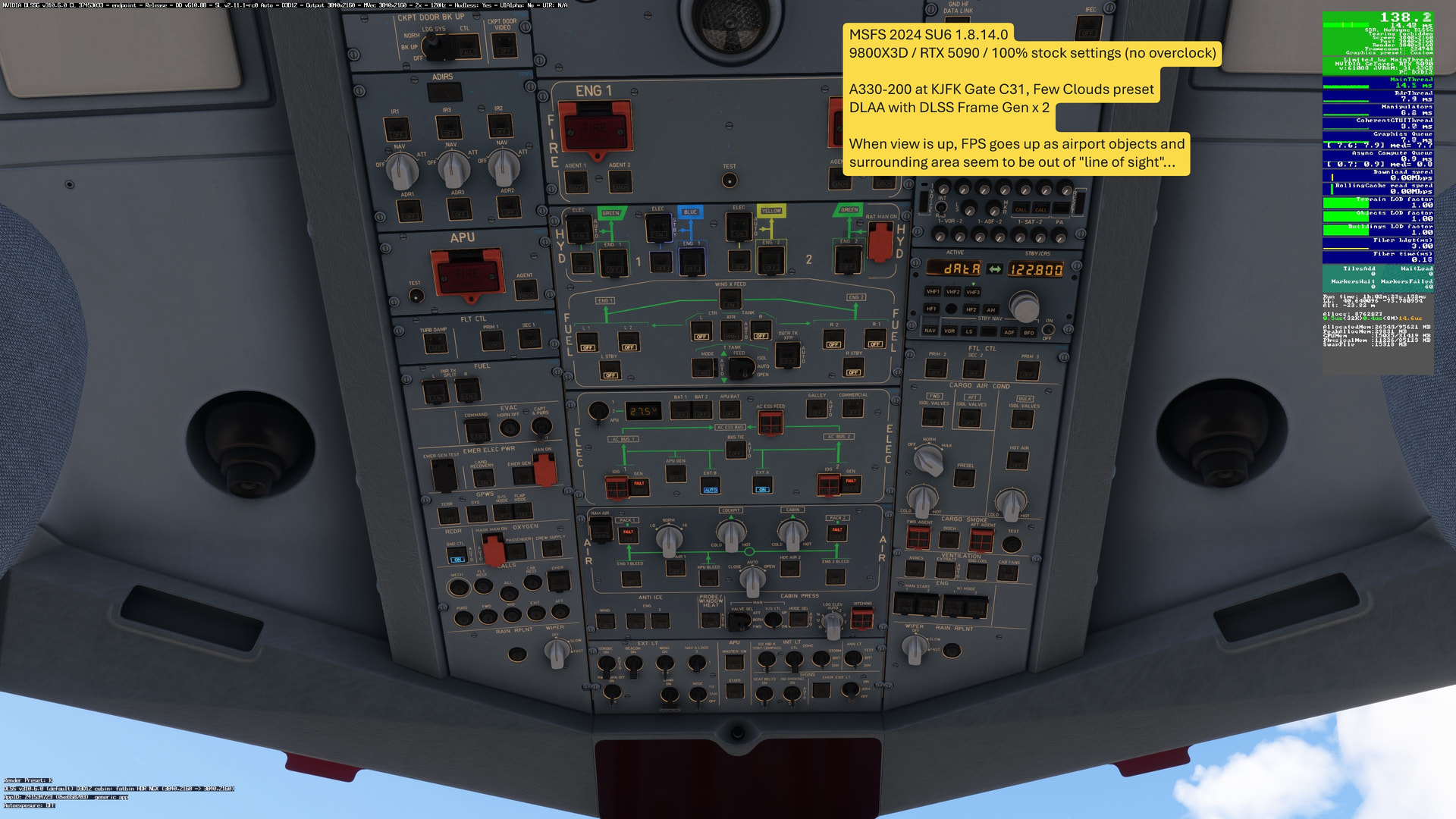
Panning down (across horizon) brings cockpit, aiport, and I assume NYC by Line of Sight back in to memory all at once, causing spike… but the amount of the spike is exacerbated by Frame Gen. Having a Max Frame cap mitigates it mostly (for me).

Interesting insight! I have observed similar bahaviour, although different setups.
For starters I have undervolted my CPU in the BIOS quite a bit, mostly to deal with Intel’s stupid Power Limits that have been an issue a while back with the 13th gen CPU’s.
Apart from that I have not messed with any settings in the BIOS.
When it comes to in-sim settings, I have actually capped my FPS at 30 via RTSS (Riva Tuner Statistics Server) and use Lossless Scaling for Framegen (2X). Why Lossless Scaling and not native FG?
Native FG gives me significant stutters in your described situations as it intervenes directly between to native frames, therefore directly in the render pipeline. Lossless Scaling on the otherhand works in completely different point in the render pipeline, which gives me a lot smoother experience..
same problem. its smooth , wait 10 seconds and then boom. too aggresive console optimization. just use my 24 GB VRAM or 64 GB RAM to make a simply view change smooth…