Please add the msfs-2020 or msfs-2024 tag to your post, depending on which sim your post is about.
Hello all
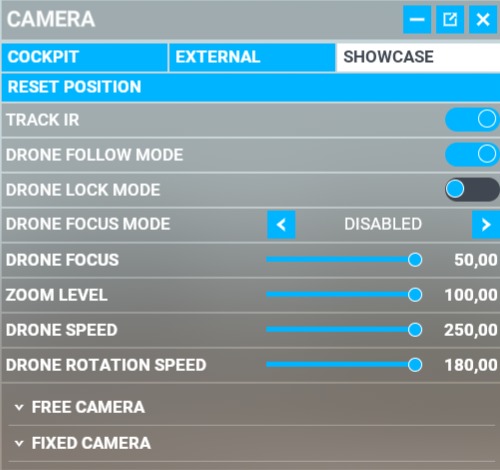
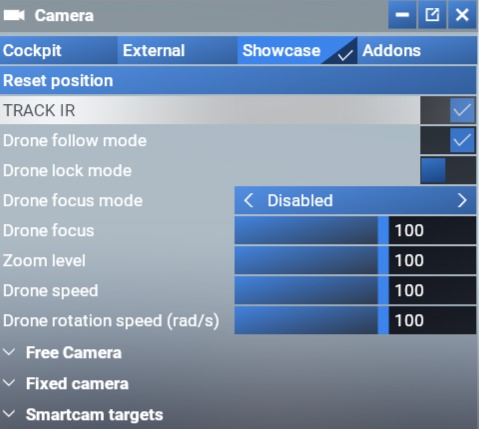
Sim update 7.2 fixed some of the showcase camera broken options from 7/7.1 but seems speed is stuck at 100 max? wasn’t it up to 250?
To me it seems like the drone speed is just an arbitrary number from 0 - 100. Not sure if the actual minimum speed changed.
My concern is with the rotational speed. In this case they SPECIFICALLY call out the speed to be measured in radians per second. A range of 1 - 100 radians per second is an insane choice. Note that 360 degrees equate to 6.29 radians. The maximum speed therefore equates to spinning the camera full circle 100 radians/sec / 6.29 radians/360° = 16 rotations/sec! That is completely and utterly ridiculous. I decided to try it at 100 rad/sec and no tweaking of my joystick’s yaw axis and, while my eyes and brain are obviously not capable of registering that kind of rotational speed, it certainly appears as if it is doing several rotations per second. What on earth is the point of that?
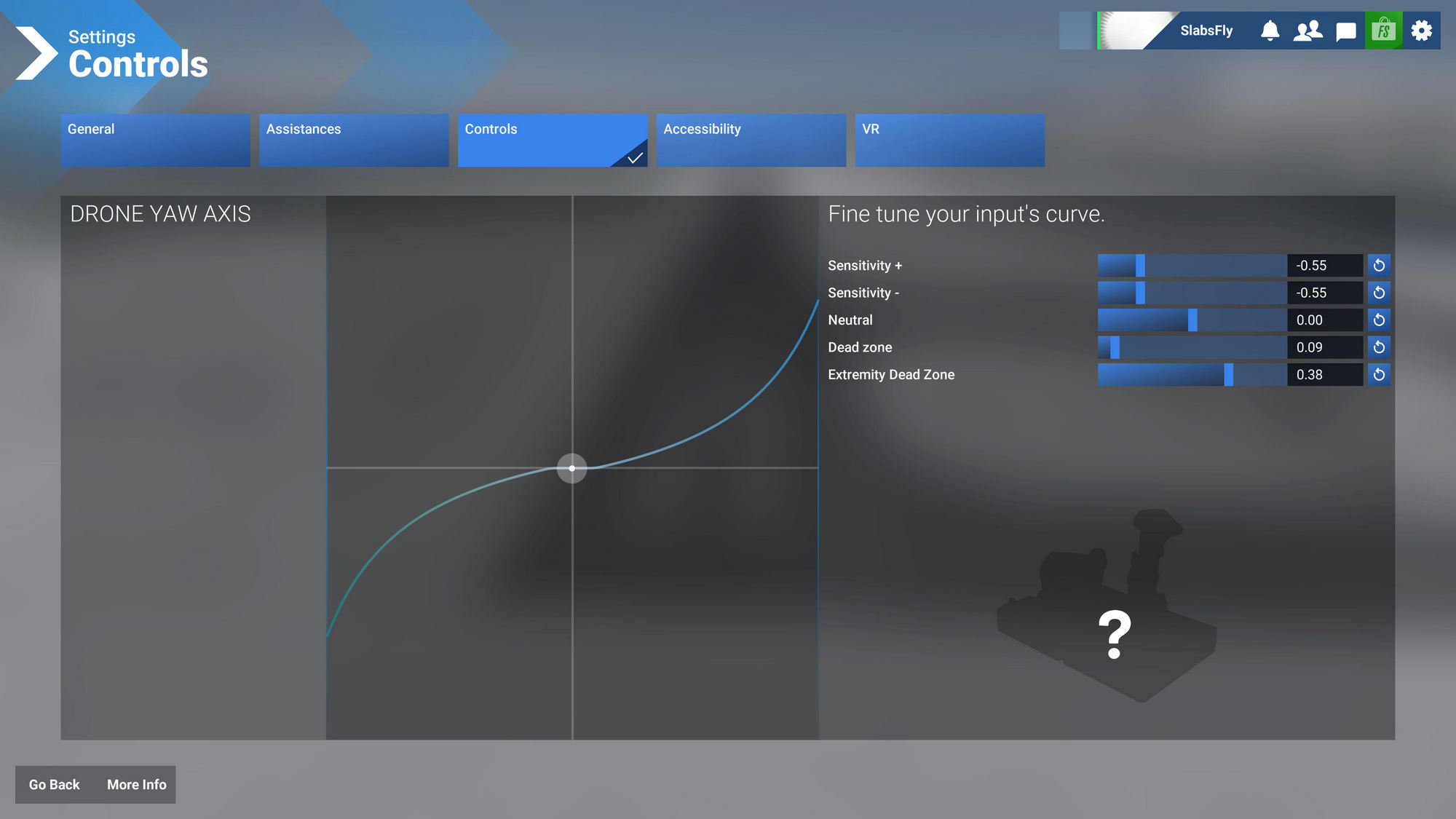
Anyhow, to make it usable for rotating around an aircraft while keeping it in the centre of the frame, I set the drone rotation speed at 1 radian/sec - which is the minimum possible as the drone camera setup screen does not accept fractional input less than 1 rad/sec - while I heavily tone down the yaw response on my joystick. This is what my sensitivity look like to make it usable:
So I can only get a reasonably usable degree of control by going to the minimum speed in the drone setup screen PLUS slowing down my joystick response heavily. Note that even using a relatively low setting of 10 rad/sec of the full available100 rad/sec range STILL gives you like one full 360° rotation in about a second. I struggle to conceive of anybody wanting to make use of that.
Normal practice would be to allow a range of rotation speed that sensibly covers the range that people would use. In this case, the above shows that the top 95+ percent of the drone rotation adjustment range is totally useless/redundant.
The number alone won’t tell us whether it’s slower. A timed run between two fixed points, with the same aircraft and camera settings in each sim, would be a better comparison. I wouldn’t assume 100 now means less movement than 250 did.