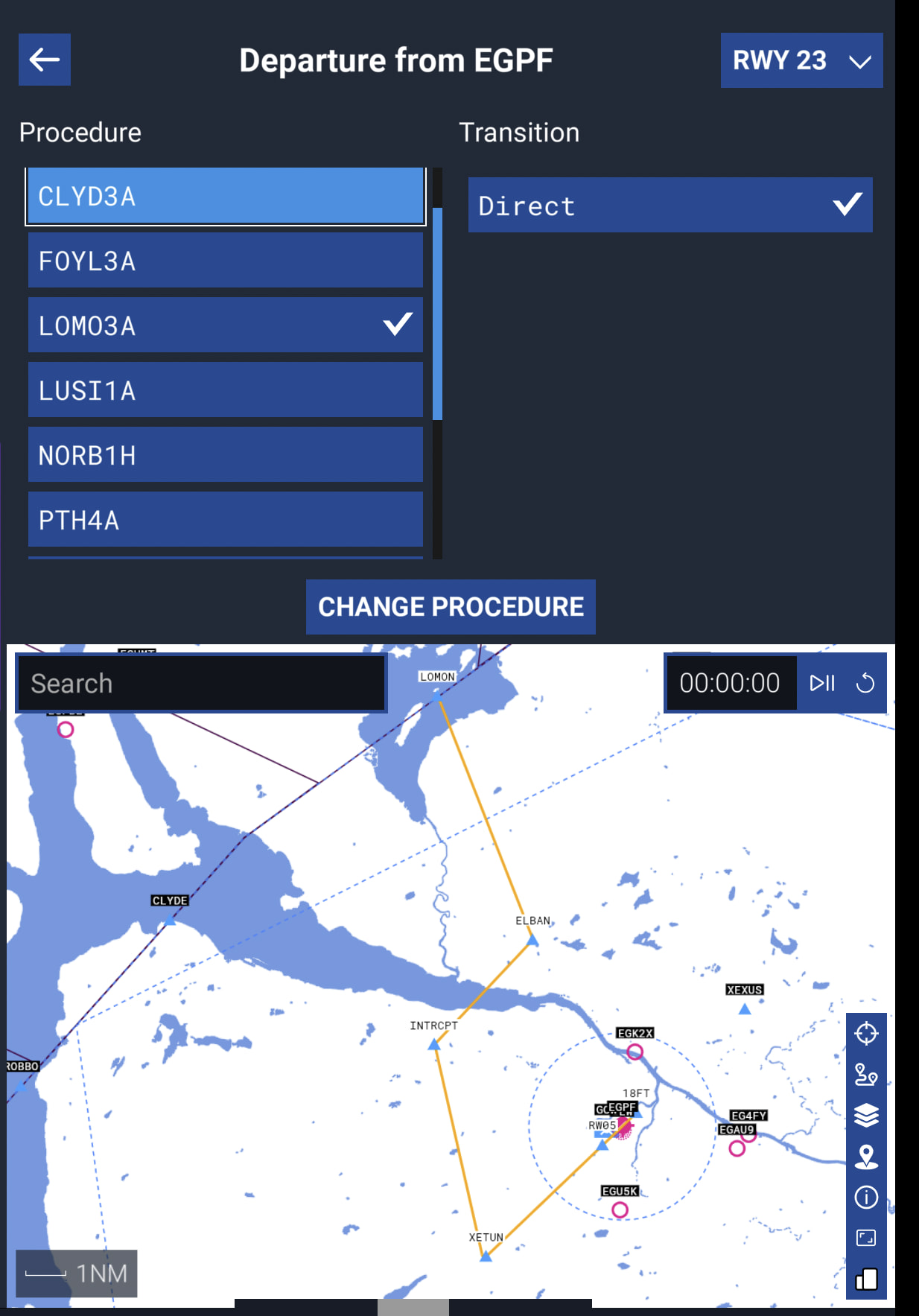
There are several waypoints missing for me when using aircraft utilizing the default Nav Database in the SID/STAR procedures. Example: ATR72 or Twin Otter selecting the LOMON3A SID at EGPF Glasgow. XETUN loads fine, then there is another waypoints with some numbers and letters and then it should be ELBAN. The XY123 waypoint between XETUN and ELBAN is some 3000NM away, ELBAN is not being displayed properly. I then delete ELBAN and enter it manually in the respective aircraft’ system and it says Waypoint not in Database. Like mentioned before I encountered this issue a few times in the Twin Otter and now also in the ATR, both aircraft use the default Nav Database.
Another time I flew the default inibuilds A320neo into Glasgow EGPF and with the AGPED1G arrival which ends in the waypoint LANAK I had the same problem where I suddenly noticed that one of my ILS approach waypoints is some thousand NMs away.
FREQUENCY OF ISSUE
Every. Single. Time.
REPRODUCTION STEPS
Load up any default aircraft that uses MSFS2024s Nav Database and try to enter the SID LOMON3A from RWY23 and then check if all the waypoints line up correctly according to the departure chart. Also try entering the waypoint ELBAN manually into the FMC/GPS.
I just tested the SID at EGPF with a stock sim and using the TBM930, and had mixed results.
I’ve got a ton of screenshots, but here’s the gist:
First time I planned it using the EFB on the WM, and got R297 several thousand miles away, which is obviously wrong! ELBAN waypoint showed up normally, and was found when I did a search for it in the WM search box.
I opened the online mission planner, and it worked correctly the first time I planned the trip there. I didn’t save or send the plan to the plane from the online setup.
When I did send the flight plan to ATC/Avionics, from the EFB on the WM, and then started the flight, it was showing correctly on my flight plan box, and on the MFD map. Go figure!
Shut everything down, and reopened MSFS2024 and set up the same flight plan in the EFB on the WM and it worked correctly (i.e. R297 was where it should be!).
So for me, right now it’s an intermittent issue. I’ll go back and check periodically and see what kind of results I get.
Regards
It looks fine to me in the MSFS EFB. If it’s okay there it’s almost definitely bugs with the aircraft/FMS. If it’s not okay there for you, it’s likely a third party scenery deleting some of the waypoints.
Yes so it turns out with the default Asobo EGPF the problem isn’t there. But what exactly might cause this in the pyreegue scenery? Anybody has an idea into what I could check?