You’d think theyd release a small patch to address it intead of keeping it with SU15 since they keep delaying it. Its incredibly annoying, especially when going fullscreen with alt+enter crashing my sim.
I just click on the icon in the top right of the screen. No big deal.
found out you can alt+enter very easily and it’ll go away
Same issue here, Been going on for months now.
 Thank you for using the Bug section, using templates provided will greatly help the team reproducing the issue and ease the process of fixing it.
Are you using Developer Mode or made changes in it?
No
Have you disabled/removed all your mods and addons? If the issue still occurs with no mods and add-ons, please continue to report your issue. If not, please move this post to the Community Support section.
Yes
Brief description of the issue:
Installation Manger always kicks the game out of full screen mode after launching the game requiring me to use Left ALT + Enter every time to reestablish full screen. The game launches in full screen initially as per my settings to run in full screen no window. At first launch the game launcher window comes up, checks for updates then the game begins to load as normally in full screen according to my game settings. Throughout the loading process there is an installation manger window that pops up, again to check for updates again, but when this installation manager screen loads, subsequently it kicks the game out of full screen into windowed mode. Despite the game settings set to full screen no window, I still have to use Alt Enter to get back into full screen mode, thus the game is not following my settings of full screen mode, it never returns back on its own.
Provide Screenshot(s)/video(s) of the issue encountered:
No
Detailed steps to reproduce the issue encountered:
Happens every time
Many issues may be due to an outdated graphics card. Please state your Graphics Card Driver Manufacturer (NVIDIA, Intel, AMD) and Version (Learn how to find your current graphics card driver version):
Nvidia GTX 1080ti FTW3, Game Ready Driver Version 552.22
PC specs and/or peripheral set up if relevant:
27" BENQ Gaming Monitor 144Hz
Build Version # when you first started experiencing this issue:
Unsure exactly what version it was, but it has for sure been happening since the last 2 updates before the current version of 1.36.2.0
 For anyone who wants to contribute on this issue, Click on the button below to use this template:
Do you have the same issue if you follow the OP’s steps to reproduce it?
Provide extra information to complete the original description of the issue:
If relevant, provide additional screenshots/video:
Do you have the same issue if you follow the OP’s steps to reproduce it?
Provide extra information to complete the original description of the issue:
If relevant, provide additional screenshots/video:
This is a known problem which is being corrected in SU15.
Why not release hot-fixes for some issues? The “open in a windows-bug” would be a great example where a hotfix should have done wonders.
I wasn’t in the beta and now with SU15 live I can confirm this is happening for me. Sometimes it reverts back to windowed mode by itself, sometimes it stays in full screen where I can only see my cursor and hear the sound of it moving over the various selections in the main menu but that’s it. Black screen with just the mouse cursor.
P.S. once the flight loaded I was able to go Alt-Enter into fullscreen mode. It just doesn’t seem to work from any of the menus.
ehhh why does it still load in windowed mode after the mandatory update?
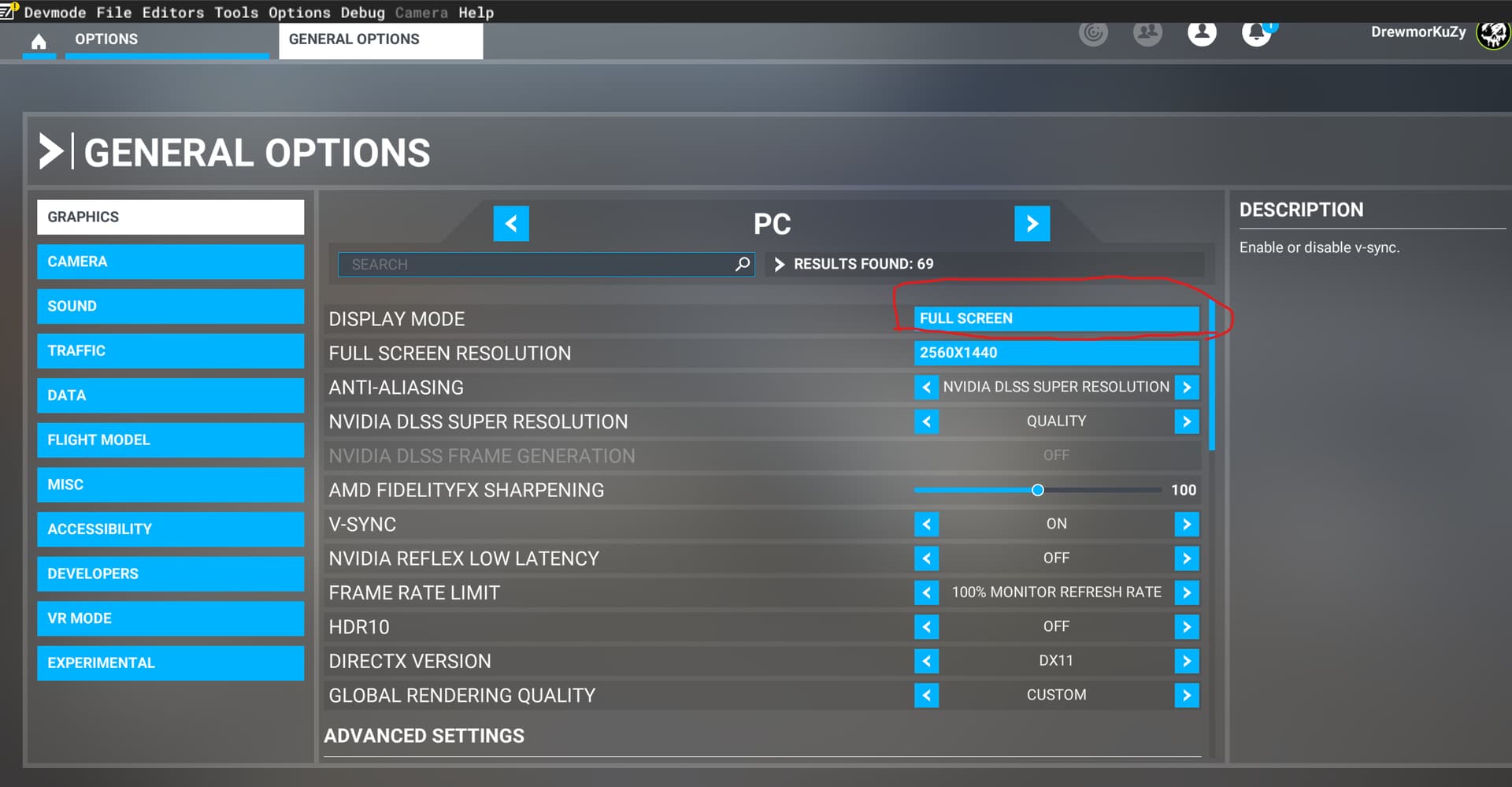
Hello @PSVwally,
As @Hester40MT noted above, the first time you launch the sim following an update, it will always launch in windowed mode. After you change this back to full screen, the bug that was preventing this setting from being preserved between sessions has now been resolved in SU15, so you won’t have to manually toggle to full screen mode every time.
Thanks,
MSFS Team
5 Likes
Well, thanks it works now. Although this update was quick still again have to reset all kinds of settings (fi always after every update all aids are on, while i always fly without all. Taxi ribbons and landing help those kinds of things