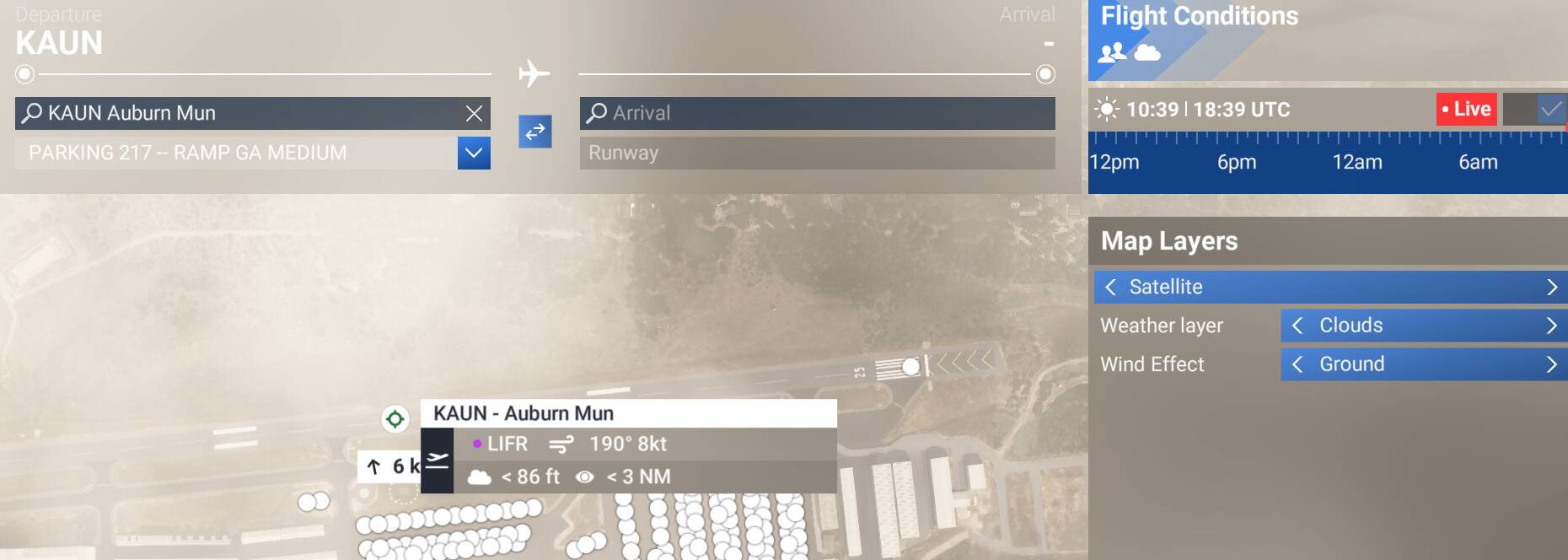
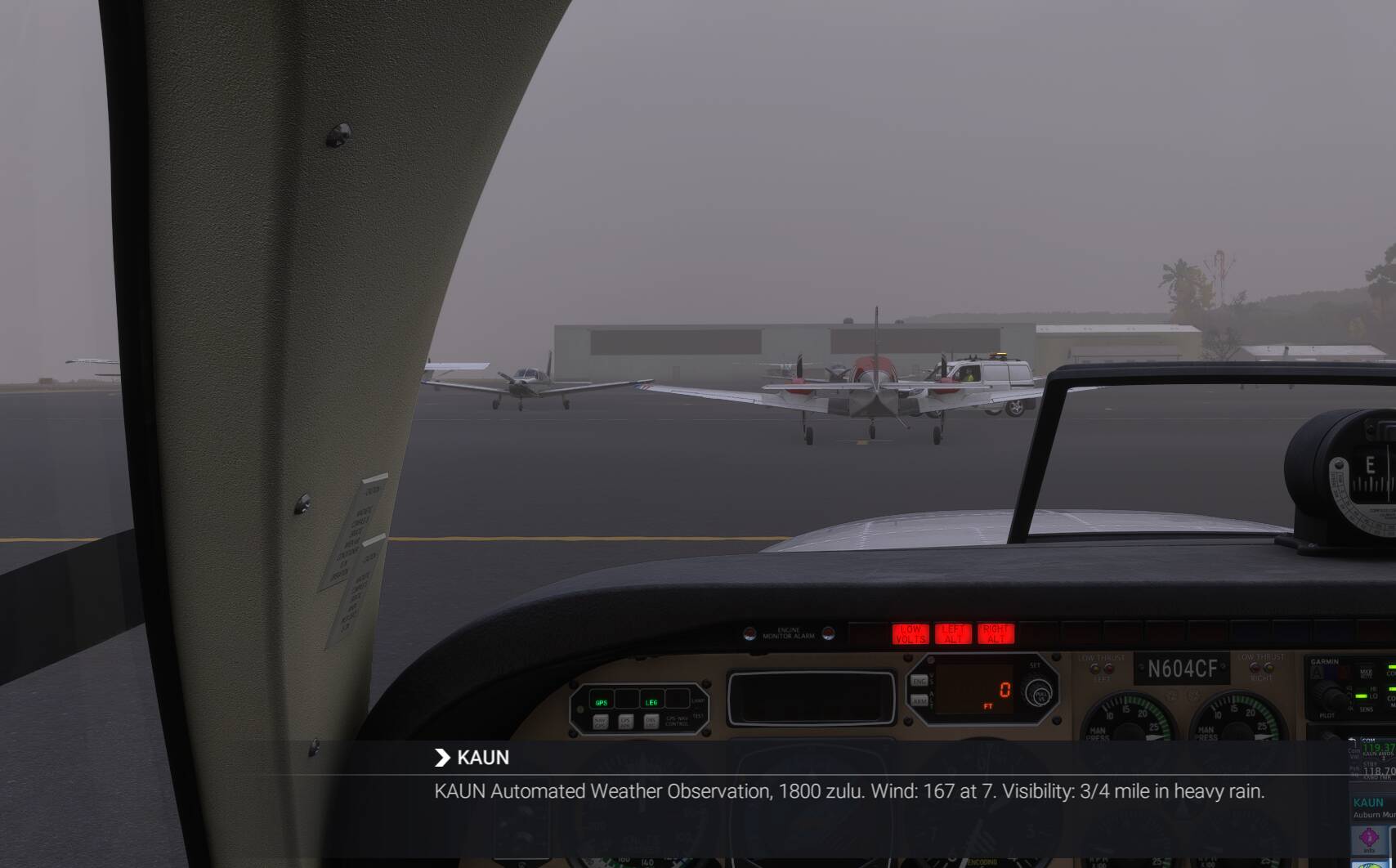
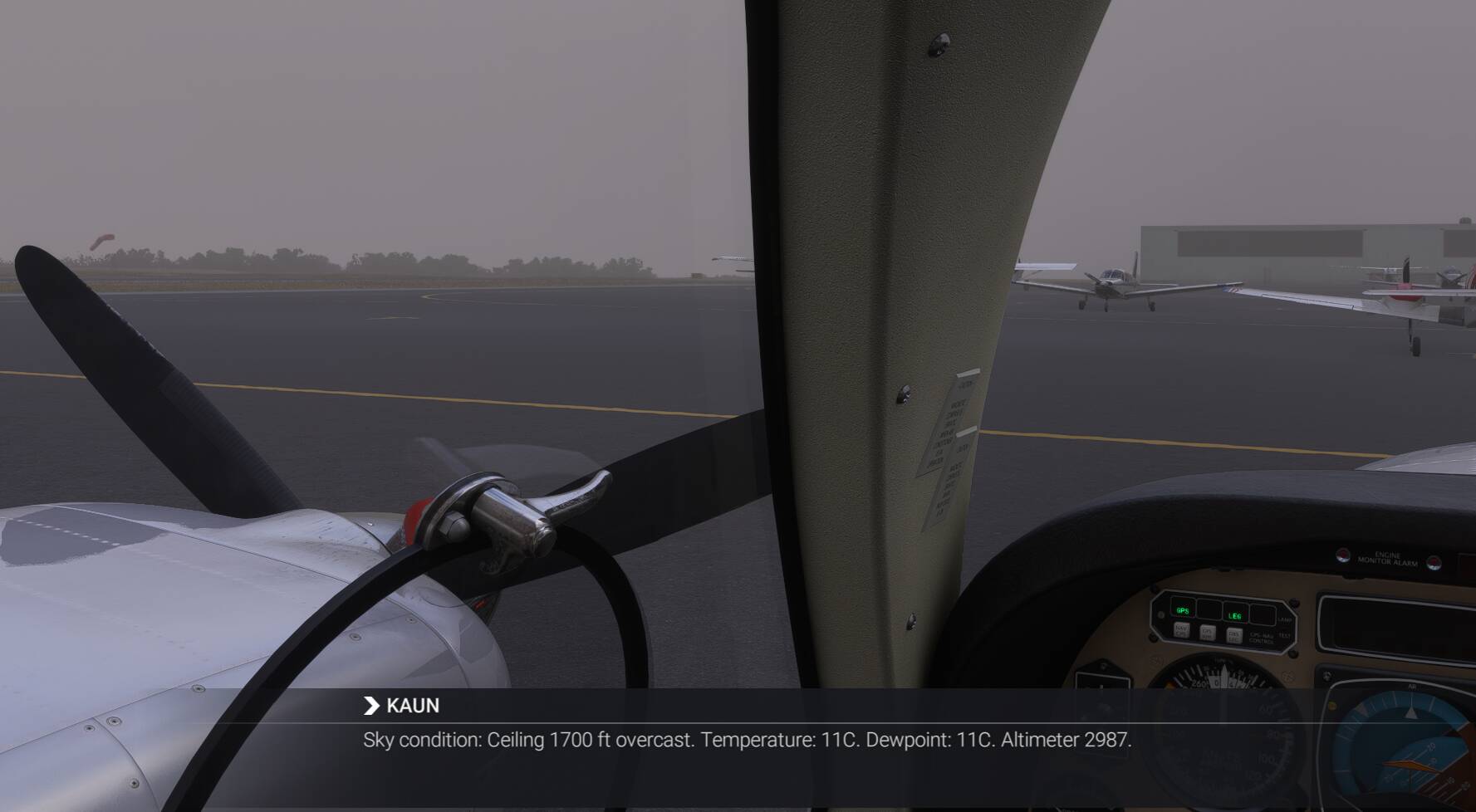
The weather at a departure airport always seems to be what ATIS or AWOS says but these are often very different from available METARs and so you cannot use publicly available data to determine any of the sim’s weather conditions while flight planning. I often start by looking at the FAA’s GFA website to find conditions I want to fly in but then the sim is totally different.
If the weather gets fixed in the future then that will be great but in the meantime we need some way of flight planning using the sims ATIS or AWOS weather so I think it needs to shown on the flight planner map as an optional mouseover tooltip (for example). METAR can be done the same way.
How far off are you seeing things? I also check GFA before flights and METAR results, especially for pressure and wind, are often fairly accurately reflected at the airports, albeit sometimes with a short delay.
Now, the sim’s planning map is off in that and many other regards, but in-sim and in the EFB those elements seem to be pretty accurate. Where things really start to jump the shark is ceilings.
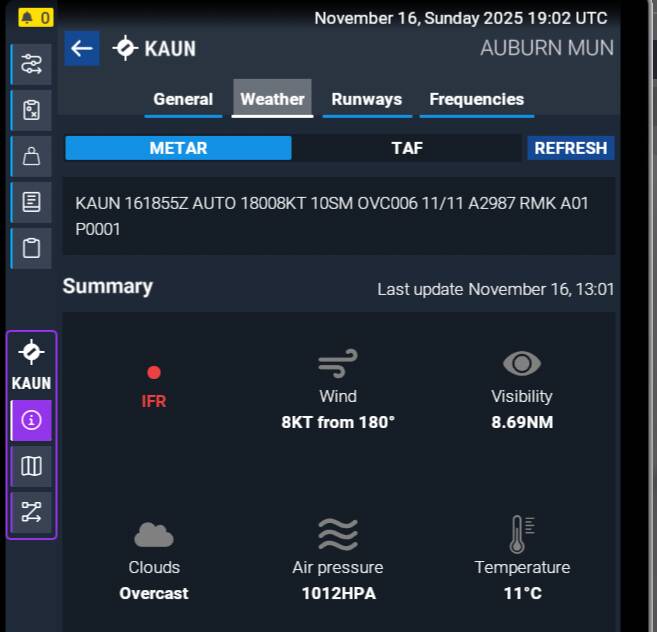
Note the broadcast wind is in magnetic heading and the METAR on GFA is in true heading. KAUN is at 13°E variation, so that’s correct.
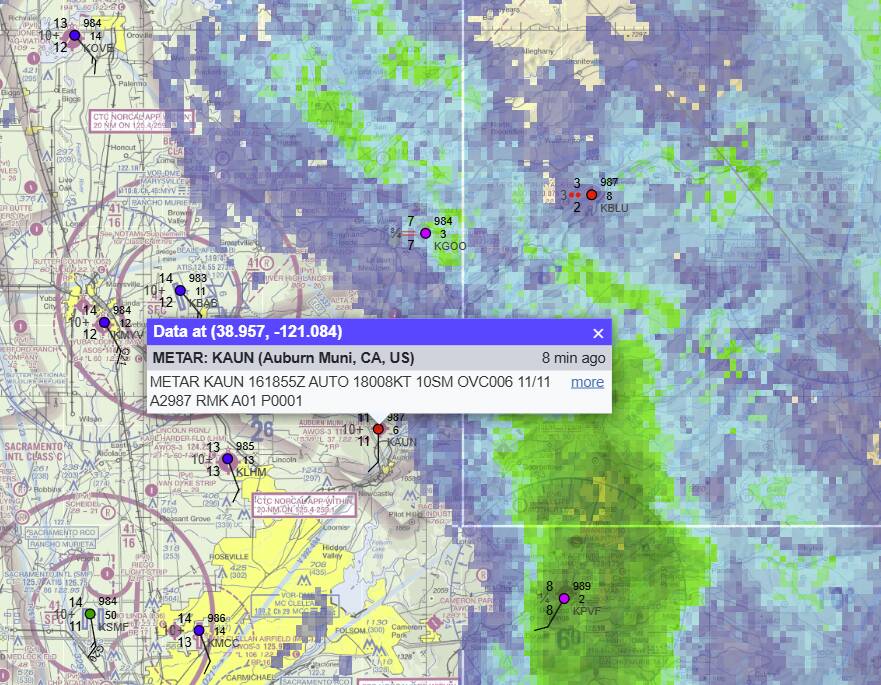
Now, what’s interesting in the sim is that it nearly matches the METAR, except that the sim is reporting heavy rain. KAUN’s AWOS doesn’t have a precipitation discriminator (A01), so where is it getting that? I wonder if there is another METAR locally that is overriding or the entire frontal system that is currently clearing AUN is responsible. There’s a lot of rain on the radar (just to the east now).
I think the rain discrepancy is due to the sim’s general delay in large-scale weather depiction (I usually assume 30-60 minutes). But that’d make sense as to what’s generating the rain (and notice it’s not locked to any METARs). What doesn’t make sense is the cloud heights. It’s almost as if they’re being reported in MSL versus correctly in AGL (KAUN is at ~1500’ elevation)?
My primary focus is ceilings and layers. Winds can stop me from trying to fly in an area like today in the Norfolk and northward area I wanted to fly in but otherwise they just help me decide which way to go. But if I see SCT170 OVC200 and then I get there and its this for the 8200 time:
my heart sinks… and then I get mad… and then I fly anyway. FS is not realistic. I wish it was. Routinely cloud layers that are at my altitude of 7500 or 9500 feet will follow me down to the ground as I descend. I hate it. Many times I have found myself in intense rain just miles from my destination which will be reported as clear and the G1000 Nexrad will show the airport perfectly surrounded by heavy rain while clear at that airport. We call them METAR bubbles but not everyone believes in those.
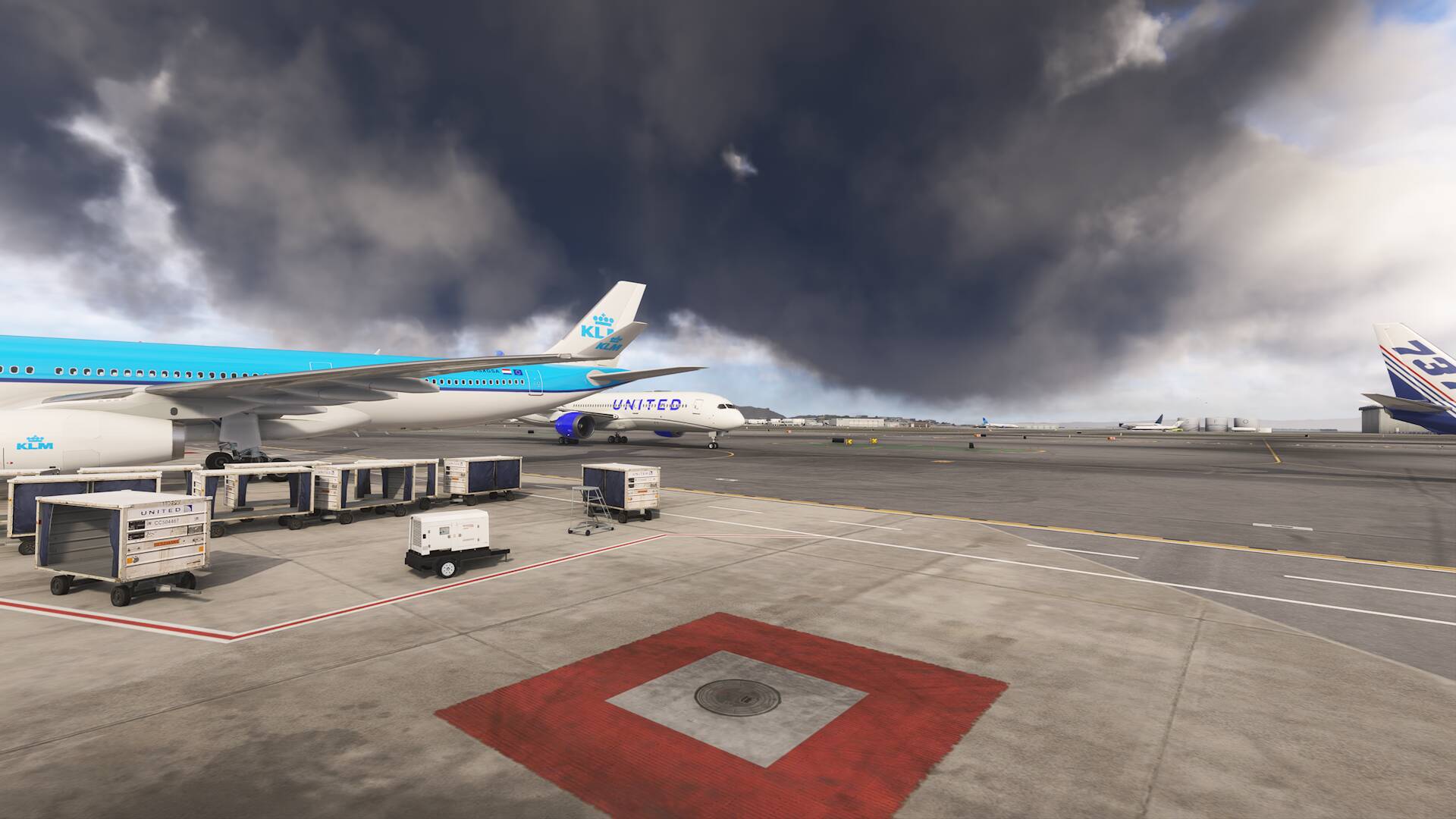
anyway, I just want to see ATIS on the flight planner because in the above photo it did say something like Broken 700 and overcast at 3400 –it wasnt overcast either though.
Honestly there is very little relation between real weather and what the sim chooses to do.
I just did a flight through several storm systems from Colorado to California with an intermediate stop in Bryce Canyon. Generally things were pretty good. There were some showers depicted on the TBM’s radar and I noticed they were generally about 30 miles off from reality (there’s that delay). No METAR bubbles observed.
Upon arrival into Bryce Canyon, they were going through intermittent snow showers, which dropped several SPECIs. To my surprise, both the AWOS and sim depiction got it right (except for the reported/broadcasted ceiling, more on that later), in pretty close to real time. Good thing, too, because at certain points it would have been right at minimums.
As we approached CA, I did another comparison of the real-world composite radar mosaic with that of the EFB and pointed out several discrepancies, very similar to what I posted above. The problem seems to be several-fold, but again, I did not note any METAR bubbles. Going back to the issue, I’m not sure what is the root generation of the weather - it could be radar, it could be satellite, or a combination of several observational methods. What I did notice, and I pointed this out on my stream, is that the weather depicted on the EFB was generally in the right place, but it was delayed (typical) and it was too… wide. Like 3-4x the width of the precipitation in real life. so that may be similar to what you’re seeing - a delay, along with precip that’s overdepicted.
That said, this was a well-established, synoptic-scale storm system. I still don’t think it will get certain types of convection right as it’s too ephemeral. So if you’re dealing with that kind of weather, who knows what’s triggering it in the sim - METAR, radar, etc.
The other two things I noticed, possibly worthy of bug reports:
All the AWOS broadcasts I tuned were reporting 1700’ ceilings.
The TBM was showing liquid precip flowing along the windows despite it being nearly -20°C. I don’t know if that’s an aircraft bug or sim.
I wonder if the EFB mosaic and that of the G1000 are similar?
This request is critical for anyone attempting to take Career remotely seriously - at present time, if you are not flying a mission with live weather (which many mission types seem to never offer), you have no way of knowing the current weather conditions except what your eyes and limited aircraft instrumentation may tell you, and that’s almost never useful for determining conditions at the airport on the ground for runway selections.
The EFB will show you the METAR at the time selected by the time slider in the planning screen. If the slider is set to match the mission time (as indicated by the presence of a red dot on the mission icon), you’ll be looking at the weather you can expect at departure time. If you select the correct layer in the live map (clouds, winds, or precipitation), it will show a graphical representation of those as well, also matching the time slider. Note that latter method can be buggy and “hang up,” (weather depiction freezes) in which case backing out all the way to the start menu and going back in usually clears it up.
That said, it’s not the best system because it’s not intuitive, it’s still not enough info, and it’s buggy, but I’ve found it to be fairly useful for a weather overview for career mode missions. You at least know the weather the sim thinks it’s going to give you.
Thanks for the information, though (unless I’m doing something wrong) there are some missions which will never show the red dot, regardless of the time set on the slider. I’m not near the sim at the moment but I’ll grab some example screenshots later today.
I believe it. Haven’t run into that personally - and I’ll be honest, I haven’t done career in a while, due to the other issues with that mode, so that’d reflect a change (maybe a regression?) since the last time I did.
Depends on the mission type, too. I think some mission types are meant to have a very fixed time/weather (thinking about flightseeing, advertising, stuff that would almost always occur during the daytime for example) so those are some that I don’t think I’ve ever been able to get a red dot for. Definitely going to play with it more now that I know the slider affects the EFB METAR data.
Ah, yes, those types do have fixed weather. That was a confusing aspect when the sim launched because some elements of live weather, such as turbulence, were leaking through.
Heck, the whole time slider/red dot thing was a major source of consternation for many because it was never officially explained - we had to figure out what it was doing!