Also tested here, and still freezing at 50%
I thought the same, but tried a C152 with the same result sadly.
I can fly from North Weald, Earls Colne, Headcorn, Oxford, and Gatwick. But not from Stapleford, or Stansted, or London City. - Very interesting issue… 
Hello Darkstar, and thank you for posting.
I’ll start by saying, I didn’t do right by the community when I had this issue. Microsoft/Asobo support asked me to “please attach an MSinfo to your response, our development and QA teams will use your files to investigate further.” When I received the email, I had already reinstalled Windows 10. I wished I had waited now so I was able to do this for the community.
My issues happened all over the globe, just like you, load into an airfield/airport and in exactly the same place as yourself (around the 55% mark) the sim would freeze and I would have to Alt Tab Delete back to desktop. Uninstalling the sim and all its files and folders, including any 3rd party content didn’t solve my issue. So I was left no choice but to reinstall Windows 10. Luckily this wasn’t a major headache as my PC is dedicated solely to MSFS.
So did you still get the freeze even after doing a complete wipe of MSFS and reinstall? If so have you been able to do an MSinfo report for Asobo? If so did you get any reply back from Asobo? And if you haven’t done so would you like to do so when you get a freeze? I can give you detailed instructions on how to do it if you need them?
If I can get you to do it for Asobo, I won’t feel as bad for me jumping the gun lol. You are getting the exact same issue as I was.
Chris.
2 Likes
Hey Chris,
Sure, I can do that. I havent re-installed Win10, as I have too much content here.
*I did install the latest windows updates, and the latest Nvidia drivers too.
I did buy a USB3.1 (TypeC) SSD that I run FS2020 from, and it runs flawlessly, or at least did up to SU5.
So i have FS on its own dedicated 1TB SSD.
I did re-install it, and removed all community content, and stil the issue persists.
I can run an MSinfo, provide that and a DXdiag to Asobo if helpful, and can either append your ticket, or log a new one.
Regards
Cal.
I’ll send you a DM with my email address Dark mate, and I’ll add it to my active ticket. Be right with you.
np Chris, Ill replicate the issue, get the files, and send them on.
DM sent 

Good stuff, MSinfo now returned …
Superb. I just got a reply back from Asobo via email stating they are aware of issues with 3rd party sceneries, and are actively looking for a fix. I knew we would get there in the end, hence why I never chucked in the towel. Well I suppose I did in way by reinstalling Windows 10 lol 
Still any info they can get to help them solve the issue, like an MSinfo can only be a good thing.
All the best Cal.
Chris.
2 Likes
Nice one. To be honest, its such a massive piece of software, and its pretty darn incredible, I am honestly surprised it works as well as it does. I have had little or no issues tbh , one or two. Mainly control sensitivity issues, and they fixed that. had some random CTD, but nothing major, so Im not complaining at all. Woul d be nice to fly out of my old airfield again though 
The same as myself. My Sim was as smooth as silk pre update 5. An incredible piece of software worth every penny. I never had a single issue or bug, and performance for me on a mid range system was once again incredible. EGLM White Waltham is my home airfield, literally 300 yards from my house, and it was one of the airfields affected by the freeze bug.
I have sent your MSinfo via my support ticket, and hopefully this will give them something else to look at, and help resolve the issue. As things stand at the moment, I am not going to install any 3rd party scenery, apart from the Premium, and Premium Deluxe versions of MSFS. I have tested these and all is good. Shall I install my beloved PMDG DC6 and Just Flight Piper Arrows though? That is the question? 
2 Likes
I just bought the Carenado C170, I cant stop flying it. Funny thing, I can fly into Stapleford . I just did a night flight from Duxford down to Stapleford. Took off and tracked 210 to LAM , lovely flight …
I used to live about 20 minutes from Stapleford, and used to have a share in a C172 we kept parked over there. Ahh, those were the days
1 Like
Exactly same problem 
I hope fresh windows 10 install with MFS2020 without ANY marketplace and built-in addon will help me.
1 Like
I think it is safe now for the Just Flight’s Piper Arrows to go ahead.
Never uninstalled mine and yes ,there were some issues 
The word is out (email from justflight).
I love the part where they quote "compatibility with Microsoft’s new Sim Update 5 "
And Asobo is aware of issues with 3rd party sceneries.
Sun is starting to shine again 
1 Like
Or one could selectively uninstall those sceneries mentioned in this tread.
Did the trick for me and saved me some time
Yes as Shier says above, troubleshoot first. Delete everything out of your Communty Folder. Better still, delete the community folder completely and allow MSFS to create a new one when restarting the sim. Remove any software and hardware related to flightsim, FSUIPC, LitteNavMap etc… And if it still freezes, delete MSFS. Watch this video on removing MSFS completely from your PC
And if it still freezes, and you are comfortable reinstalling Windows, go for it. You’re almost guaranteed to fix your issues. Format all hard drives (SSD’s) in NTFS format, making sure to back up anything you want to save. Make sure you install a Vanilla MSFS with just the mouse and keyboard, and essential motherboard drivers only. If it has solved the issue, start adding back your motherboard drivers, sim hardware and test again. If it still works, then fly around in this state until they get all the bugs ironed out with 3rd party software.
Good luck
Chris.
And from the forum @FSDreamteam: the problem with the MS Marketversion of Switzerland Mesh is also confirmed and a solution handed over to MS
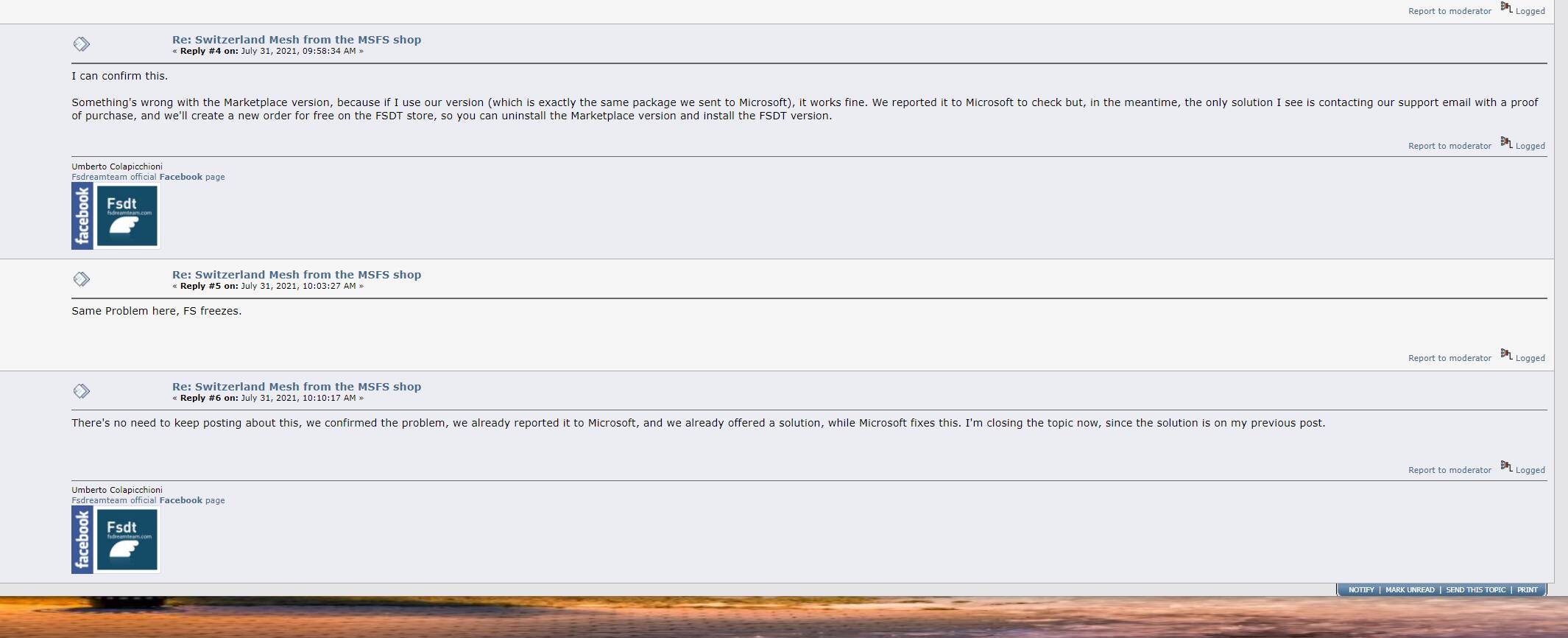
Looks good, we are slowly getting there 
Cheers 
John
2 Likes
It would be nice if they could publish what they found to be the error, so other publishers can take a look at their add ons and see if it is the same sort of issue? Its okay letting Microsoft know, but in the meantime…
I’m also a bit miffed that the publishers keep mentioning Microsoft, as I’m not convinced Microsoft is as culpable as Asobo in all this. Maybe they should be contacting Asobo directly? Or am I being pedantic? 
marketplace
1 Like
You can contact Sam Scene 3D to let them know of your problem: Redirecting.... Make sure you tell them you purchased it from the MSFS marketplace.