Brief description of the issue:
Hello…
How come i dont see the Sim in the microsoftstore under “installed/owned” anymore?
I have the gamepass, its running, installed and i can fly. But i want to repair the files since i cant do landing challenges, it tells me i need to open content manager and install missing stuff. Sadly there is 0 to install, its all up-to-date…
So how can i repair the files now without it showing up in the store/installed?
Again, i can fly. Its just not showing up as installed in the store anymore.
Edit:
I found the repair function in the Windows Apps list…
I’m not sure if everything is right here… I thought i found the answer. But im not really sure that is the case anymore.
Im nearly sure that some months ago i could check and repair files via the Microsoft-store. When i did that it took a long time to complete. Like at least half an hour or something, i dont remember.
What can be is that this was the Alpha though, i dont remember this either.
But now the Sim/game-entry is completely missing from there and the only place where i can repair the files is via Settings/Apps/MSFS.
But here it takes no 20 seconds to finish. And doesnt repair anything too…
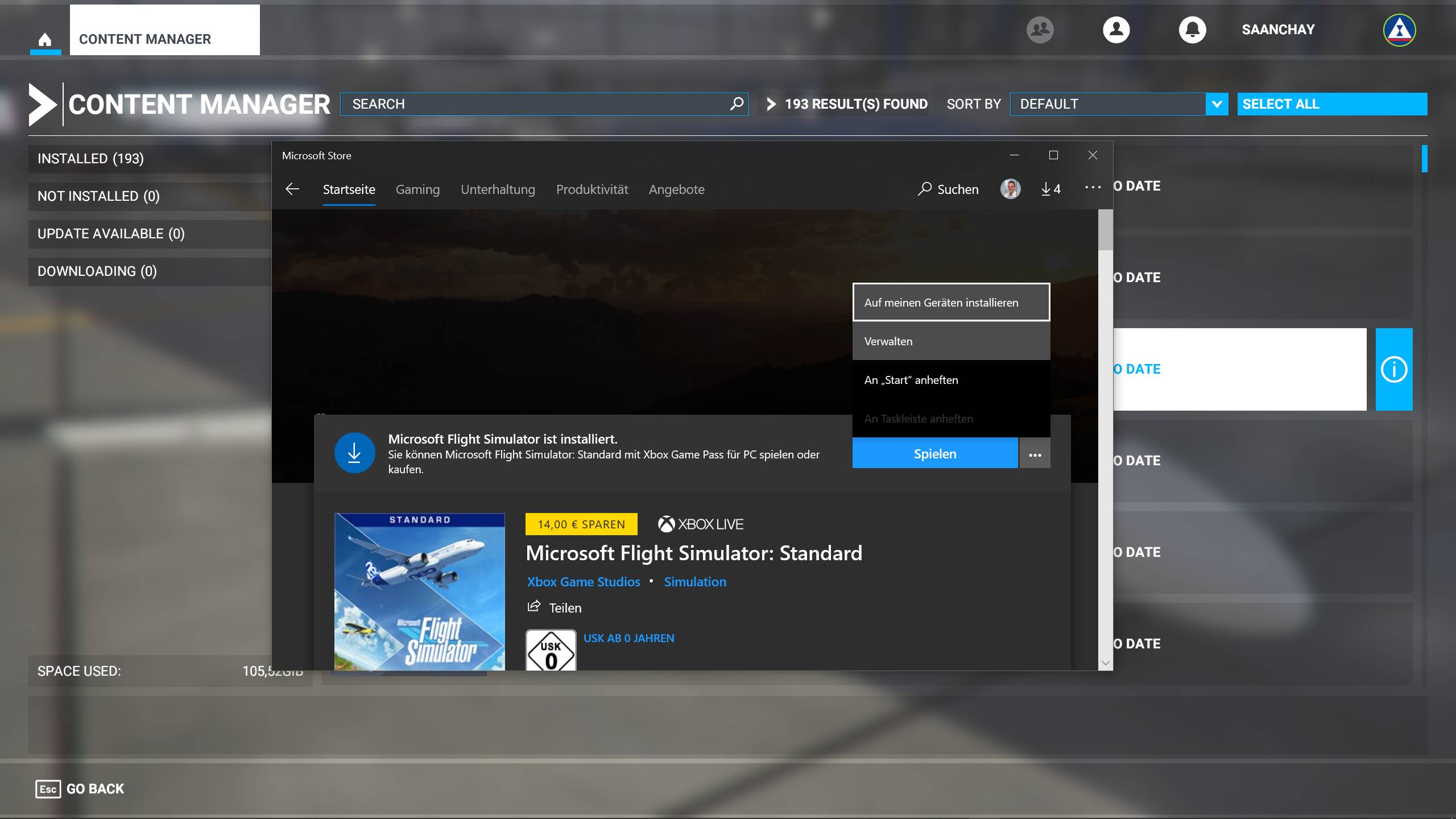
When i search in the store for MSFS via the search menu i find the sim. It shows as installed here. But when i click (look at pic please) "Verwalten (probably “Manage” in English) it leads me to the list of installed Games/Apps. And here is NO MSFS to be found.
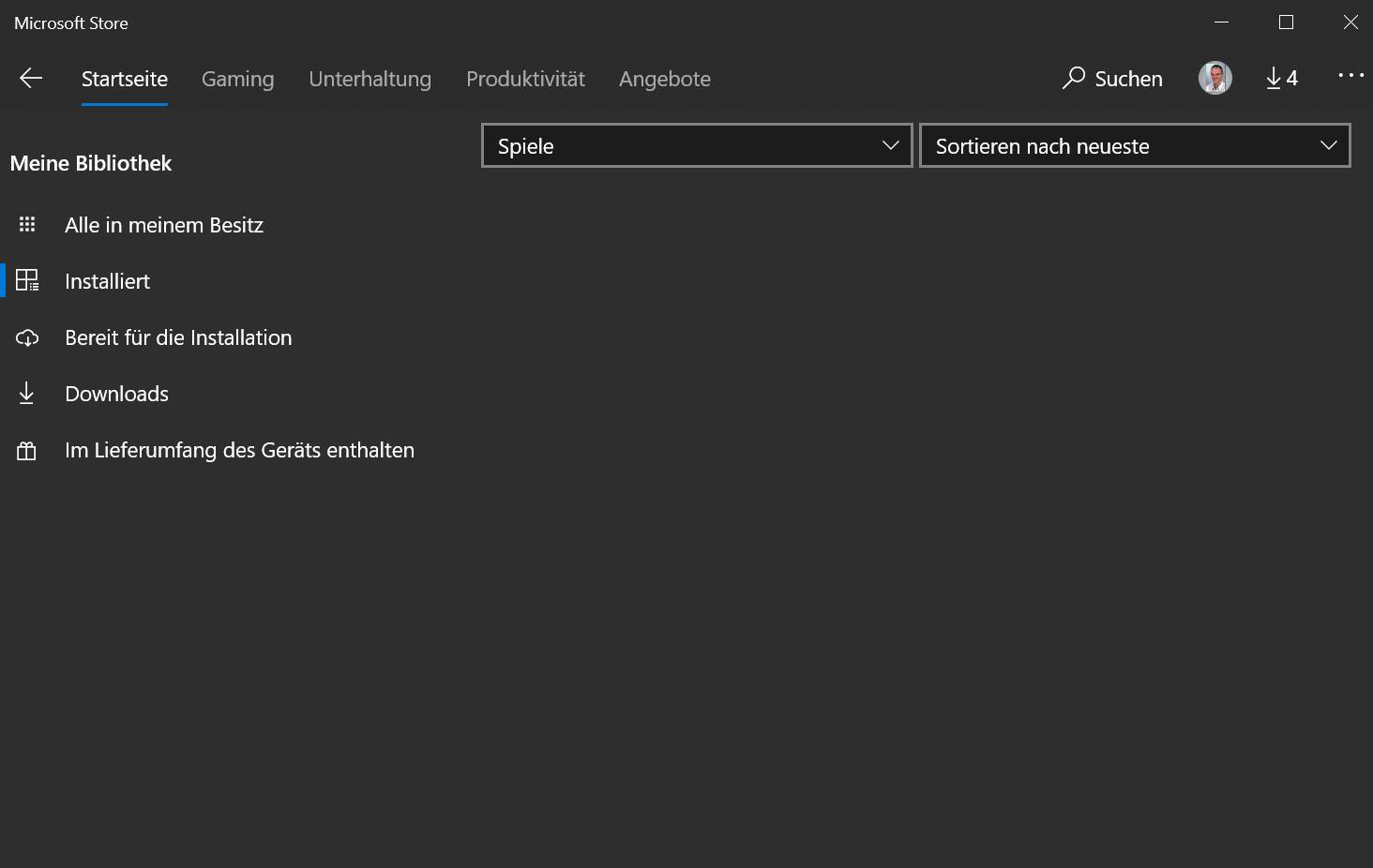
Go to Store to “Installed Apps”. No MSFS here for me.
Go to Store and search for MSFS via searchbox. Find that the game is installed. Try to “manage” it and its nowhere to be found.
Thank you Hester40MT for the super quick reply.
There is no update for MSFS for me atm. Those 4 that it shows are for other windows apps, OneNote and the like.
In anyway, MSFS is not showing in that menus. The whole shop menus where it shows installed store apps etc doesnt have any MSFS entry, thats why i wonder so much.
I can make it appear as seen in the first screen only when i search for the game in the shop, but not via the installed apps/games menu in the store.
And when i do the repair via the normal/outside-store windows apps list i can repair, yes. But that process takes a few seconds, i cant see how that scans over 100 GB of files in this time.
I remeber in the Alpha i think, or start of release version i went to repair/check files via the store and had a progress bar, that took a long time to complete, not just a few secs.
The problem is that i have some weird problems with the sim, even without anything in the community folder. Thats why i wanted to repair.
Sadly the repair function in said menu doesnt help, anyway i doubt it even checks all the content files. Probably only the base App of MSFS. I simply cant imagine how it checks all the files. That would take a lot longer. As it does in all other apps/games im aware of.
I dont really want to reinstall again, it took me ages last time. Over 17h. But seems i have to…
Oh really. Then thanks, i will try it.