I am starting to give up. I am trying everything to try to set radio frequencies using python.
Here’s a screenshot, I can read the frequency as you can see, 122.8, it will not let me set it. The code runs but nothing changes in MSFS.
I have tried setting as a string, as a double and in hz i.e. 12280 and 122500. I have also tried with and without underscores.
Any ideas as to what I may be doing wrong?
I can do it in c#, the code below works.
        var comData_1_active = EventSystem.GetDataDefinition("SIMCONNECT:COM ACTIVE FREQUENCY:1");

        comData_1_active.SetValue(Convert.ToDouble(frequency\[0\]));
There are readonly objects and writeable objects for the frequencies. Are you sure, you are using the right one? Is 122.5 a valid frequency? Using the 8. 33 kHz channel spacing mapped to 5 kHz steps leads to quite weird frequency settings.
I have a python test script which I have used some time ago when the A350 had the tuning bug. I can provide it tomorrow.
The Sim Var you’re using is not writable (settable), only readable (see https://docs.flightsimulator.com/msfs2024/html/6_Programming_APIs/SimVars/Aircraft_SimVars/Aircraft_RadioNavigation_Variables.htm#com).
To change frequencies use one of the Key Events: https://docs.flightsimulator.com/msfs2024/html/6_Programming_APIs/Key_Events/Aircraft_Radio_Navigation_Events.htm#com
Note that the key event value typically must be an integer. And note that the events which set values in Hz are in whole Hz, not MHz or KHz (so if you have MHz then multiply that by 1,000,000 first).
That’s not standard SimConnect code, you must be using some intermediate library. Though there’s no way it can change the value of that Sim Var, since it’s not settable. No idea how that would work.
HTH,
-Max
Thank you for this  The c# is a script run within SPAD.next so I assume then from what you are saying, SPAD is interfering somehow and changing something else in simconnect.
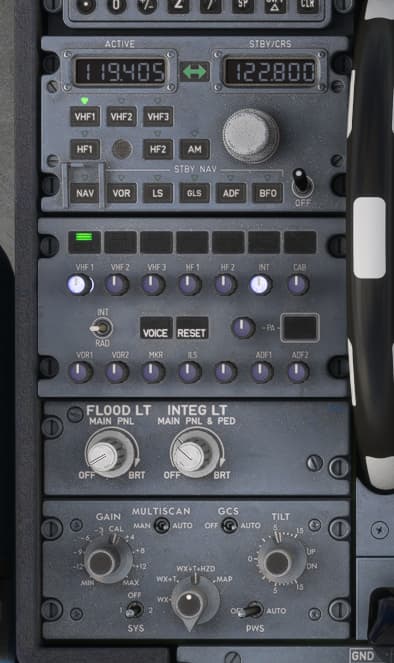
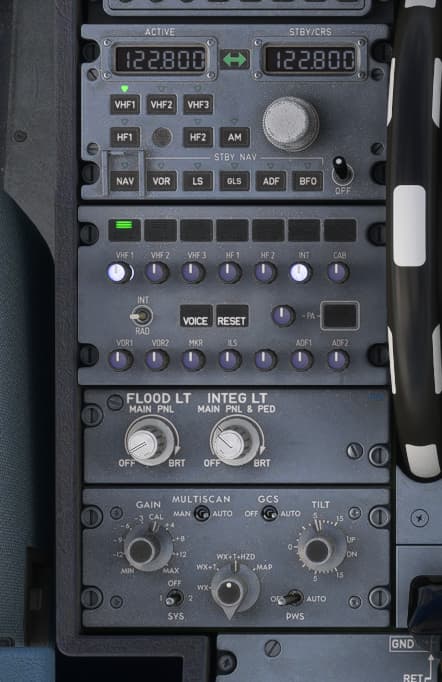
I decided to take a step back and just try to get a basic event working rather than set frequencies, I looked at COM_STBY_RADIO_SWAP. Is the below expected behaviour? It does change the active frequency to that in standby but the standby frequency isn’t changing - so the same frequency in active and standby 
Before (preloaded frequencies, I haven’t changed these)
After
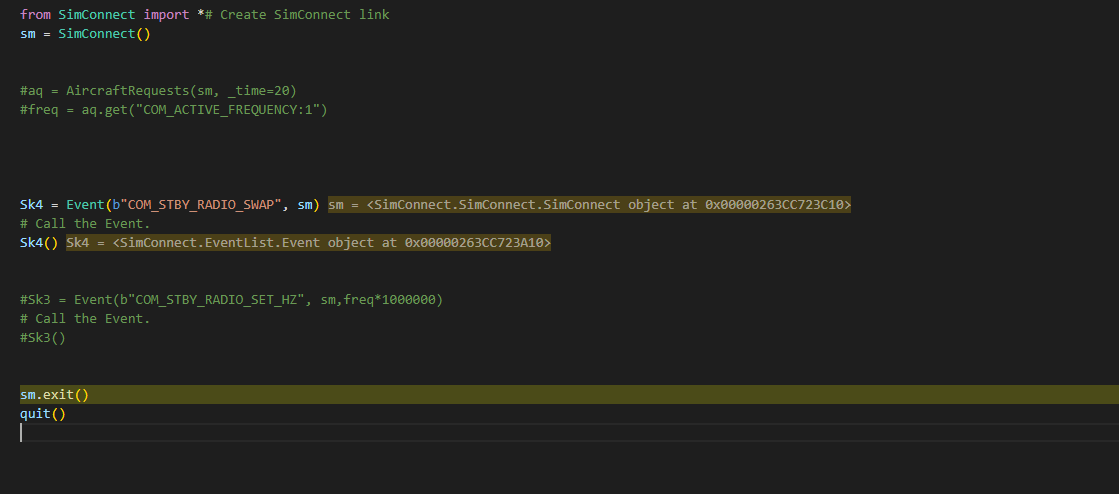
Code
So I have read that swap doesn’t update the standby, however the below does nothing in the sim……
from SimConnect import *# Create SimConnect link
sm = SimConnect()
Sk3 = Event(b"COM_STBY_RADIO_SET_HZ", sm,122800000)
# Call the Event.#Sk3()
Sk3()
Any ideas or examples?
As promised a small script which I have used as test script for the external tuning bug of the A350. First it reads GPS position and current frequencies. Then it sets the STBY freq of radio 1 to 118.8 MHz and reads it back after 2 seconds.
import time
import os
from SimConnect import *

def connect_to_fs():
    retry_limit = 10
    attempt = 0
    while attempt < retry_limit:
        try:
            sm = SimConnect()
            aq = AircraftRequests(sm, _time=2000)
            return sm, aq
        except ConnectionError:
            time.sleep(2)
            attempt += 1
    raise Exception("Error connecting to SimConnect.")

if __name__ == "__main__":
    try:
        sm, aq = connect_to_fs()

        lat = aq.get("PLANE_LATITUDE")
        lon = aq.get("PLANE_LONGITUDE")
        alt = aq.get("PLANE_ALTITUDE")
        freq = aq.get("COM_ACTIVE_FREQUENCY:1")
        stby = aq.get("COM_STANDBY_FREQUENCY:1")
        spac = aq.get("COM_SPACING_MODE:1")

        print(f"GPS: {lat}, {lon}, Höhe: {alt:.2f} Fuß")
        print(f"Frequency: {freq:.3f}, {stby:.3f}, Spacing: {spac}")

        ae = AircraftEvents(sm)
        freq=71808
        event_to_trigger = ae.find("COM_STBY_RADIO_SET")
        event_to_trigger(freq)
        time.sleep(2)

        freq = aq.get("COM_ACTIVE_FREQUENCY:1")
        stby = aq.get("COM_STANDBY_FREQUENCY:1")
        print(f"Frequency: {freq:.3f}, {stby:.3f}")
    except Exception as e:
        print("\n❌ Error!\n")
        traceback.print_exc()
    finally:
        sm.exit()
Good plan on trying simpler at first.
I don’t know what COM_STBY_RADIO_SWAP is supposed to do (besides what’s in the docs) – I use COM1_RADIO_SWAP (or COM2_RADIO_SWAP, COM3_RADIO_SWAP) which works to actually swap the frequencies, last time I tried it anyway (since this is MSFS, assume any advice you get is qualified with “YMMV” :-).
Not sure here, sorry. I’m not actually very familiar with the Py SimConnect library. The event name and the value seem correct. Not sure the byte qualifier is necessary for the string, or if that would break anything? Frank gives a nice example above here, hopefully that will help!
Cheers,
-Max
Thanks both for your help on this. I haven’t yet but will test this code, one thing I am finding is that my code works a lot better using an MSFS built - in aircraft. I have been trying it on the Fenix A320.
I believe the Fenix uses non standard variables etc. Plan now is to get it working on the DA62 and then take it from there. Likely destination is FSUIPC or even WASM - which I know nothing about.
What I can say is, I am never sure if I prefer flying on the sim, or coding the sim, either way its all good fun. Thanks again.
Chris