Using the template below will greatly help the team reproduce the issue and ease the process of fixing it. Before posting, search for an existing report. If you are not sure it’s a bug, please first report in User Support Hub.
3 tags are required - add them in the tag section next to the title above:
-
One for platform (ms-store, steam, xbox, playstation, or xcloud)
-
One for aircraft if related (start typing in your aircraft name in the tag section and pick correct option)
Feel free to delete this quote section after adding your appropriate tags.
ISSUE DESCRIPTION
Description of the issue: After update a week ago (SU 4?), the Marketplace continues to show a download available for install, but refuses to do the install
FREQUENCY OF ISSUE
Constantly since SU 4 update
REPRODUCTION STEPS
Please list clear steps you took in order to help our test team reproduce the same issue:
-
Start sim
-
Noticiation Bell shows a download available to install, and directs me to the Marketplace
-
Marketplace shows an update available for the Standard to Deluxe and Standard to Premium Deluxe packages as ready to install….in both cases it is an update supposedly for a Cessna 152 Aerobat
-
I select any of the checkboxes (which actually selects all of them, since all entries are for the same file) and click the Install button. But nothing happens…no installation or update occurs.
-
Next time I start the sim, it does the same thing…notifies me an update is ready to install, directs me to Marketplace, the 152 Aerobat file is the only thing showing ready to install (listed in both the Standard to Deluxe and Standard to Premium Deluxe packages), but when I select it and click Install, nothing happens.
-
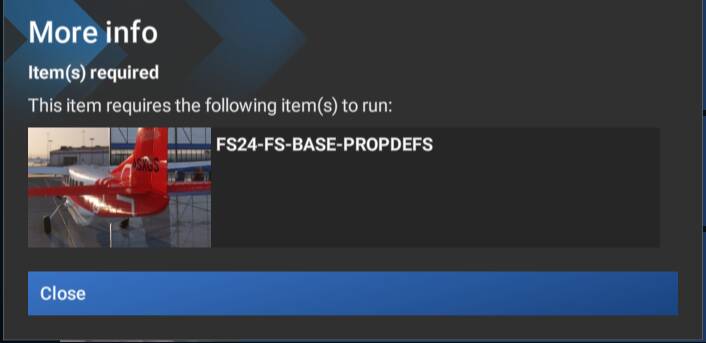
Note that when I click the More Options button next to Install, and then the More Info button, another small window says “This item requires the following item(s) to run: FS24-FS-BASE-PROPDEFS. So I don’t know if that’s the problem, and is somehow missing, or what that message means.
YOUR SETTINGS
If the issue still occurs with no mods and add-ons, please continue to report your issue. If not, please move this post to the User Support Hub.
What peripherals are you using:
[PC Only] Are you using Developer Mode or have you made any changes to it? No
[PC, MSFS 2020 Only] Are you using DX11 or DX12?
[PC Only] What GPU (Graphics Card) do you use? Nvidia 5090 FE
[PC Only] What other relevant PC specs can you share? Maingear MG-1 system, AMD 99503DX CPU, 32GB ram, over 2 terabytes free on game SSD drive, Honeycomb peripherals