No doubt this is something that will require some patience!
I dont think so. Last week I reinstalled MSFS and it took 20 hours! I have a 1.8 Gbps internet connection!
Cyberpunk 2077 patch just dropped and I’m pretty sure that game has millions more players than MSFS.
All those Cyberpunk players will be downloading that patch right now. It was 43GB on GOG and took only several minutes to download with speeds going above 800 Mbits/s.
I’m now downloading this 6GB patch for MSFS and it’s going to take several hours ! Pathetic 
4 Likes
Had some “freetime” planned for this evening and was prepared to make a nice relaxing flight. Welp, 2 hours later still downloading 6 GB in 2023.
^^^^ This, a thousand times this. ^^^^
1 Like
That’s true.
But now is worse than before … ahahah if possible!
I have 10Gb/s fiber to Milan(Italy) node, but to Asobo servers I can’t get more than 2Mb/s anytime. Now 0.13Mb/s. From Steam I get 2Gb/s minimum
1 Like
I have already called my provider 4 times and my line has been checked by all means. In addition, a technician even came by, who generally measured the speed in my area and looked for problems. Now it turns out for me that it must be microsoft. In addition, I bought a LAN cable CAT 8 a few days ago, and still it loads with 2 Mbits even in the content manager. I even get errors from it 
I’ll put the same thing here again:
This aspect of the sim has been an issue since the very beginning and with the arrival of MSFS2024, it won’t improve at all.
When I’m reading stuff like throttling connections, and putting blame on the users, it is just appalling.
I’m currently trying to update to the new Sim Update but I’m stuck in a disconnect loop on file 74 out of 75. MSFS keeps dropping packets or dropping the connection and ultimately flags the download as having failed. Just earlier today I had the same with updating World Updates in Content Manager.
Asobo should better be doing something about this, except being ignorant and blaming this on someone else.
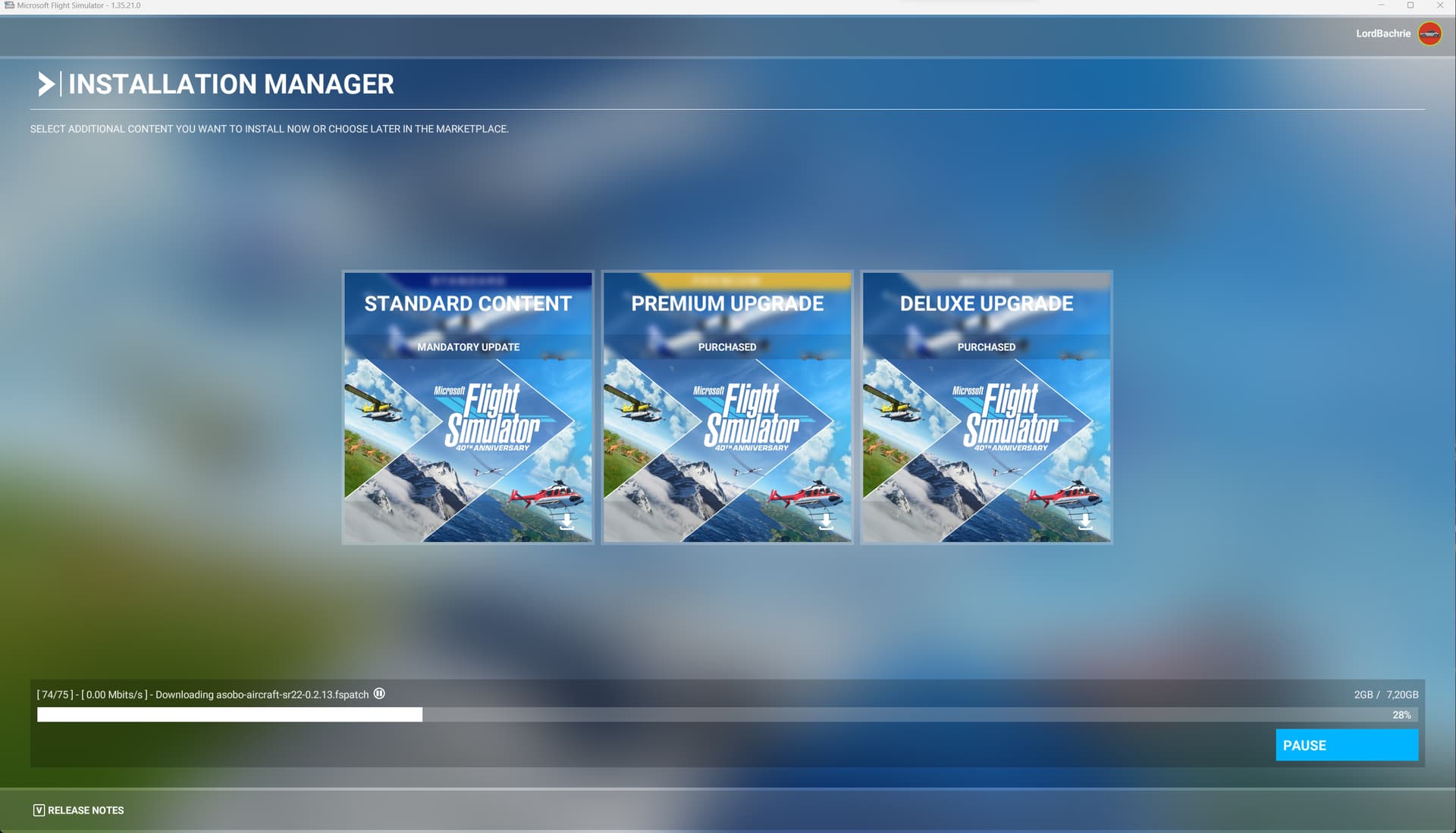
5 Likes
my download speed:

2 Likes
Yea 0.14 now. I didn’t investigate, but this is a classical geolocalized routing problem, somewhere there is a “weak chain ring” router that drop traffic on overload. But I don’t think it’s microsoft fault, Akamai lines are really “science fiction” bandwidth.
Same here … 74/75.. 0.00 Mbit/s

Today my new SU14 download speed is something unbelievable, never seen that cosmo speed before) there’ve been 1, 2 and even 3 mbit, but never 0 ))
Try pressing Pause + Resume… that made my installation come alive again.. But now at 74/75 files it is seriously stuck .
It comes back now but only for 5 seconds. Then it’s stuck again for 10 minutes. They’re really struggling with these connections…
Is Asobo providing these updates from their own servers or did someone screw up their load balancing and/or scaling config?
Just noticed 51 percent somehow became 48 
 It seems it’s being uploaded back
But the funny thing is that I didn’t want the update right now… It started by itself, without requesting any confirmation!
Because we expect to get what we paid for. I dont undersand how Microsoft can get away with this.
1 Like
For me the problem is when it’s trying to download fs-base-soundbanks. There is a little pause icon next to the words. I hit the pause button at the bottom right and then Resume. The little icon goes away but then returns. Sitting at 0.00 Mbits/s. Occasionally goes up to .10 then counts down to zero. Never had this issue before when downloading Sim Updates. Really hope Asobo is looking at this.
2 Likes
So, Asobo has mentioned in the main post that you should delete the faulty files. (Go into the package folder and delete any .PART file)
EDIT: This workaround doesn’t work.
Don’t you think there is an issue with your file delivery/handling within MSFS, Asobo?
1 Like
Happens for me totally independent from alleged server loads. I’ve loaded WUXV two days after release, and the download behaviour was exactly as observed for months now: each *fspackage file starts with around 2.5 Mbps, stays that way for a looooong time and finally ramps up to my maximum d/l speed of 100 Mbps, only to start this cycle again with the next *fspackage file.
1 Like