Using the template below will greatly help the team reproduce the issue and ease the process of fixing it. Before posting, search for an existing report. If you are not sure it’s a bug, please first report in User Support Hub.
3 tags are required - add them in the tag section next to the title above:
-
One for platform (ms-store, steam, xbox, playstation, or xcloud)
-
One for aircraft (start typing in your aircraft name in the tag section and pick correct option)
Feel free to delete this quote section after adding your appropriate tags.
ISSUE DESCRIPTION
Description of the issue: Some live weather conditions are causing damage to the YS-11 engines.
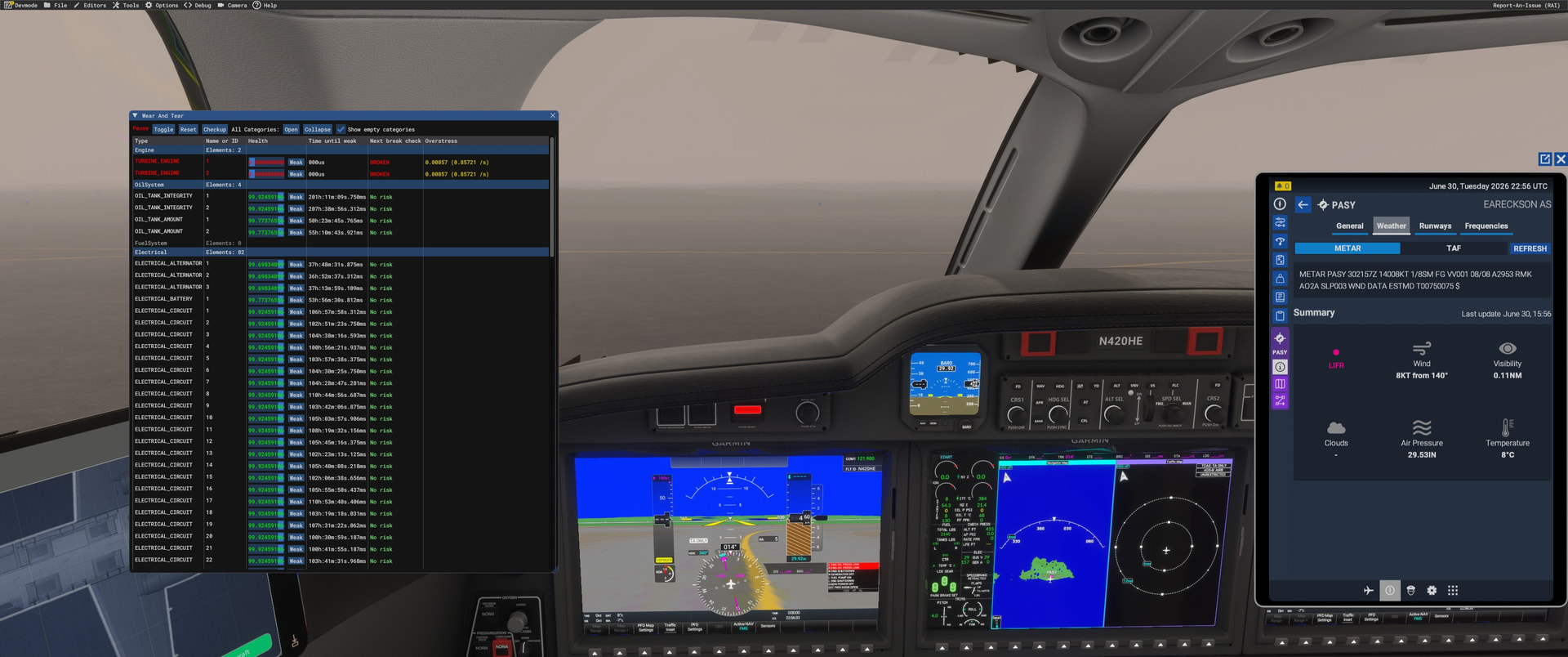
I noticed that sometimes, within minutes of starting the YS-11 engines, they would just die and could not be able to be restarted. At other times, no issue was noticed.
Tonight I used the devmode debug wear & tear tool and saw the bug live.
FREQUENCY OF ISSUE
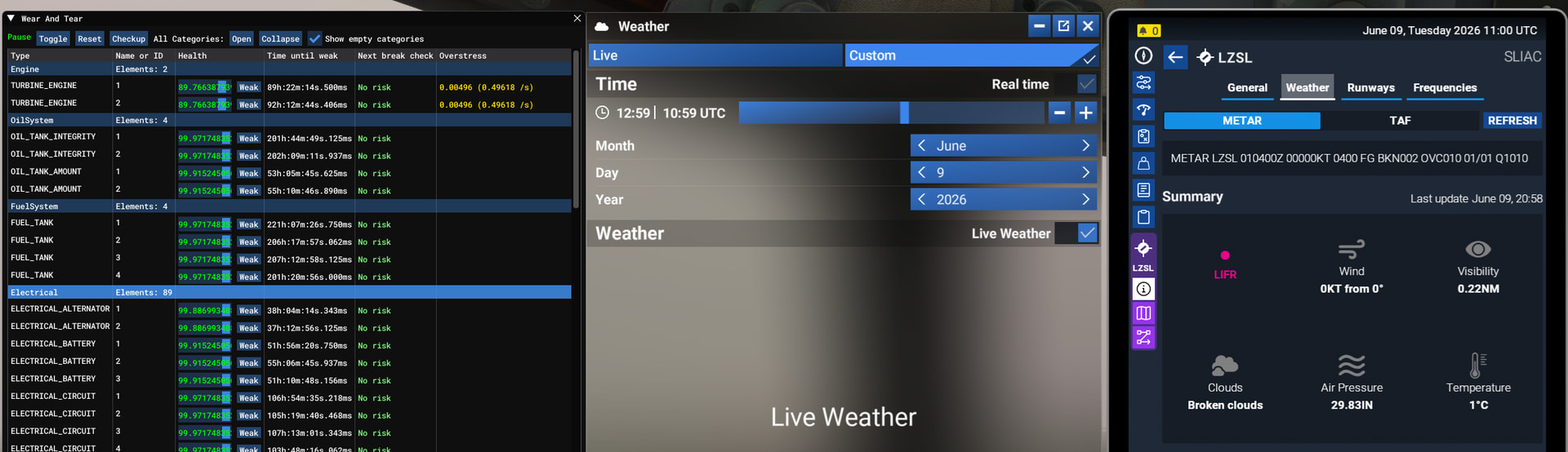
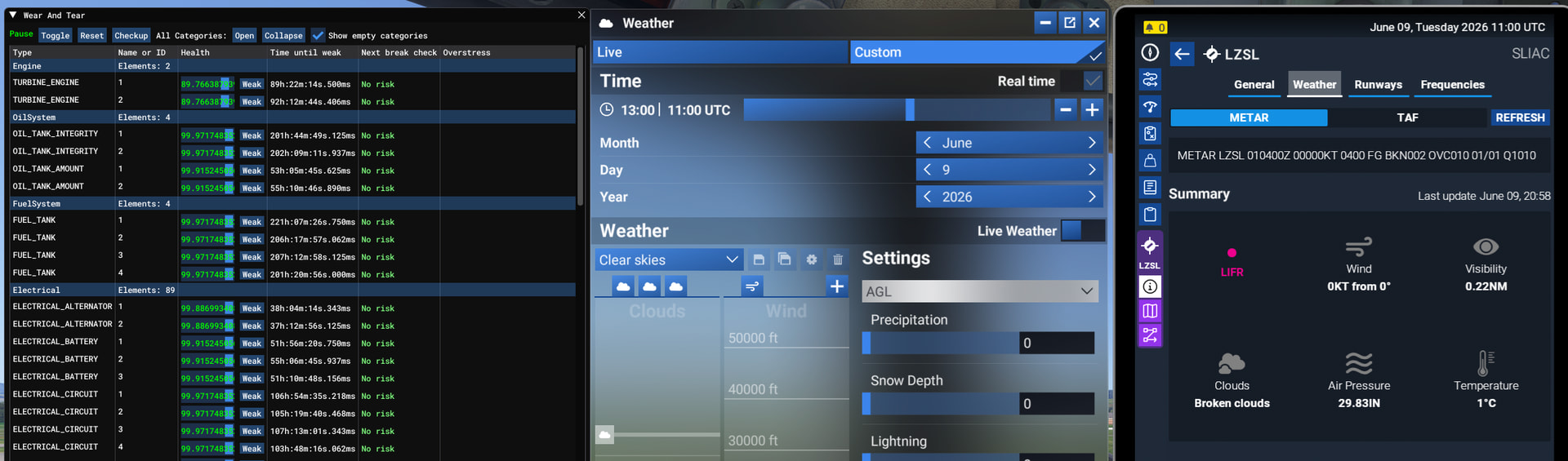
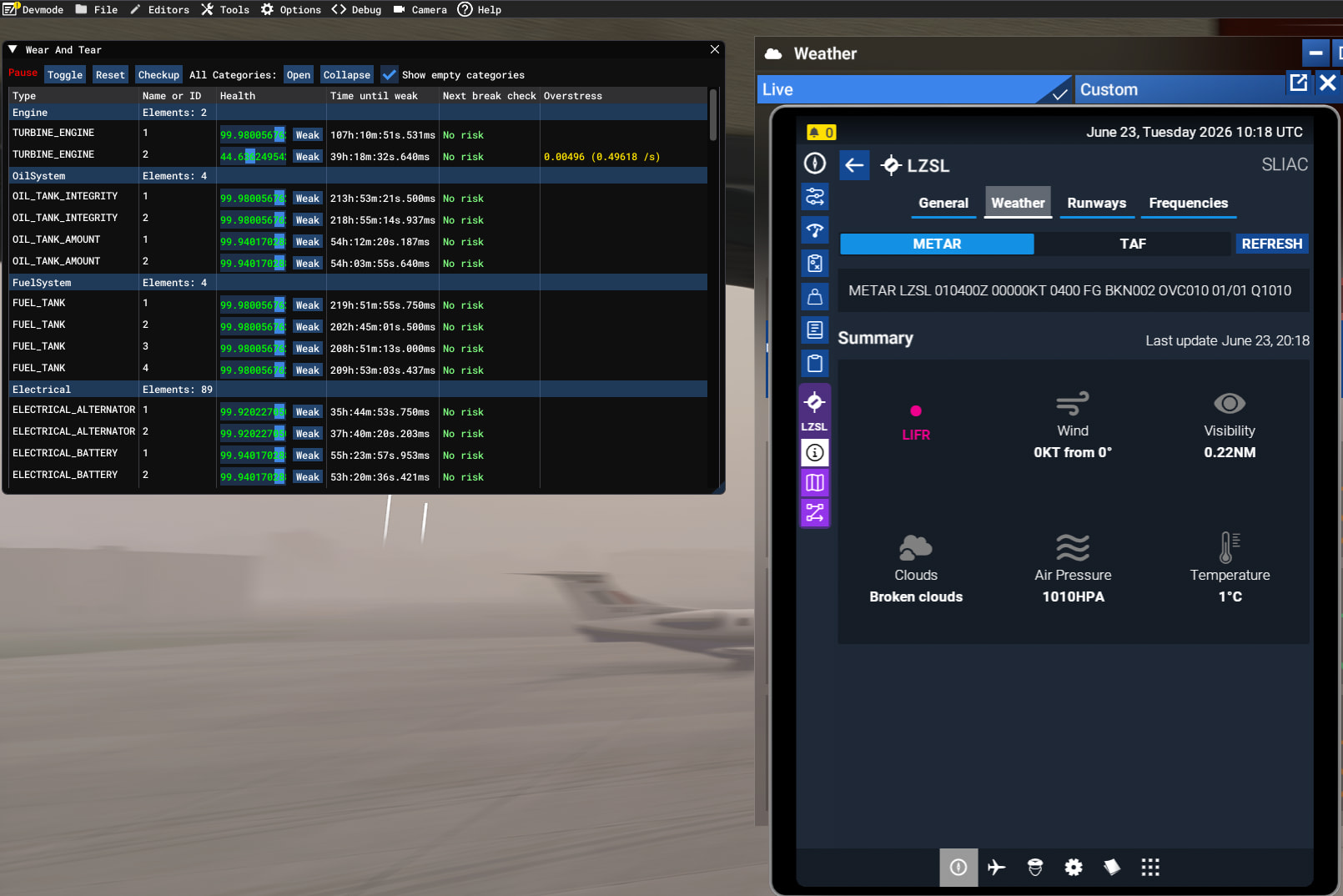
Seems to depend on weather conditions. Nice weather at LIMJ tonight - no fault. Cold and unpleasant at LZSL - engines dying.
REPRODUCTION STEPS
Please list clear steps you took in order to help our test team reproduce the same issue:
-
You will need to identify an affected weather state. I found LZSL over the last couple of days triggered this - about 1C temp, low cloud. Free Flight, NAMC YS-11, Cold and Dark. Start devmode → Debug → Wear and Tear. Watch the engine counters.
-
Abbreviated start-up -
- Batteries ON
- Radios ON
- Seatbelts/No Smoking Lights ON
- Fuel pumps ON
- Nav and Ant-Coll. Lights ON
- Engine 2 condition lever to ON
- Engine start selector - swith to 2
- Start ON
- Press the START button
-
Immediately you press the START button you will see an Overstress number appear in the debug window and the “Time until weak” counter on engine 2 will start rapidly decreasing. The engine will die within a few minutes if left in this state.
-
Pop-up the weather window. Switch off Live weather. The Overstress number spontaneously disappears and the engine degrades at normal rate (Curiously, the unpowered engine also is counting down). Switch live weather back on - Overstress comes back.
YOUR SETTINGS
If the issue still occurs with no mods and add-ons, please continue to report your issue. If not, please move this post to the User Support Hub.
- All mods disabled
What peripherals are you using, if relevant:
[PC Only] Are you using Developer Mode or have you made any changes to it?
- Issue occurs without dev mode. Use dev mode to see it break.
[PC, MSFS 2020 Only] Are you using DX11 or DX12?
[PC Only] What GPU (Graphics Card) do you use?
- RTX 5080
[PC Only] What other relevant PC specs can you share?