A few misc questions from an a320 newbie:
-
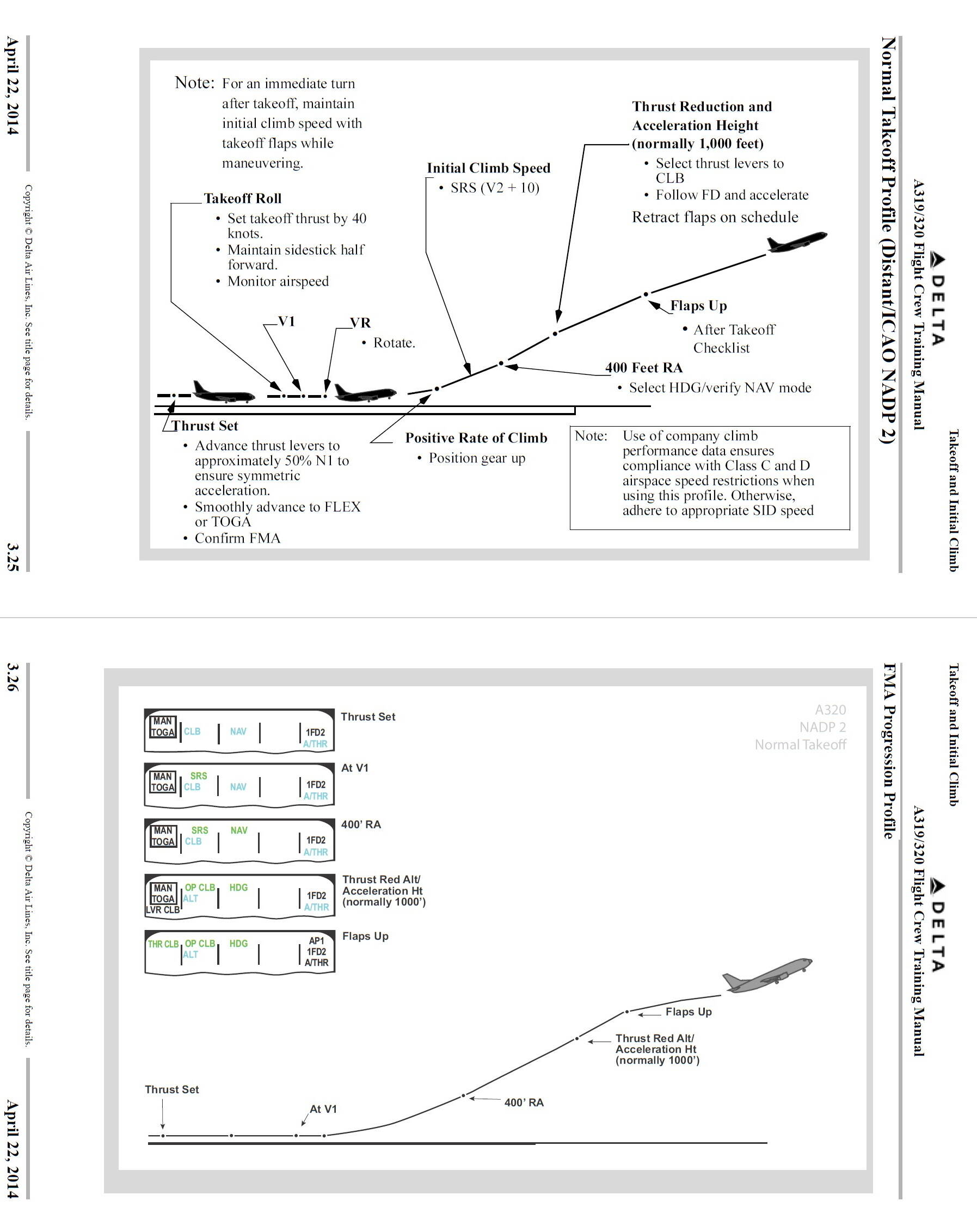
On takeoff, I seem to keep overspeeding? I usually do TOGA power (hey, jets go fast, I want to go fast  ) although I think this happened once on Flex. Normal takeoff, auto thrust is set, climb a bit & turn on AP. PFD still says MAN THRUST. I think I’m supposed to pull back when it indicates or before that? Anyways, I seem to overspeed and the AP disconnects. I can level off & re-engage it, but should I pull back thrust to CLIMB sooner or wait for it to tell me to?
-
I generate a flight in simbrief, import it, and then for airports I put in the runway / SID / STAR, but it doesn’t put all of the waypoints in for in particular the approach. For example, yesterday I did a flight to KDEN, ILS 34R. On the chart, there are a series of fixes approaching the final (LDORA/FLUFF/BREKK/BFREE) and then a few on the final glide path (BOOBU/BENGL etc). The FMS only showed I think BOENG & CORDE. I was on the TBARR3 STAR, which I have a separate question for.
-
On the flight plan, some of the waypoints that have a constraint don’t show up that way. For example, TBARR has a constraint of above FL200/below FL220. On the display it shows FL208 which is within the constraint but doesn’t actually show it. I guess that’s just airbus world? It does show the constraint on the MFD when I press the button for it. Does the purple star mean it’s meeting a constraint, the airbus knows what it is just trust me?
-
Does the APPR button on the FMS do the same thing as enable approach mode in the MCDU? What exactly do they do / when would I use them? I seem to be able to fly just fine without pressing those.
Please read this carefully and all your questions will be answered:
1 Like
The FBW documentation is really first-rate, so I agree it is worth your time.
MAN THRUST probably means your throttles are not in one of the detents. Shortly after takeoff (1500 AGL?) the PFD will tell you to set them in the CLIMB detent. They stay there until you flare… Be sure you calibrate the detents in the EFB.
I’m using the honeycomb bravo, it doesn’t have actual detents at all (to go to CLIMB I just pull back until the message goes away). I’ve looked at the docs some, it says pull back when PFD tells you to, then do AP, which I guess would resolve the AP disconnecting but some YT vids I’ve seen from real pilots they kick on the AP fairly early, then pull back when the plane tells you which I’ve been doing & several times it causes an AP disconnect.
I can try to use tape or something to mark the detents on the throttle I suppose.
Neither does mine, but in the EFB you can set a +/- zone to make finding it easier.
1 Like
Just in response to your takeoff issue, I can appreciate different airlines have different procedures. This is what applied when I was doing this IRL.
Once you figure out a CLIMB detent, as @BigCow74 says you can leave the thrust levers [Airbus speak, they’re thrust levers NOT throttles] there until flare. On arrival I typically disconnected the A/P and A/THR somewhere near the airport (not a busy hub airport) or on approach (everytime if VMC) just to maintain my hand/eye coordination for when stuff could go wrong. I encouraged my FOs to do the same.
1 Like
OK, so I’ve figured some stuff out from the user guide, but I still don’t have a good answer on the flight programming / missing waypoints. This happened to me again, and I’m not sure how much relates to simbrief imports or it’s the way the plane is supposed to work? But here’s another example. I did a flight KSAN to KSLC and simbrief gave me this route:
KSAN/27 N0434F350 ZZOOO3 MTBAL DCT CADEZ DCT HAKMN Q73 LAKRR DCT MLF QWENN5 KSLC/16L
I later chaged the SLC STAR to the PITT1 arrival. I’ll post a screen snip of the arrival below, but basically there’s a series of waypoints, some of which have constraints. These were nowhere to be found on the F-PLN page. Should I manually add them? Should they not be there? If I’m doing vatsim, and ATC changes my STAR, I can’t see manually adding them all in single point ops, with everything else going on. Help?
The flight plan basically gave me MLF and PITTT waypoints.
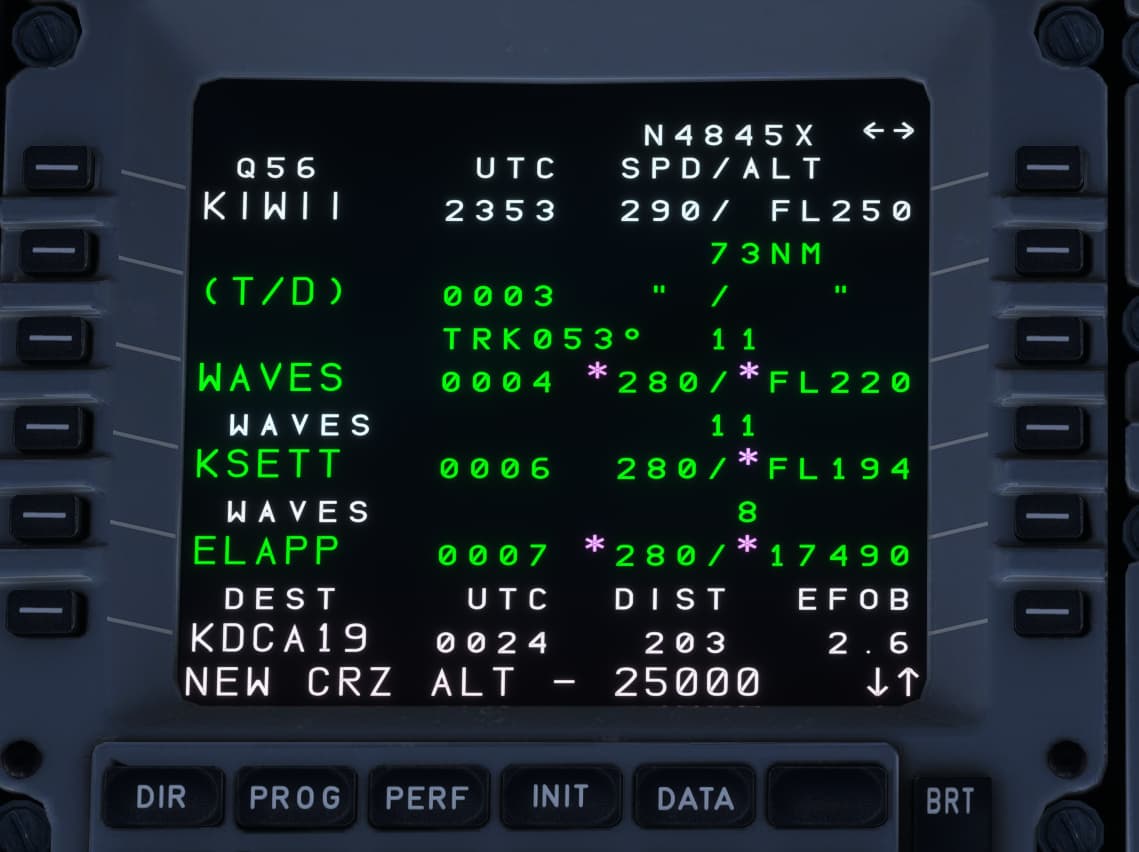
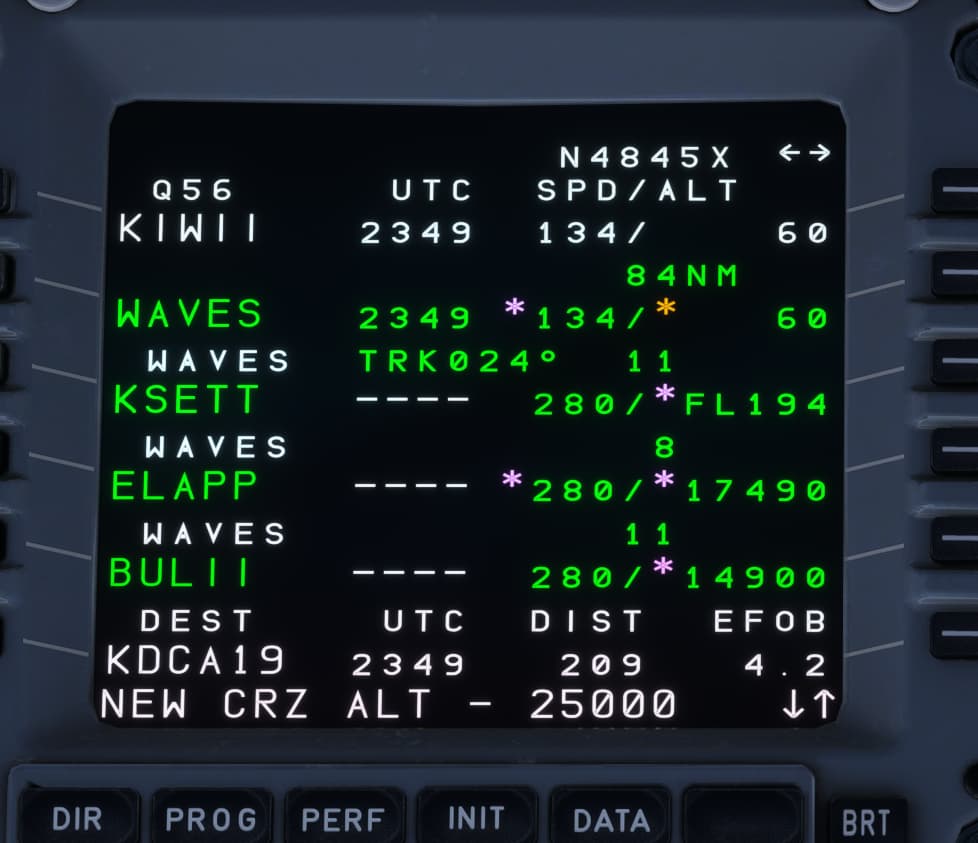
Another weird issue, this has only happened 1x so I’m just curious if anyone has ever seen this? T/D kept appearing and disappearing, then stayed gone, I went from CRZ fl350 to fl250, then it appeared again then disappeared. Also the UTC times on the plane were the same for every waypoint. So obviously something got confused in the flight computer, not sure if I did something wrong or it was a random bug.
Note T/D between KIWII & WAVES in one shot and gone in the other. It would just blink in & out about every 10 seconds.