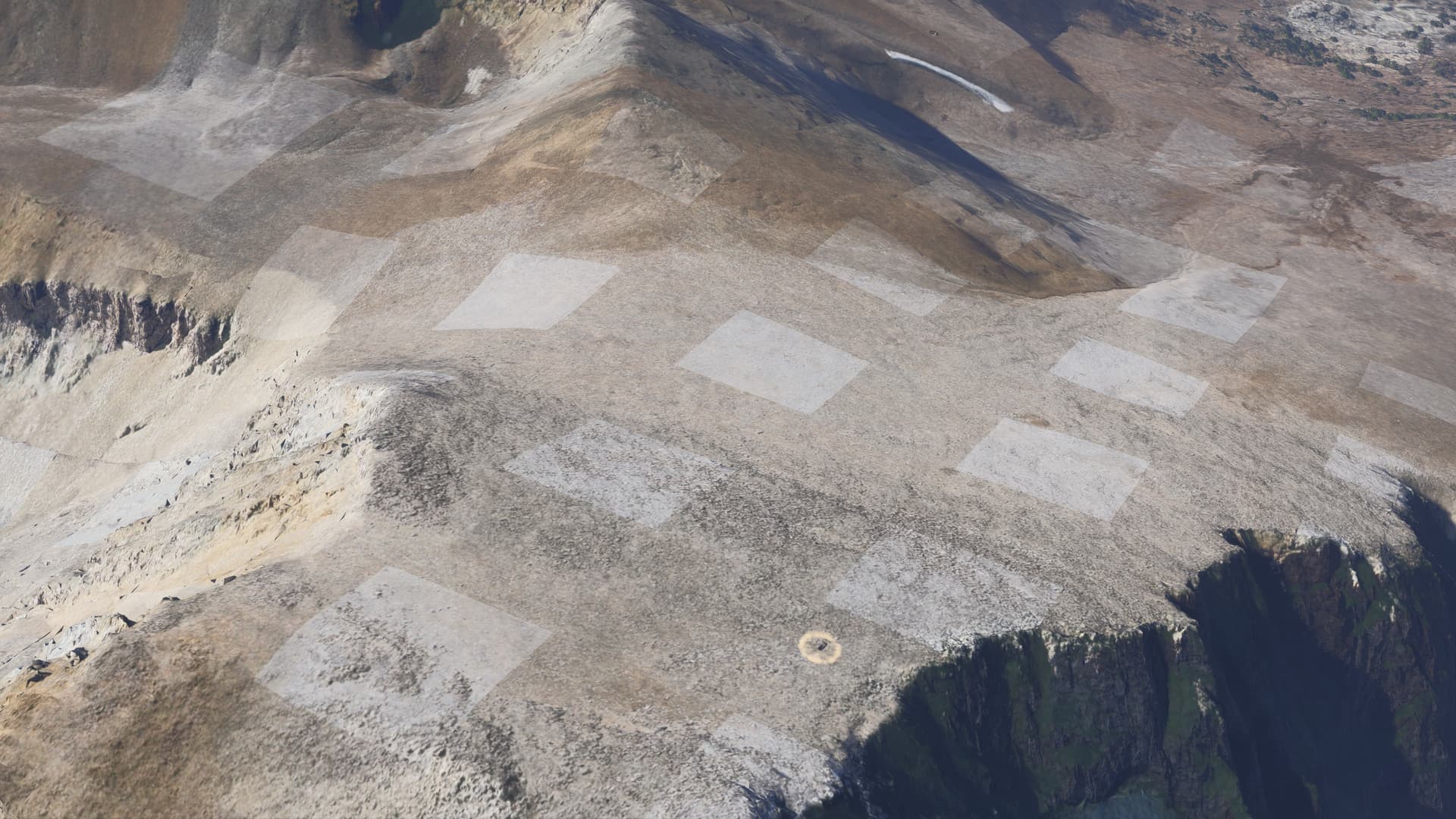
ISSUE DESCRIPTION
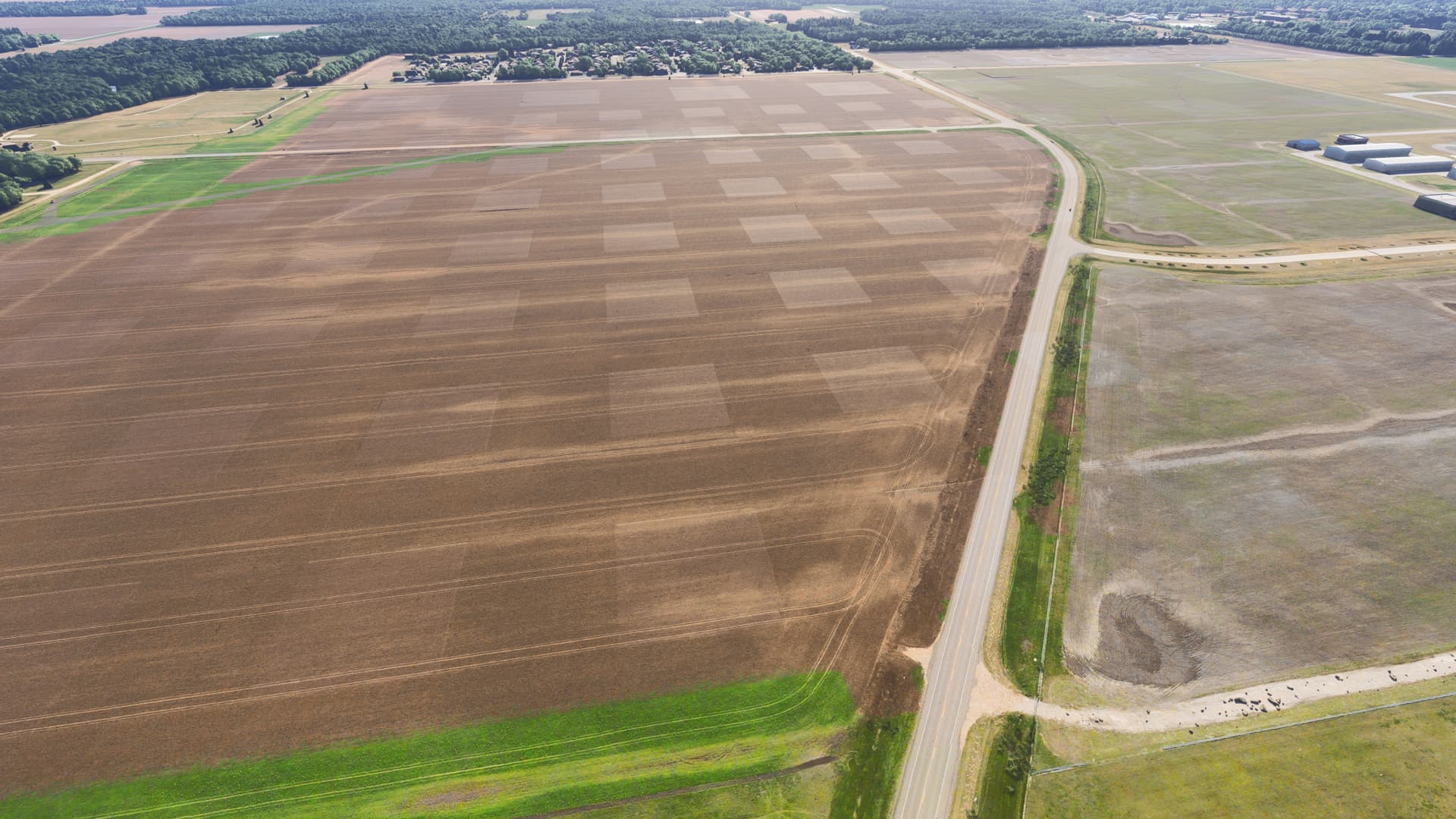
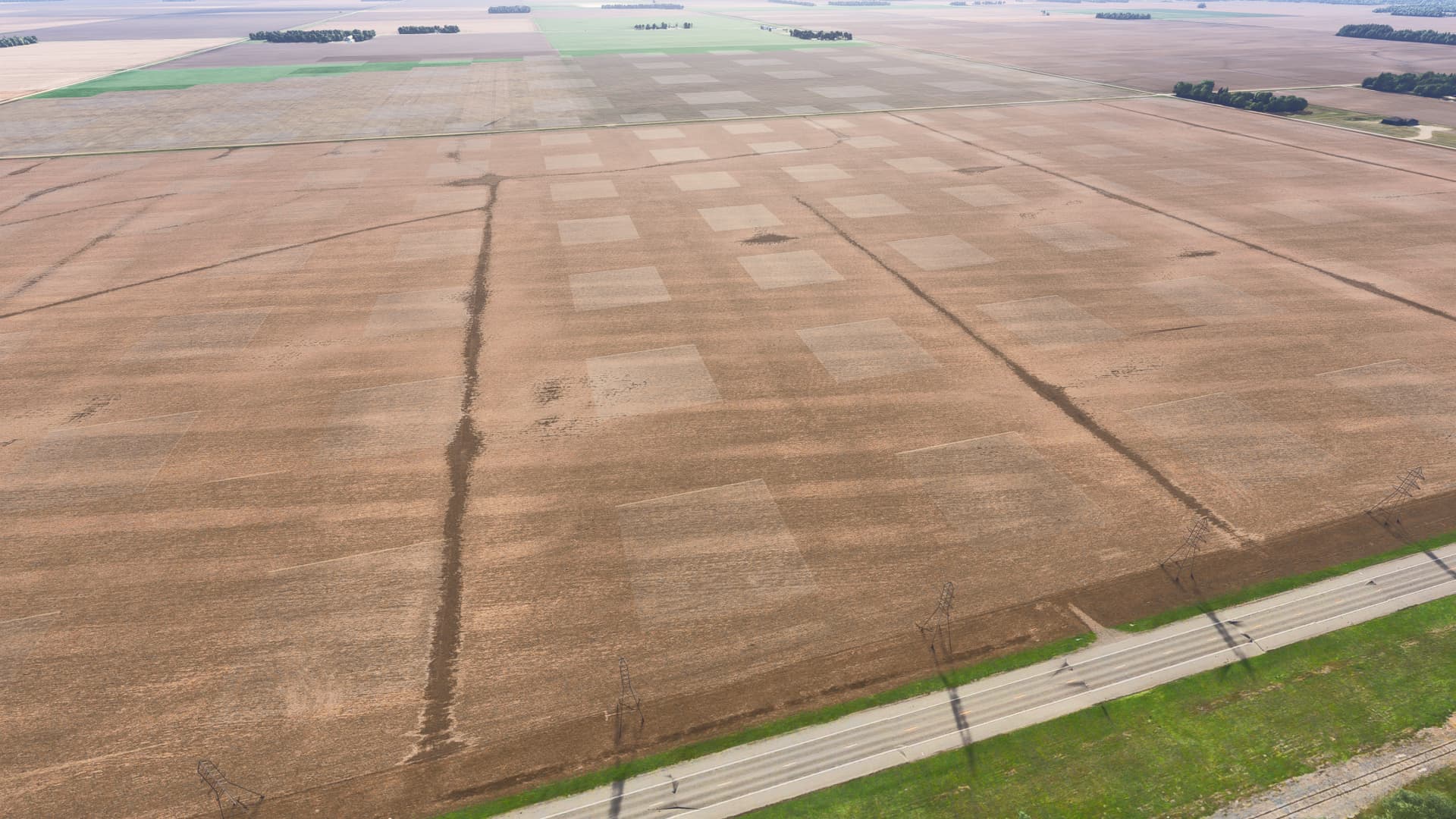
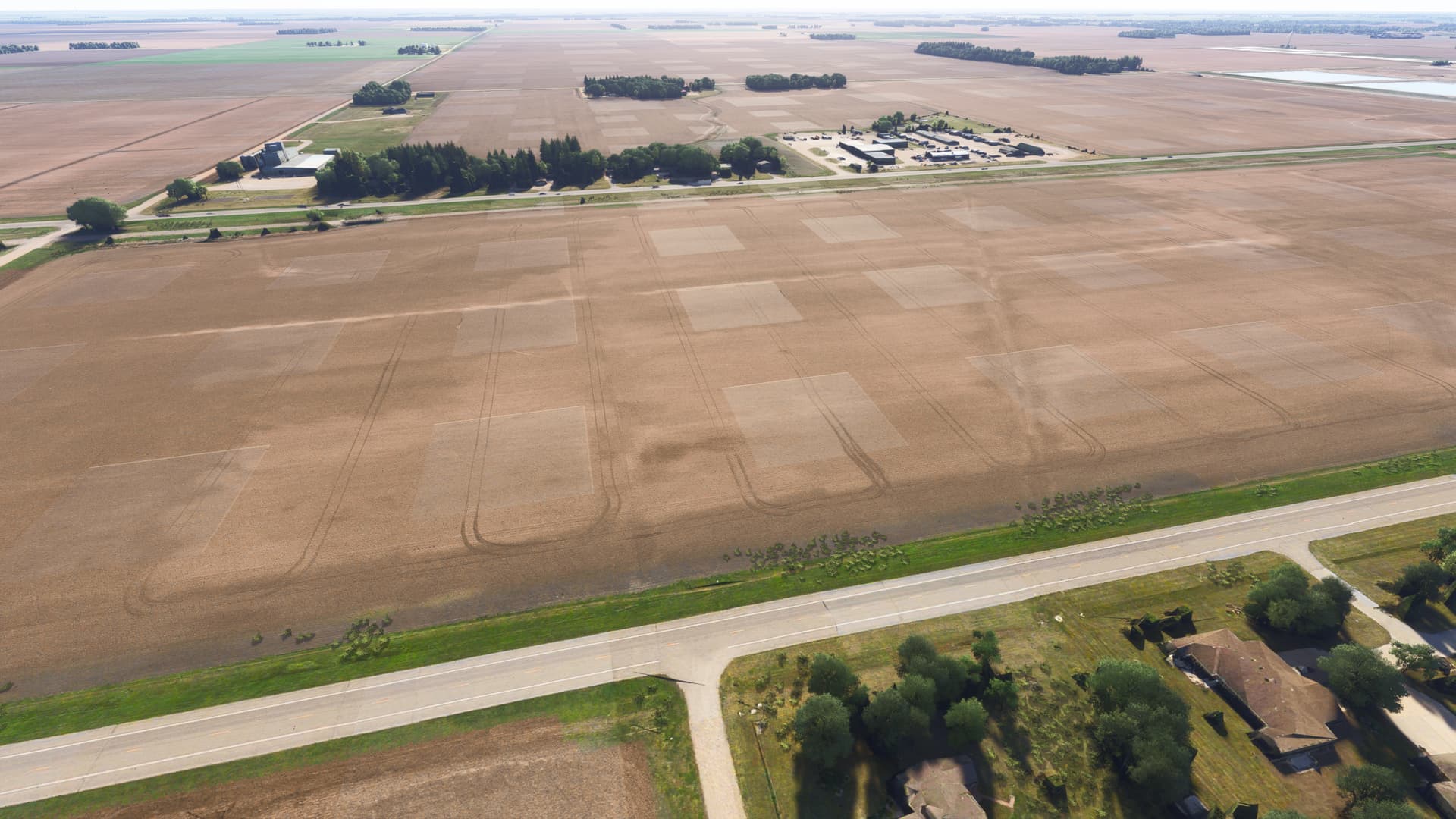
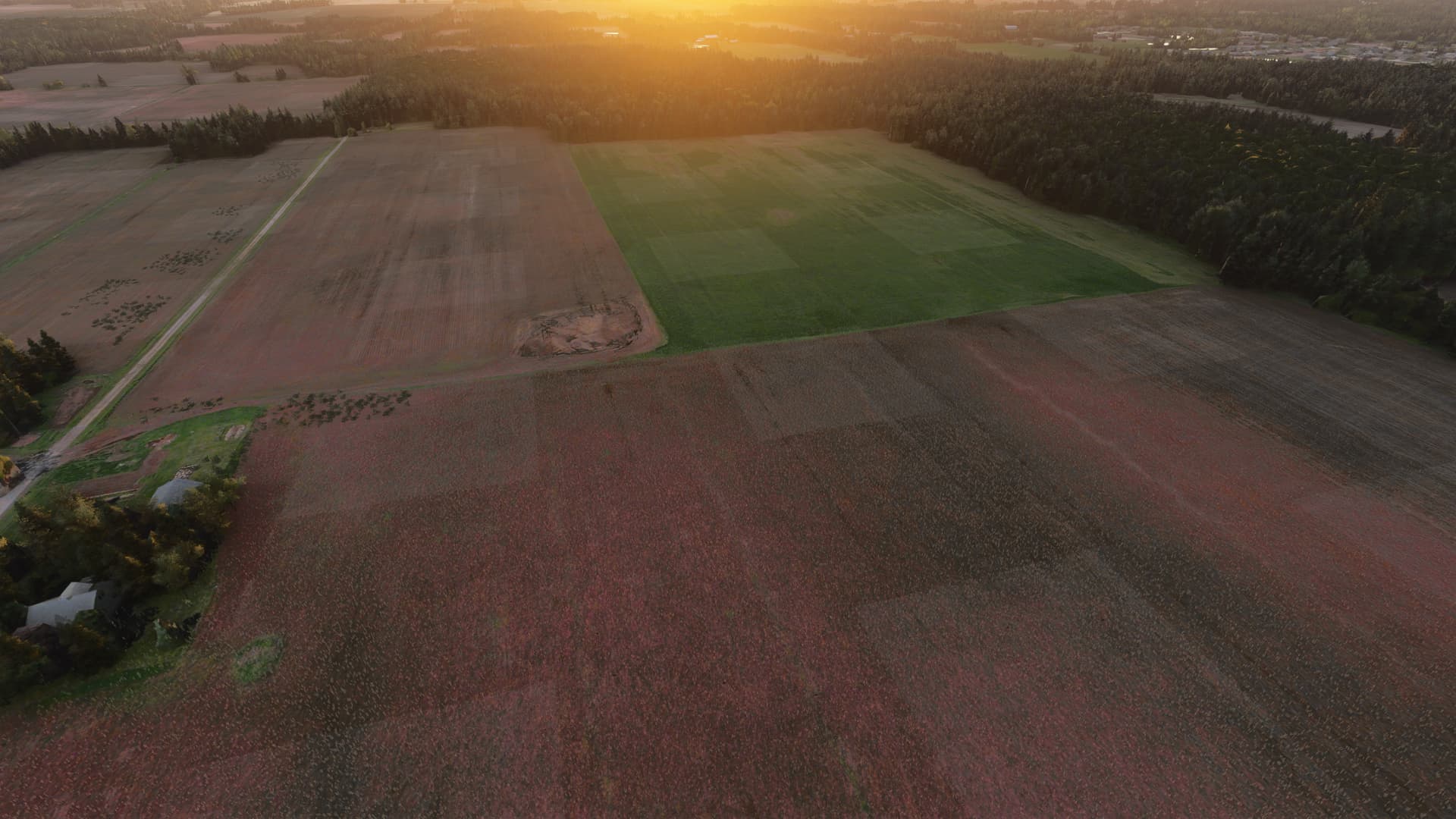
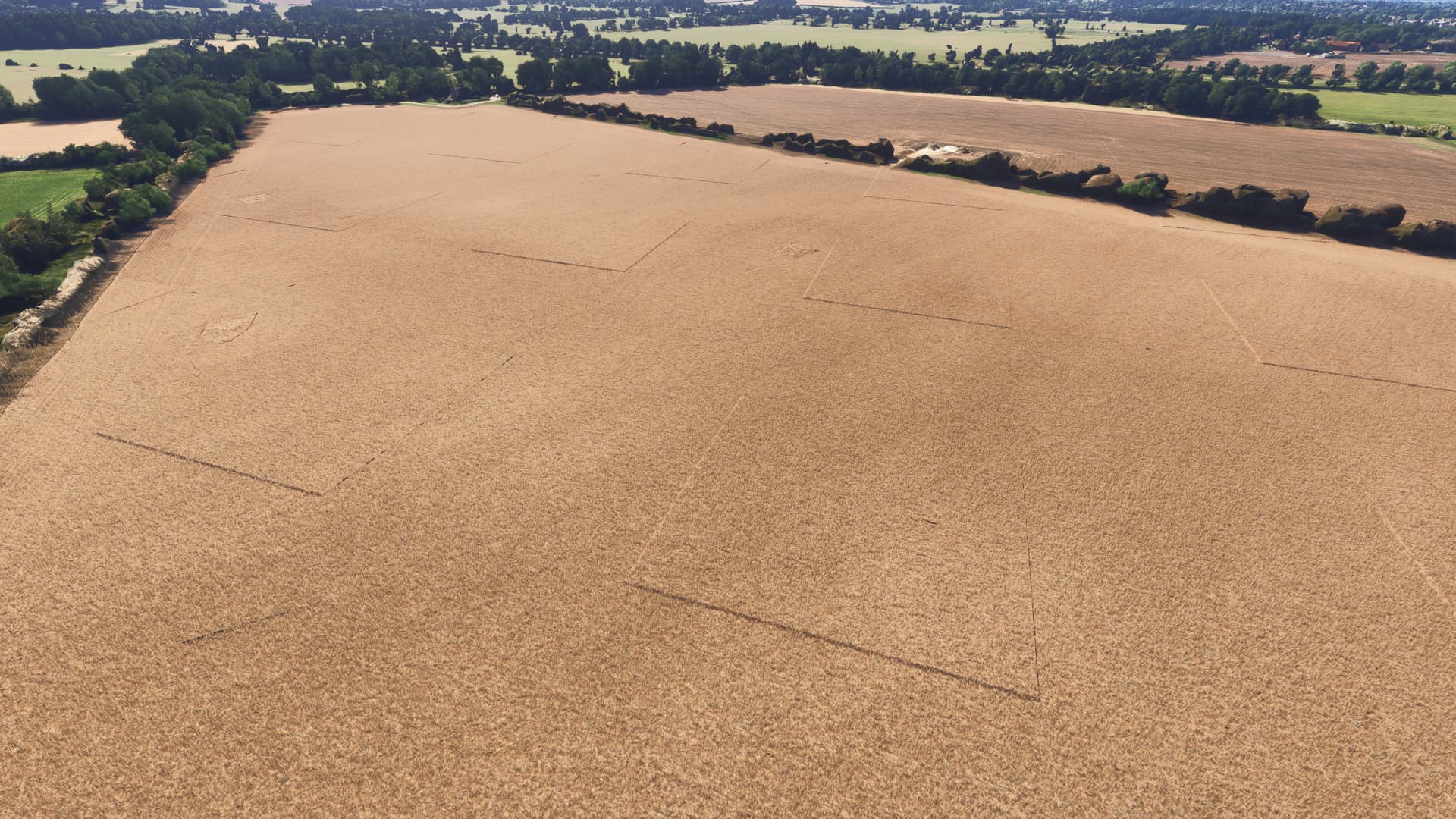
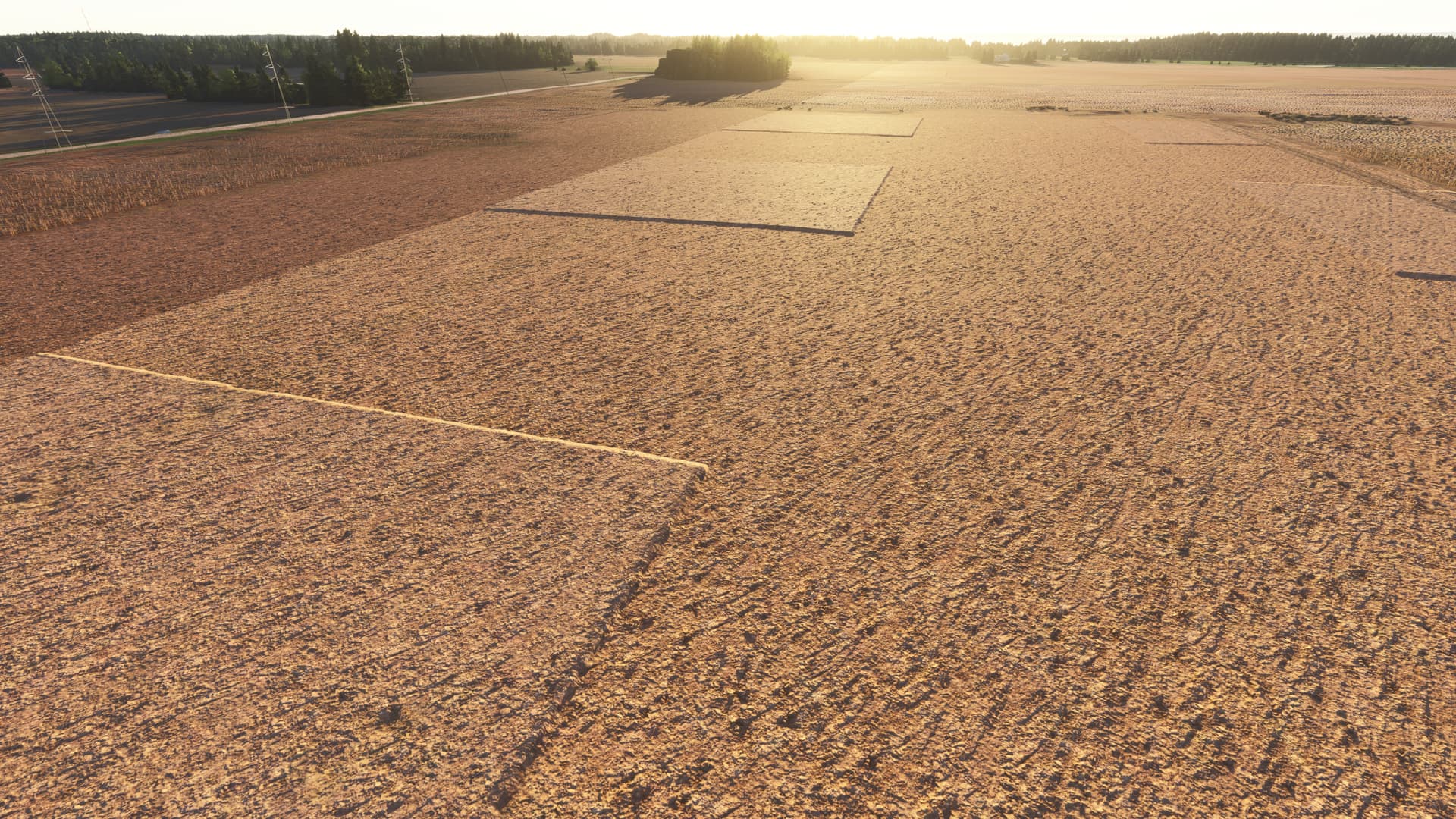
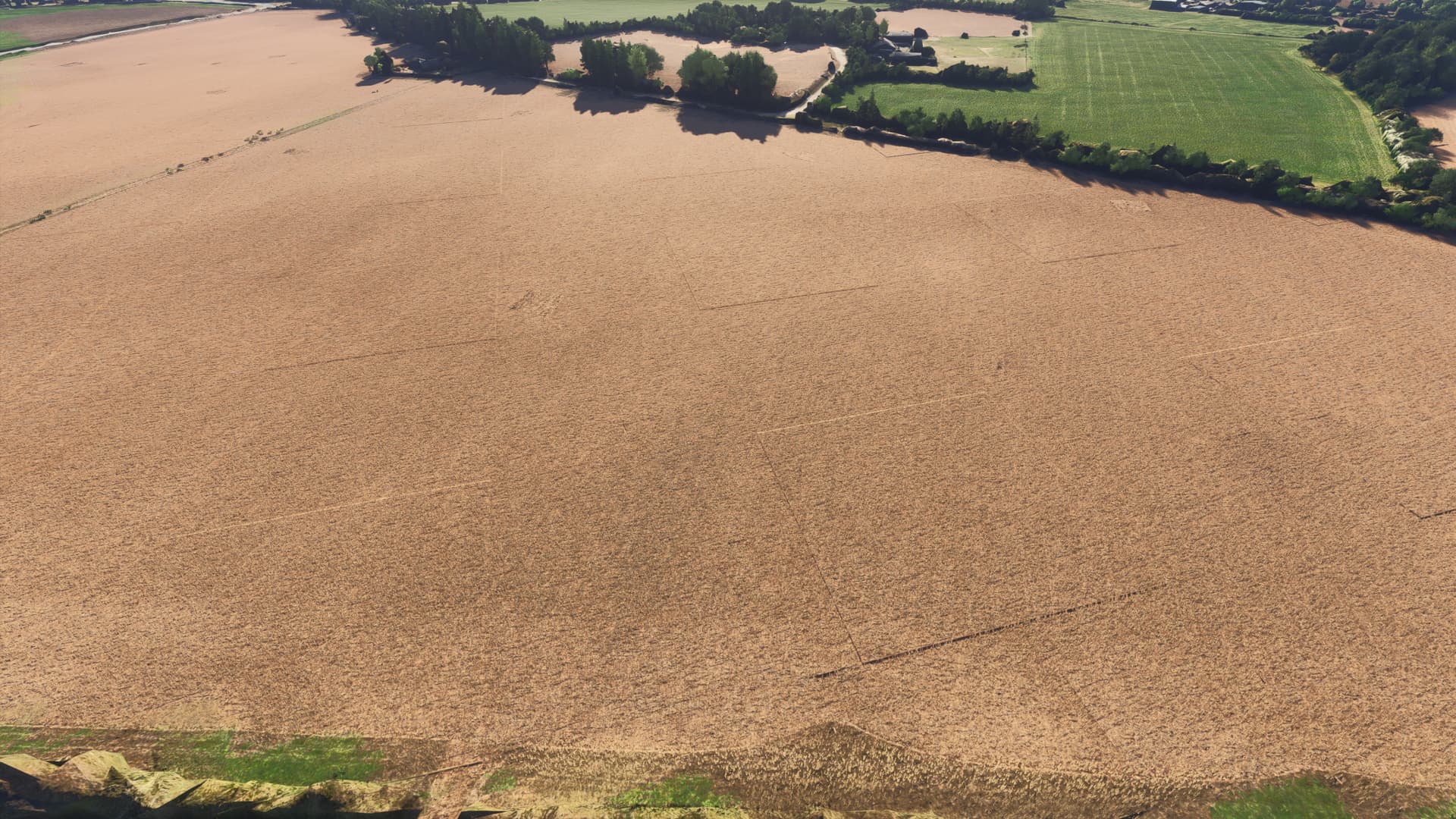
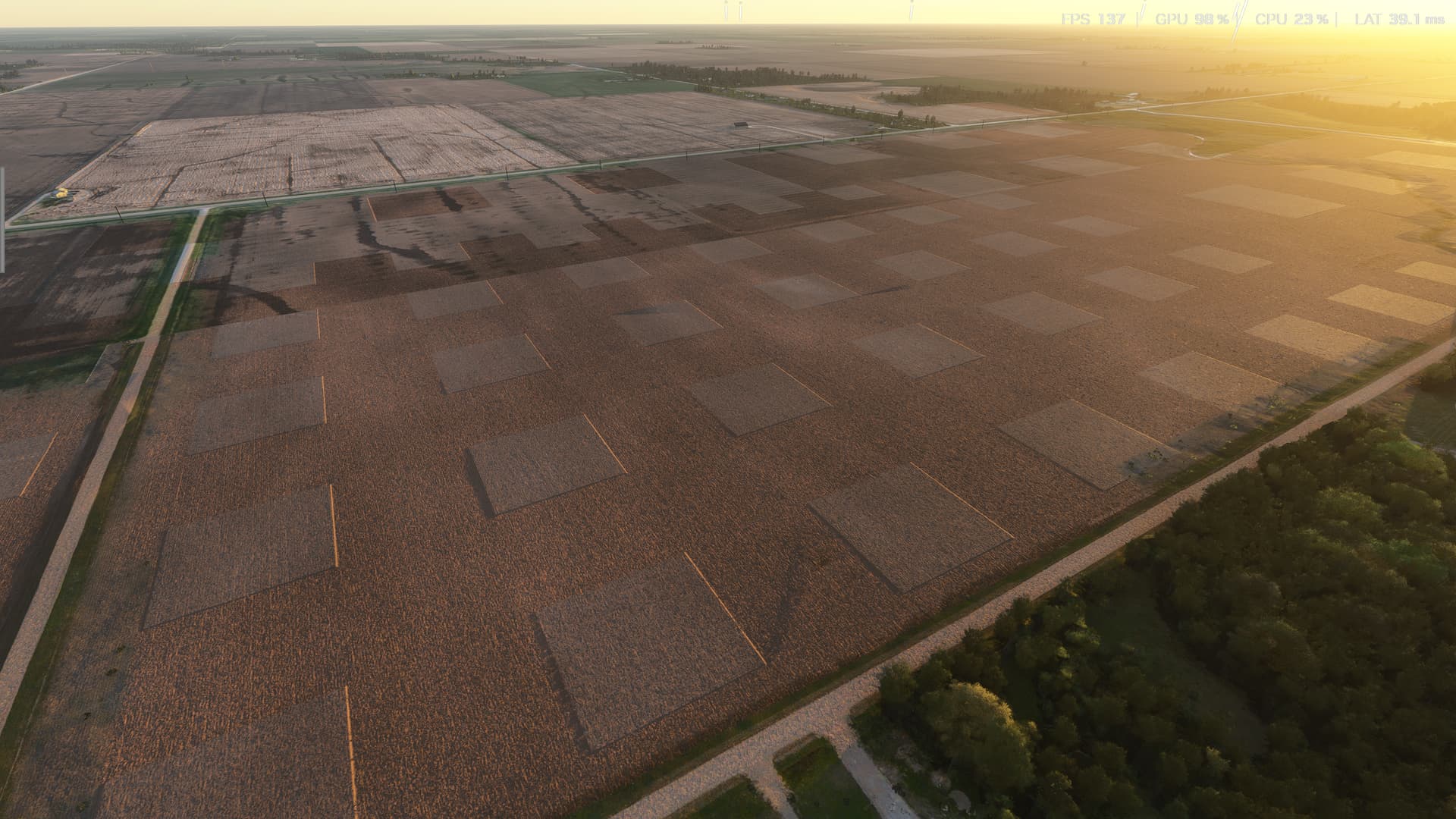
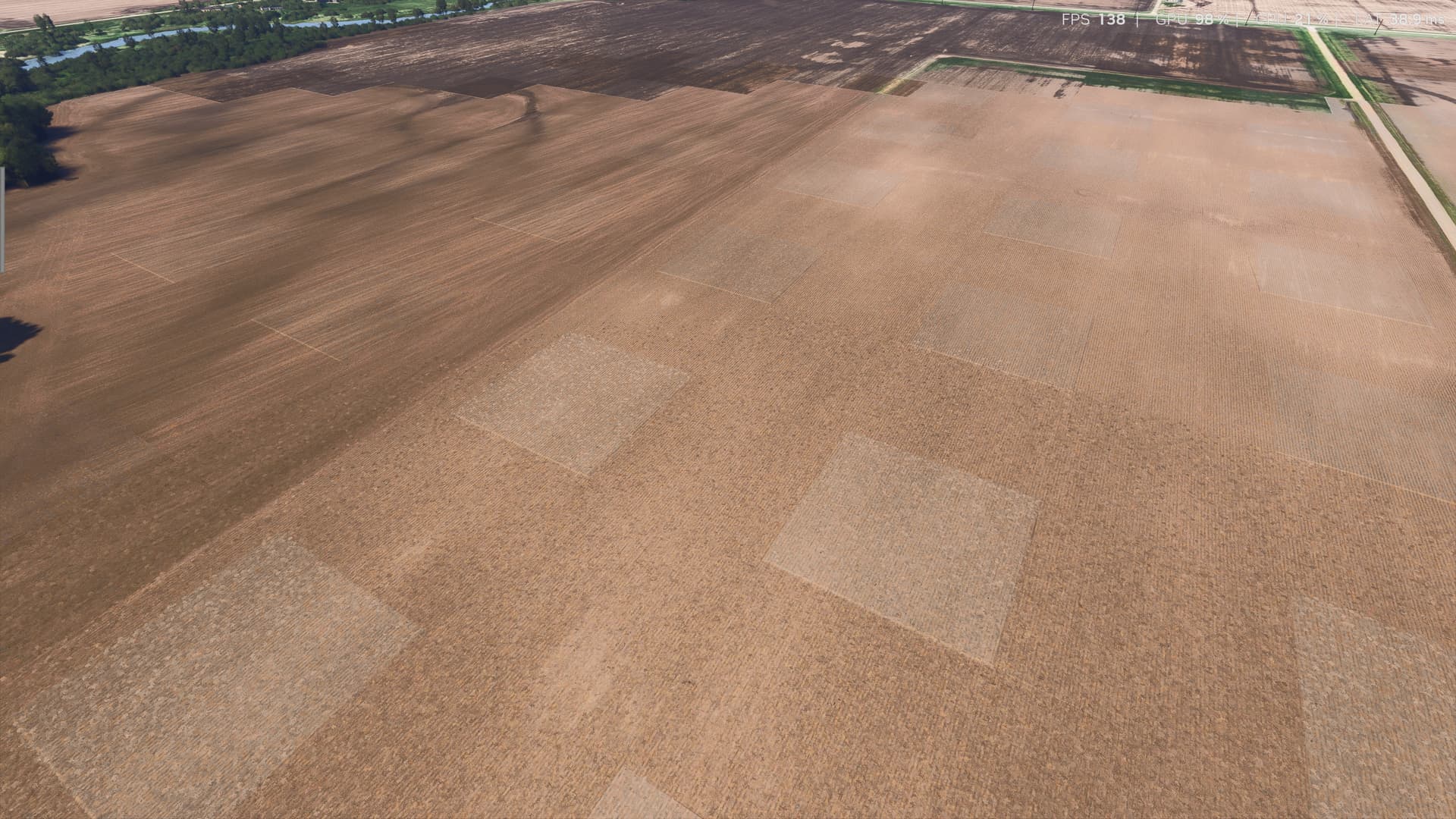
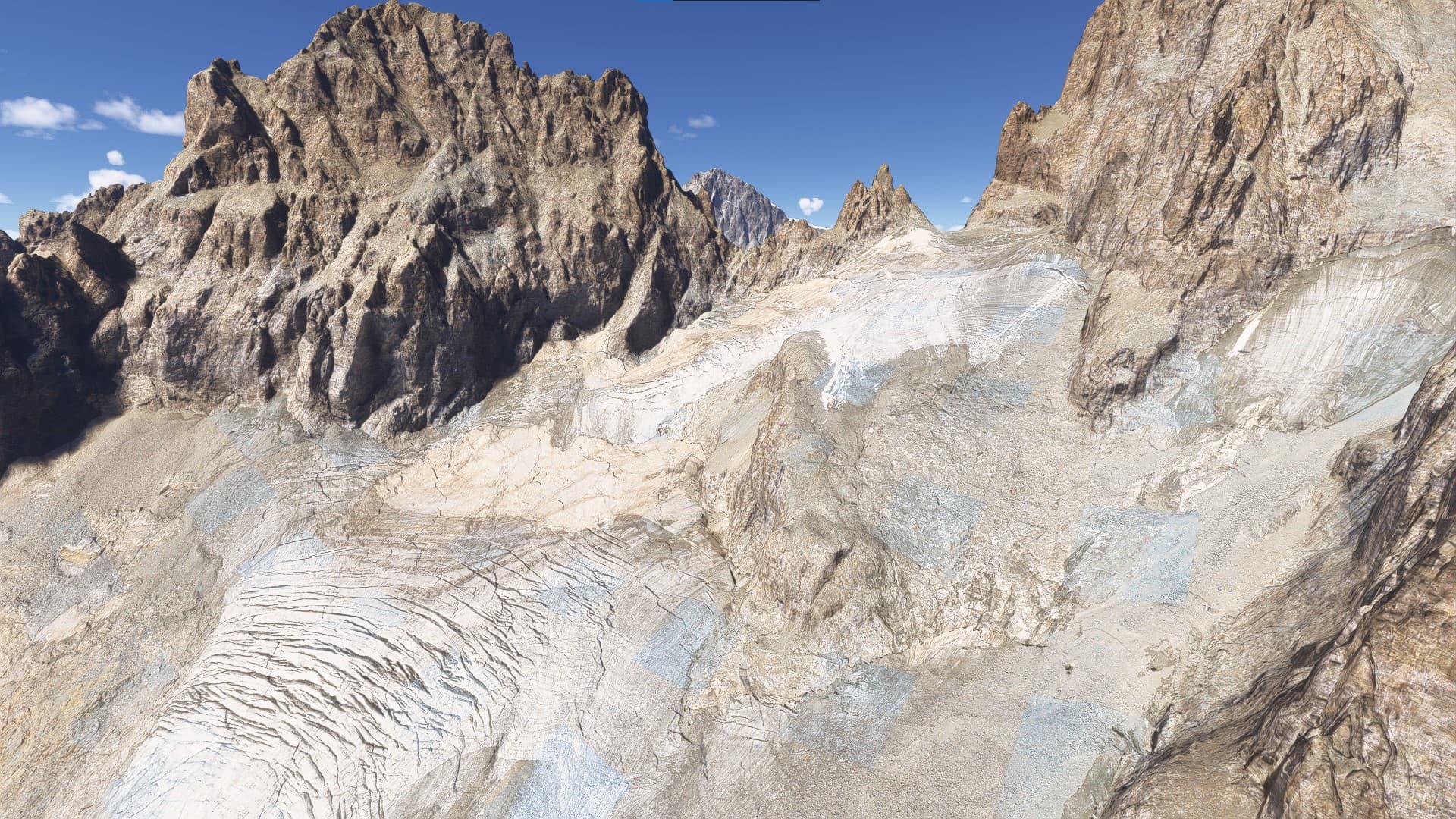
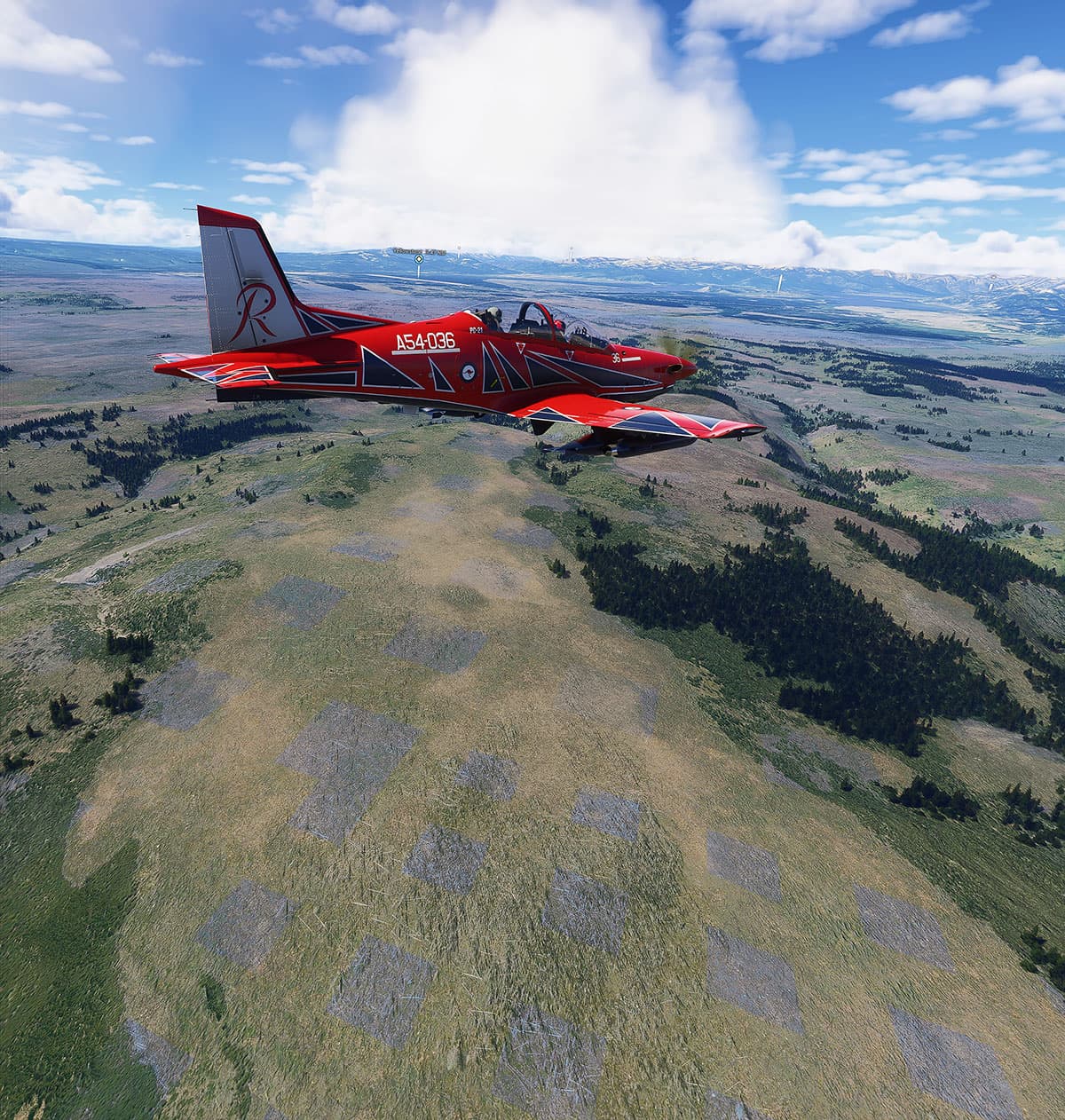
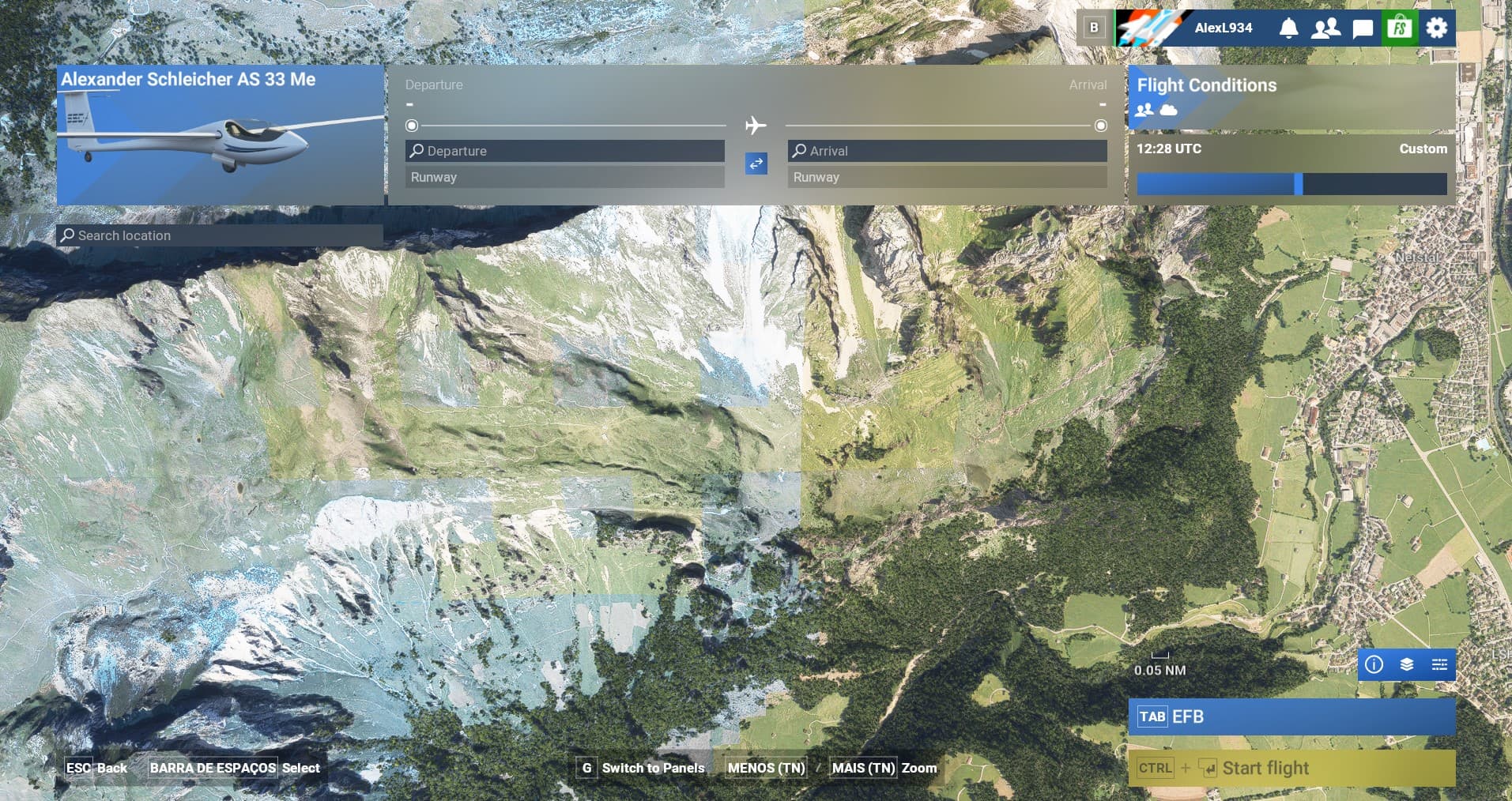
Description of the issue: Since the release of SU3 for MSFS 2024, there are squares appearing all over every stock photogrammetry scenery I am accustom to flying over. This issue wasn’t present before SU3. These squares are most noticeable in open fields. These squares show up as shaded differently from the rest of the scenery, and are most apparent at low sun angles. At ground level, these squares are raised slightly in elevation. I have deleted my Rolling Cache file, as well my Scenery Index files, but this has no effect.
Coordinate or location of issue: This issue can be seen in all of the photogrammetry fields around Hector International Airport in Fargo, North Dakota, in the photogrammetry fields around/near Wittman Airport in Oshkosh, Wisconsin, and in the photogrammetry fields around/near Heathrow Airport in London. This is just a very small sampling, however, and I would imagine this issue exists in most if not all of the other photogrammetry sceneries.
FREQUENCY OF ISSUE
This issue happens every time I use the sim.
REPRODUCTION STEPS
Please list clear steps you took in order to help our test team reproduce the same issue:
- All I can suggest is to first fly from Hector International Airport in Fargo, North Dakota, and take a look at the fields surrounding the airport and city (it won’t take you long) to see how the squares appear. However, I have noticed this issue in every other stock MSFS 2024 photogrammetry scenery I’ve flown over.
YOUR SETTINGS
I am not running in developer mode. My graphics settings are set to Ultra.
My GPU is a Geforce RTX 4090 Windforce V2 24GB. My CPU is an i9 14900KF 5.7 GHz