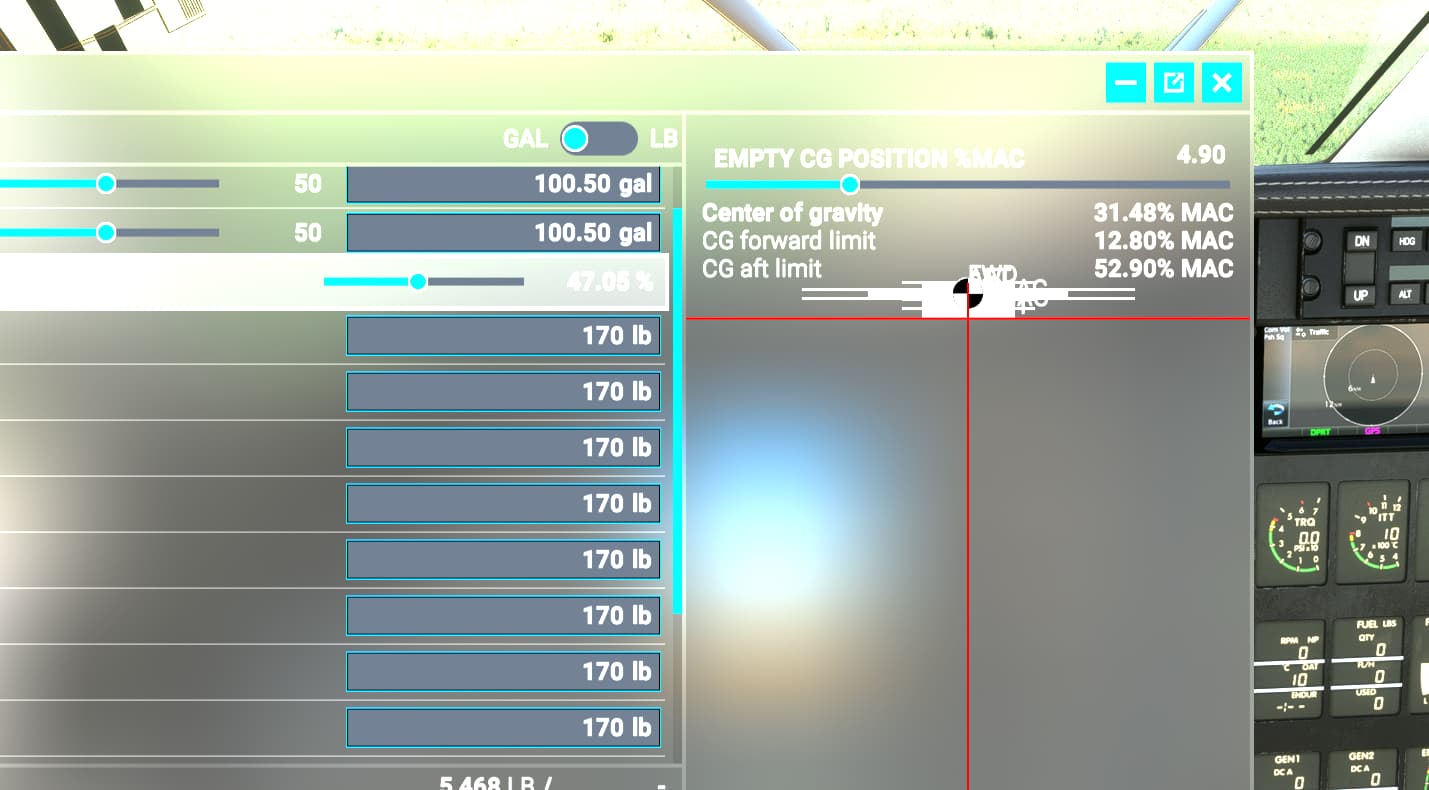
When adjusting the W&B window, the CG diagram becomes squished as seen in the screenshot and I can’t unsquish it. Has this happened to anyone else?
Thank you for your post! Your topic has been moved to a sub-category of the User Support Hub
The General Discussion category is meant for discussions that fall outside of our other sub-categories.
If you would like other users to help you with an issue you are experiencing in the sim, consider these User Support Hub categories for your future post:
User Support Hub > Aircraft & Systems
User Support Hub > ATC, Traffic & NAVAIDs
User Support Hub > Crashes (CTDs)
User Support Hub > Hardware & Peripherals
User Support Hub > Install, Performance & Graphics
User Support Hub > Scenery & Airports
User Support Hub > User Interface & Activities
User Support Hub > Virtual Reality (VR)
User Support Hub > Weather & Live Weather
User Support Hub > Miscellaneous
Hey, my friend. I was in the loading screen when I saw your post, so I tried a few things. First, I clicked W&B window “Windowed” button [the middle button on the RH side of the menu bar] and then I resized the window to the smallest it could go and then stretched it back out to normal size again. When I did this, the CG graphic ended up looking like your screenshot. No matter what I did, it stayed that way until I hit the “Reset” button at the bottom of the window.
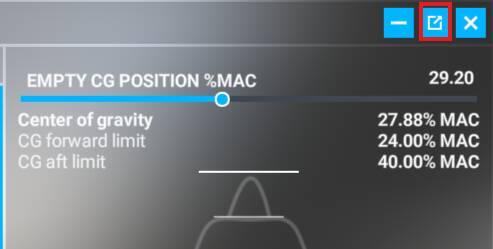
I am not sure how you got it to look like that on your computer, but you might try switching in/out of windowed mode and hitting the “Reset” button. If that doesn’t work, drag the "EMPTY CG POSITION %MAC slider back and forth and see it that fixes it.
Edit: I got the CG graphic to mess up when stretching the window from both it’s normal mode [not windowed] and when windowed, so just hit reset or drag the CG slider and it should fix itself.
Other than that, I’m out of ideas.
2 Likes
thanks for confirming it looks like it’s an actual bug, and not just something wonky on my end.
1 Like
This topic was automatically closed 365 days after the last reply. New replies are no longer allowed.