ISSUE DESCRIPTION
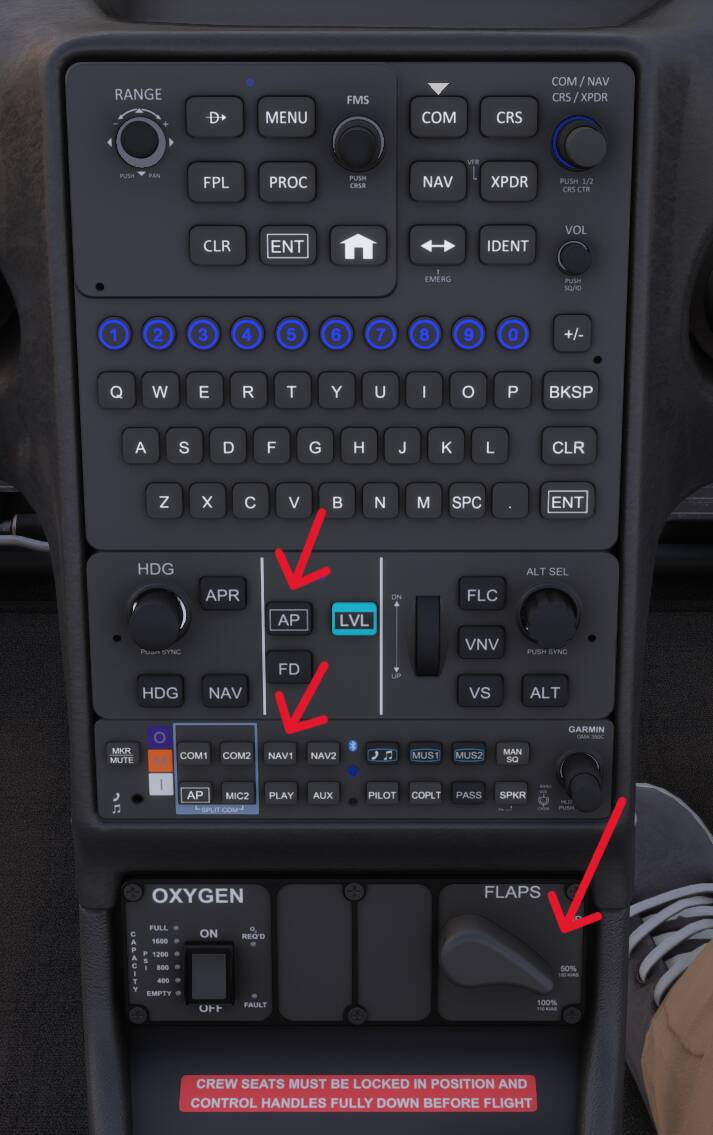
No indication on the state of the SR22 Auto-pilot, COMM/NAV or Flaps panels upon selection.
Subj issue worked in SU6 Ref: Release Notes - Microsoft Flight Simulator 2024 Sim Update 6 [1.8.14.0]
FREQUENCY OF ISSUE
Every time on sim load.
REPRODUCTION STEPS
- Start the sim and power up the aircraft. Location irrelevant.
- Change flap position = no light indicating position.
- Select COM1, COM2 or NAV1/2 = no light above the label showing selection.
- Press any auto-pilot switch such as AP = no indication.
YOUR SETTINGS
No mods and add-ons.
What peripherals are you using, if relevant: Not relevant.
Not using Developer Mode or made any changes to it.
[PC Only] What GPU (Graphics Card) do you use? Not relevant.
[PC Only] What other relevant PC specs can you share? Not relevant.
MEDIA