ISSUE DESCRIPTION
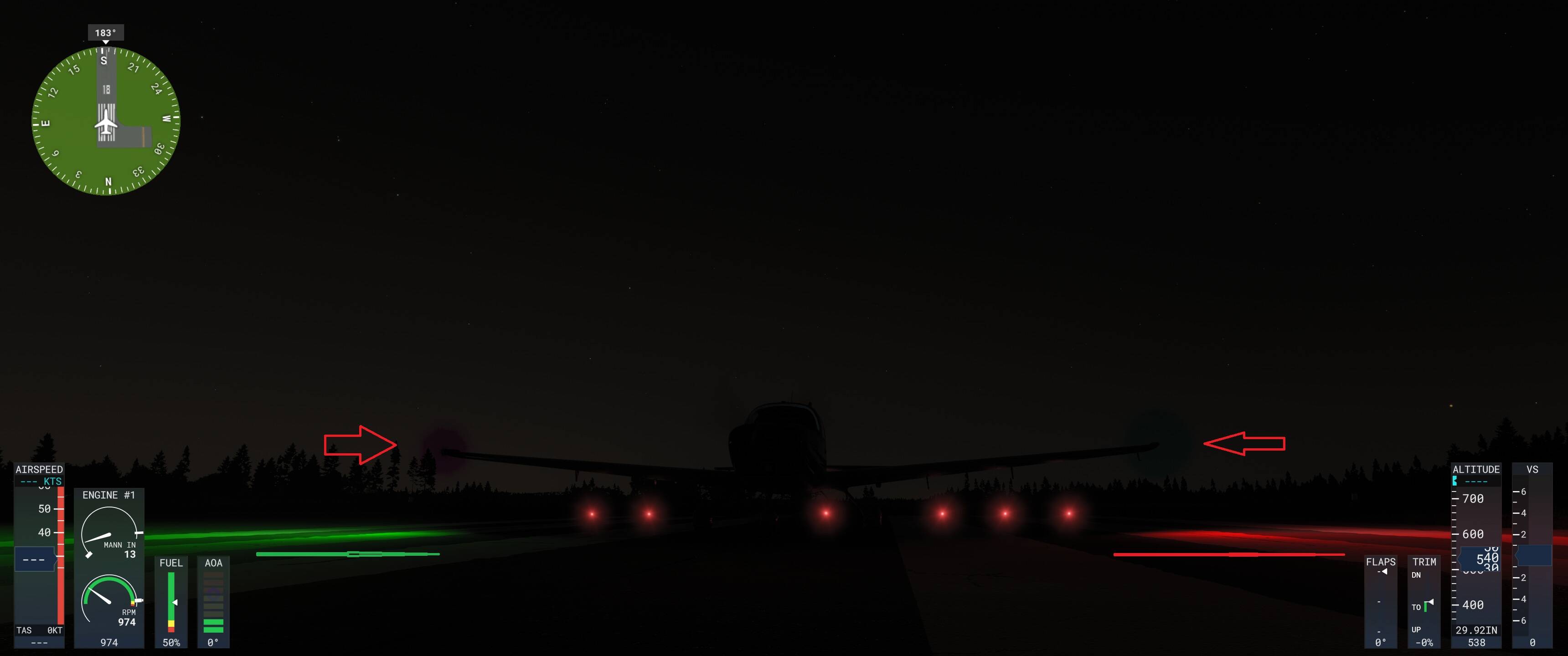
Description of the issue: Nav lights broken
How often does this occur for you (Example: Just once, every time on sim load, intermittently)? Always
Please list clear steps you took in order to help our test team reproduce the same issue:
Switch to external view
Move camera around to the front
Observe nav lights.
What peripherals are you using: Full Virpil Hotas and rudder pedals.
[PC Only] Are you using Developer Mode or have you made any changes to it? Yes
[PC Only] What GPU (Graphics Card) do you use? 4080 Super
[PC Only] What other relevant PC specs can you share? 9950x 64GB RAM
Can’t reproduce, working fine here in SU7 beta.
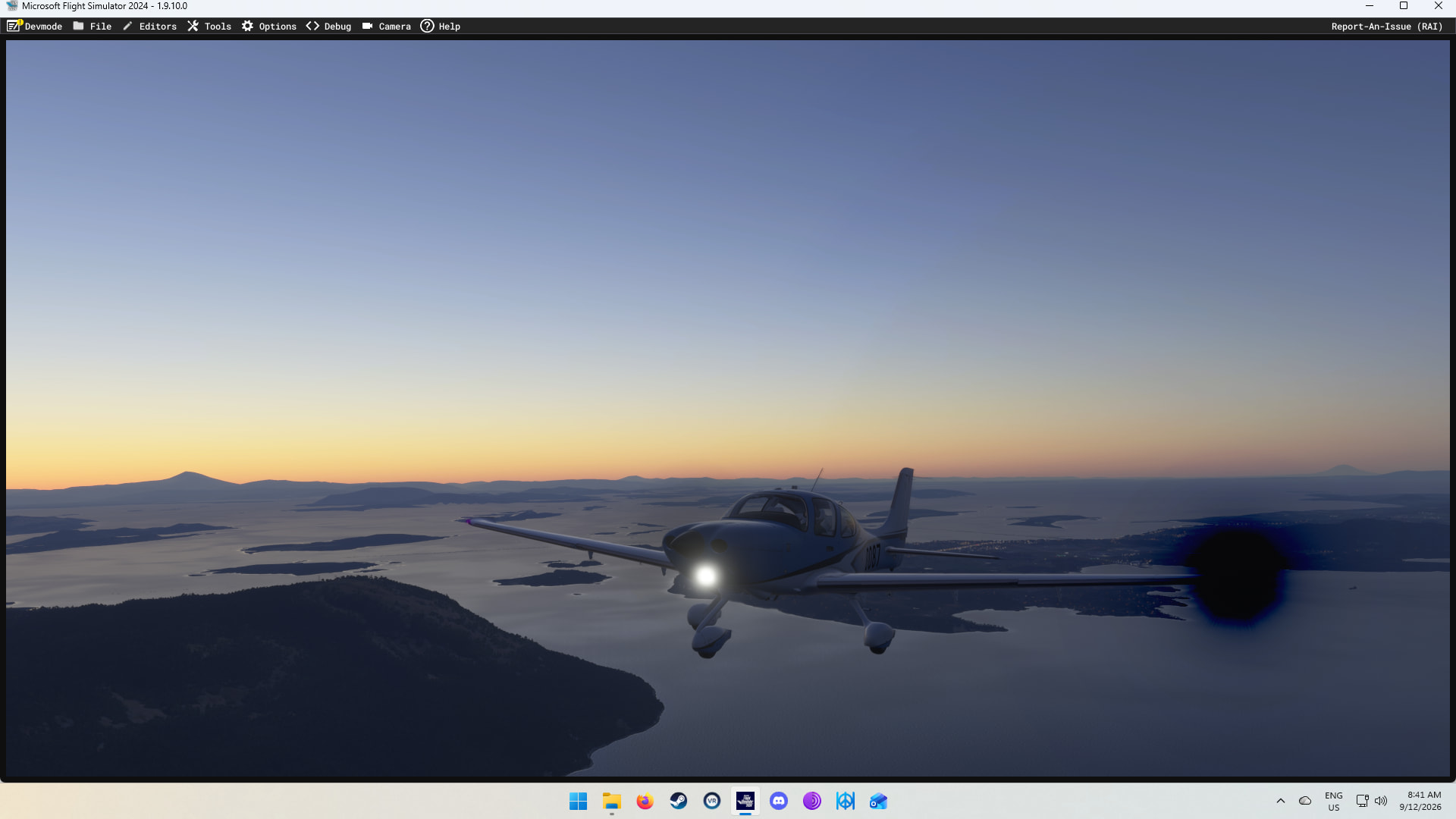
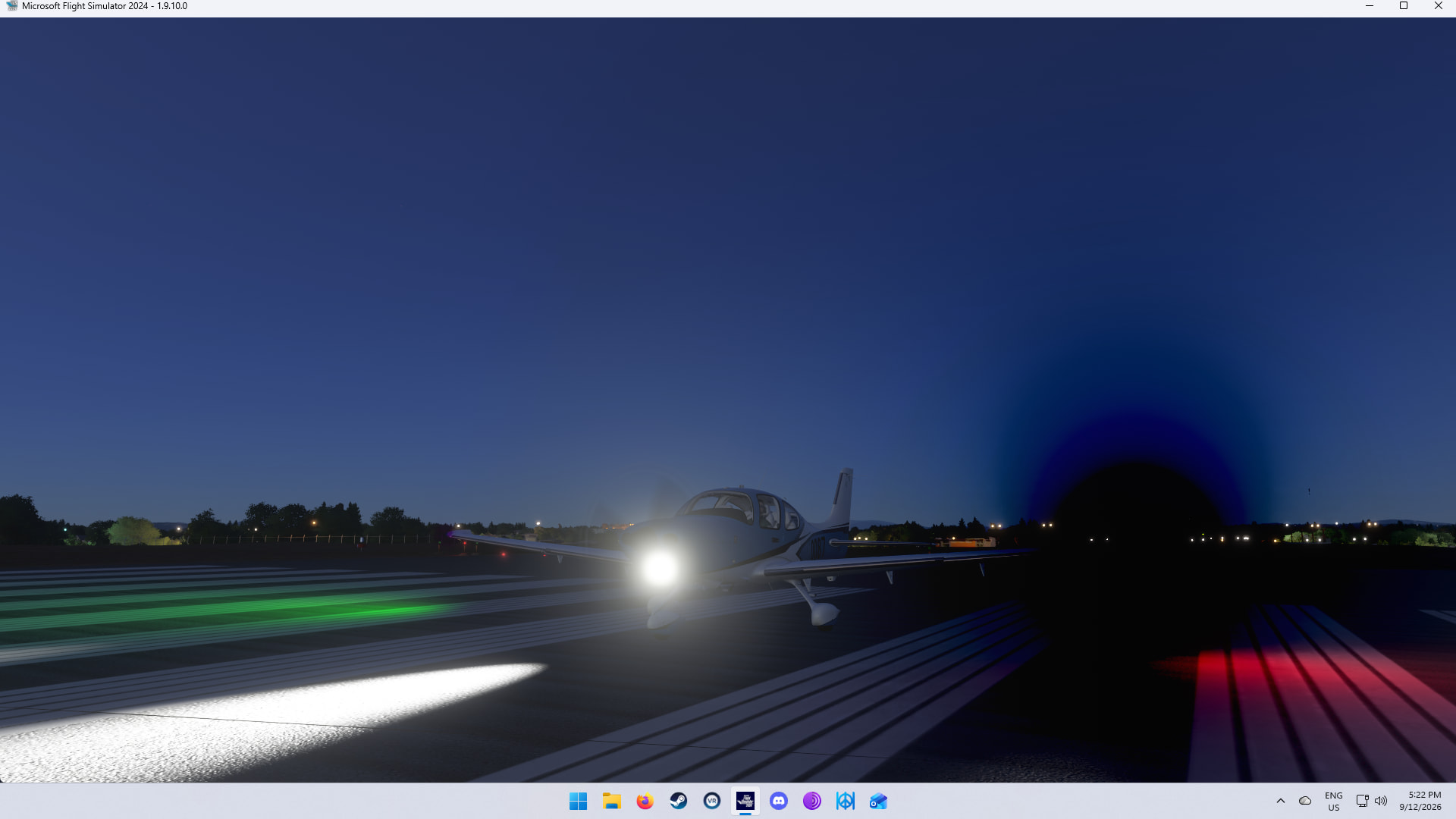
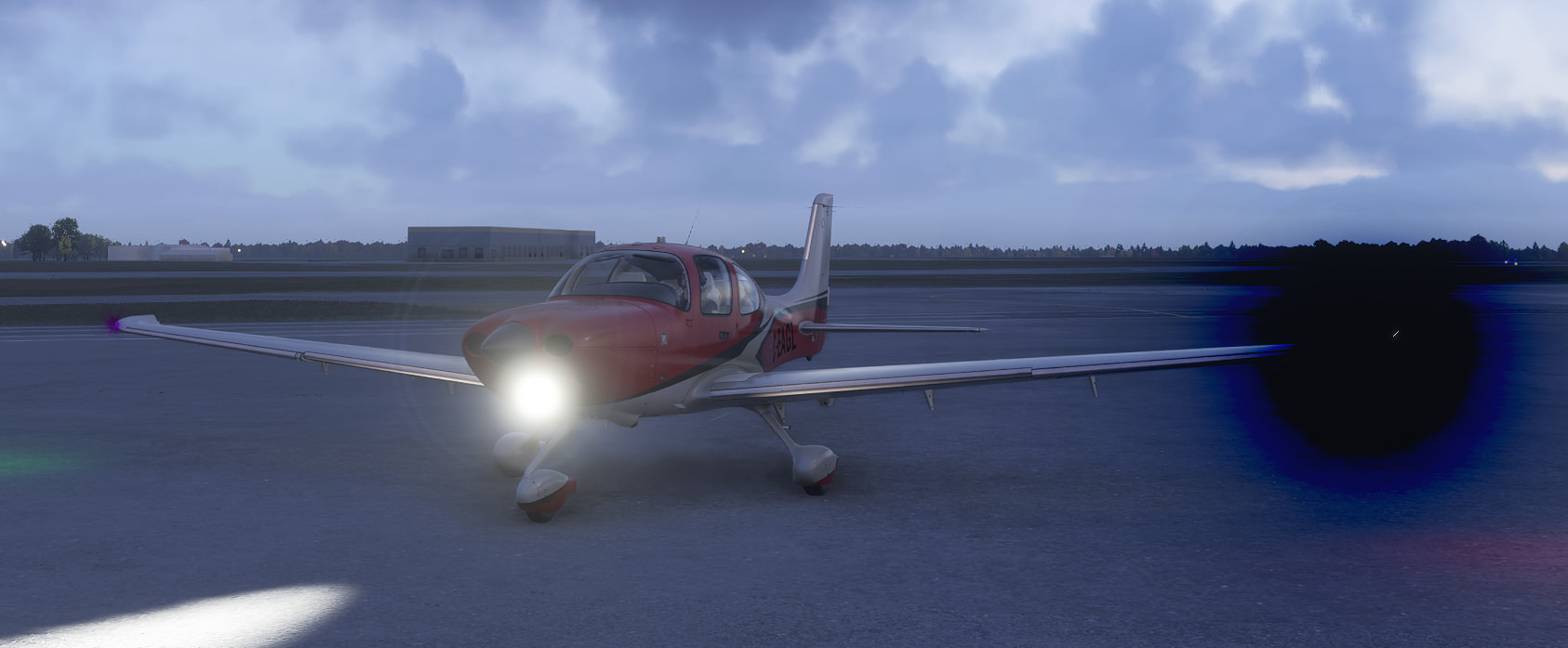
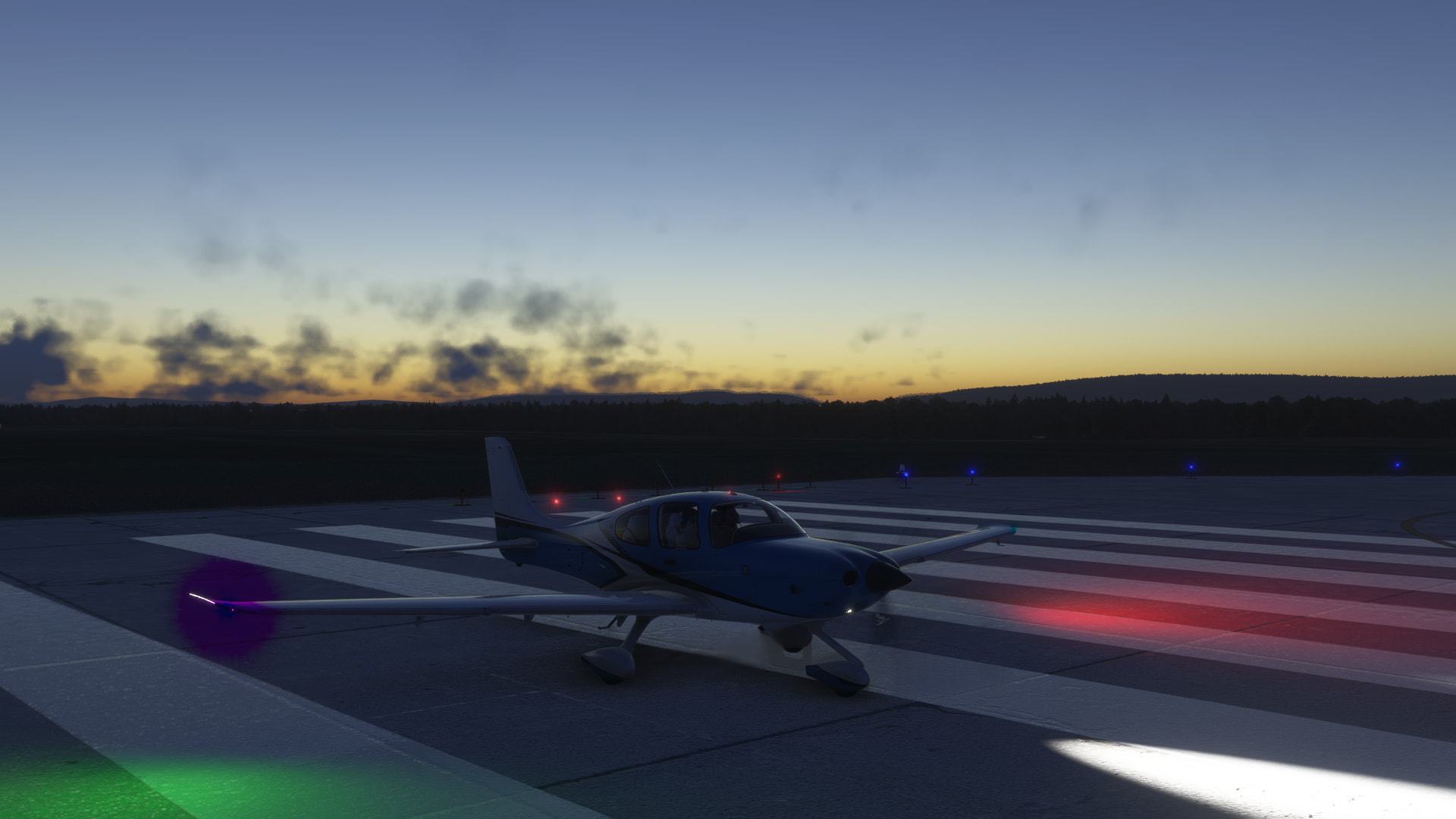
Can repro. Both nav lights have a semi-transparent “halo” around them.
The green nav light has a purple halo that makes the light purple - though the ground reflection is green:
The red nav light has a bluish halo that makes the light bluish - though the ground reflection is red:
These pics were taken in free-flight, starting C&D on the apron at Loreto (MMLT).
Expand to see my basic PC specs:
Item
Setting
CPU
i7-12700K (no overclocking or undervolting)
RAM
32 GB 5200 MHz DDR5 CL40 RAM
GPU
AMD Radeon RX 9070 XT (16GB) Driver v32.0.23017.1001 (Adrenalin v26.1.1)
Rebar BIOS Setting
On
OS
Windows 11 Pro 25 H2 v26200.9445 + all OS updates.
MSFS 2024 Edition
MS Store Aviator + all WUs & CUs
Current Build Version
SU7 v1.9.10.0
Downloaded Core Content
None (i.e., all Streamed)
Community Addons (Local)
None
Community 2024 Addons (Local)
None
Expand to see my graphics settings
Item
Setting
Display Mode
Full Screen
HDR10
On
Exposure Compensation
EV-1
Full Screen Res
3840 x 2160
Anti-Aliasing
TAA
Render scaling
100
AMD FidelityFX Sharpening
200
Max Frame Rate
On
Max Frame Rate Value
60
Frame Generation
AMD FSR 4.0
Framerate Multiplier
2x (N/A)
VSync
Off (N/A)
VSync Interval
Monitor refresh rate (N/A)
Dynamic Settings
On
Frame Rate Target
40
-
-
Global Rendering Quality
Custom
Terrain LOD
400
Off Screen Terrain Pre-Cache
Ultra
Displacement Mapping
On
Buildings
High
Trees
Medium
Plants
High
Rocks
High
Grass
High
Object LOD
200
Volumetric Clouds
Ultra
Texture Resolution
High
Anisotropic Filtering
16x
Water Waves
High
Raytraced Shadows
Off
Shadow Maps
2048
Terrain Shadows
512
Contact Shadows
High
Windshield Effects
Medium
Ambient Occulsion
High
Cubemap Reflections
256
Raymarched Reflections
Medium (reduces windshield reflections)
Light Shafts
Ultra
Depth of Field
Ultra
Motion Blur
Off
Visual Particle Effects Quality
High
Glass Cockpit Refresh Rate
High
Characters Quantity
Low
Characters Variety
Ultra
Characters Quality
Medium
Airport Services Quantity
Low
Airport Service Variety
Ultra
Parked Aircraft Quantity
Low
Parked Aircraft Variety
Ultra
Aircraft Traffic Quantity
Low
Aircraft Traffic Variety
Ultra
Road Traffic
Ultra
Sea Traffic
Off
Fauna
Ultra
Seatbelt Visibility
On
Habu2u2
September 12, 2026, 11:35pm
5
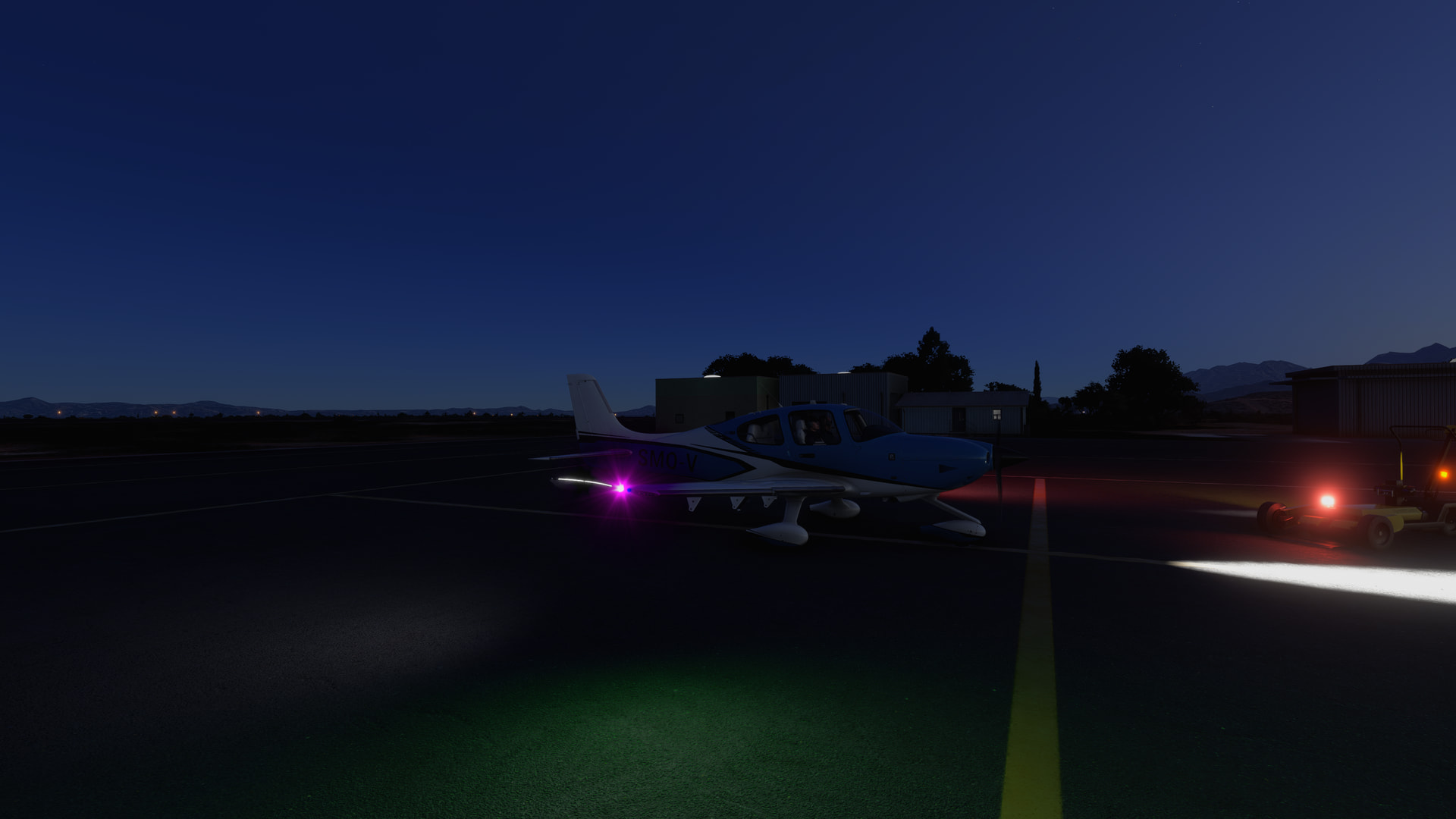
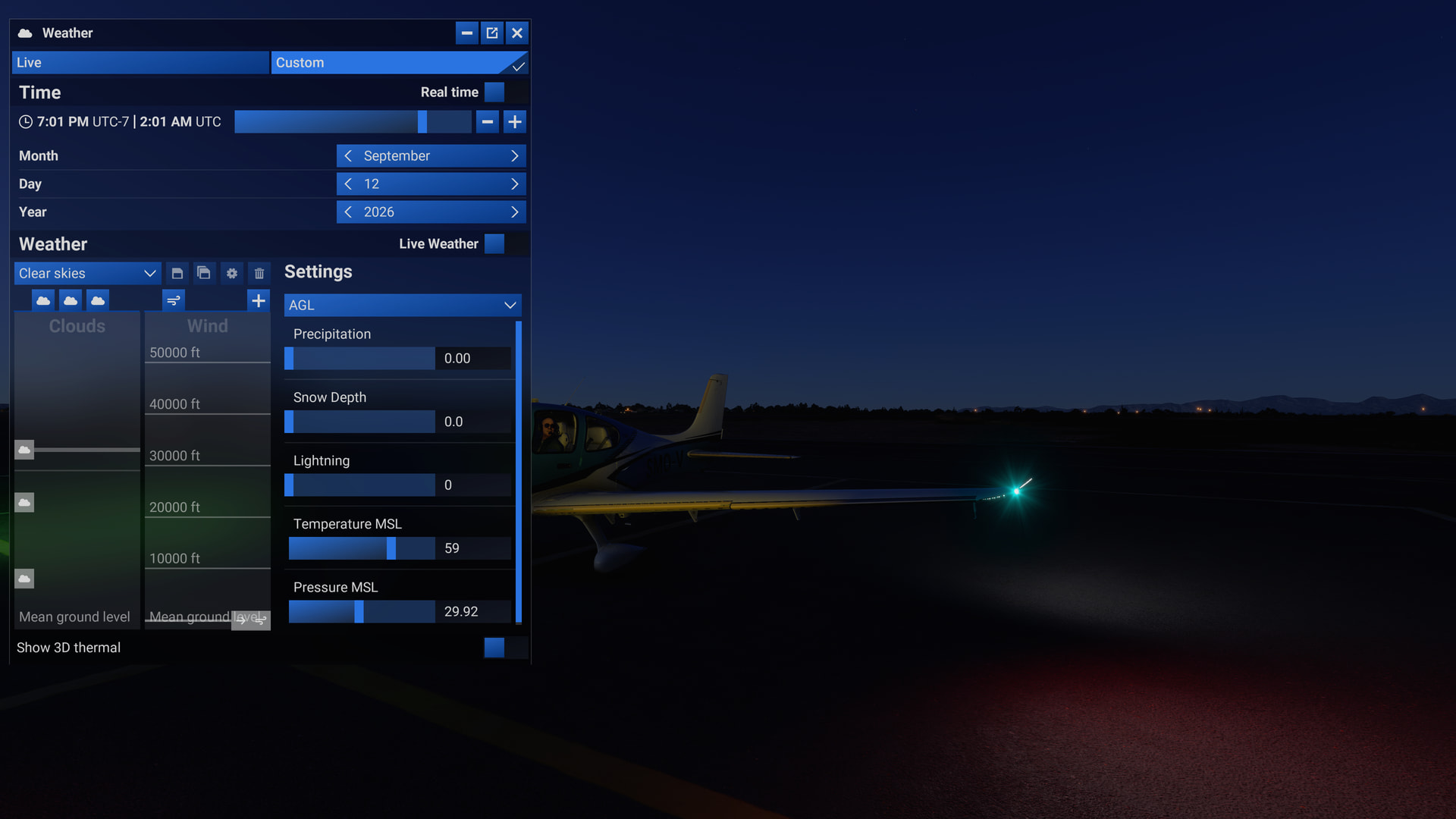
Same issues from a little different viewpoint. You can see the “domes” around the lights, and the reflected colors on the ground.
Same issue here.
This bug was fixed in a previous built.
It’s odd, several SU7 new / old bugs seem to affect PC users on ms-store; Steam users (tranquilitysea above) do not seem to be affected. Just speculations…
Now I remember I have the Zinertek lights addon installed, that’s probably why I don’t see this, it replaces the default aircraft lights.
I have this issue as well on Steam