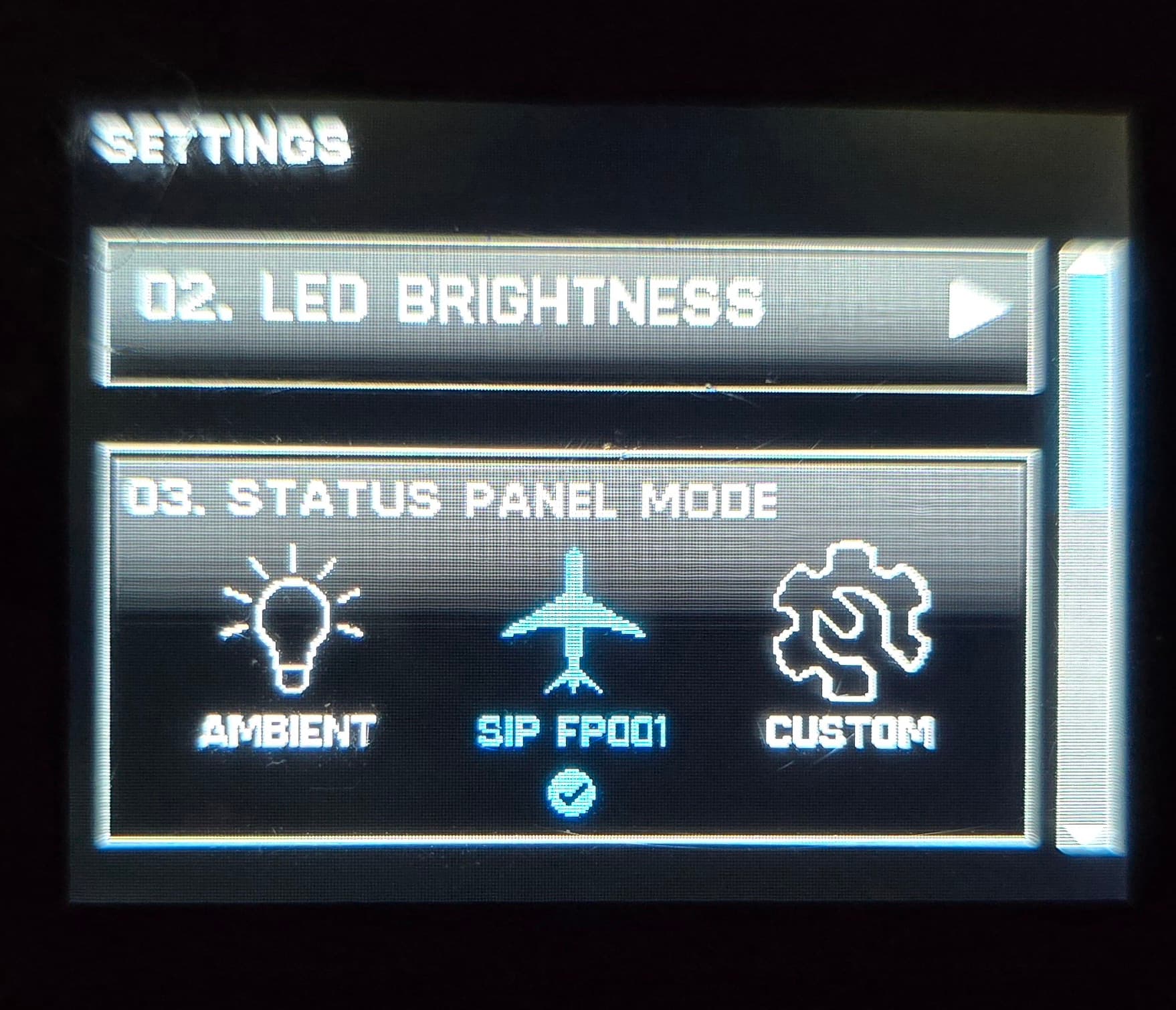
After updating to 1.5.0, my Status Indicator Panel (SIP) for VelocityOne Flight is no longer working. I’ve received daily emails from Turtle Beach support regarding this, but nothing seems to be working.
My platform is Xbox X series.
Has anyone else experienced this? I’ve tried the suggested recovery and still get nothing. It was working fine last week, before the update.
I have not experienced the problem and I also have updated to the most recent firmware. Isn’t there an option in the settings on the yoke itself to enable the SIP? Have you checked that?
I missed out on that one.We are talking about VelocityOne update to 1.5.0.Its not Xbox update we are talking about.Xbox has been carrying its updates too.However touch wood I haven’t had any issues with my V1 Yoke/Throttle Quad
In the instructions online for the update (or general use)there’s a specific position the sip needs to be set to, I forgot which one it was for Xbox, it’s in the yoke’s menu. The update probably toggled it to default
Any luck yet? I contacted TB and have had daily emails, but nothing has helped so far. They were trying to give me solutions from a couple of years ago when we had to wait for 1.3.0 to get SIP working with xbox. I had to tell them that all was fine the week prior, until I updated to 1.5.0
Go into :settings /03.Status Panel Mode/Sip FP001. (it’s the second setting with the plane logo).
Make sure you press the check button to validate.
Restart MFS and once your in a flight it should be back to normal. LMK.
Heh I’ve fumbled through it a few times. Honestly it’s better implemented on XB than PC, their app for it is awful. XB is on or off. The app ‘customization’ is essentially meaningless and it needs to be initiated again just about every other day.