
very strange…
my update was sort of smooth.. when I came back at the pc, msfs had closed and on restart it gave the safe mode/normal mode message. Continued in normal mode. THen updated the other items via the profile/contentmanager. F18 gives this strange displays but also the 787.. (basiscally all displays dead / not moving / black.
Help?
1 Like
I think it might be a temporary issue or something with VR. I used the Hornet after the update and all screens worked fine. (Xbox) Can you try it without VR?
I had about 20 mins in VR with the F18, my HUD was correct
You’ve got a missing or corrupt .js file that’s likely being shared by the 2 jets, difficult to say off hand which it is. I’d try to uninstall them both via content manager, restart, then re-install via content manager.
Moved to VR.
reinstall of the two aircraft didn’t help. Then started with an empty community folder. All working perfect. Moved all addons back - error back as well. Am now in the proces of moving the add ons one by one to see which one is causing it.. will report back once I know. Might take a while..
I would start with any skins/mods for the F-18 that have an html_ui folder in them.
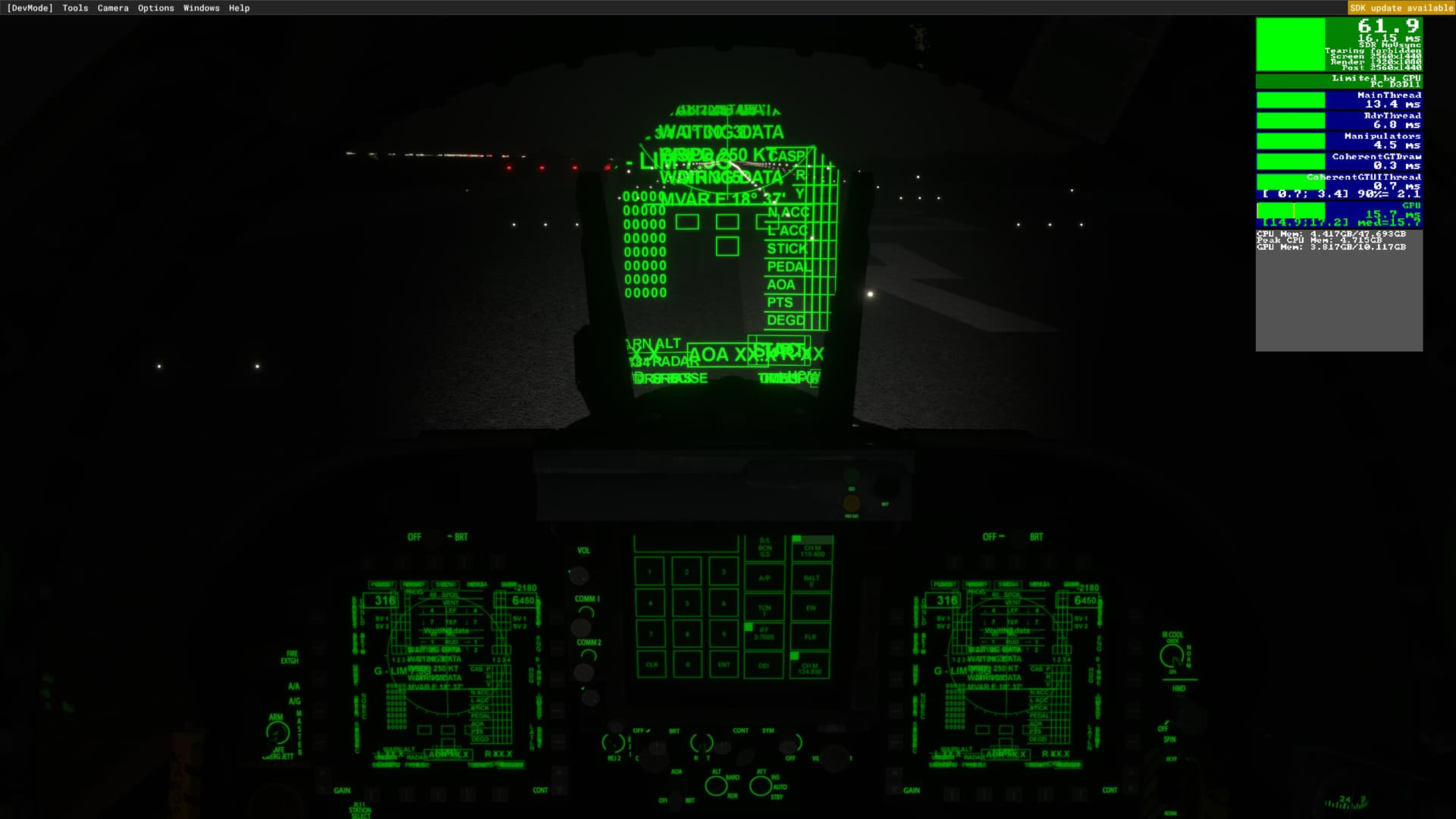
Did you find the culprit?
I fly F-18 in DCS and things are a bit different over there but looks to me like you are in a BIT test, check out the DCS f-18 “chucks guide” manual to get an understanding of what that is, plane is a different model but it might help you out.
1 Like
have not installed any extra mods-skins for the default f18..
started with empty communtity folder. All good. Copied the “most wanted” addons back. No issues. Still long list to go. No time 
From other threads have popped up since, the most likely culprits if you have them are the GTN 750 mod, a version of touching cloud super warrior mod the pre-date SU9, or the older working title GX mod.
1 Like
yes, looks something like that. I’ve removed all working title mods, and all the others, that fixed the issue, adding them back to see which ones are causing issues.
thanks, this saves me many restarts 
I do have those mods indeed, so must be the culprit!
I also had the same issue and found that the addon folder workingtitle-gx (Garmin G3X) was causing the issue.
I downloaded the latest mod version 0.1.0 from Working Title G3X - Intro and it works fine with the F18
2 Likes
I removed all those, still have the issue. :(. Oh well, I’m doing a complete reinstall when I upgrade my video card in a few weeks…. Ugh
even if you start with an empty community folder? That would be strange!
Yup, strange indeed, I think there is a corrupted file somewhere and a reinstall may be the only way to fix it at this point. Oh well. I prefer flying GA, Tubeliners, and the F-14 Tomcat anyhow. 
I also removes/reinstallled the F18 (Asobo) via the content manager. Maybe that is part of the solution as well.