First of all, I would like to thank Asobo and MICROSOFT for the amazing work done so far (although, I know, the aircraft systems need to be seriously improved; thank you to the community, therefore, too). Since we are in the “scenery” forum, I take this opportunity to especially thank the “water” development team for this magnificent rendering (waves, foam, colors, …); I know the “wakes” are coming, so it will be perfect …
Currently, I’m “visiting” Norway and I would like to “complain” on the slobbering textures of the vertical walls of the fjords, less than before, (FSX, P3D, etc …) but still …
Keep up the great work!
Hi Moderator,
No, it’s not really that, it’s really about textures of high cliffs and rocks almost vertical.
Seems pretty standard, really. I first noticed it around Sedona, AZ during the training flights. Any time the terrain gets steep and clifflike, the textures just sort of seem to get smeared or stretched to fit the terrain, instead of looking like vertical slopes. A third party did an add-on for Sedona that improved it quite a bit, but I have noticed it in a lot of posted screenshots of steep country.
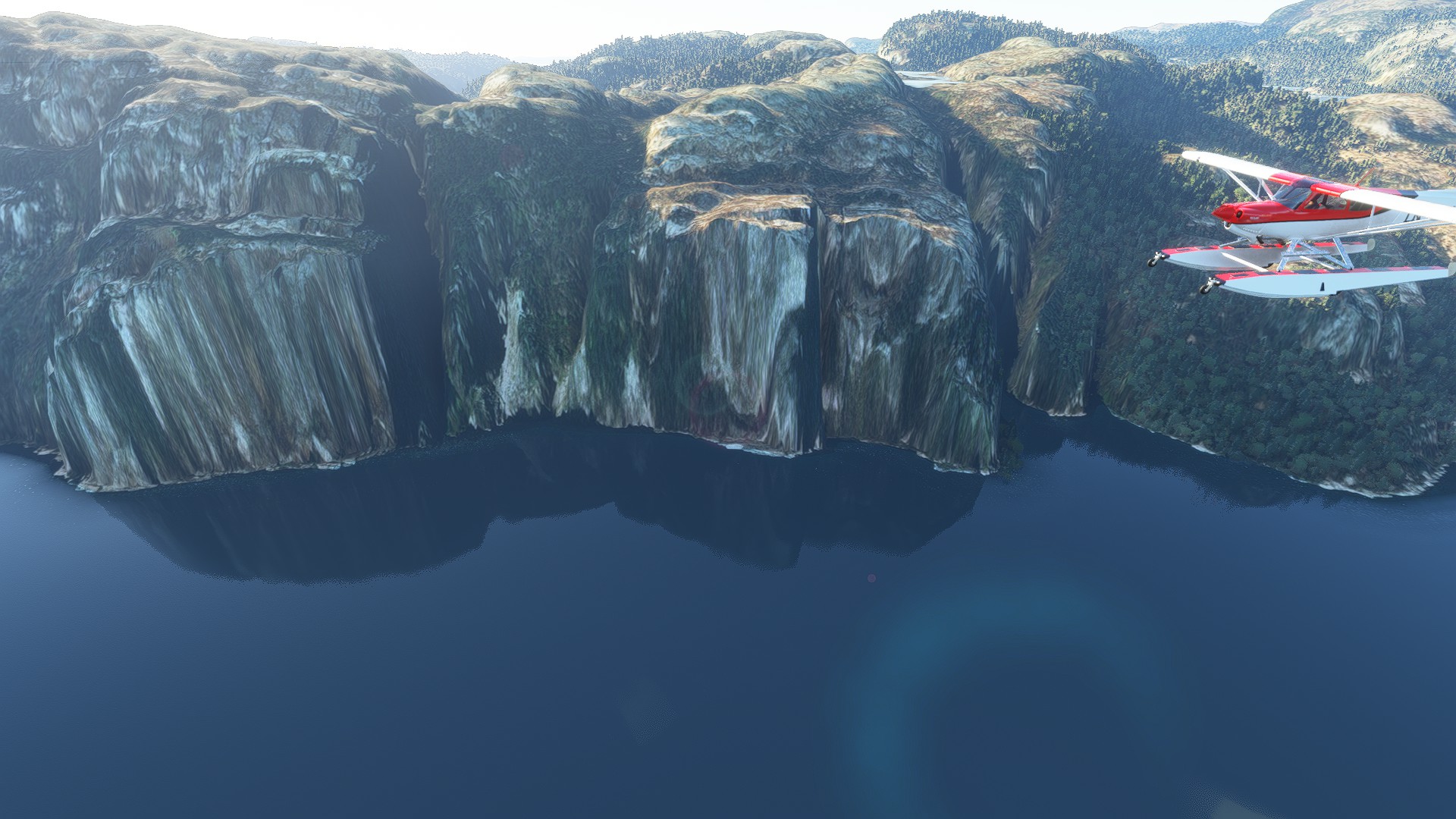
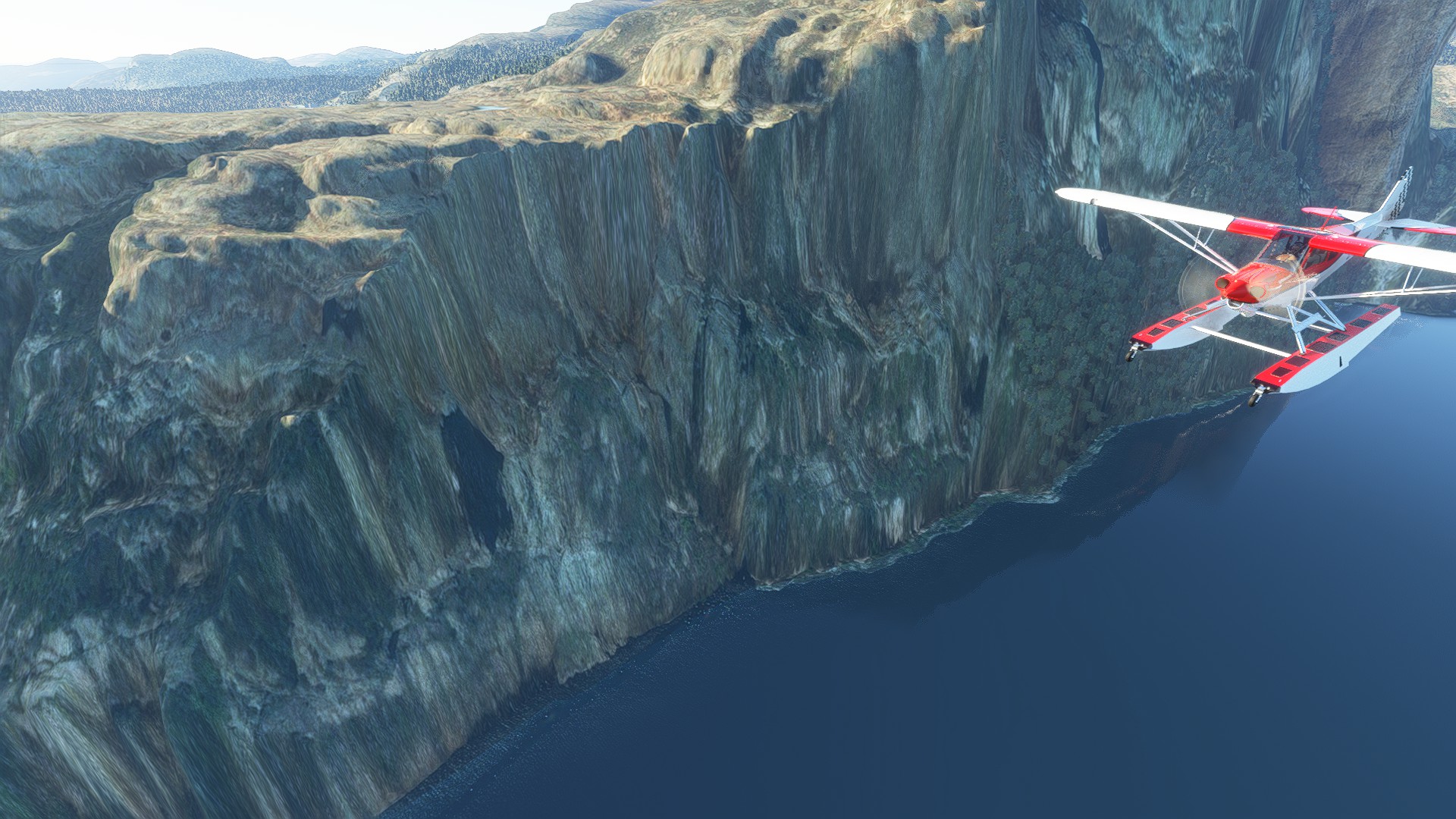
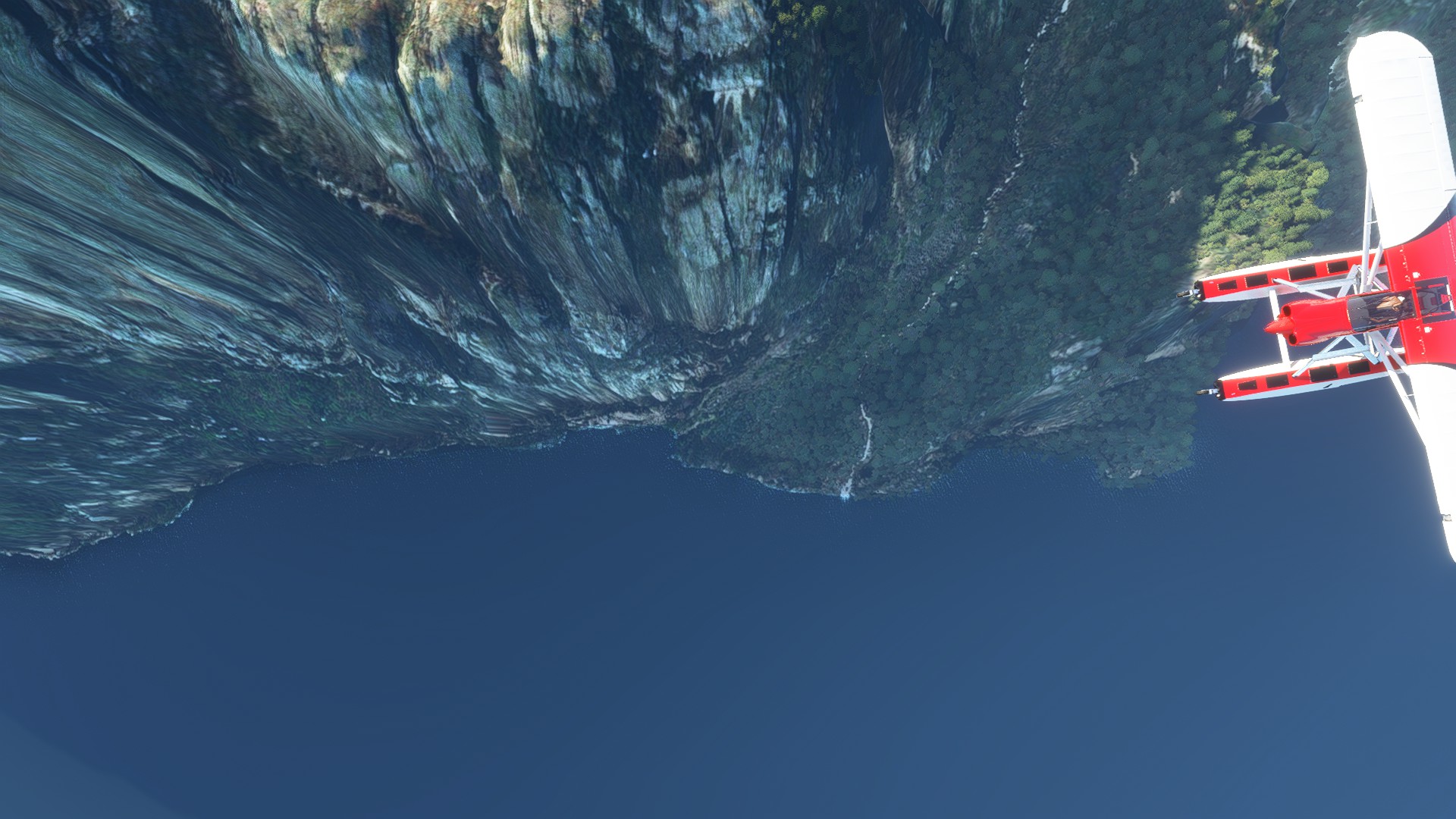
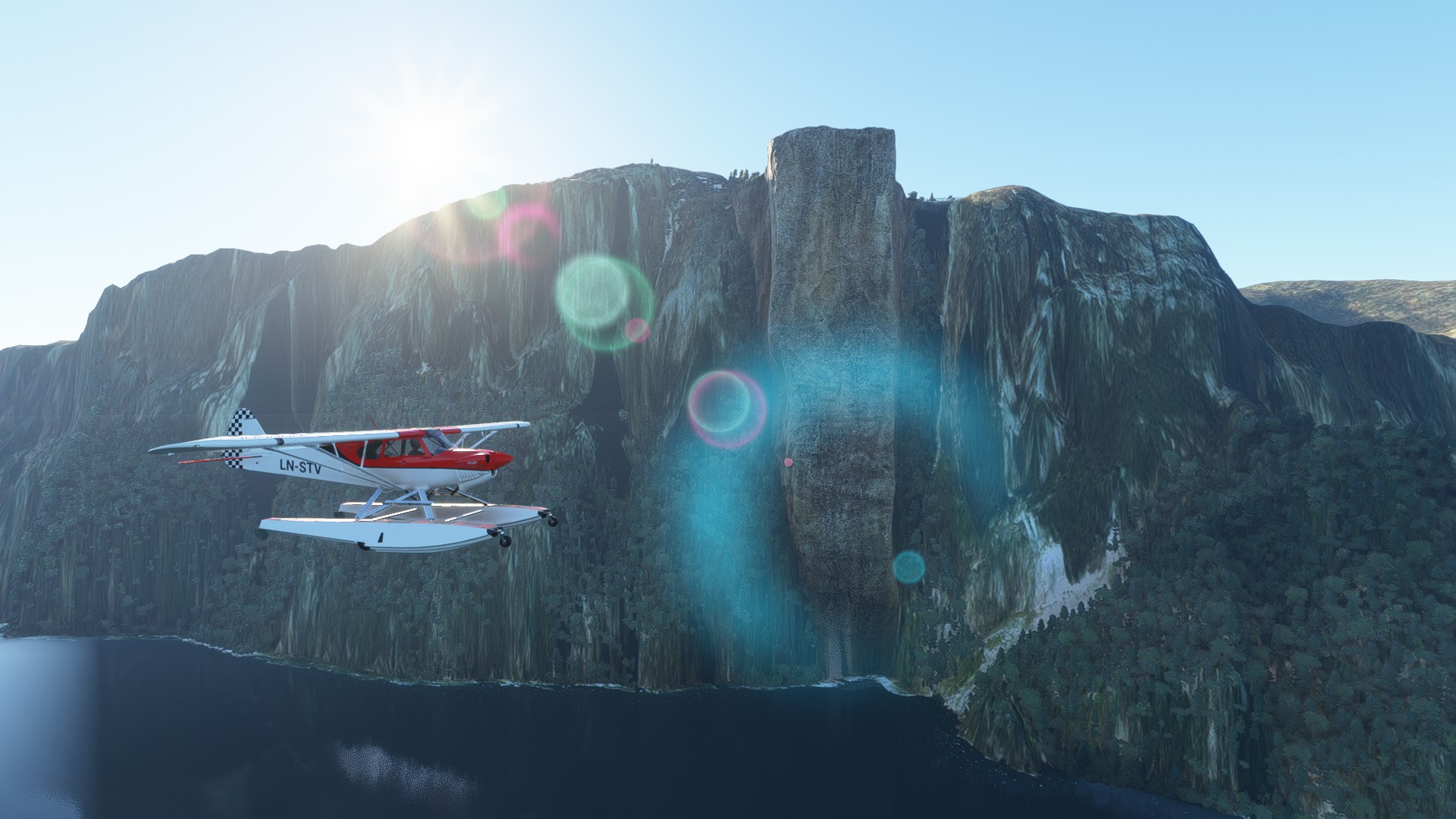
Yes, I know that, Norway was just an example. And, you’re right, AI have to recognise vertical cliffs to apply a new sort of texture. It’s not easy, but it’s a new challenge for Asobo, for the years to come ! 
1 Like
I would guess it should be relatively easy to improve on what we have now - simply detect when a 1sqm texture is being stretched over >5sqm and replace with a stock rocky/cliff texture? Or at least overlay one so some of the original colours come through.
I was about to open a new post when some ‘AI’  showed me this post. Which is exactly about the same topic. So I rather keep this one ‘warm’. I think with Deep Learning (DLSS) and AI alikes new solution for our problem may be around the corner…
Cliff & mountain texturing - could DLSS and AI improve it?
I much admire Asobo’s map technology in general. But apart from the known ‘glitches’ that need to be ironed out, there is a big nuissance which I call its Achilles Heel: cliffs and mountain faces! We all know it, either from the Swiss Alps, the Grand Canyon or about any seaside cliff in the world: seemingly smooth walls covered by an endlessly stretched texture.
What to do about that?
Even if MS increased DEM res and satellite photos to an insane level, it wouldn’t really help with this problem. But we can still talk about some improvement. I think AI and Deep Learning might do a lot. Since SU10 introduces such technology (with DLSS), it might be used for this problem, too.
There’s two different aspects that come together:
a) lack of mesh detail
b) lack of texture detail
The good thing about it is: the devs know exactly where it happens: whenever isohypses are close together.
I don’t know about the feasibilty of introducing ‘noise’ into the mesh, but I guess, better, AI enlarged textures in conjunction with ‘AI noisy’ normal maps could do the trick alone. Certainly bring much improvement.
I suggest MS-Asobo and Nvidia come together and use this as a usecase for DLSS improvement!
Your thoughts?
P.S. Sorry AMD card owners, I’m sure you won’t be forgotten once a solution is established.
We should upvote this topic. It has a global impact for anyone flying in either mountains or near cliffs.
In addition, it seems to be something Asobo can do as an easy fix in their AI for topology generation.
I spend most of time flying in the US Southwest and in mountainous areas around the world and this issue is present everywhere I fly. That being said there are some exceptions where some additional attention to detail went into the either the mesh or texturing and from a distance most cliffs look OK.
I love the graphics in MSFS and hope the team will figure out a way to make this particular issue go away, but it sure isn’t going to keep me from flying down canyons any time soon. I appreciate the dev team’s efforts and figure they’ll address it when they can.
1 Like