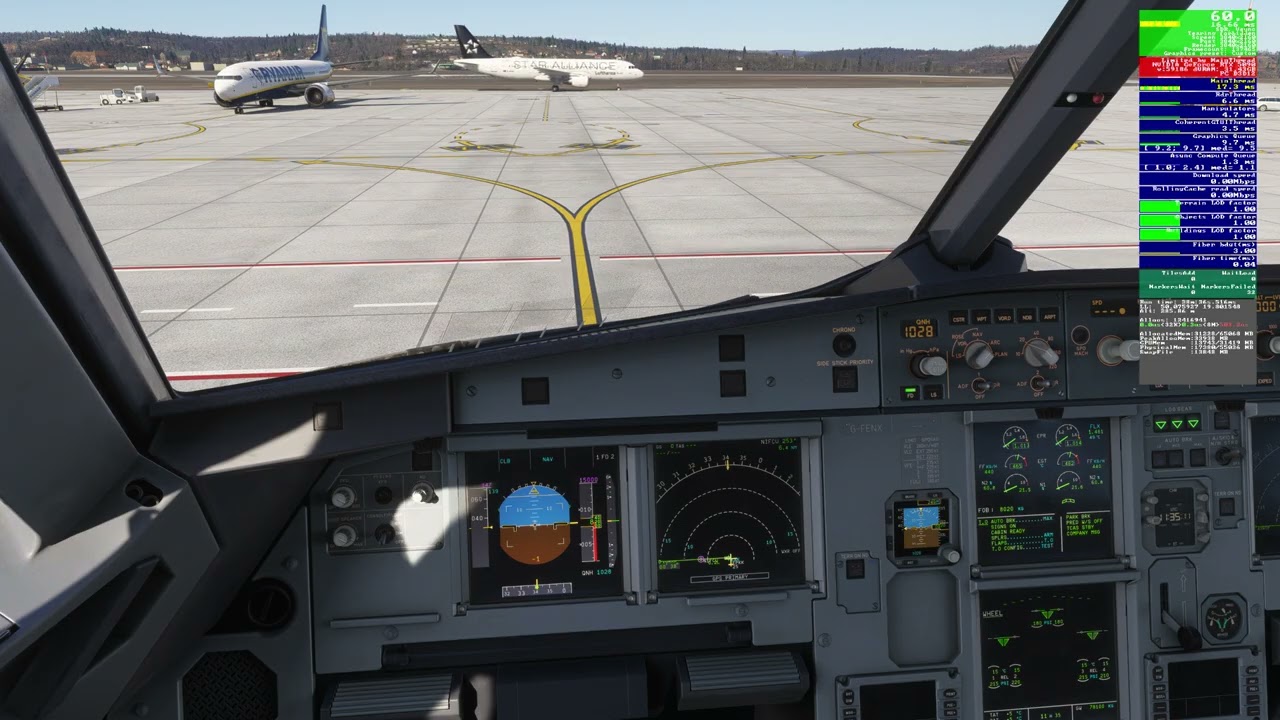
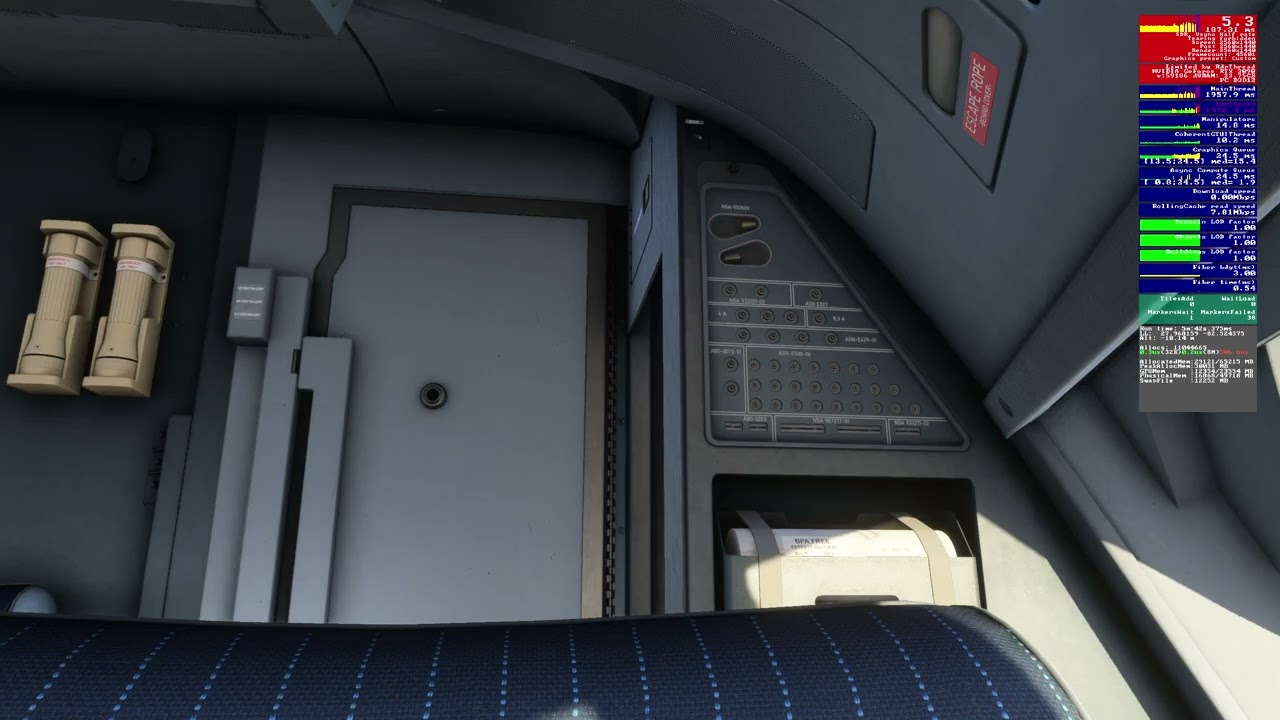
Stutter on camera pan when idle for >60 seconds

ISSUE DESCRIPTION

Description of the issue: Pilot camera rotation causes heavy stutter after 60 sec. of inactivity.

Seems like textures of scenery unloads from cache after timeout of inactivity, even if your aircraft doesn’t moving - very annoying after entering data in CDU, or just holding short.

I have tried to track of time, 55 seconds - everything is smooth, 60 - hell of stutter.

FREQUENCY OF ISSUE

Always

REPRODUCTION STEPS

  1. Load free flight, preferably in large airport (any complicated scenery) with graphics-heavy aircraft. It doesn’t necessary have to be community scenery/aircraft, but it will be better to show up this way. I can see issue even on C152, but PMDG737 or iniBuids A350 will show it more clearly.

  2. Go to the cockpit, look around with in-game camera;

  3. Wait for 60 seconds, try to rotate in-game camera for 360 in any direction.

YOUR SETTINGS

[PC Only] Are you using Developer Mode or have you made any changes to it?

Yes, no - does not affected.

[PC Only] What GPU (Graphics Card) do you use?

RTX 3090 with 24 Gb VRAM

[PC Only] What other relevant PC specs can you share?

64GB DDR4 RAM, intel 9980XE, 2K Dell G-sync monitor.
3 Likes

Deleted Sorry

I did little investigation of this issue, found two most significant factors of it’s common appearing:

1 - Scenery complexity - isn’t only the airport, but photogrammetry and amount of buildings also affects.

2 - Proximity to the shore - mostly large lakes and oceans/seas.

Example list of tested locations with this issue (testing method: load iniBuilds A340 on any suitable parking with “On APU” cockpit state preset, rotate camera for 360 degree to load scenery to cache, start chrono, wait for 60 seconds, try to rotate camera again):

Did not appeared:

DAAP, UNOO, KABQ, ZLXY;

Light (infrequent stutters less than 100 ms):

ZSPD, DTTA, Digital Design URSS, RDPresets LEGE

Moderate (repeating stucks for 300-500 ms):

EGPP, EKCH, LEBB, Digital Design LFLL;

Heavy (difficult to rotate camera with mouse, main thread stucks for over 1000 ms):

RJTT, lVFR-scenery LEBL, Verticalsim KTPA, Flightbeam KDEN;

(used default free streamed airports unless otherwise specified).

Also quantity of enabled scenery addons in community folder have affect, but it seems like overall performance degrading with it. Bug still exist even if only single tested scenery was enabled (linked to community folder).

2 Likes

Thank you very much for your detailed findings here. Our team went through it and tested at these locations and aircraft and did not get any significant stutters after 60 seconds.

If you run into more use cases, feel free to share and we will attempt again.

1 Like

Just compare the stuttering while panning the camera between Zürich Switzerland and London UK are. Zürich has awful stuttering while London has very minor or even normal ones.

1 Like

I recorded the bug: https://www.youtube-nocookie.com/embed/yTN1hsa_F_s

Follow the timeline to discover stutters.

I loaded A340 at vanilla RJTT, on custom scenery stutter will be stronger.

If it possible to share my PC/Windows system info, I would like to do it.

2 Likes

This is not specific to SU5, there is a long thread about this issue in SU4. Reducing the texture resolution improves the situation significantly.

From my point of view it is a feature, not a bug. As you can see in FPS display: VRAM from the invisible areas is freed during the 60 seconds of inactivity. The behaviour was introduced since a lot of users complained about too high VRAM usage. Now the VRAM is freed, which improves overall performance dramatically in particular on graphic cards with less than 20 GB of VRAM. Unfortunately textures have to be loaded again to VRAM as soon as you pan around. The larger the amount of data to be copied to VRAM, the more stutters you see. Therefore reducing the texture resolution improves the situation.

4 Likes

Ok, but.. May it check VRAM amount available, and unload textures only if limit reached?

For now, limit is hard-defined in engine code: no more than 12 Gb VRAM. What if my VGA have less than 12 Gb? How 20 or 60 or 3600-seconds timeout can solve it?

Just let me decide by myself, when to load textures, and when to unload. I want sliders in graphic settings: “VRAM limit”, “Texture cache unload timeout”.

Or… We can replace VGA off-screen texture cache with low-res textures, and call hi-res from “slow cache” gradually, little by little, only if needed, with no significant FPS drop.

Also, I have 64Gb DRAM available, it may be used to store textures, Re-Size Bar may help to reduce it’s loading time. Now, after msfs2024 problematic launch, approx. a year ago, DRAM ability was hard-limited to 30 Gb.

Can optimisation be applied to simulator competently?

No, this is not true. It is easy to configure the system using more than 16 GB of VRAM. I have a 16 GB card, and VRAM is the bottleneck, I have to reduce settings in order to save VRAM while GPU as well as CPU are not limiting.

It is already implemented this way. Deactivating ReBar reduces the FPS in particular during panning.

I don’t know if the algorithms allow this.

On some hardware configurations, there is a noticeable FPS drop - and even stuttering - when Developer Mode is enabled. It is recommended to turn off Developer Mode.

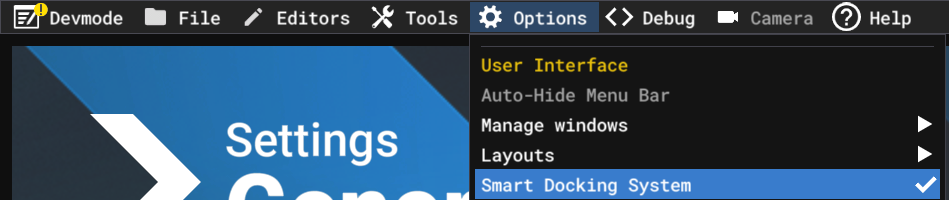
Before disabling Developer Mode, make sure you first turn off the Smart Docking System.

Smart Docking System “ON”

Smart Docking System “OFF”

After Smart Docking is fully disabled, you should switch off Developer Mode.


For gamers who are benchmarking, testing performance, or simply monitoring MSFS behavior, Developer Mode itself is unnecessary. They only need the FPS overlay.

For that reason, I decided to share a workaround that allows you to keep the FPS overlay enabled without having Developer Mode active.
https://forums.flightsimulator.com/t/how-to-enable-fps-overlay-without-developer-mode-su5-beta/758535/

And as I described in the beginning, it does not affect.

Same tests with A340 at KTPA: https://www.youtube-nocookie.com/embed/_yejCa27aS4

Dev mode is off, FPS debug on via launch options.

1 Like

This is a Problem carried from su4 to su5 Beta. Its critical cause it can cause complete Game breaking stutters and even freezes in regions Like Switzerland, south Germany and east Coast USA while panning the camera.

1 Like

All good.

It’s not all good. It’s definitely better than the SU4, but there’s still work to be done. Take another shot, look to the left, wait about thirty seconds, and then pan to the right. However, the video also shows the moment when the drop from 60 to about 55 is visible; that’s precisely the problem causing fluidity issues.

2 Likes

OP FPS drops to 5 after moving the camera, which makes MSFS basically unplayable and kills any enjoyment.

I don’t have that problem. Do you see the difference? I’m not getting any stutters at all.

On your video micro-stutters appears after 60 seconds of inactivity, FPS debug window blinked red some times.

It was significantly less than in my case, because amount of textures in this location with this aircraft is not enough for demonstrate it on your setup. Also, your 5090 may be more optimized for texture caching than my 3090.

If you can’t to reproduce (but you can, if you will use heavy scenery with a lot of large textures), it doesn’t mean that anyone else will not see the issue. Check my video with A340 at KTPA three posts up, and you will see the real troubles.

I don’t tellin about it is a critical game-breaker, but this issue very annoying for me, prevents from use any airliner since SU4.

And it can be solved by refactoring of texture cache system, adapting it to modern standards. It is necessary for any actual product regardless of criticality of the issue.

I want to receive complete bug-free simulator with modern graphic technologies inside. Preferably one that won’t become broken with the next update.

Yes, but it’s also worth adding that your RTX 3090 is barely suited for 1440p these days, especially in MSFS 2024. It’s right on the edge performance-wise.

I know what I’m talking about because until recently I had a RTX 4090, which is clearly stronger than your GPU and even that was borderline for 2K in MSFS 2024 in demanding scenarios. That’s just the reality of how heavy МSFS 2024 is.

I’m not saying your RTX 3090 is a bad GPU - it’s still a strong GPU. What I mean is that in a sim as demanding as MSFS 2024, especially at 2K with heavy scenery, it’s simply working very close to its limits.
Maybe it’s worth considering lowering a few settings for now to keep things smooth, at least until Asobo improves performance further.

I never said the problem doesn’t exist. I’m just saying I personally don’t have any stuttering on my PC in MSFS 2024 SU5 beta 1.7.7.0.
That’s it. Just because I can’t reproduce the issue on my PC doesn’t mean I’m denying that others might see it. I’m simply sharing my own experience.

EDIT

I’m currently flying toward LOWI - I love circle-to-land there. After landing, I’ll run one final test.

Theoretically, I should use the Cessna 172 G1000 at a default airport - no third-party scenery - because that’s how you’re supposed to test things properly and eliminate extra variables. But I’m choosing the Fenix A321 again since it’s just a great aircraft, and I honestly recommend it to everyone.

Fenix A320 is best aircraft ever build for aviation simulators. At all aspects.

My 3090 is enough for me at this time, I can’t compare it with 40 or 50 series, but with SU5 performance I getting stable 60 fps with much worse optimized aircraft.

With FG enabled it will give me stable locked 100 FPS, which is more than enough for me, who remembers the old days of FSX with PMDG 777, where 20 FPS I can get only on cruise FL in the middle of nowhere.

Till SU4 is released, I didn’t have any complaints about this stutters. Now, even reducing screen resolution to 1080p with setting everything in graphics to low/off wasn’t a solution. Also I tried to start sim with clear new Windows 11, to run it with Steam Proton on Bazzite, to change between different monitors differently attached to different VGAs, to detach/disable all of peripherals. The bug is 100% in the code.

UPD:

And, about C172 - no. Some bugs appears in certain circumstances, and to reproduce it these circumstances must be presented. But as I wrote earlier, stutters will appear on C172 too.

Ok, if your RTX 3090 is enough for you, that’s fine - I get it, the prices of new GPUs are crazy right now. Still, if you have to rely on Frame Generation to reach those FPS, it might be worth thinking about a new GPU in the future (I wouldn’t recommend selling a kidney though).

I’m not sure if you’re aware, but Frame Generation in MSFS 2024 doesn’t always work perfectly and can actually contribute to stuttering on some hardware configurations. I’d recommend capping your FPS like I do - there’s no need to push the hardware to churn out a million frames. The key is to keep FPS from dropping below the monitor’s minimum refresh rate (not the advertised Hz you see on sales pages). Most monitors have a minimum of around 48 Hz, so ideally FPS shouldn’t drop below that. I don’t know what your panel’s minimum is.

Overall, I’m a bit surprised you didn’t share your full system specs, screenshots of your MSFS settings, Windows settings, its version and Nvidia Control Panel/NVIDIA app settings also matter a lot for performance.