ISSUE DESCRIPTION
(This is a re-post of my bug report from the beta forum as this issue has been intruduced in the SU1 beta and not been fixed in the release build.)
UPDATE 7/3/25
This bug now also affects other airplanes (like the C408) that got the updated ‘v2’ G1000 code base! It’s not just the C172 anymore.
Description of the issue:
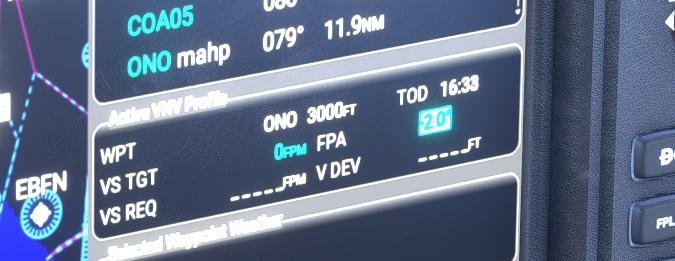
If you have a VNAV descent loaded in the G1000 in the C172 Skyhawk, be it as part of an approach procedure or in form of a manually added altitude constraint at a waypoint, as soon as you try to change its FPA (flight path angle) the previously shown VNAV data on the flight plan page goes blank or resets to 0, the TOD vanishes from the map and no VNAV profile will be flown by the autopilot.
If applicable, which aircraft is experiencing this issue:
Asobo Cessna 172 Skyhawk G1000 & other planes on the WT G1000 v2 code base
[PC Only] Did you remove all your community mods/add-ons? If yes, are you still experiencing the issue?
No difference
FREQUENCY OF ISSUE
How often does this occur for you (Example: Just once, every time on sim load, intermittently)?
Always
REPRODUCTION STEPS
Please list clear steps you took in order to help our test team reproduce the same issue:
- Load a flight plan that has a VNAV (descent) component into the G1000 (e.g. create a simple airport to airport plan with one enroute waypoint and manually add an altitude constraint lower than your cruise level to that waypoint as shown in the screenshots below)
- Start the flight, climb to your cruise.
- Observe the TOD and VNAV info showing up on the map and in the Active Flight Plan page on the MFD
- Press VNAV Prof at the bottom of the MFD or press the FMS knob (lower right) and navigate to the FPA value in the Active VNAV Profile box
- Change the FPA by turning the FMS knob
- Observe the previously shown VNAV data (like VS TGT) and TOD vanish or reset to zeo. Observe the autopilot, even if set correctly, will not fly the descent.
YOUR SETTINGS
If the issue still occurs with no mods and add-ons, please continue to report your issue. If not, please move this post to the User Support Hub.
What peripherals are you using, if relevant:
NA
[PC Only] Are you using Developer Mode or have you made any changes to it?
No
[PC Only] What GPU (Graphics Card) do you use?
NA
[PC Only] What other relevant PC specs can you share?
NA
MEDIA
Please add a screenshot or video of the issue occurring.
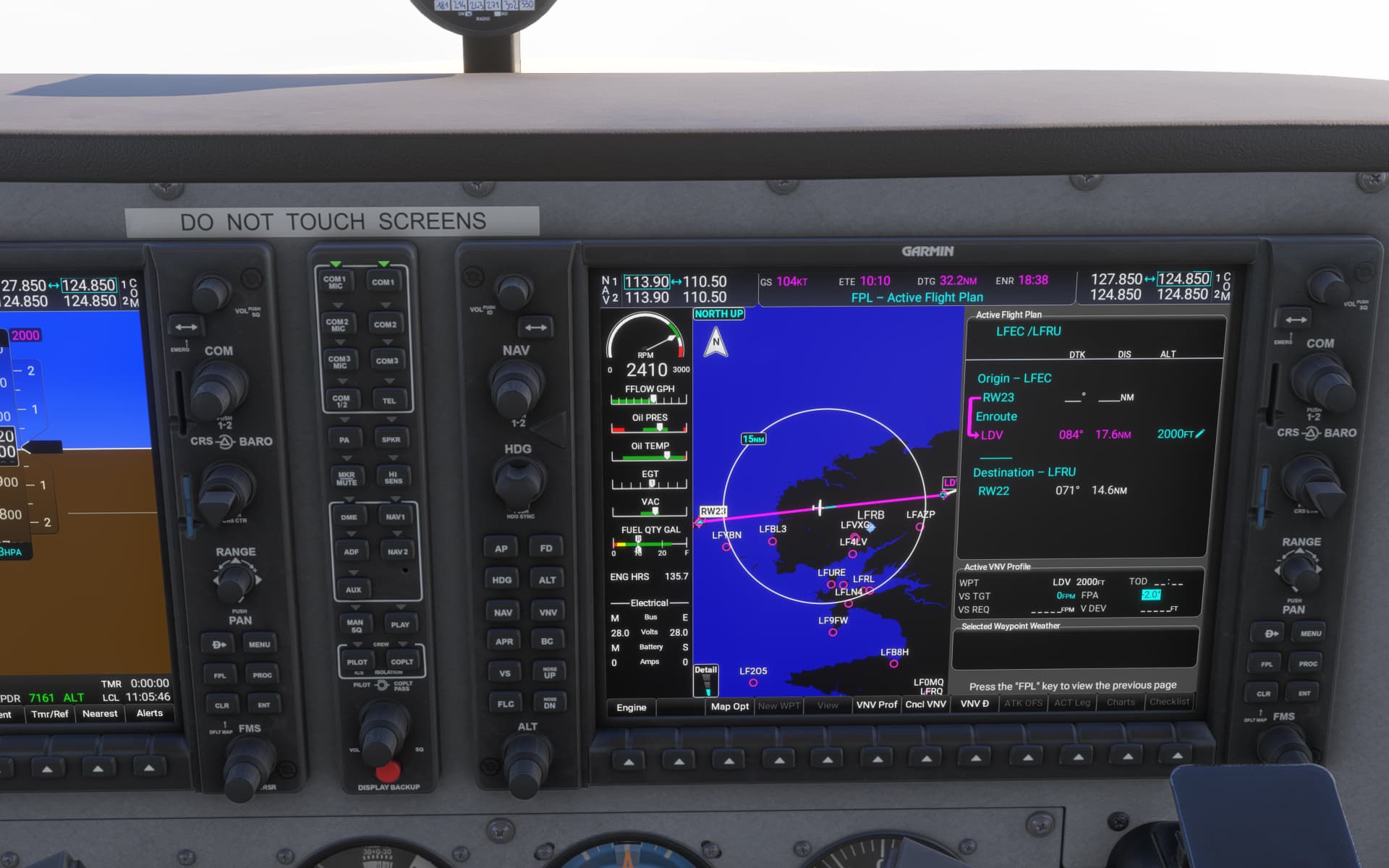
C172 Skyhawk G1000
FPA -3.0, TOD on the map

Changed FPA to -2.0, TOD vanished, data went blank
For comparison, the same scenario in the unpatched (beta) C408 SkyCourier
FPA -3.0, TOD on the map
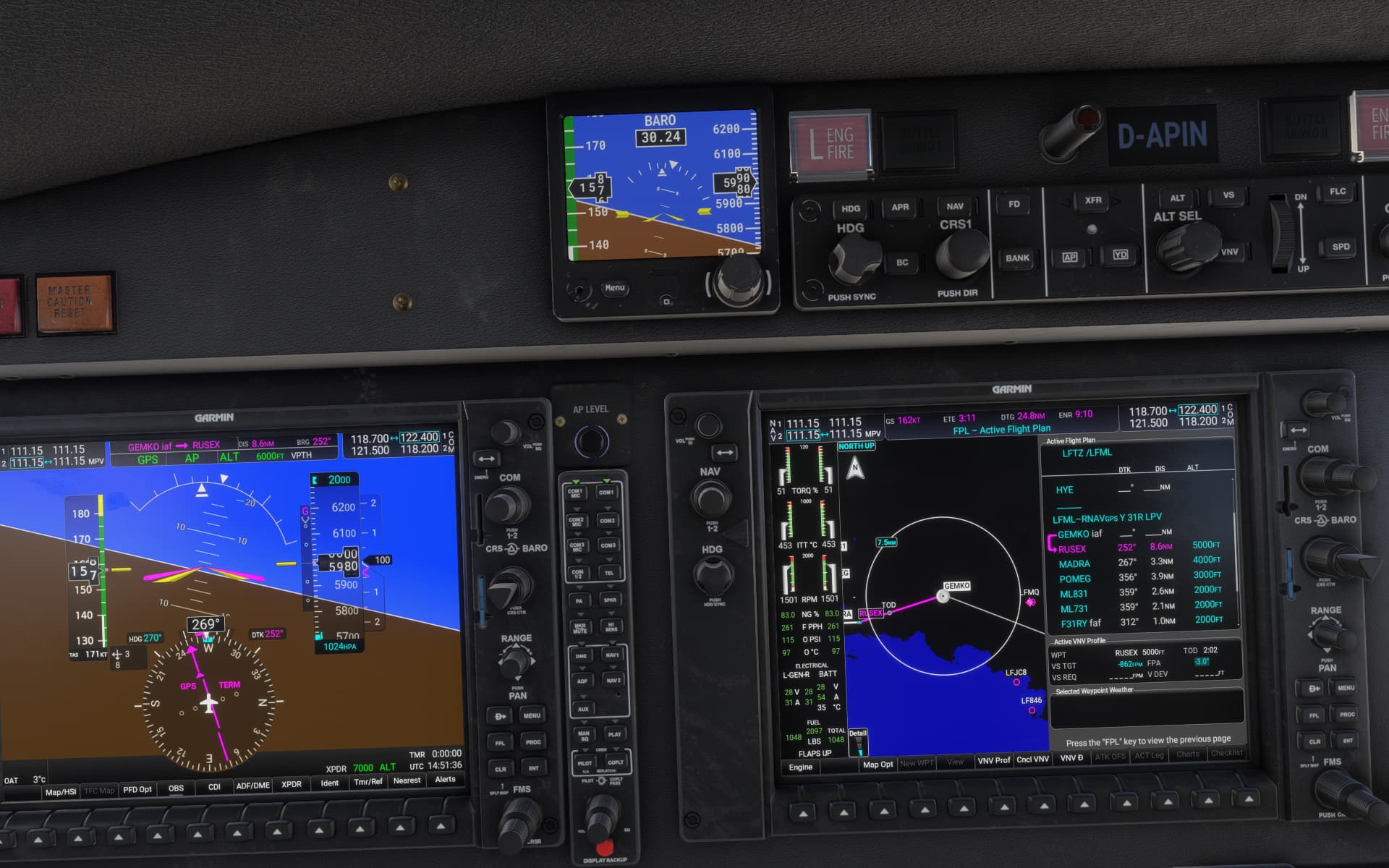
Changed FPA to -2.0, TOD & VS TGT update immediately to new values

[END OF FIRST USER REPORT]
 For anyone who wants to contribute on this issue, Click on the button below to use this template:
Do you have the same issue if you follow the OP’s steps to reproduce it?
•
Provide extra information to complete the original description of the issue:
•
If relevant, provide additional screenshots/video:
•