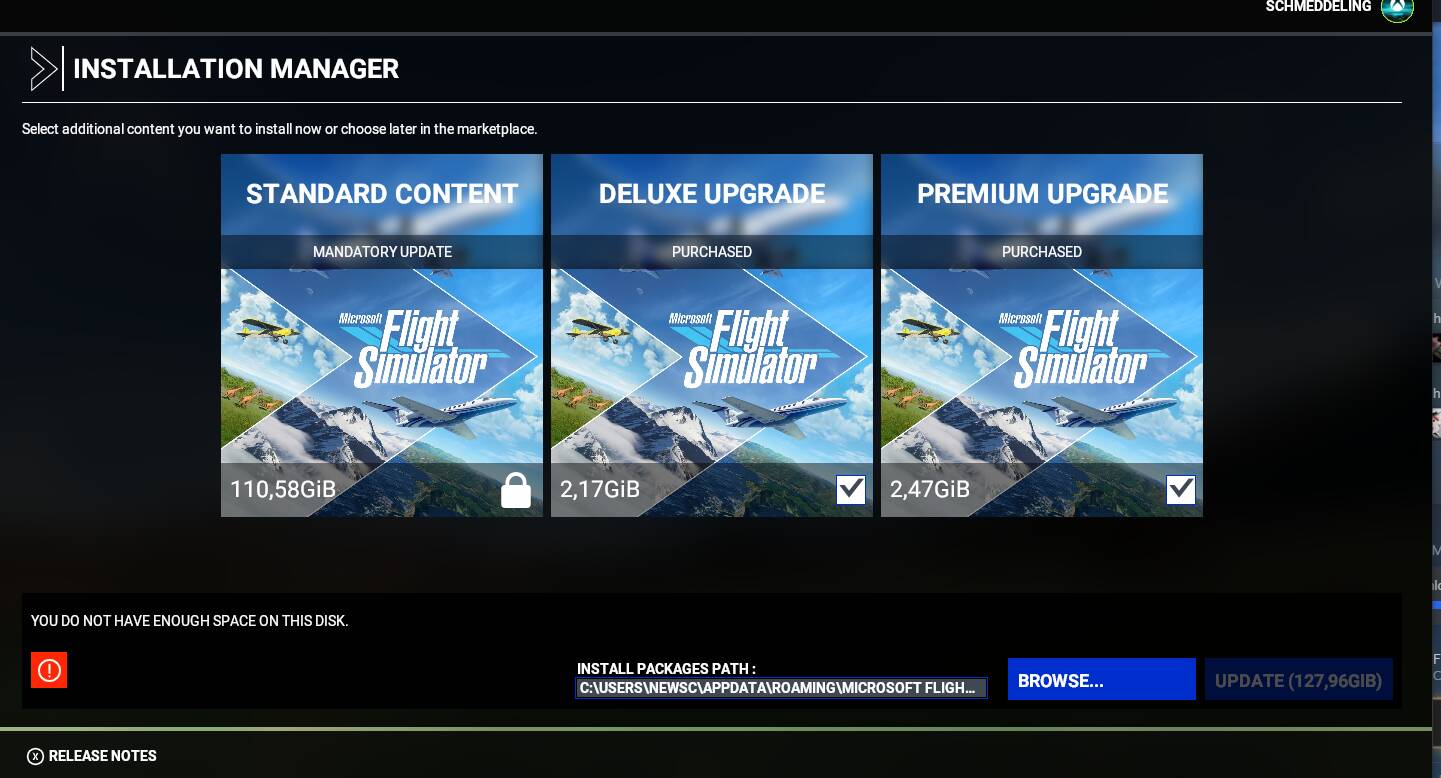
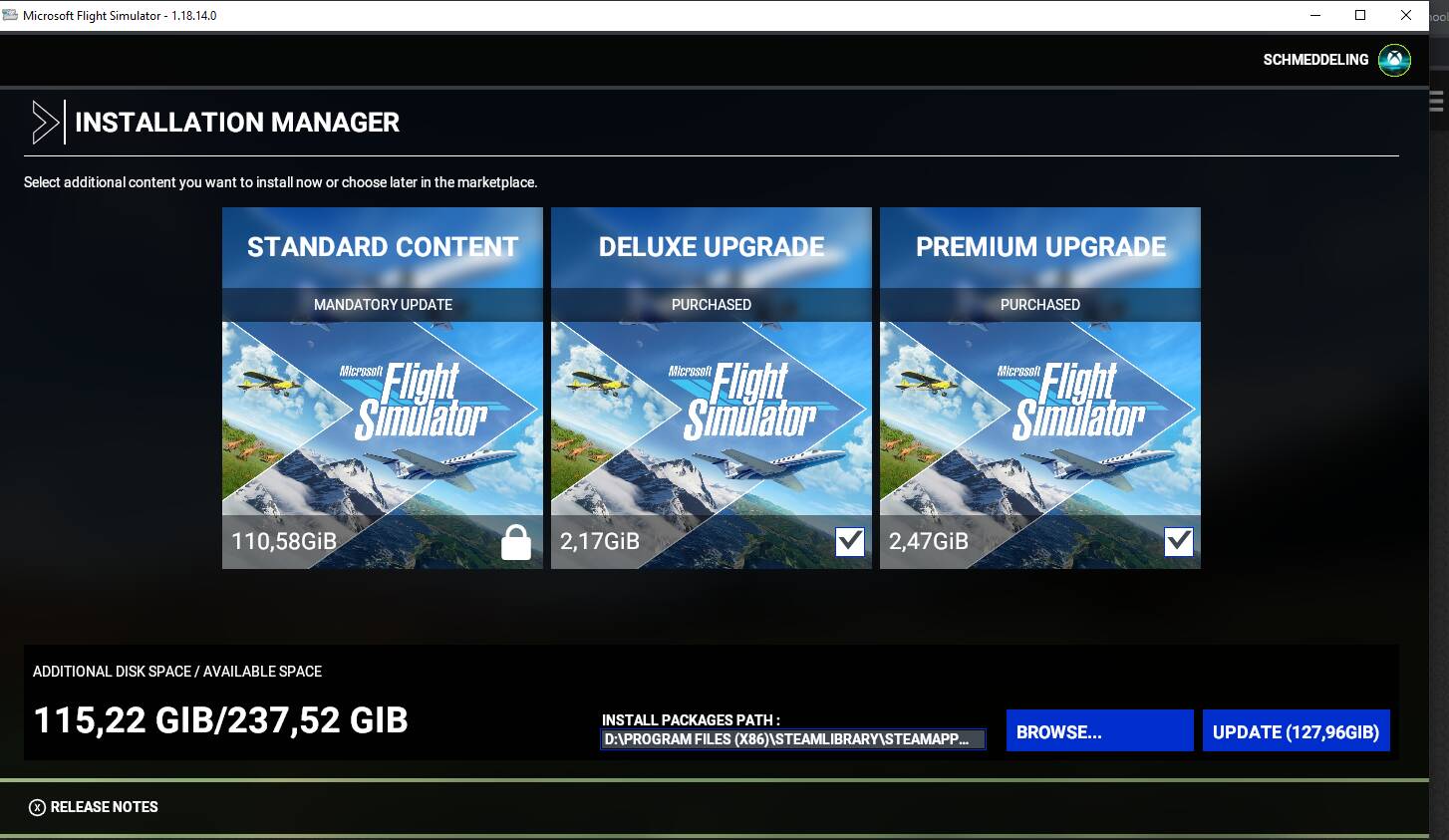
When launching the game for the hotfix. It is prompting me to COMPLETELY REINSTALL THE GAME.
My game is installed on disc D and i had NO ISSUE with sim update 5.
I really DONT want to reinstall everything from scratch. I am using steam. Is there anything i can do ?
Thank you
Hi @Schmeddeling.
This issue is usually caused when the installer is looking in the wrong place for game files. It sees that they don’t exist so it tries to reaquire them all. If you point the install location back to your packages directory (includes the folder names “official” and “community”) that should “hopefully” fix your issue.
How do i do this ? it only prompts me to reinstall and chose a folder for the reinstall
Can you share a screenshot?
As a side note, I see you mention that you are a Steam user. Don’t click the “Verify integrity of Game Files” button, it does extremely bad things.
Looking at your screenshot (near the bottom right corner), you can see that it is trying to install the game files in C drive. Click the “Browse…” button and navigate to your sim’s isntall location on D:/.
i havent done that. My D drive is almost full… and when i go to MSFS folder it says 1,8 GB WTF i never uninstalled it. i was playing it a couple days ago
I can’t see your full file path in that image, can you copy and paste it here please?
D:\Program Files (x86)\SteamLibrary\steamapps\common\MicrosoftFlightSimulator
And the folders inside of the target directory are “Community” and “Official”?
THANK YOU. Had the other msfs folder selected. now its 300kb update. How can this happen… wonder how many people reinstalled cause of this.
1 Like
Very good, happy flying,
It happens fairly often; we see it every update. I haven’t looked into the issue myself, but I suspect there is a text file that keeps track of where a user installs their content, and if that file becomes damaged or lost, it resets to the default location on C drive.
1 Like
In theory it should look at the usercfg.opt file, which has the installation path at end of it. I wonder if that file is actually getting changed for some reason.
Or are users running the updater differently in some way, and it can no longer access that file. I’m thinking along the lines of permissions being tinkered with.
I have never seen this myself.