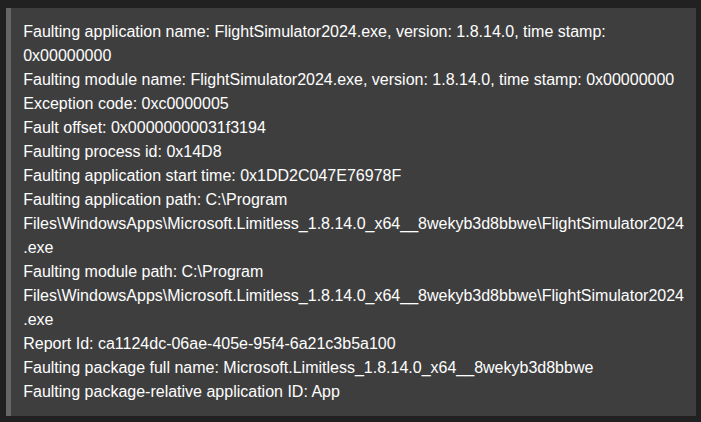
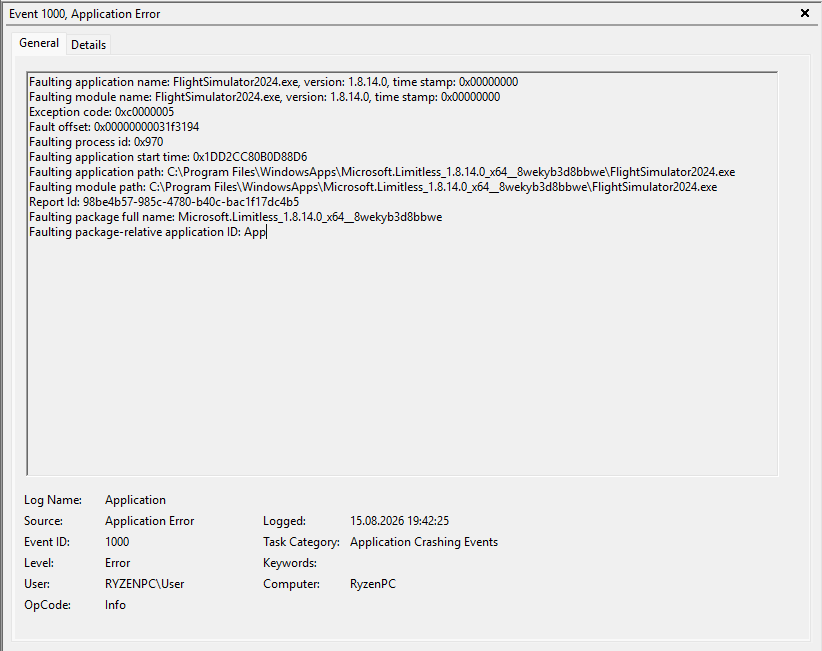
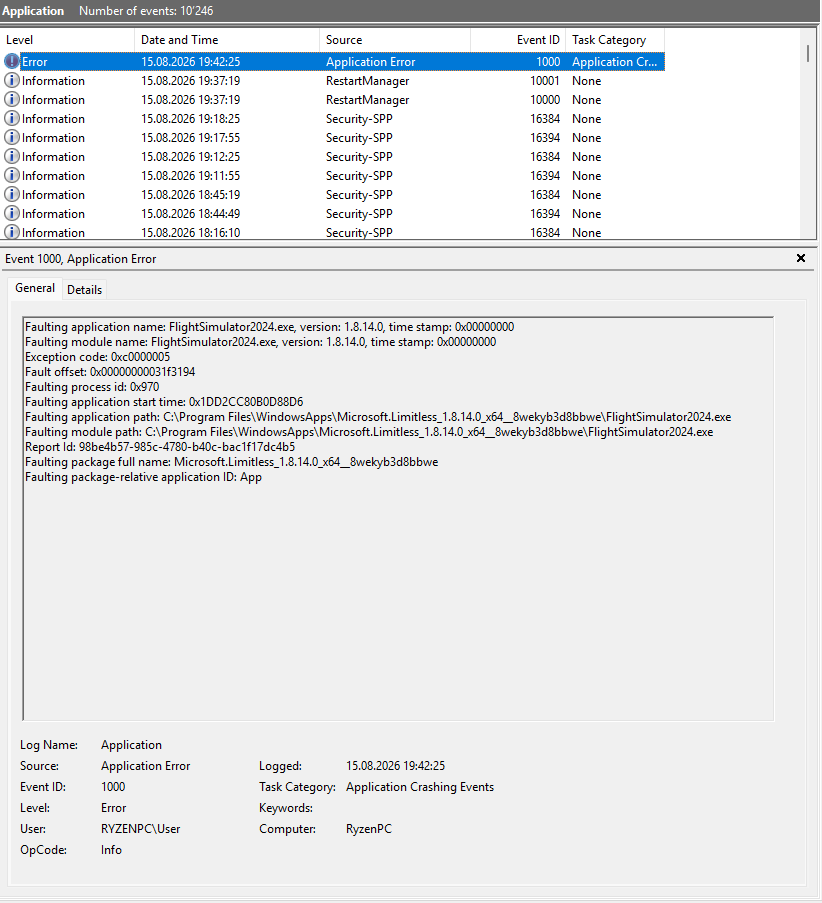
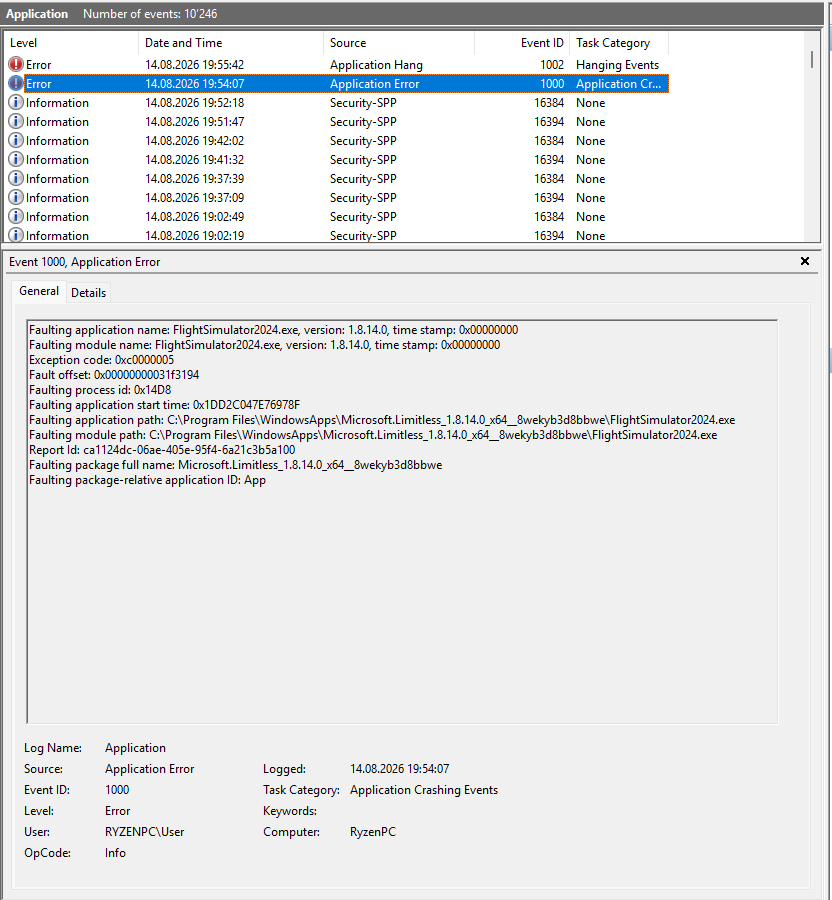
When flying near EDDS the sim crashes to desktop with Exception code: 0xc0000005
In this example, I was descending into EDDF just passed waypoint NELLI when the crash occured.
More instances here:
FREQUENCY OF ISSUE
Lets just say I dont go even NEAR Stuttgart anymore.
REPRODUCTION STEPS
Please list clear steps you took in order to help our test team reproduce the same issue:
So I may have found something to report here as I was able to replicate the issue and find the potential cause.
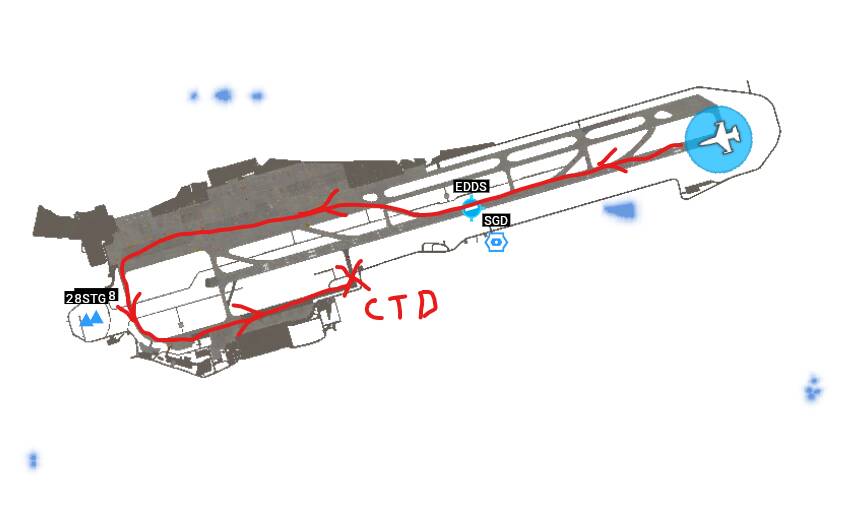
Using the Vision jet I spawned into RW 25 and simply began to taxi following the path in the chart below. At one point the sim crashed. I repeated the same test and it crashed again at exactly the same spot.
I then changed the upscaling from FSR 4.1 (I have the RX9070XT) to TAA . I then repeated the test taxiing around twice and there was no crash.
I then changed the upscaling back to FSR and it crashed again in the very same spot.
Seems this might be related to the Upscaling. Perhaps with all the testing Asobo was doing in SU6 beta with FSR4 and reverting back, they may have missed something.
ok, I tried what you suggested. I loaded into a piston airplane and used the drone camera to fly around EDDS a bit and… nothing.
since i havent flown this plane in a while, I started up the engine, turned on the avionics (wanted to play around a bit, you know..) and BOOM! - CTD. Again at EDDS. And this after I successfully finished a flight from LEPA to LSGG in the Fenix A320 on VATSIM.
BTW… I repeated the same test as my earlier post, this time disabling both the Community folder and the exe.xml file, and the CTD occurred again at exactly the same spot. This issue is not add-on related.
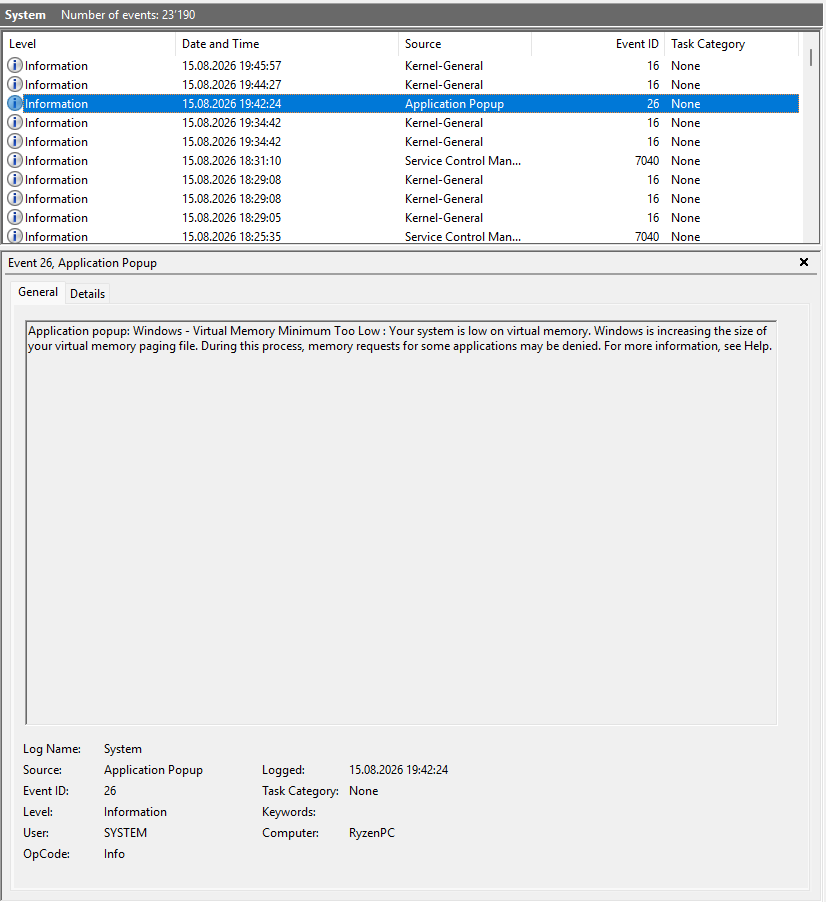
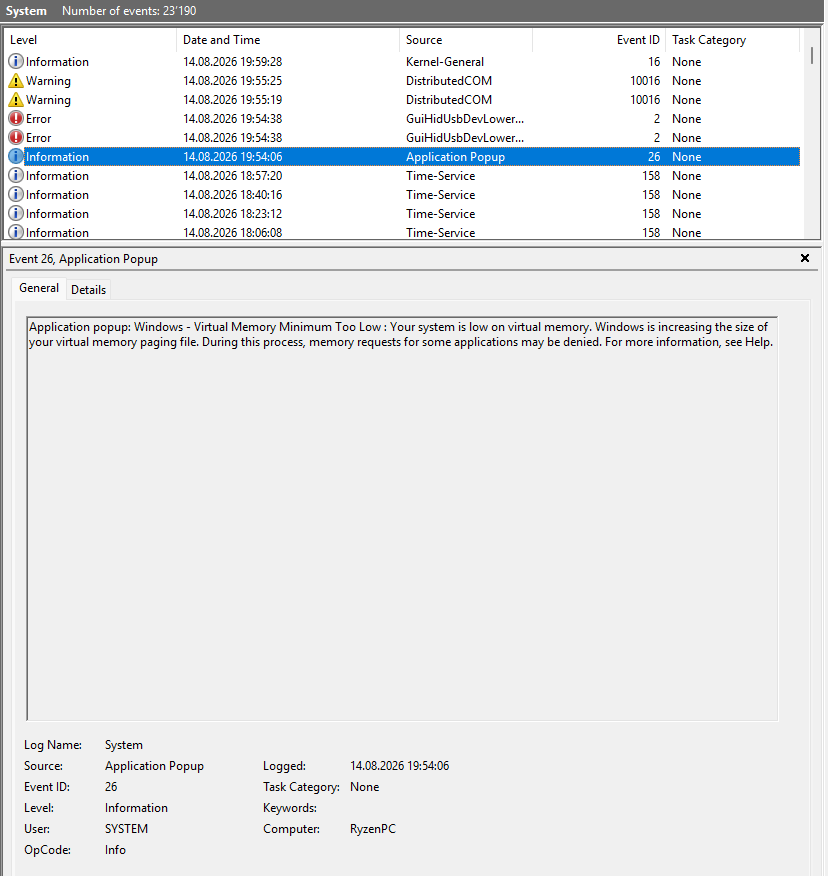
I mean, it makes sense… if Windows is increasing paging file size, which causes memory requests to some applications to be denied (in this case the sim), it can/will crash with this 0xc0000005 exception code.
Why this happens at EDDS, if really related, would be up to Asobo to figure out.
The question is, what is it about being in or around EDDS that’s causing Windows to suddenly run out of virtual memory (if this is actually really the cause of the CTD), and for Asobo to fix it.
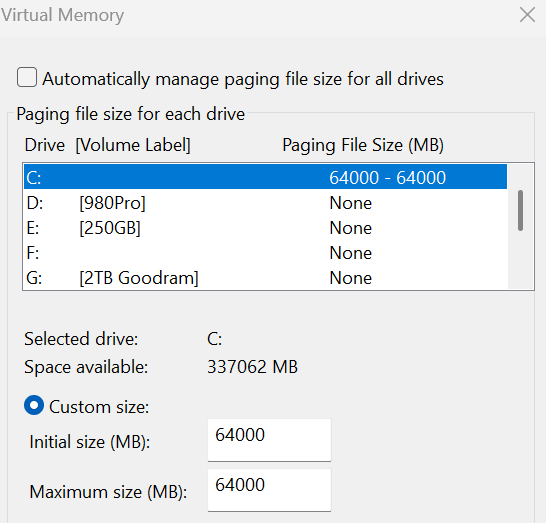
FYI, increasing the page file size (virtual memory) may help prevent CTDs. Also, setting a fixed size can reduce unnecessary writes, extending SSD lifespan.
Someone will probably say, “Why do you need that much?” Well, I have a large fast nvme and I simply want to be on the safe side when playing different games without worrying about CTDs, even though I have 64GB of physical RAM.
The terrain around EDDS is quite demanding on the PC if you’re running higher settings. Even if that weren’t the case, virtual memory is a very important part of the system and even more so when you’re running a flight simulator, which needs considerably more than a calculator to run properly.