I just bought the brand new Thrustmaster T.Flight Hotas 5 (Microsoft Flight Simulator Edition) released today, but I am unable to use it on the PC version of MSFS 2024.
The joystick is correctly set up on PC mode (LED is solid Green) and Windows detects it. In the MSFS “Controls Options” menu, the device is properly named and visible as T.Flight Hotas 5.
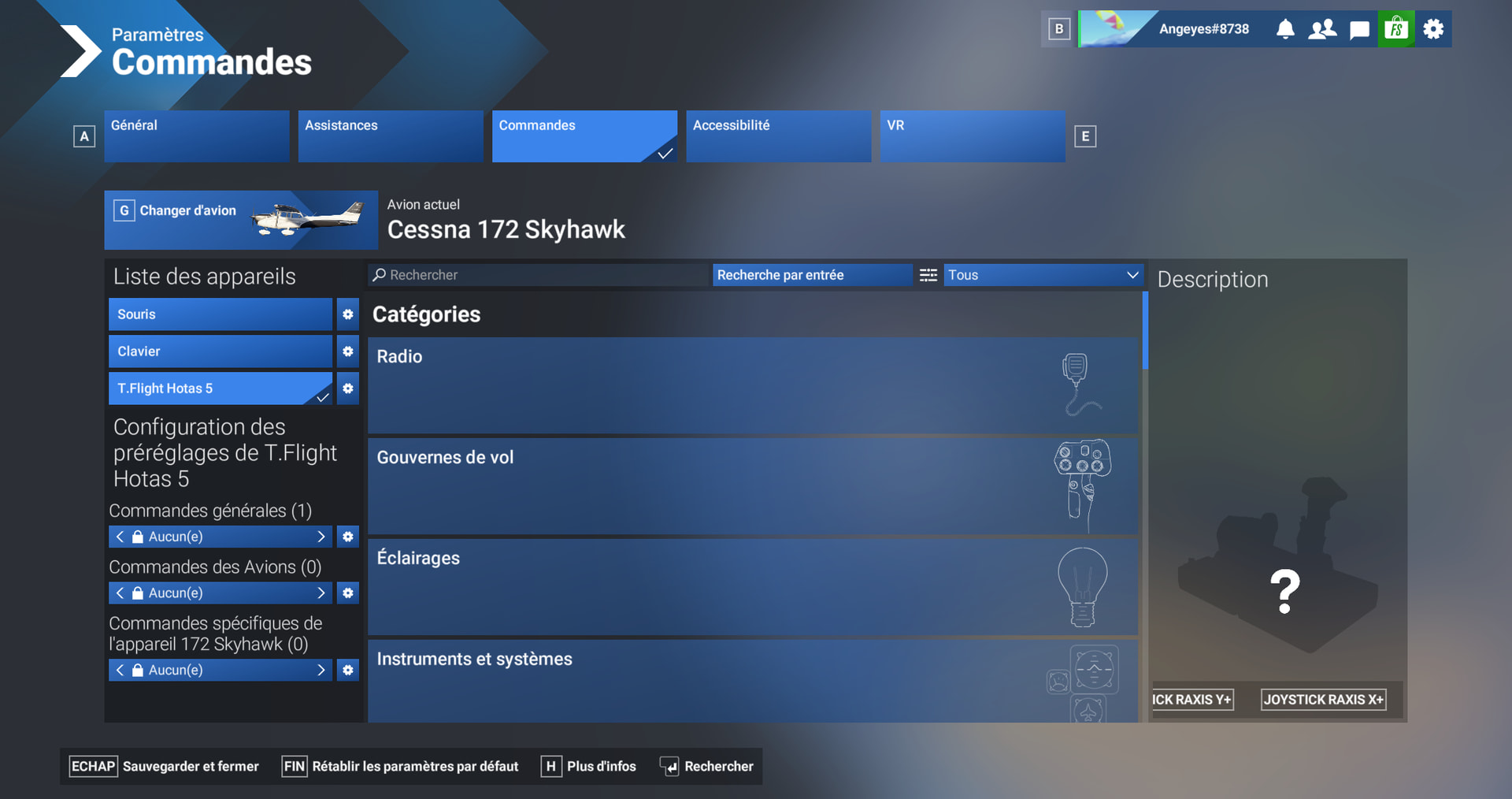
However, the preset configuration is completely stuck on “None” (Aucun). Clicking the left/right arrows does absolutely nothing, and the default profile fails to load, leaving all the keybindings and axis columns completely empty.
Since this is an official MSFS licensed edition, it is supposed to be fully Plug & Play. Is anyone else experiencing this issue with this new hardware? Is there a known cloud synchronization delay or a specific driver required for MSFS 2024 to push the native default mapping?
I actually went to the official Thrustmaster support page and installed the brand new Drivers - Package 2026_TFHT_1. The installer updated my joystick to Firmware v1.06 and it is perfectly recognized by Windows.
The issue is that even with the official drivers and manual followed step-by-step, MSFS 2024 still displays a blank “None” profile inside the control settings and doesn’t load the plug-and-play mapping layout.
It’s my understanding that MS/Asobo need to include the default profile in the base sim release. Not sure if perhaps it is included in the current SU5.1 beta otherwise you are most likely going to have to wait until the next sim update.
Perhaps contacting Thrustmaster can provide additional details.
I’m experiencing the exact same issue! I just got this delivered from Amazon today and gave it to my 11-year-old son as a summer vacation present. Now he is sad instead of happy. We’re trying to set it up on PC (we haven’t had time to test it on the PS5 yet) and our profile is also completely stuck on ‘None’. How can they release a dedicated, officially licensed joystick for a specific game that doesn’t even work with said game out of the box? It’s absolutely ridiculous!
Thanks for your input, but there is no such switch on this brand new joystick specifically made for MSFS. It automatically senses what hardware you are using.
I did all of this. Update of drivers. The light is green. Meaning it is in PC mode. It works, I checked it. But there is no profile to select in MSFS 2024.
Today I will try to set every button by myself. Using a tutorial of YouTube for a HOTAS one. Hopefully that is the temporary solution until there is a profile in MSFS to choose.
It needs a bug report then if there are no MSFS 2024 profiles to choose in the settings in Sim.
It is only a recent release. I believe that there will be more complaints about the Thrustmaster yoke just released at FS Expo unless Asobo build in those profiles too.
They need to be quicker off the mark with new profiles.
Edit: when you do a bug report, please fill in all the areas they require or they will not look at it.
We thank you for contacting Thrustmaster Technical Support.
You are contacting us about your T.FLIGHT HOTAS 5.
We’d be happy to help you!
As of right now, in the “RED” mode, there is no default mapping with the T.FLIGHT HOTAS 5, which requires you to map manually. If you wish to have a default mapping right out of the box, we can recommend that you put the compatibility mode of the product in “BLUE” mode, which will make it detected as a T.FLIGHT HOTAS 4, which comes with a fully functioning default mapping of its own.
We understand that this might be disappointing in your case. Rest assured we are always looking for new ways to make our products easier to use for our customers.
We wish you a nice day and remain at your disposal for any further questions.
Disappointing! No mention of a future default mapping mode coming either! So much for “a new way to make our product easier to use”.
I can vouch for the hotas 4 working out of the box. I also added a keyboard, kept the controller and added a mouse to the other front port next to the controller.
I had the same response from Thurstmaster. But i am on a PC so this is not possible. Today i started by mapping it out by myself, with some help of YouTube.
It works. I just had my first little flight in a Cessna. But it will take time to set it up and to play with it . To remember which button is what etc. And i am new to MSFS. I was thinking of returning this one and buying a other set, but for my first HOTAS this is the option to go.
 . To remember which button is what etc. And i am new to MSFS. I was thinking of returning this one and buying a other set, but for my first HOTAS this is the option to go.