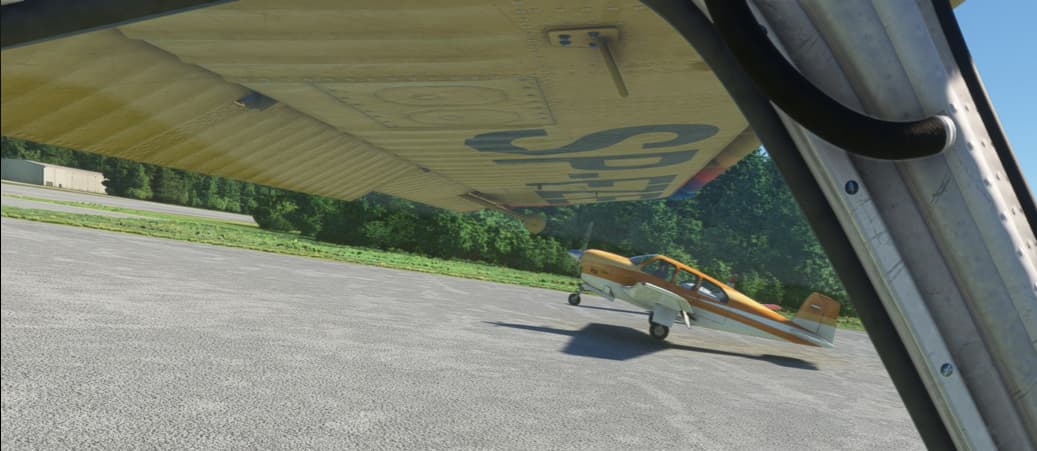
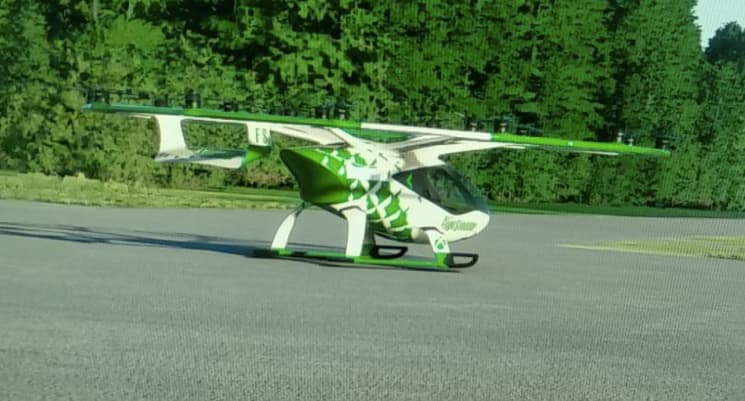
I and my friend both have GotFriends Wilga installed and today we have tried to fly together. He sees me normally as a Wilga, but I see him as anything, but it.
It has been terrible since the start, and I haven’t seen any will to fix it.
It’s funny to me that they talked about model matching for AI Traffic during the last dev Q&A but were totally caught off guard when someone asked about Multiplayer model matching.
if you haven’t already i would make sure you have installed the exact same model he has, and that means model, model version noº and liveries. If you dont have all 3 matched with him, the game defaults to “whatever”.
And yes, like it was said, sometimes the game defaults to whatever if it just feels like it.
I’m sitting on the tarmac at KMRY and I’m watching something labeled as an M500 (CS 500E?) hovering around dressed and sounding like a C172 and a H47 hovering overhead dressed and sounding like an A320.
The helicopter model matching is absolutely atrocious. This is stupid silliness. Did someone completely forget to generate a generic helicopter model?