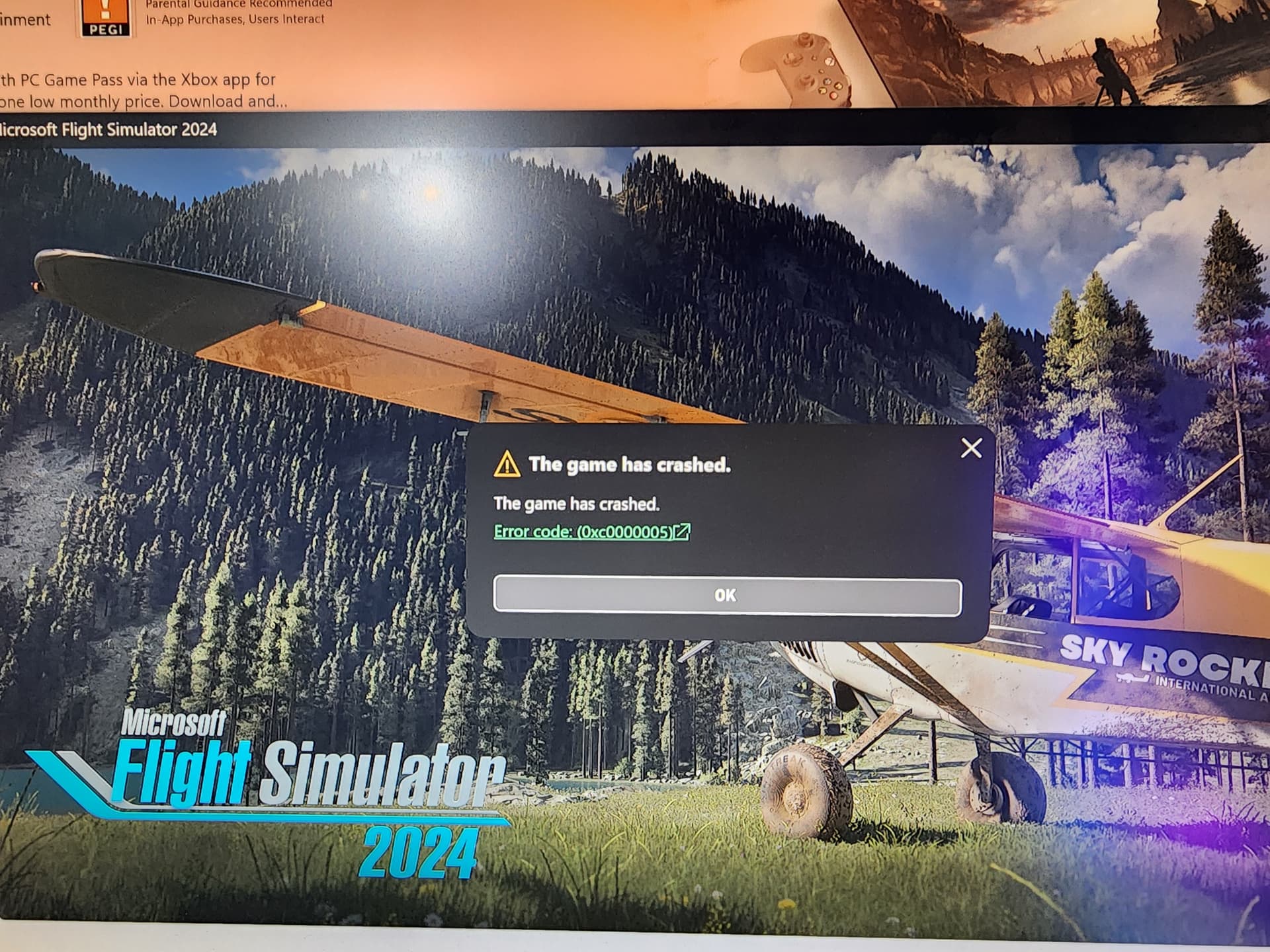
I’m trying to install MSFS 2024 and have been since the launch at 4pm UK Time. I’m using Xbox game pass as I want to see what it’s like before I commit to buy.
I installed the 11gb installer no problem, but when I open the game I just get an error message saying “The game has crashed” after 15secs (see image).
It crashed on xbox when i try to create avatar. With no avatar you see a red guy with error message on your plane!!! WTF!! bug or doing something wrong??
I had a similar screen yesterday when I tried to load the sim after a previous CTD during the loading process. Simply rebooting my PC and then trying again resolved the error and allowed me to get back into the sim.
My sim was working fine, but since the last update, I’ve started encountering this error. I’ve tried repairing and reinstalling the Xbox app, but the issue persists. Any help would be greatly appreciated. Thank you
I fixed the issue by doing a system recovery and keeping my person files. The issue is related to a driver / app conflict. But I didn’t have the time to figure out which was causing the conflict.
I know it’s not the best fix, but it took me 30mins and I was ready to reinstall FS2024.
What I can say is its worth the effort I love it and its working pretty good now too
I have fixed my issue which happened to me just as OP described it happened to them.
I tried everything and then realized i still had my micro usb adapter plugged in with a card in it for my 3d printer.
Unplugged it and it started up right away.
I tried all of the following before fixing this issue:
Updated rivatuner, afterburner, msi center, NZXT cam, and removed them all after updates didnt work.
Updated windows
Updated drivers of all devices.
Repaired game services, xbox app. Removed snd reinstalling fresh and to new drives for all apps as well.