The simulator freezes when changing or resizing the EFB floating window
Does anyone know why this is happening? I would like to reduce the size to windowed mode, but the simulator freezes every time.
The simulator freezes when changing or resizing the EFB floating window
Does anyone know why this is happening? I would like to reduce the size to windowed mode, but the simulator freezes every time.
If you leave your mouse cursor over the window it will freeze. Move your mouse cursor away from that window otherwise all of your controls become inactive and …. Crash! I wish they would fix that.
When I do that you have to do it real quick. Settle the plane, pop back, reduce size, withdraw, pop back, until you have the size you want. Just be careful of nudging that mouse cursor when your awareness fades after a while 

@Pilotfirst9999 Idid a test. I want it in career mode, it freezes immediately when changing size. Could you make a video showing how the resizing works in career mode?
This topic has been moved from Discussion Hub > General Discussion to User Support Hub > Install, Performance & Graphics as it is the most appropriate place for your question.
@Gergo0106 please ensure that you search the forums for the most appropriate category to post your new thread within, or search for an already existing thread on the same topic.
Thanks
The MSFS Team
When I get home later after work I will send you screenshot.
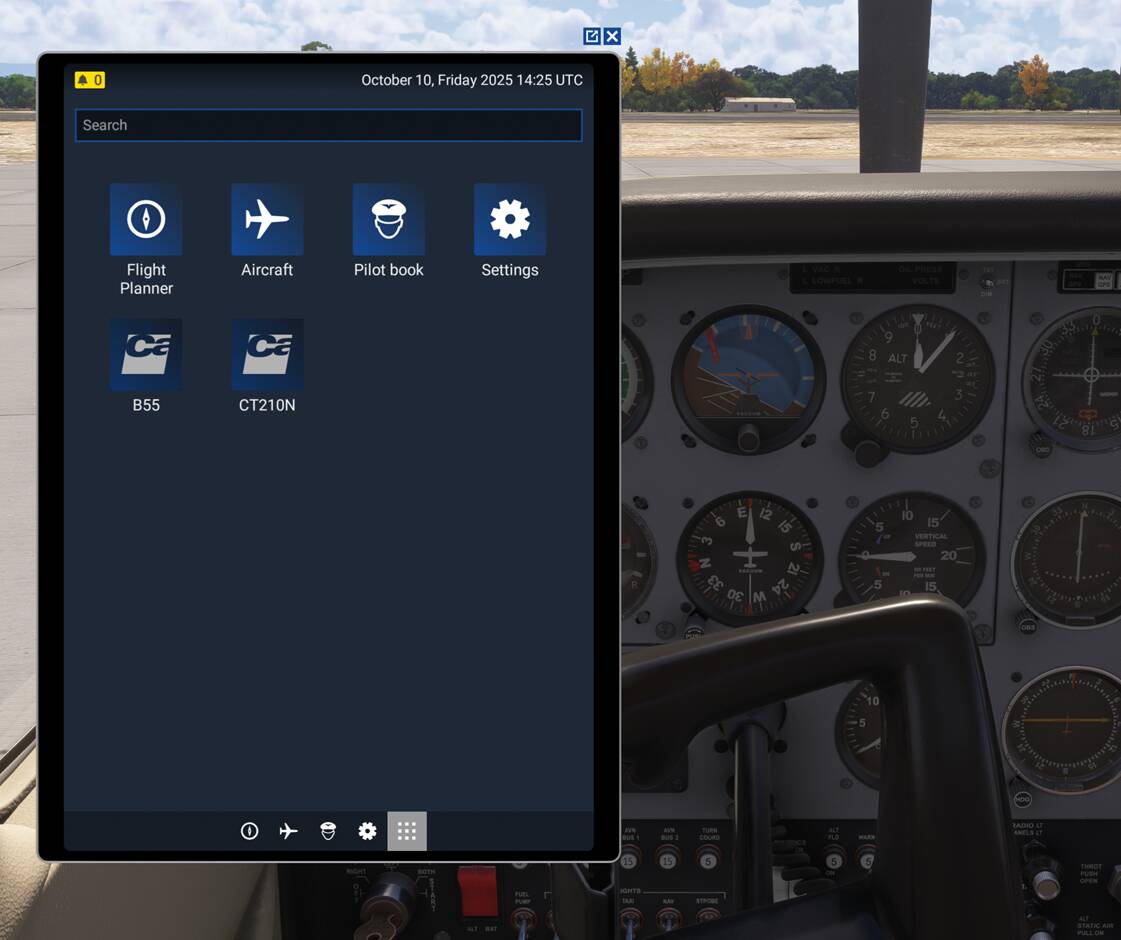
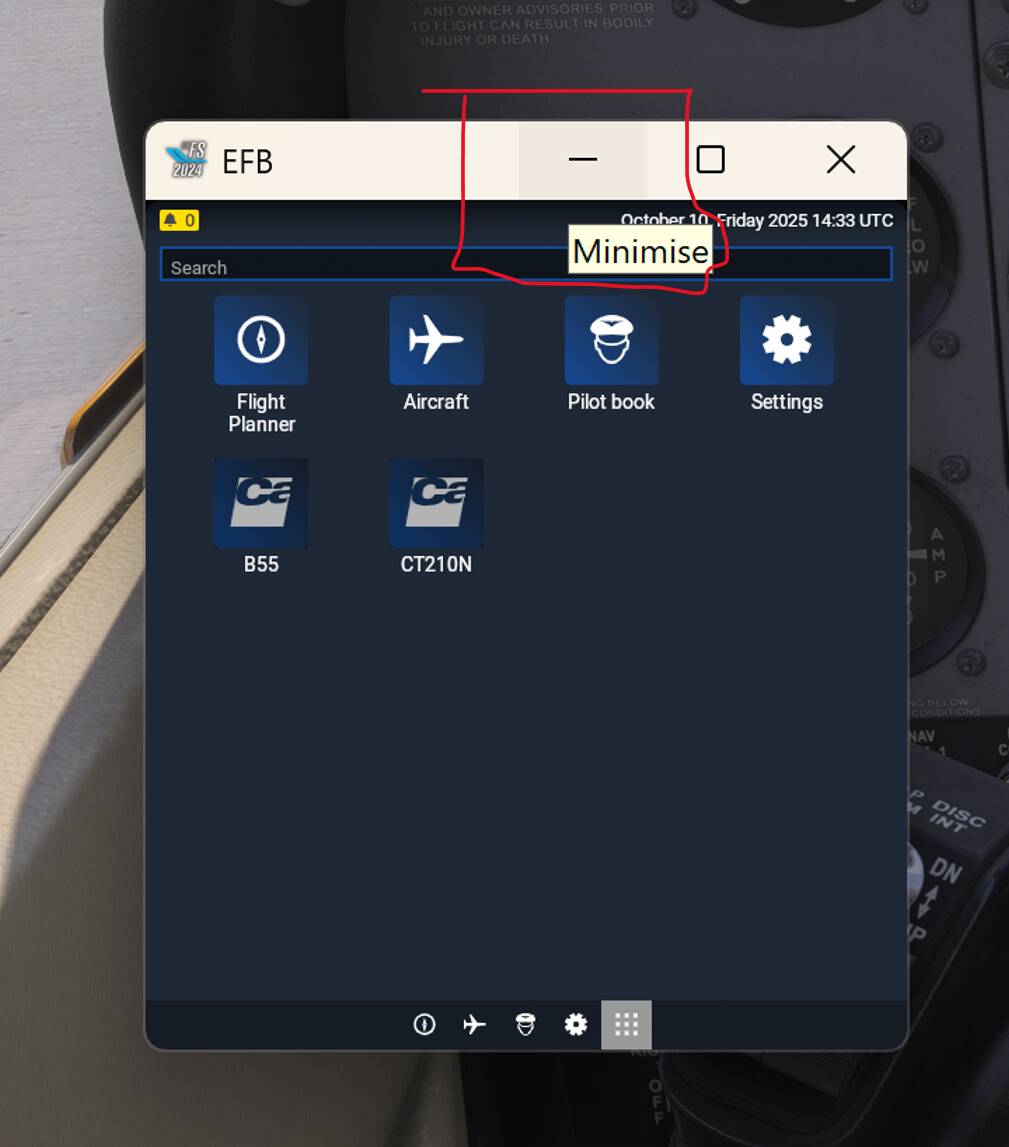
Open EFB
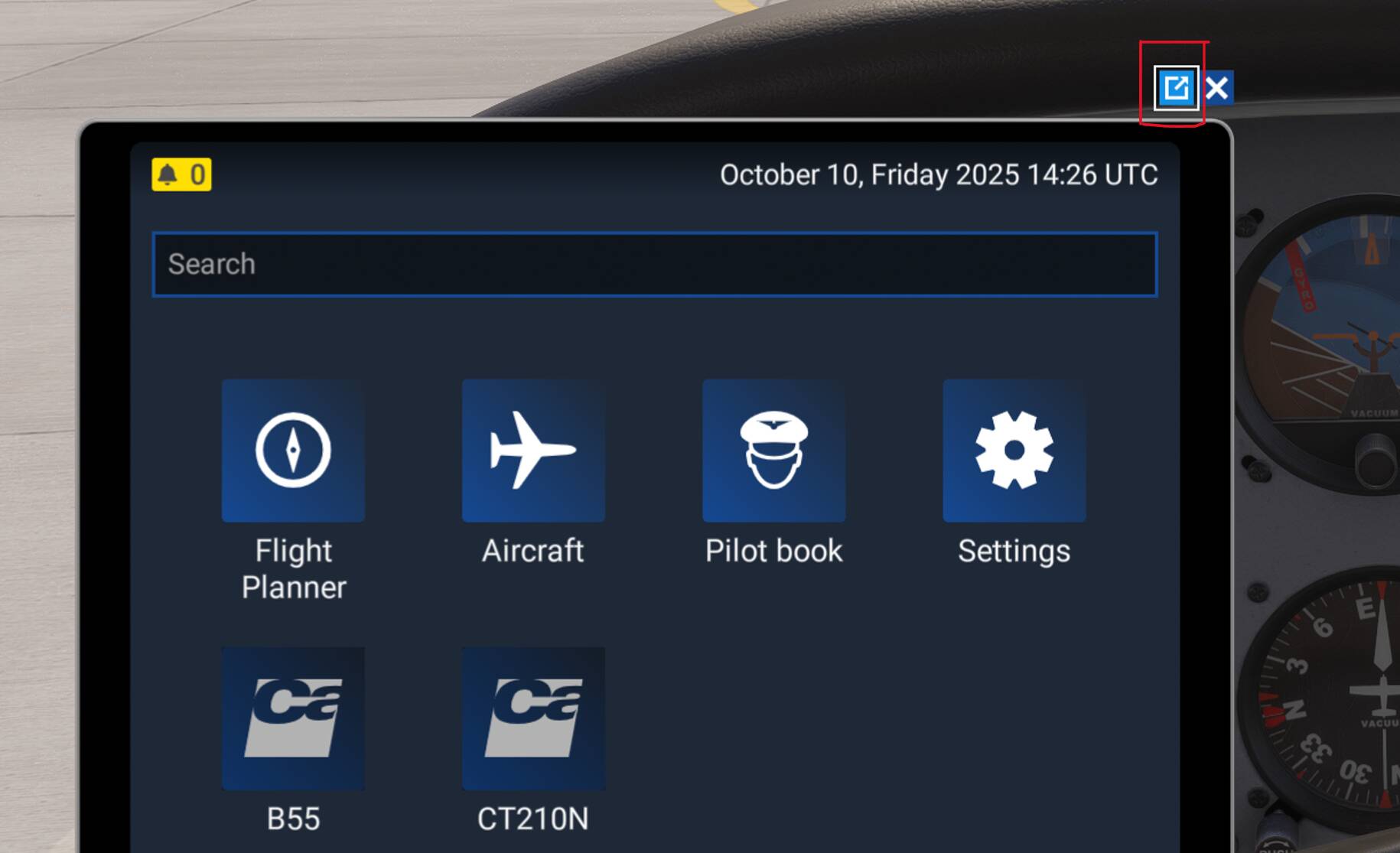
Click on the highlighted symbol which will make it a re-sizable window
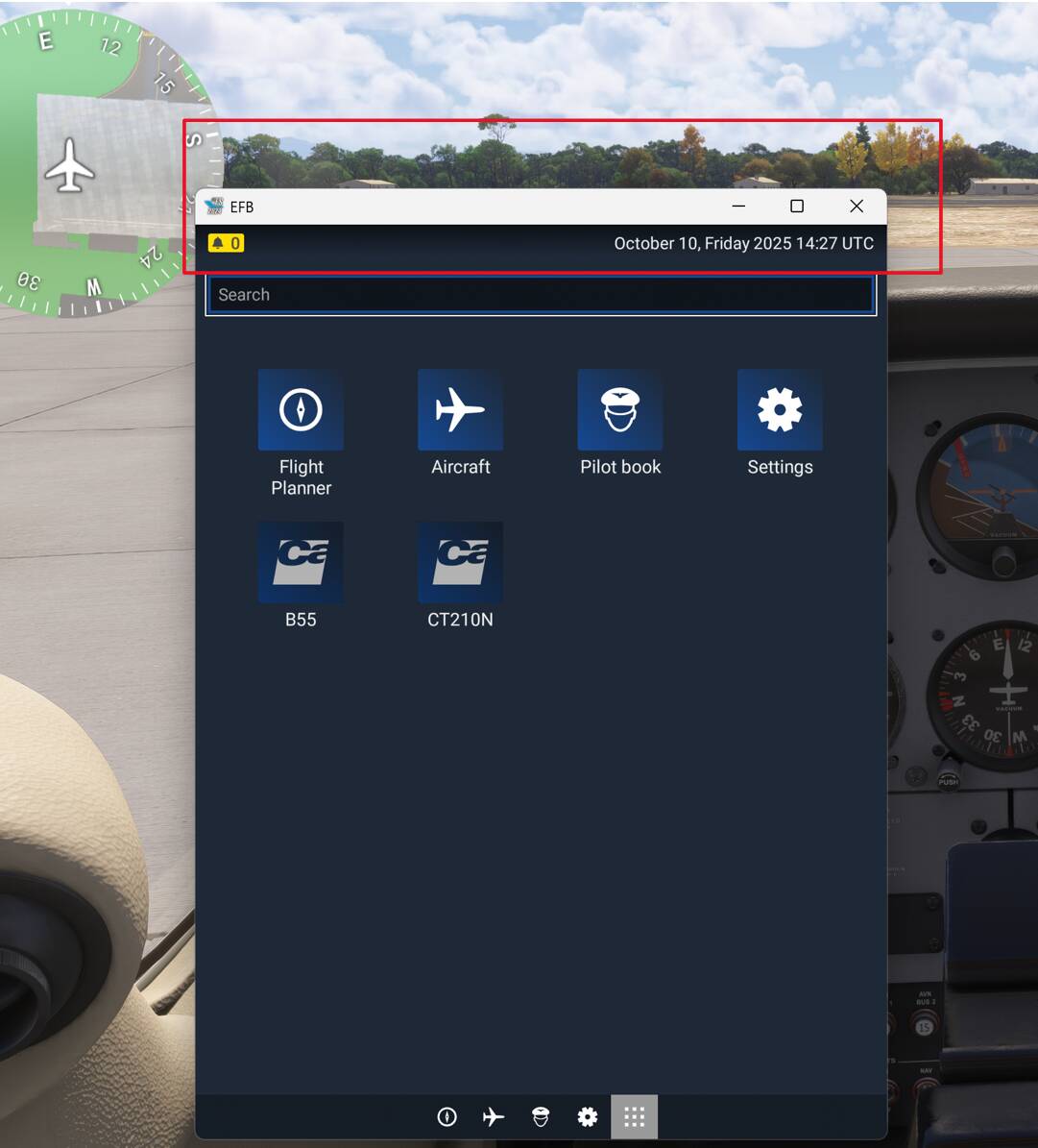
The top of the EFB turns white which means you can grab the edges of the EFB, wait until the L or R arrow highlights on the edge when you hover your mouse cursor over it
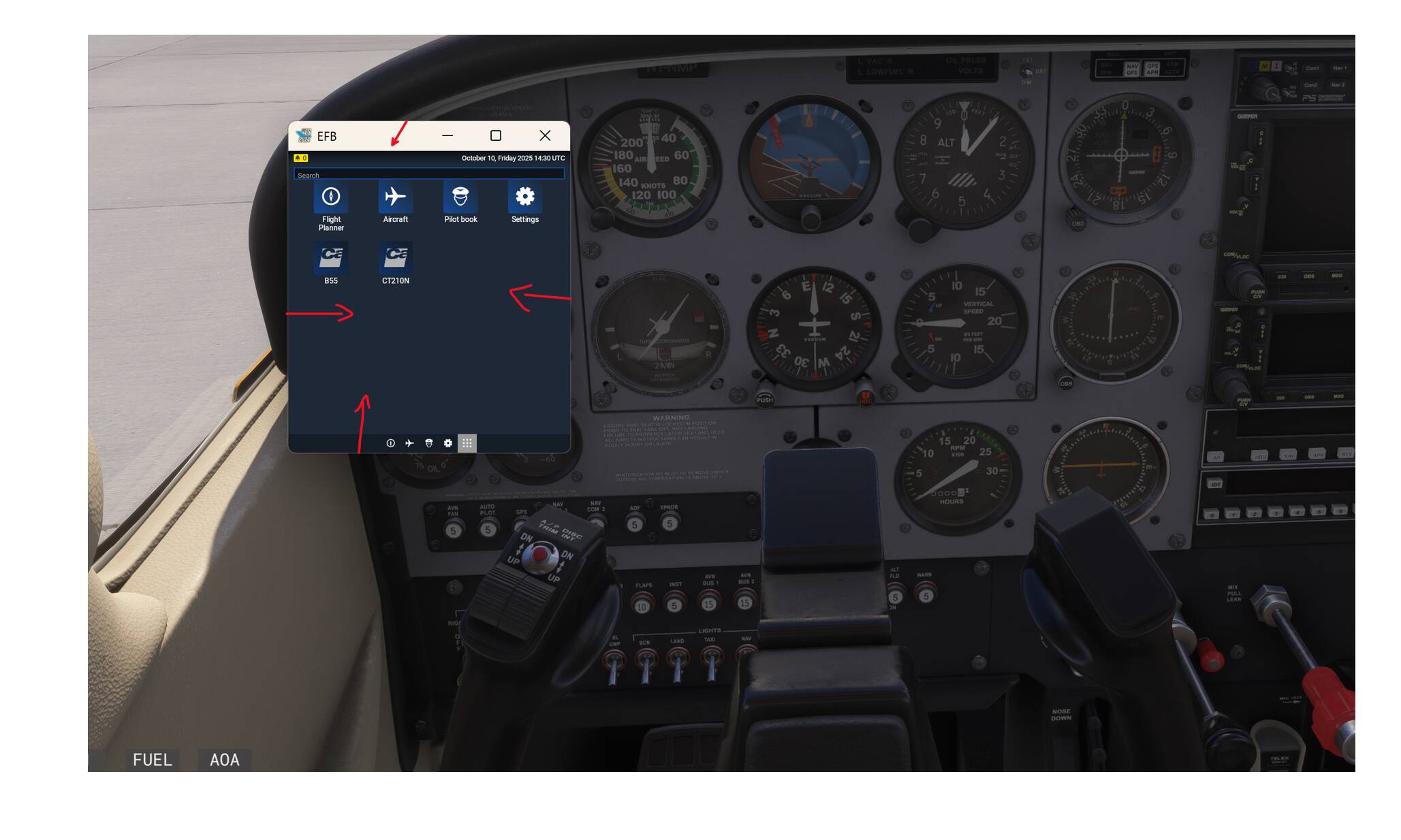
Below you see the red arrows, you can either pull it in or out when you highlight the edges of the EFB
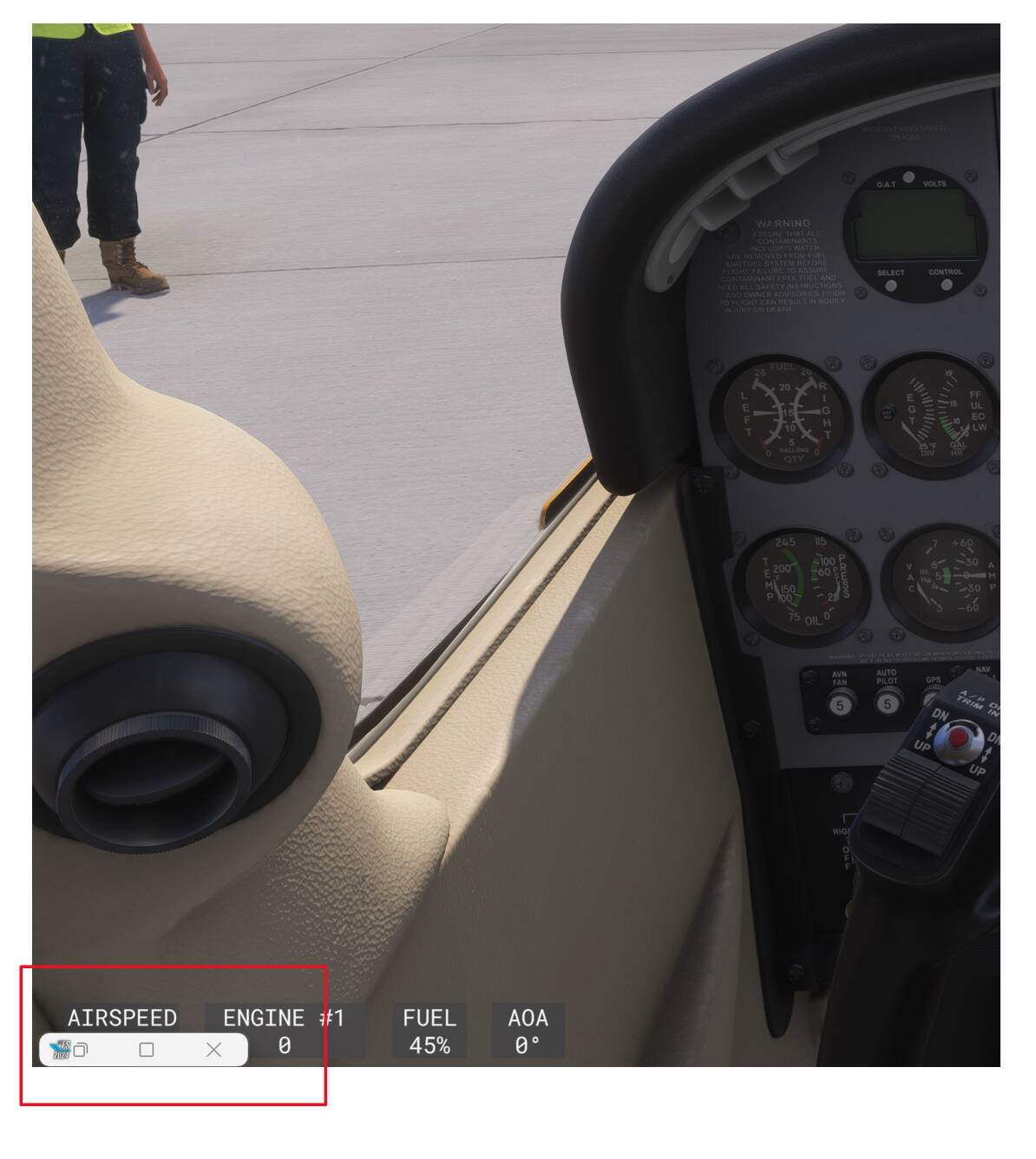
You can reduce it to the L bottom of your screen until you need it again and click the FS 24 logo to open it again
Remember, while it is a re-sizable window, if you leave your mouse cursor hovering within the re-sized window, your controls may not work and you will crash. Move the mouse cursor out of the window to restore. It is best to pause the game, do what you need to do and unpause. If you need to change something sometimes it is best to return to the normal EFB and then go back if you want.
When I click the arrow in the top corner of the EFB, or any of the task bar menus for that matter, the game freezes. EFB freezes immediately, I don’t have time to resize it either.
It sounds like you have a 3rd party mod conflict or a graphics setting conflict or a previous download corruption. This is beyond my PC knowledge sadly. If on PC it could be the driver you are using or NVidia Gsync - you will need to try stuff or try to PM another pilot who knows a bit about PC’s to see if they can help.
I am having exact same problem. When I click on that icon at the top left corner (beside the “x”) game freezes.