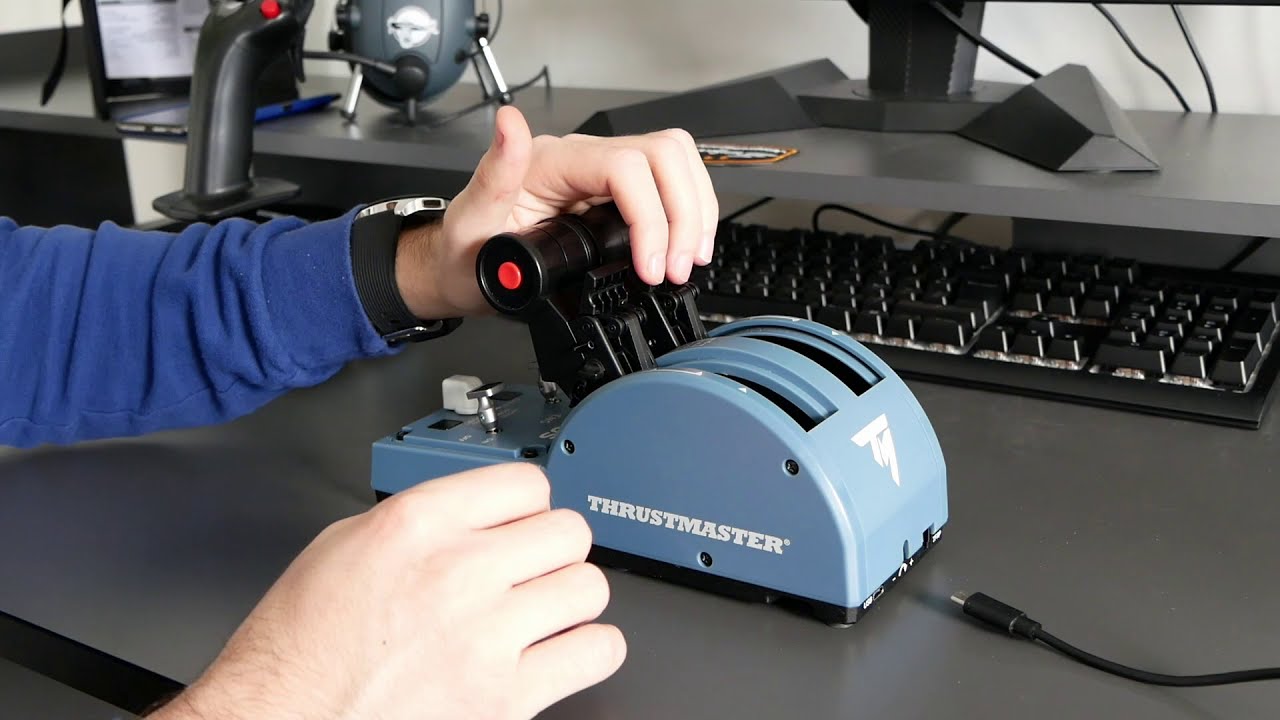
IMPORTANT: if you had a config before you need to add the parameters manually. For backwards compatibility this is not done automatically, the setting also needs to be activated as described.
Thanks. I only have the A32NX in the community folder, not in the packages folder. Does it need to be in both? Is the work folder created manually or by the sim somehow?
May I ask how you got the Ign-Norm-Crank Button to work properly?
I only have the “workaround” with “Set Engine Norm Mode” on Button 7 and Button 8 (7 as well for Crank; 8 for Ign/Start)
edit
Funny thing: it works with the default profile with the exact same bindings in this category, but not with my edited profile
Works pretty nice! Amazing job. One thing I did notice whilst setting this up, not sure if a bug or not but whilst moving from REV IDLE to full reverse I noticed one of the levers going out of sync with the other…
I had the same issue then checked the bindings for the default quadrant profile again. There’s an extra binding been added for the “Norm” position which you have to add manually to your own MSFS profile for the quadrant.
I still don’t understand this thing about IDLE Reverse? Why would Idle be reverse? Reverse is reverse, and idle is idle, right?
When you land you pull the throttle back to IDLE detent (that’s the one you pull back all the way until it stops because of the locked latch). When you want to do reverse, you just unlock the latch and pull it back again to the reverse zone. When you’re done with reverse, push the throttle forward again until the latch locks itself again and you’ll be at IDLE.
You have to start a flight with the modded A320 at least once for the sim to create the a32nx folder outside of community with the work folder.
Thanks. I’ve now got it setup. Just having issues getting the throttle gates mapped correctly. I’ve cleared settings, calibrated and used the throttle ini file with recommended settings but it is still not working properly. Still trying!
Note that the recalibration process has a missing step in their official recalibration document. You have to press the red buttons when moving the throttle at all Detents, from TOGA, MCT, CL, IDLE, and REV. All of these detents need to be pressed.
I saw you mentioned that in an earlier post. I don’t seem to be able to do the button press part? I am using the Thrustmaster config tool then choosing properties and calibrate.
For me, when throttles are at physical idle stop, they show in full reverse in sim. As I move forward, I get nothing until about mid-way between climb and idle, then at CLB on physical throttle, my sim throttles go to max.
You just need to keep in mind with that extra step I mentioned to calibrate it properly.
Also, you need to change the sensitivity settings in the Sim to be fully linear. That means 0% in everything, except for the response. See my previous post with the screenshot on what the sensitivity curve should look like.
Make sure you delete any profile and use the default as a base, and make minor adjustments to the sensitivity and other bindings changes that you want from there. And as long as the throttle config ini is set up using the values I mentioned in earlier post, you should have proper detents and smooth throttle controls.
On the real aircraft you are able to pull up the reverse levers without applying any reverse thrust at all, they just sit in idle reverse. With the TM quadrant it’s not possible to do so without applying some reverse thrust.
Some airports only allow idle reverse for noise abatement so if you want to comply, the default function of this quadrant doesn’t achieve this.
Also, and forgive me if you’re aware of this, leaving the thrust levers in idle still produces forward thrust, idle reverse takes most of this away and aids in the deceleration. Use of this probably depends on the airline but as far as I’m aware it’s a fairly common SOP.
Okay.. but how do real pilots apply the idle reverse then? Do they just unlock the latch, and slightly pull back and hold it there? So that the idle thrust is probably about 0%-1% reverse? Or do they do something else?
And @AGuther This usually happens if the throttle quadrant isn’t fully calibrated. I had the visual splitting issue once, but once I did a proper recalibration. The split no longer happens to me.
I think that’s pretty much it yes. When the reverser levers are pulled up and the lever moves back out of idle there is a small zone that is reverse idle.
I found this graphic that shows this quite well I think.
Also, I’ve done a calibration only a day or so ago and with the latest firmware after your kind help. I’ll try another one. I just thought it was strange that 1) they only split in reverse and 2) the driver config panel shows the levers are lined up.
Ahh, that makes sense thanks… I wish we could have a second detent for that idle reverse.. Like a half latch that moves just a few mm and stops again, before we could completely unlatch the locks to move it further back to full rev.
But I personally prefer a full reverse.. That reverse engine sound on full reverse.. ahh… so good…
I have found doing the full calibration plus extra step/Red button on reverse thrust detent. That CL on the physical throttle is off a bit i have to push a little past the CL detent to achieve climb thrust. Dev mode shows 0.00/0.01 for CL Detent. Weird.
Well the new idle reverse detent more or less achieves this with only a slight bump in reverse thrust. Maybe there’s some way of simulating that idle ‘zone’ on the graphic I linked better.
But yes I agree. Full reversers sound amazing. Love the current implementation of the sound for the engines in the mod!
I think if you remove the detent deadzone from the throttleconfig ini, the IDLE is as sensitive as you would like. So even with the latch locked on IDLE detent, pulling the throttle as back as possible will trigger the IDLE reverse. But I dunno if I should recommend this as it may damage the throttle if you pull it too hard too often.