Same issues for me - will revert back to SU4. I actually didn’t intend on updating but forgot to opt out of the beta
2 Likes
Using the template below will greatly help the team reproduce the issue and ease the process of fixing it. Before posting, search for an existing report. If you are not sure it’s a bug, please first report in User Support Hub.
3 tags are required - add them in the tag section next to the title above:
-
One for platform (ms-store, steam, xbox, playstation, or xcloud)
-
One for aircraft if related (start typing in your aircraft name in the tag section and pick correct option)
Feel free to delete this quote section after adding your appropriate tags.
ISSUE DESCRIPTION
Description of the issue: Tobii Eye Tracker not working in SU5. Vertical Ptich does not work at all.
FREQUENCY OF ISSUE
How often does this occur for you (Example: Just once, every time on sim load, intermittently)? Every time
REPRODUCTION STEPS
Please list clear steps you took in order to help our test team reproduce the same issue:
-
Load SU5
-
Enable Tobii Eye Tracking
-
Eye Tracking Does not Work - Tried to create new profiles, reinstall Tobii Experience to no avail.
-
Uninstalled SU5 beta, Tobii works as expected again.
YOUR SETTINGS
If the issue still occurs with no mods and add-ons, please continue to report your issue. If not, please move this post to the User Support Hub.
What peripherals are you using:
[PC Only] Are you using Developer Mode or have you made any changes to it? No
[PC, MSFS 2020 Only] Are you using DX11 or DX12?
[PC Only] What GPU (Graphics Card) do you use? 4700 Super
[PC Only] What other relevant PC specs can you share?
MEDIA
Please add a screenshot or video of the issue occurring.
Same here.. For the mean time, i will work around it, Dont feel like uninstalling/reverting back. So far the only issue i am having.
actually. with this bug I realised that only need horizontal movements (like 98 percent) for my settings anyway. I just want to look “around” … never the vertical axis set up in a way that I could easily look to the pedestal or overhead anyway. (airliners!) so yeah, by having this bug. I might have found a way to integrate the Tobii even better haha.
Exactly the same problem.
someone noted that using OpenTrack solves the problem
1 Like
Same issue here. Tried adjusting it via the Settings in the sim and in Tobii’s app with no success. I left the beta because of this. I must have Tobii working with all the hardware purchases I’ve made for this sim. Would love to participate and contribute in this beta but I’ll have to wait until the team is able to replicate this and resolve it first. Thanks.
2 Likes
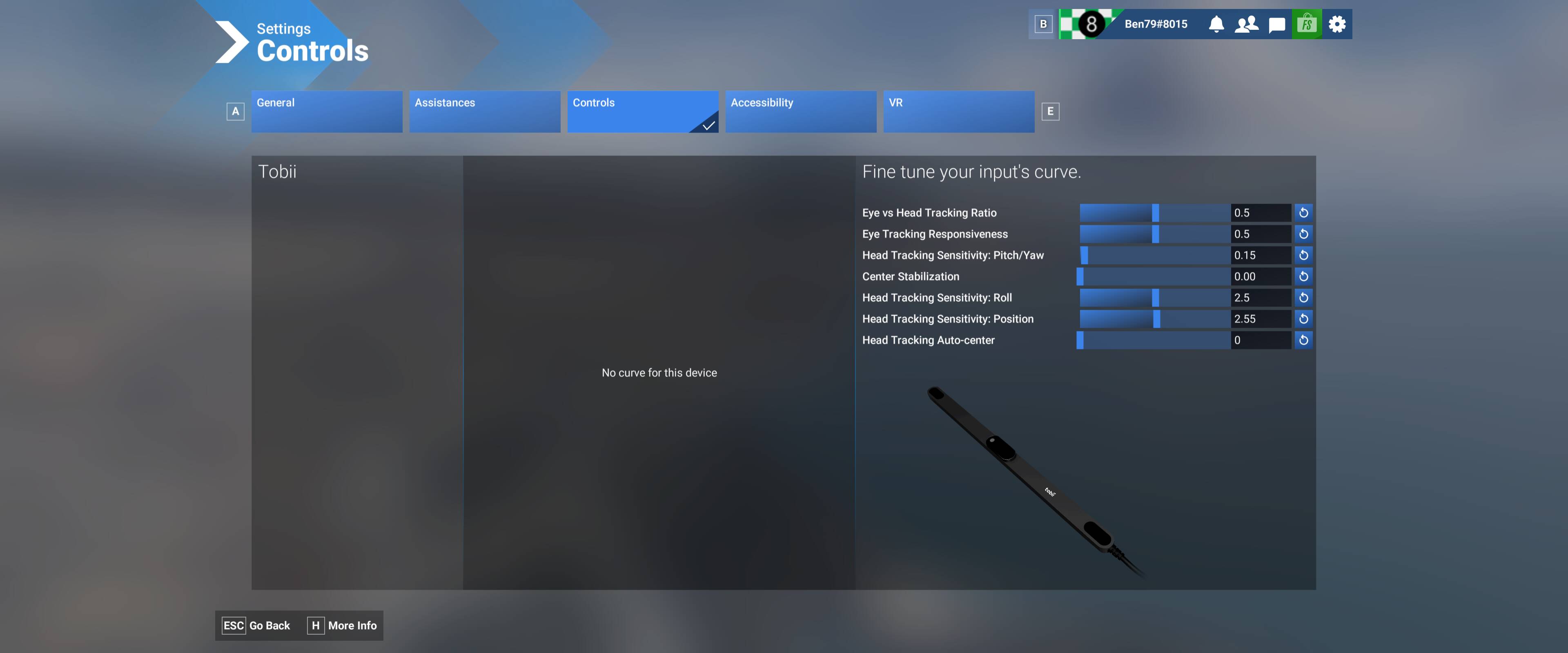
Hello with these settings Tobii works rather well,
I am rediscovering the functioning with eyes and face. But the forward, rear and high-low movements
does not work.
1 Like
I have decided to stay in the beza as I am a little scared of losing all my settings if I revert back, and since this should be easily reproducible then I am hoping it will not be too long before a fix is available.
In the meantime I shall use the time to reflect on what a great investment the Tobii Eye Tracker was!
Yes, Opentrack has no issues with SU5.
1 Like
I agree this does actually work quite well even with the beta as it is now.
Thanks for sharing.
Here’s an odd one that I don’t know has yet been reported - I don’t have a Tobii unit at all, yet this appears in my Controls page:
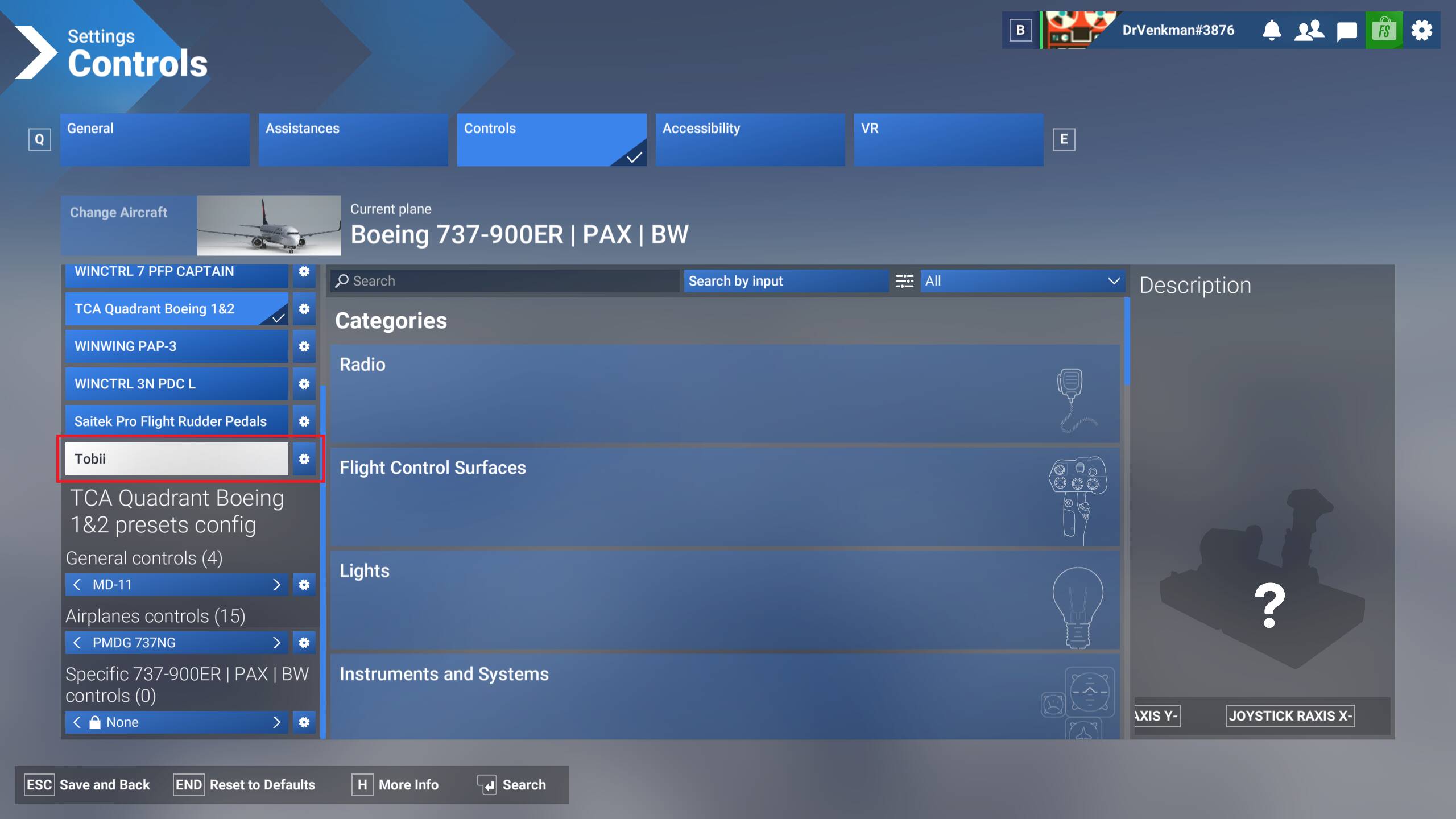
Do you use any vJoy-based controllers?
I do, and its config has always been in a weird connection to that of the Tobii config.
For example, I see the profile I named “Standard” under “Airplanes controls” for my vJoy controller listed under the Tobii’s “Airplanes controls”, and the reverse — my Tobii’s profile I named “Head Tracking Only” under the vJoy controller’s “General controls” profiles.
I wonder, if you’re not using vJoy, if you’re seeing something similar with one of your controllers.
EDIT:
The last post in that thread seems to indicate this issue is also occurring with non-vJoy controllers, too (it would have been wise of the last poster to note what controllers were having the issue, but alas we are not all ex-QA Engineers):
Nope. However, I do have an IR head tracker that uses OpenTrack which used to always be recognized incorrectly as “TrackIR” but since it’s functionally identical to TrackIR, I never worried about that. It seems that under this build, it’s being misidentified as a Tobii unit.
1 Like
Disregard.
Same issue for me SU5 and Tobii only has lateral/horizontal response. Vertical, in and out, tilt don’t respond at all. For me it’s useable, my disable eye tracker key (NumLock) and recenter key (F12) still work, it’s not a game killer for me by any means.
2 Likes
same issue here as well. lateral, eye movement only. view recenter and tracking toggle work fine.
Same issue here for me - tobii 5 gives extreme responses to yaw movements, very over-sensitive. Pitch and roll movements not working at all, neither is forwards & backwards.
I can’t participate in the SU5 beta with it like this. Head tracking is essential for me to be able to see all the cockpit controls and the external views.
As the failure to log flights and record progress in multi-led bush trips is also not fixed in SU5, it’s back to 2020 for me again.
1 Like
Same issue here.