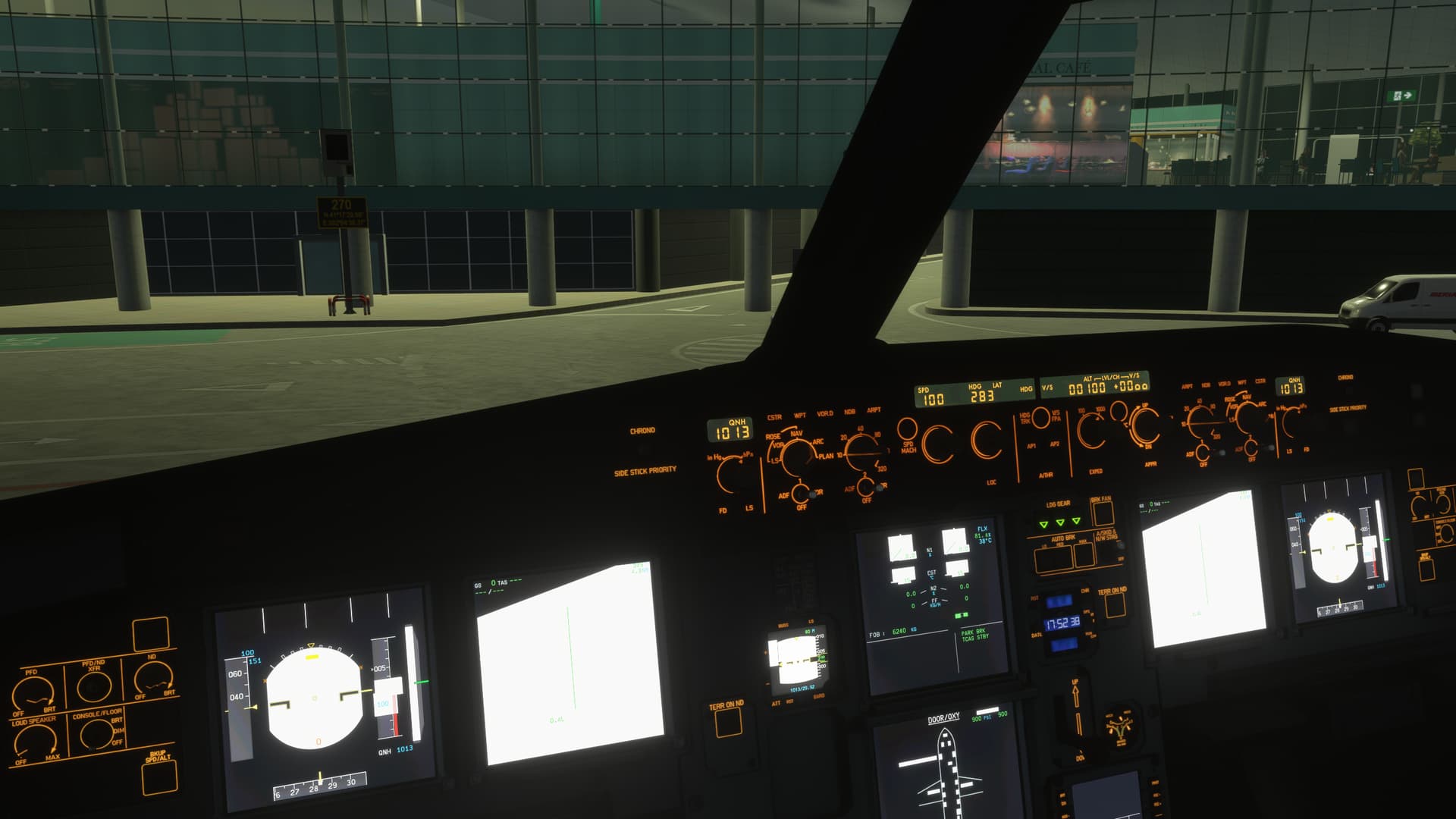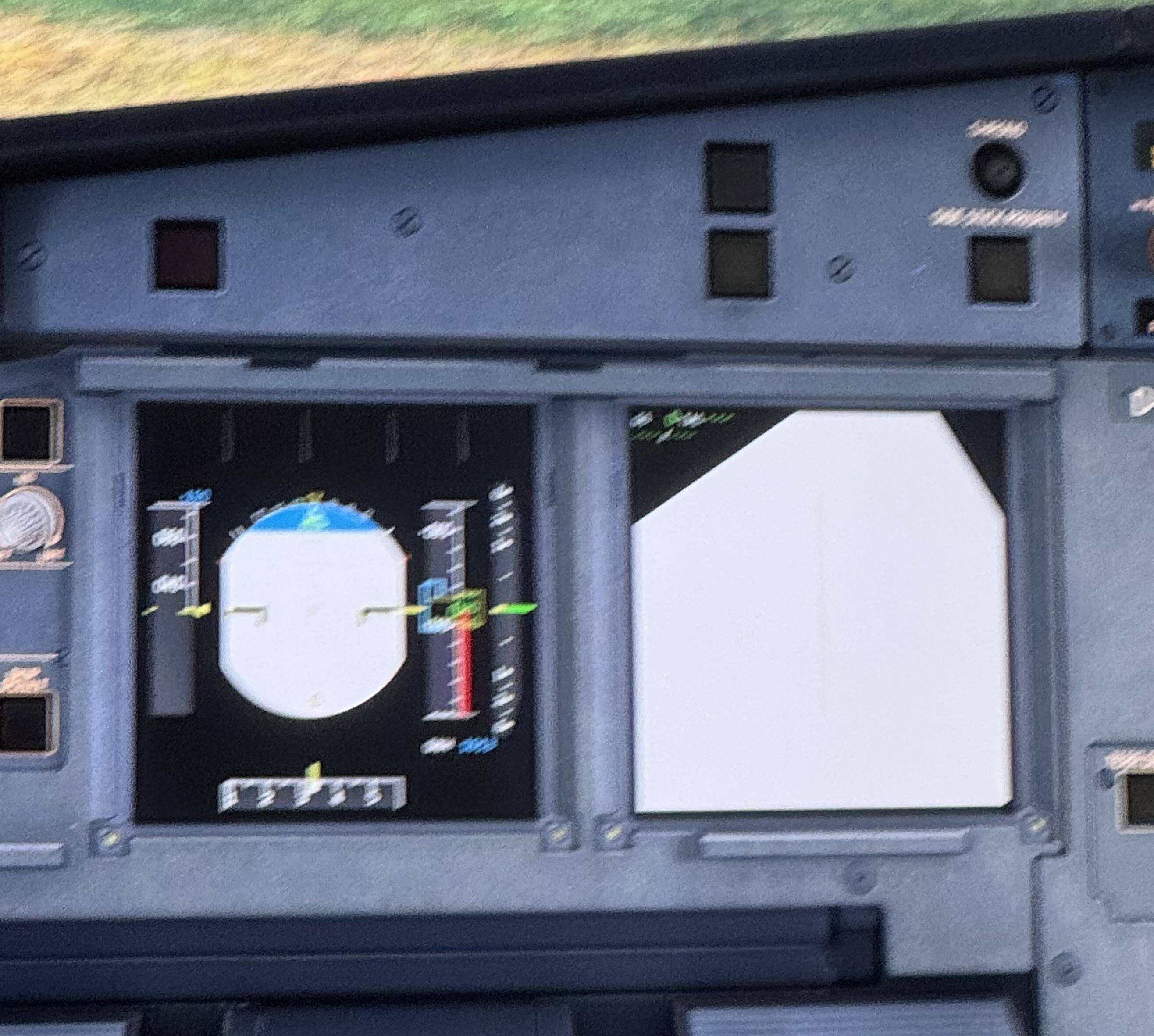
It is just ridiculous that all the airbus planes are completeley unflyable since more than two weeks. It is understandable that they can’t fix stuff during the holidays but then please don’t release a patch so close to the holidays that you are unable to issue a hotfix for such a fundamental issue.
And also: how was this issue not found in testing? Has not one person in the whole team tested loaded into any of the affected planes with one of the lower setting presets?
The workaround with setting textures to high and then after starting up the sim back to low does not work for me as it still produces a slideshow with my pc.
Seems like they don’t care about us anymore,just take all money from msfs2024 sells and go relaxing somewhere !!they even not thinking people on Christmas holidays got a lot time for fly,but how can fly with thas broken aircraft!!
Asobo 737 displays works fine,the issue only with inibuild aircraft
The theory of removing any installed mods stand incorrect. I have a clean installation with no mods at all. This issue was still reproduced on my system every single time I tried. I was on low settings before the patch and my displays were fine, I’m still on the same settings.
This issue was observed for me only on A320 NEO and A321.
Boeing 737 MAX is totally fine.
Do you have the same issue if you follow the OP’s steps to reproduce it?
• Yes, Im on Xbox Series S
Provide extra information to complete the original description of the issue:
• The screens of every airbus are broken
If relevant, provide additional screenshots/video:
•
Good morning.. this week I had the same problem with the white image when aligning the a320neo. As I saw in some comments, changing the texture resolution to high resolution.. but for those who can’t leave it at high… there is a passive solution. After opening fs24, you put it at high.. and as soon as it aligns, you can go back to medium again and the ecam will not return to the white screen. The only thing is that you put cold and dark again.. I just haven’t tested it by going back to the main menu. and entering it again.
OP here… If I put my texture resolution to high, my VRAM exceeds the limit and FPS goes through the floor - as per this bug here - FPS performance - VRAM bug?
Even if I then put it back to medium, it is too late. The FPS and stuttering do not ever go away and I have to restart the sim.
“Increase your texture resolution to high” is not a solution. Temporary or otherwise for some of us. We should be able to run the sim on medium settings and that should be the end if it.
The lack of comment from Asobo on this is dreadful. OK we have “Bug Logged” which means absolutely nothing. We have “bug logged” on some 2020 bugs for about 3 years!!! This simply isn’t good enough. When are they going to swallow their pride and just apologise and admit they broke things?
Omg why is it taking them that long, are they still celebrating new years or something?!
This feels very much like a texture issue.
When I change the texture resolution to high this problem went away.
I would guess it is an issue with the texture used for the FDs when the setting is not set to high and therefore should be a simple fix.
I try today another way and it’s works for me on A320 neo V2, inside game before start flight in game settings change texture to highe and don’t restart game,than start game and give plane adirs on,after alignment,go game settings and change texture to medum!!
It’s helps me on A320 neo V2 tomorrow will try on inibuild all aircraft
I don’t know why people keep suggesting that workaround. It was never going to work as the reason the game needs a reboot is to remove the old texture files and only load the ones at the correct resolution. The “workaround” fixes the displays because it loads a higher resolution version that doesn’t have the white displays problem. The whole thing about not rebooting is useless as the higher resolution and more VRAM intensive files are kept in VRAM until rebooted, causing the performance issues from the bug you linked.
Apparently it doeas load some of the lower resolution so the workaround does reduce some of the oerformance impact. But still this is a silly wirkaround that might work for some people but still won’t work for many (myself included)
It certainly works for me. I’ve tested it quite a bit and the sim becomes a stutterfest if I just leave the setting on High, but if I change it to Medium (and don’t restart the sim), I don’t get stuttering issues at all. I’ve found that even if I’m already having stuttering issues from running the sim for a while with Texture Resolution on High, changing it to Medium instantly fixes it and I don’t get stutters anymore for the rest of the flight.
Stop saying that putting texture to high is a solution. We get it. Many have already written it in this post. Putting textures to high and then reducing them is NOT a solution. It’s just a temporary patch. And it doesn’t work for everyone. And it’s only for PC. In XBox you can’t. MS devs have to give the solution. Vanished into thin air. Not even a message to say we are working on it. Nothing at all. They are all dead.
Same here - Its broken - Cant fly any Airbus 320/330 for now until its Patch
Thanks Microsoft/Inibuilds - Thank god the 737max still works,..for now
True buddy, I can fly with the fbw320 they working great and had a fast update interval not like Asobo. 
Wich post(s) are you referring to that have successfully fixed this issue ?