Will this workaround ever possibly make it into vPilot?
How about IVAO , can we see the same issue there?
I mean yeah, if that works it works.
I guess you are the only one who is able to test if that actually helps. We could discuss more and more options, but trying them out would be the best to come to a working approach. It doesn’t look like Asobo cares from their ignorance to this issue.
So yes, let’s do this, we can help test it but progress depends basically on you for now.
I’m really on the fence about this. There’s already several ugly hack workarounds in vPilot and I don’t want to add more. Plus the more I add workarounds, the less people are going to be complaining about this issue, so the less likely we’ll see a proper fix. The old adage “the squeaky wheel gets the grease” is very true.
However, in this case, there are several ways that this LoD issue manifests itself. If I add a workaround in vPilot, it will only fix the issue of gear not being down for arrivals on VATSIM. The other issues (like gear popping in/out as you move closer to or further away from aircraft) will still be there. So people will still be complaining about that issue at least.
I’ll at least do a little testing to see if my proposed workaround is even effective, and I’ll report back here.
That would be lovely. I’m so sick of 1 year with no landing gears with arrivals on Vatsim. Really destroys the immersion.
Pls do that. It would be nice when the Landing aircraft on Vatsim are having a gear
So, this was fun. I spent most of my waking time over the last 24 hours troubleshooting this issue.
TL;DR: The specific VATSIM problem is not an LoD issue. It’s some strange interaction between various simvars that only became a thing in MSFS 2024. (It may also be an issue in more recent versions of MSFS 2020, not sure, didn’t test that.)
I implemented a workaround in version 3.11.3 that is available in the Beta channel. I’d appreciate it if a few people here (that are familiar with the problem) could give it a try and report back here send me a DM or post a thread in the VATSIM forums with any feedback.
For those interested in the nitty gritty details, read on:
I started by trying to reproduce the issue using my test server with a very basic SimConnect test application that I wrote years ago to test various bits of SimConnect functionality. This app creates a single airplane floating in space at a designated lat/lon/altitude. It has buttons where I can turn lights on/off, start/stop the engines, extend/retract the flaps, and extend/retract the gear. I can use this app to send the gear up/down events or set the gear position explicitly with any value that I choose, from 0-100. (This value represents the percentage of gear extension, with zero meaning the gear are fully up, and 100 meaning the gear are fully down.)
I started by placing an aircraft about 10 miles away from my own aircraft. I then set the gear extension to 0%. I then sent the “gear down” event. This simulates a new aircraft coming within range with the gear up to begin with, then dropping the gear a bit later when established on final.
I then moved the camera up close to the aircraft, expecting to see no gear, but the gear were down, so I was not able to reproduce the issue this way. I tried moving my camera even further away before creating the aircraft object, but still could not recreate the issue.
I also verified that I could raise and lower the gear both by sending the events and by setting the gear extension percentage explicitly. Both worked every time, no matter how far away I was from the aircraft.
I then figured that there was probably something different between vPilot and this simple test app, and that this difference was somehow obscuring the issue. So I then tried using a target generator that I use for testing vPilot and my ATC client software, along with running vPilot to observe the traffic generated by this target generator. I was able to reproduce the problem right away with arriving aircraft starting at various distances from my own aircraft. As long as the aircraft started far enough away that its gear was up to begin with and then dropped the gear later as it got closer, the problem would occur and I would see no gear. If the aircraft started close enough that its gear was already down to begin with, then I would see the gear down. At this point the issue could still be related to LoD, so I kept troubleshooting under that assumption.
I then tried implementing my proposed workaround of sending the gear down event continually (every 5 seconds) assuming that the gear would come down once the arrival got close enough to my own aircraft such that the active LoD included the gear. However, the gear never showed up, even when the aircraft was right on top of my own aircraft. The only way I could get the gear to come down is if I set the gear extension percentage to 100% instead of sending the gear down event. This worked, but was not an ideal solution since this causes the gear to instantly snap down into position, which would look terrible for other nearby aircraft such as aircraft following close behind on final, or on a parallel final. (Though, because of other LoD issues that we’ve discussed here, you might not see the gear anyway, in those cases, but that’s a separate issue.)
It was bugging me that the gear up/down events worked fine for distant aircraft created by the simple test app that I used first, but not for aircraft created by vPilot. So I went through a process of elimination to see what was different between the two apps. Surprisingly, it all came down to the “airspeed” value that was set when the aircraft object is first created. SimConnect requires that you provide an airspeed value when creating an aircraft, but you don’t have to update this value continually after the aircraft object already exists. In my simple test app, I was using a value of zero for the airspeed. In vPilot, I use the aircraft’s reported ground speed (since we don’t have access to the airspeed of other aircraft on the network … that value isn’t sent through the server to other pilots or ATC … only ground speed is sent.)
Once I set the initial airspeed value for the object to zero in vPilot, the problem went away. I immediately thought maybe I was triggering some logic deep inside the sim where if you try to extend the gear with too high an airspeed, it would consider the gear to be damaged and wouldn’t extend the gear any longer. I remembered that earlier sims (P3D and possibly also FSX) had logic like this at least in some aircraft.
I then started experimenting with different speeds and found that the magic number does indeed vary by aircraft type. The maximum value for an A320 model from FSLTL was 209 knots. Setting it to 210 or higher caused the gear to no longer extend when sending the gear down event. (Explicitly setting the gear extension percentage still worked, regardless of the airspeed value.) A value of 185 was the max for the FSLTL dash-8 model. There may be other variables that come into play here, but I didn’t try to test all possible permutations.
Based on this, my assumption is that if the airspeed is greater than this magic number at the time the aircraft is first created, then it will prevent the gear from dropping using the “gear down” event later when the aircraft is established on final and the pilot drops the gear. (Remember that SimConnect only requires you to set the airspeed once at the time the object is created, and not continually as the aircraft moves around.)
If this theory is correct, then the gear should be down for any aircraft that is flying at a speed that is below this magic number at the time it is created, but still has its gear up. (Because if its gear was already down, vPilot would set the extension percentage to 100% to snap the gear down into place.) In other words, the problem would occur for the vast majority of aircraft that you encounter online, and it would only NOT occur for a few aircraft that coincidentally happened to be moving slowly enough when you first encounter them but the pilot had not yet dropped the gear. (Like maybe an aircraft being vectored onto the final approach but yet established on the glideslope.)
I then checked the SDK docs to see if there was a way to read the max gear extension speed via SimConnect, so that I could tune the airspeed parameter appropriately for each aircraft. I found a simvar called `REFERENCE SPEED MAX IAS GEAR DOWN` but that var was returning much higher values, such as 280 for the A320. I also found two variables that I could use to test this theory, which are called GEAR DAMAGE BY SPEED and GEAR SPEED EXCEEDED but neither of those were being set for these aircraft, so that kinda killed that theory.
I considered modifying vPilot so that it would set the airspeed simvar continually, not just when the aircraft was first created, but I had no way of knowing if this technique would work well for all aircraft, or at least a majority of aircraft, since I had no reliable way to read this magic number through SimConnect. So I discarded that workaround as an option.
I also considered just setting the airspeed to zero when creating the aircraft, regardless of how fast the aircraft was moving at that time. However, I was concerned that this could have unknown negative side effects in other parts of the sim.
Luckily, during the course of all this trial-and-error, I accidentally discovered that if I set the gear extension percentage to 1% just before sending the gear down event, it worked fine. So at this point I could choose from one of the questionable workarounds described above, or I could just set the gear extension percentage to 1% just before sending the gear down event, and hope that this would work for all models.
In the end, I decided to go for the latter workaround, since it seems like the option least likely to have unintended negative side effects. This workaround is now available in v3.11.3 in the Beta channel. I implemented this workaround for both MSFS 2020 and 2024, just in case the same issue finds its way into MSFS 2020 as well.
Again, please give the beta version a try and let me know how it goes by sending me a DM or posting a thread in the VATSIM forums. Thanks, all.
Can we please get another thread for the vatsim issue, this topic is purely for the LOD issues?
Thanks for your hard work troubleshooting this. That was quite an interesting read. Downloading the Beta now and will test over the coming days.
Thanks a lot. Just did a quick vatsim planespotting in KSEA and all 5 aircraft that landed had their gear down in the new Beta. huge if this is finally fixed.
Hiya, Spent the morning plane spotting and every aircraft’s gear behaved as expected on all the traffic i saw, dont wanna hijack this LOD thread but wanted to give you some feedback, maybe the dev forum would be better now we have an actual idea what went on but thank you so much it looks so much better!
Wow, thank you so much for all the hard work @BTVPilot !
Just switched to the beta channel to have this update and so much looking forward to test it out over here as well.
Would be absolutely amazing if this means no more floating aircraft on Vatsim.
Many Thanks @BTVPilot !!!
Wow… great read and thank you for your thorough trouble shooting… For sure the no gear bug is one of the most immersion breaking bugs that are out there, so if this work around works, that will be fantastic. I will be trying the beta version for my future vatsim flights. I’m assuming this workaround would work for FSLTL, FS Traffic, and AIG models? I have all three
I only tested with an FSLTL model, but I can’t imagine it won’t work with other models, since this seems to be a quirk of the sim itself, having to do with simvar/event interactions.
To anyone from Asobo or anyone else that may skip to the end of this thread and see people talking about the issue being fixed:
The only thing that has been fixed so far is the specific VATSIM issue. It was thought to be related to LoD changes in the sim, but it was not. The LoD issues brought up in the original post here are still unresolved.
If anyone has feedback on the VATSIM issue, please send me a DM or post a thread in the VATSIM forums.
Maybe the missing GEARs are part of the new DLC: Stranger Things?
Added a new video to show this issue clear and load:
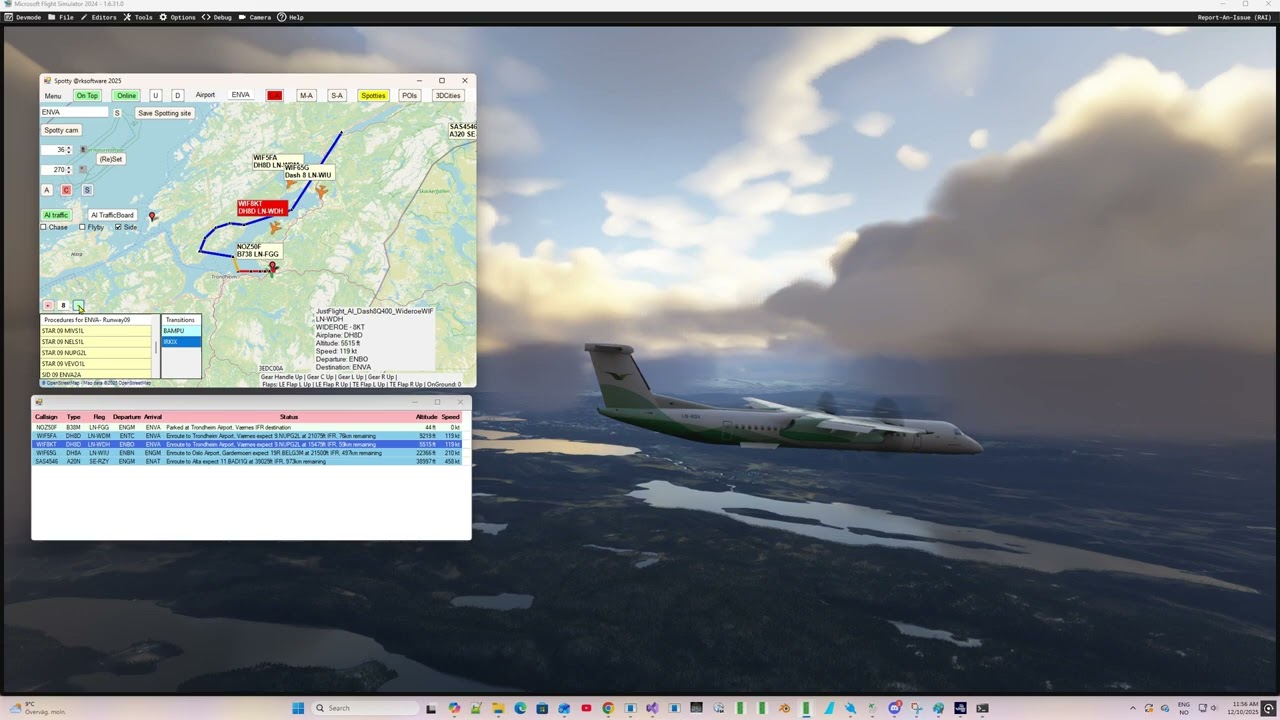
I just happened to see this Dev Support bug requesting more details on gear animation issues. Are these all related? Would @BTVPilot ‘s great write-up be useful on this dev support thread?
This thread is about LOD issues and the culling of the gears from short distance both in 2D and VR.
OK. There were just a lot of similarities when I read the dev thread, and there were lots of questions there about help reproducing “no gears” issues with the contributors stating how it was hard to duplicate, just like how hard it was for BTVPilot to replicate until he found the magic variable.
That dev thread doesn’t classify the type of issue, so could it be LOD there?