Could someone kindly point me towards a guide on how to Add or Remove items from the drop down Toolbar?
Thank you
Could someone kindly point me towards a guide on how to Add or Remove items from the drop down Toolbar?
Thank you
I don’t believe it’s customizable. However, when you install certain add-ons, they are automatically added to the toolbar.
I’m waiting for Parallel 42 to release a 2024 version of Flow Pro, which replaces the toolbar, and it is fully customizable.
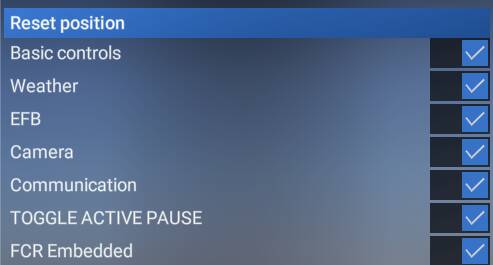
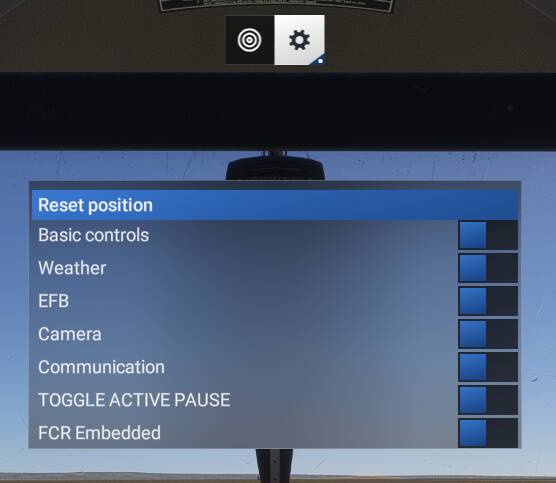
You can remove everything off the toolbar if you wish (Except the missions steps icon) You just hit the settings cog icon in the toolbar on the far right.

After clicking the cog, you’ll see all the items you toggle on/off
And after it’s all toggled off you’re left with the settings, and Mission Step icon.
Thanks! I completely forgot about that option. 
That is helpful as regards Removing items, is there a way to Add them? & if so, do they have to be sitting in the Community Folder, or somewhere else?
I wonder how MSFS decides what to put in the Toolbar?
TG
The Flight Simulator Software Development Kit (SDK) has methods for third-party developers to add items to the toolbar, so it’s not Microsoft/Asobo determining it (other than the in-sim “base” items), but it’s what you as a user install.
For example, I use FSIPanel, a very useful third party utility. The FSI Panel installer adds a custom Widget to the toolbar. Same with Navigraph and other utilities.
So somewhere in Shift + Z there needs to be code to add the widget to the tool bar.
I got it back in FS20, just reappeared, but no luck yet with FS24.
Try this version . https://flightsim.to/file/16358/shift-z-stats
All good and well, but starting a new flight and all icons are back again. I’m looking for a way to save it permanently to the 2 or 3 items that I need.
I can’t find the way to recover my icon apps in the toolbar. I miss Navigraph, SayIntentions, Landing Rate, and Sim Rate. All this after SU3 was released. Also missing in SU4 Beta.
Same problem here. Any solution?
Looking for a sollution to this same problem. The toolbar settings aren’t remembered over different flights.
I have the same issue here..
Do you have FS-Traffic installed? I got rid of it, and every single app appeared on my toolbar. Maybe it is not compatible with 2024.
Yep, looking for the same, Asobo didn’t program it in the most evident way…