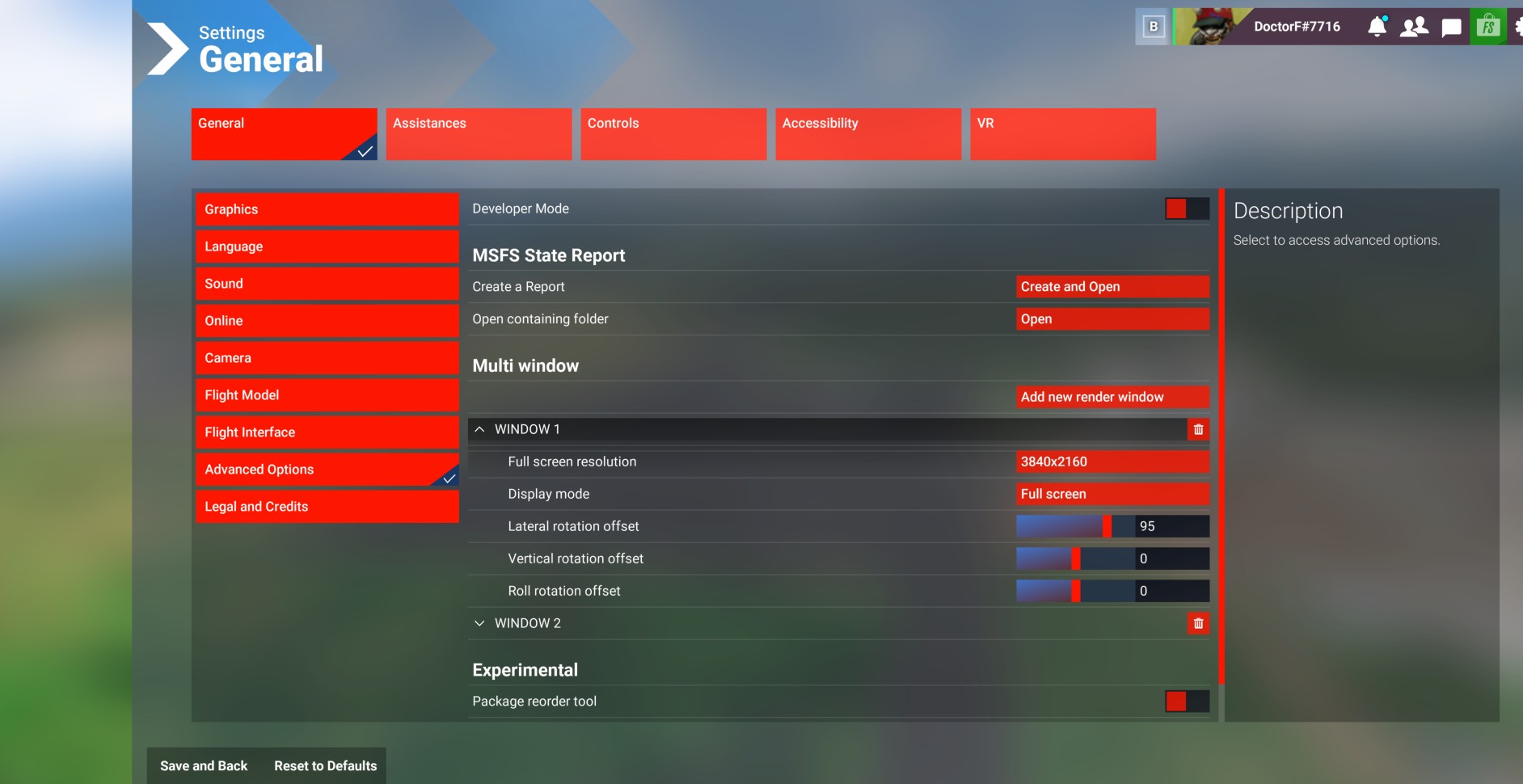
Do you have the same issue if you follow the OP’s steps to reproduce it?
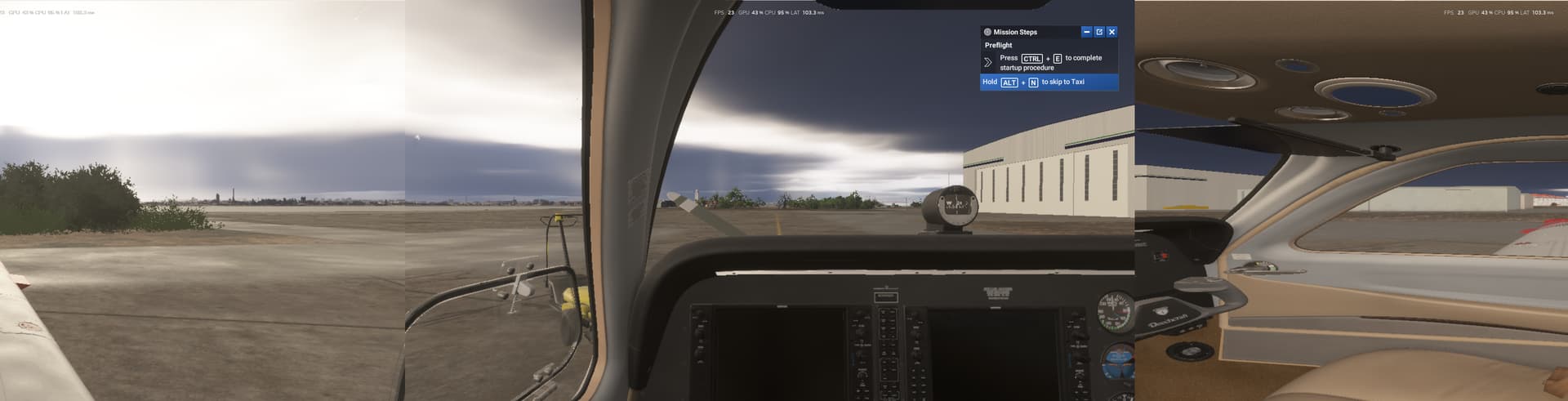
• Yes, I am using 3 screen and this is intermitent, sometimes it works, sometimes not. It always affects
Window 1 which is on the left (the most important one for left flight patterns). I get blurered screen and most importantly a different zoom setting (image is smaller, or further away)
Provide extra information to complete the original description of the issue:
• The simulator also only works intermitently, taken up to 1 hour to start and sometimes not starting at all )blocket at 68% loading screen)
If relevant, provide additional screenshots/video:
•
I have a 2-screen setup (left window + center), and Surround is not a good solution as the center of the view cannot be adjusted in neither MSFS nor in Surround, and center is now between the two monitors…
omg I am so glad I found this thread. Thought I was going crazy. I can’t believe they didn’t provide a way to properly setup the 2 windows. So, commenting to follow and hope it’s addressed at some point
True. I can’t even understand how a studio team director would deem ready-to-release a product in such an unfinished state, nor can I understand how one can even THINK of designing a screen setting tool without any visual reference available. This is a bad joke, and the even worse joke is that we paid for it.
Using the template below will greatly help the team reproduce the issue and ease the process of fixing it. Before posting, search for an existing report. If you are not sure it’s a bug, please first report in User Support Hub.
2 tags are required - add them in the tag section next to the title above:
Feel free to delete this quote section after adding your appropriate tags.
ISSUE DESCRIPTION
Description of the issue:
When you add additional render windows (monitors) you are required to set the relevant angles in the settings page. Unfortunately, in 2024 when you load the settings page the image zooms all the way out and the background becomes grey. As such, it is near impossible to align up the side render windows.
[PC Only] Did you remove all your community mods/add-ons? If yes, are you still experiencing the issue?
Nothing to do with the community folder or adons.
FREQUENCY OF ISSUE
How often does this occur for you (Example: Just once, every time on sim load, intermittently)?
Occurs every time you load the settings windows.
REPRODUCTION STEPS
Please list clear steps you took in order to help our test team reproduce the same issue: Load a flight, click sittings, click advanced and try and add additional render windows. You’ll see the background is grey/blue ish and as such you can’t see how the side windows allign with the centre (main) one.
YOUR SETTINGS
If the issue still occurs with no mods and add-ons, please continue to report your issue. If not, please move this post to the User Support Hub.
What peripherals are you using, if relevant:
[PC Only] Are you using Developer Mode or have you made any changes to it?
[PC, MSFS 2020 Only] Are you using DX11 or DX12?
[PC Only] Many issues may be due to an outdated graphics card. Please state your Graphics Card Driver Manufacturer (NVIDIA, Intel, AMD) and Version:
[PC Only] What other relevant PC specs can you share?
MEDIA
Please add a screenshot or video of the issue occurring.
[END OF FIRST USER REPORT]
For anyone who wants to contribute on this issue, Click on the button below to use this template:
Do you have the same issue if you follow the OP’s steps to reproduce it?
•
Provide extra information to complete the original description of the issue:
•
If relevant, provide additional screenshots/video:
•
Yup , not being able to line up monitors is just ludicrous, don’t zoom to outside view when menu is brought up, and dont cover main screen would be nice
Setting up a triple monitor setup is still totally useless. The background should not move and the main screen should not be covered by a menu. We want to see the scenery, so we can properly align the image content on all three monitors. For this we MUST see the content of the main (center) display and the content of the left and right displays. The menu for adjustment should be tiny, so it does not interfere with the image content we are trying to line up. It works so-so in 2020, but here is absolutely useless. I invested $10,000 to build a 4x 43” setup (3 next to each other and one on the top) and it is next to impossible to line them up. I still use MSFS 2020, because there at least I was able to line them up approximately. In 2024 the screens are totally unaligned. The entry boxes are full of bugs. When you place your cursor into them, it keeps the old values, but does not place the cursor in the correct location and the content of the Entry box is not selected. I should just be able to press a delete button and erase the existing numbers and type in a new value. Make it to work the same way as any other Entry box in Windows. That will do it. This is totally broken.
The sliders are useless. We must adjust number to 1-2 digit precision (92.4) and the tiniest move of the slider changes the number by several integers. There is no way you can use the slider to change the value from 92.4 to 92.5. This makes a huge difference when trying to properly align the contents of the displays. It was really bad in 2020, and it is still useless in 2024. Please fix these issues.
There are Flight Simmers who would like to enjoy flying in as much immersion as possible, but the current way is totally useless.
Thanks for your attention. I will keep following the progress if anything was done in this regard.
Using the template below will greatly help the team reproduce the issue and ease the process of fixing it. Before posting, search for an existing report. If you are not sure it’s a bug, please first report in User Support Hub.
3 tags are required - add them in the tag section next to the title above:
One for aircraft (start typing in your aircraft name in the tag section and pick correct option)
Feel free to delete this quote section after adding your appropriate tags.
ISSUE DESCRIPTION
Description of the issue: When trying to line up visuals for multiple screens it is near impossible now in 2024. In 2020 it was simple because you could see all three screens in the Experimental menu and tweak them until they were pretty much perfect. In 2024 you have decided to blur out the screens, so when I go into the now Advanced Mode I have this awful Airport flyarounnd and can’t even make out any details to line these up. For a Desk user with a single screen this is not an issue. For a full size sim with 3 screens this is unusable and has regressed back to the clunky days of Prepar3d of trying to line the screens up, i.e. set a value, Exit out, Check, Not right, Go back and do the whole thing again and again and again…. I used to tell people the ability to line up multiple screens was so easy in MSFS, now it is the worst, clunky, requires multiple key/mouse presses in and out of the menus and makes it almost impossible to get it anywhere near right. (Xplane does this reallyy well). So I have to maske do with gaps in my surround visuals because it is so difficult to line up. Just get rid of the blurriness in the setup menu and all will be well. Having a tickbox for “Do you want the airport flyby” Y/N would be great.
Regards
FREQUENCY OF ISSUE
Consistently
REPRODUCTION STEPS
Please list clear steps you took in order to help our test team reproduce the same issue:
None. See pic attached, blurries behind the menu items
It is a trial and error setting
I could go back to 2020
YOUR SETTINGS
This is not relevant. The sim works fine for everything else. Just this configuration is no good.
What peripherals are you using, if relevant:
[PC Only] Are you using Developer Mode or have you made any changes to it?
[PC, MSFS 2020 Only] Are you using DX11 or DX12?
[PC Only] What GPU (Graphics Card) do you use?
[PC Only] What other relevant PC specs can you share?
Do you have the same issue if you follow the OP’s steps to reproduce it?
• YES
Provide extra information to complete the original description of the issue:
• This is a follow up if anything was done to resolve this issue. I reported it originally.
Is there an ETA for a fix? I’d like to ask you to escalate the issue.
I was one of the guys at Microsoft who brought the first version of HoloLens to market (working on the original LCoS display) and know how things work there.
If relevant, provide additional screenshots/video:
•
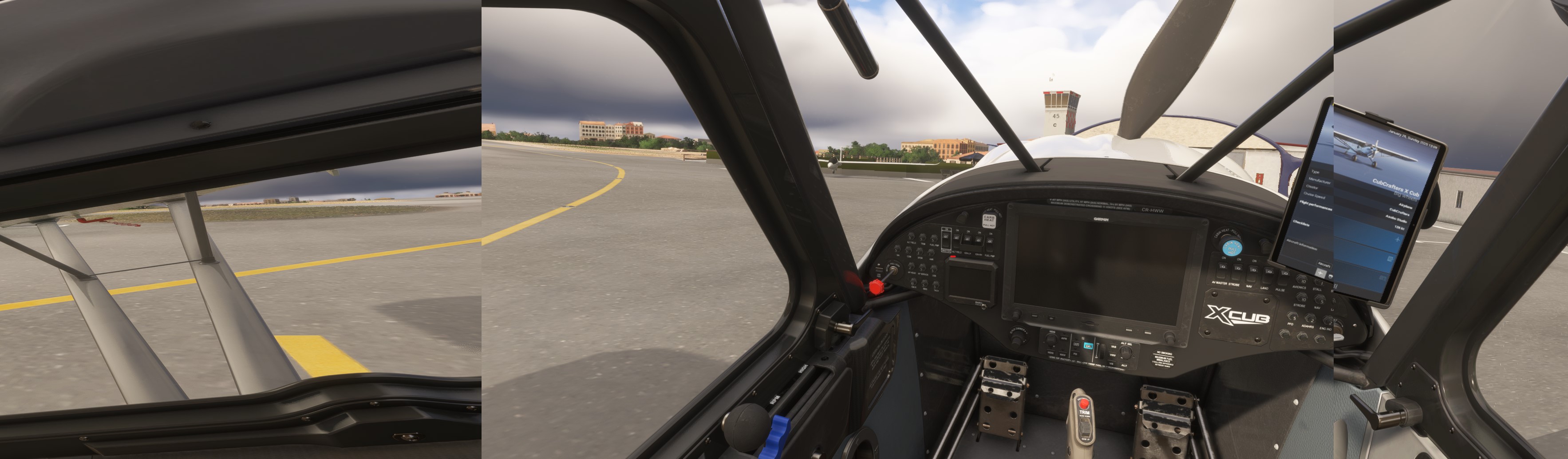
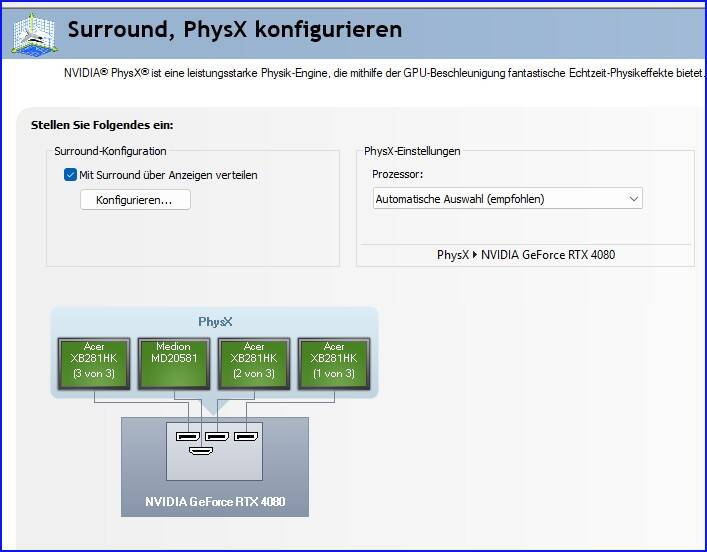

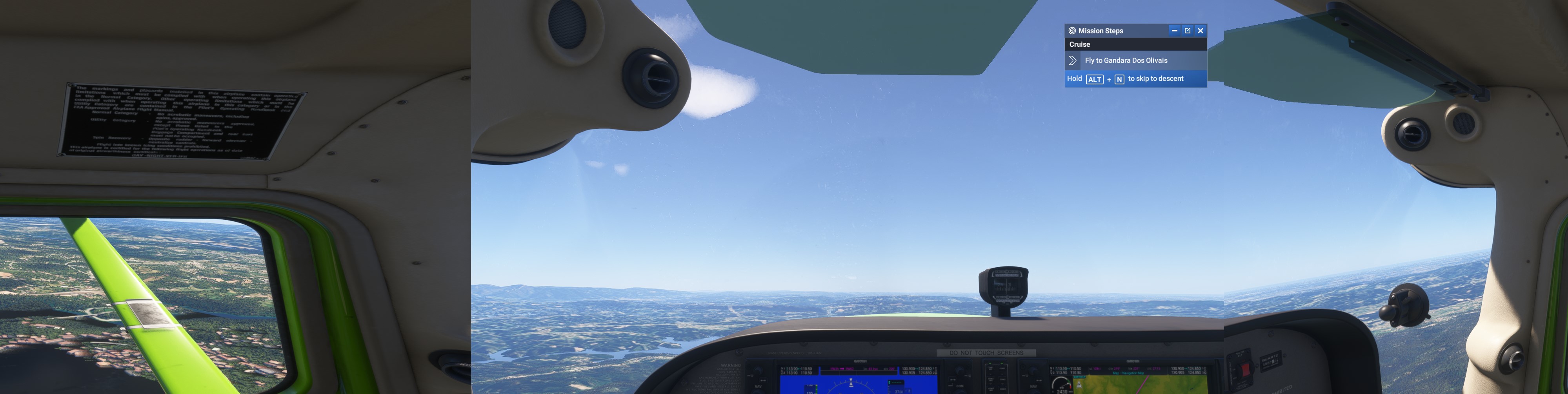


 For anyone who wants to contribute on this issue, Click on the button below to use this template: