ISSUE DESCRIPTION
Description of the issue:
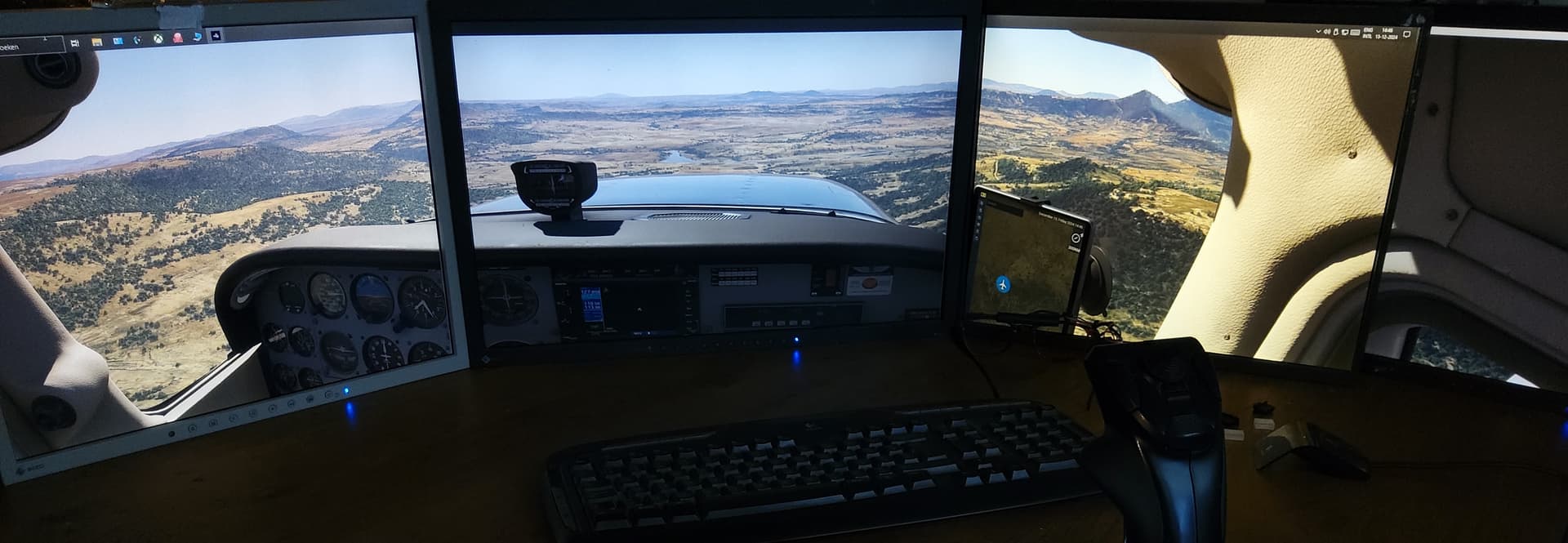
It is almost impossible correctly to set up a 3 monitor multi-window view.
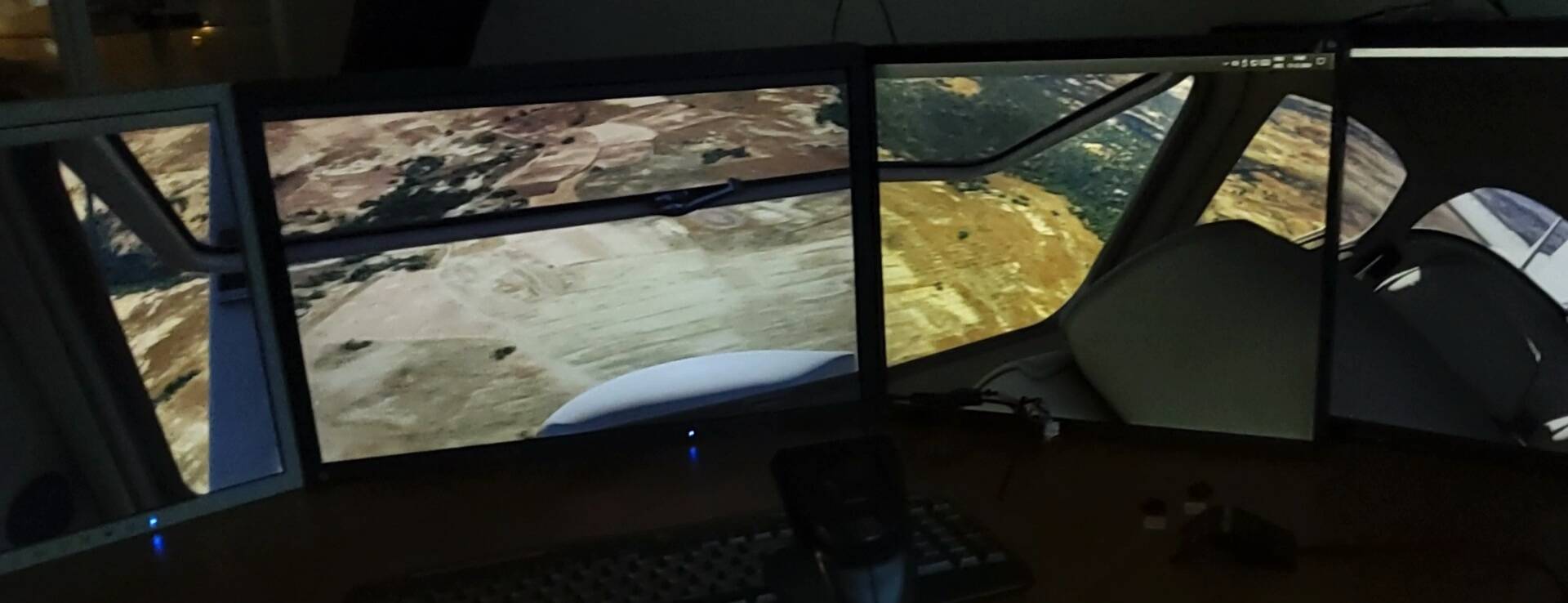
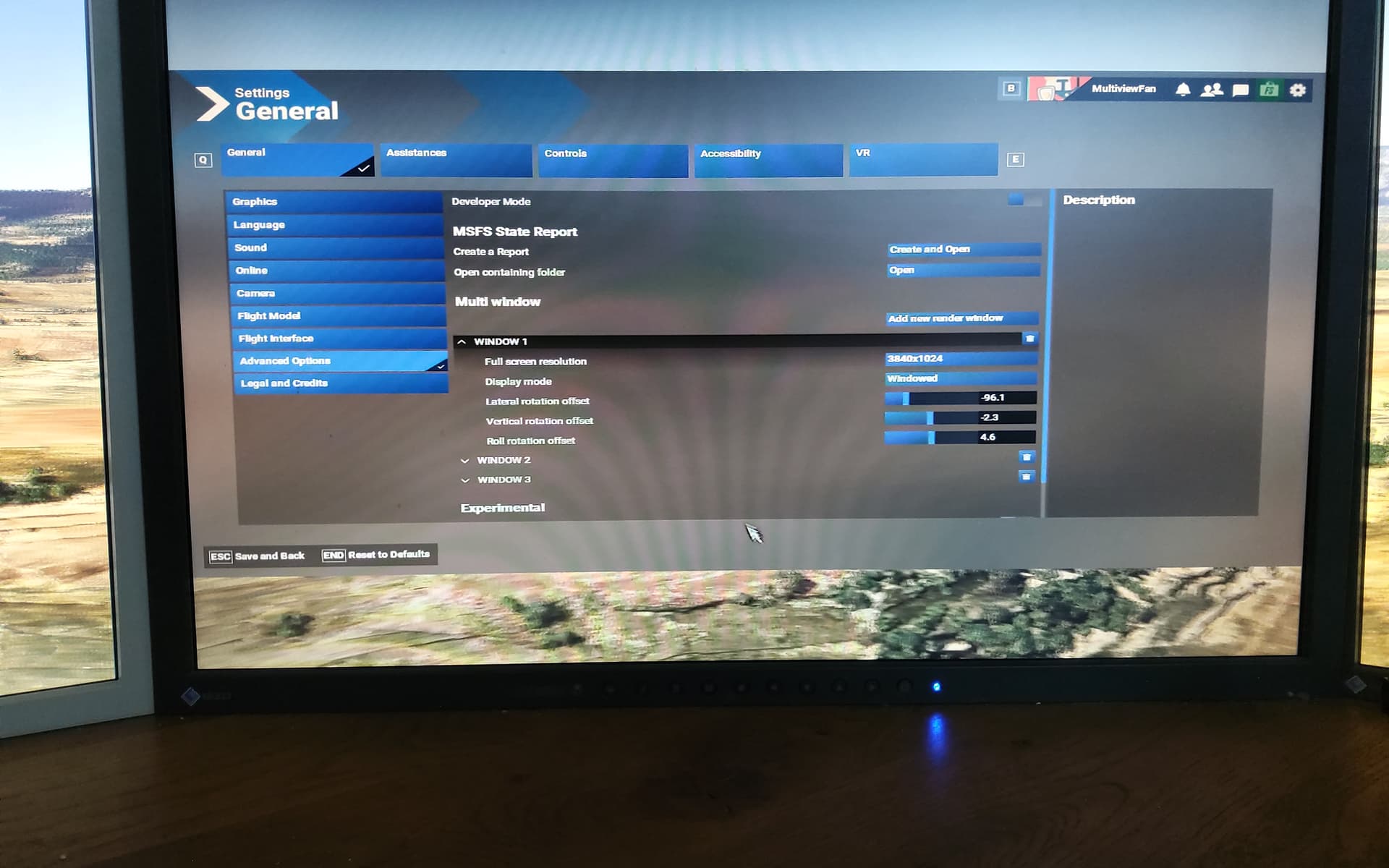
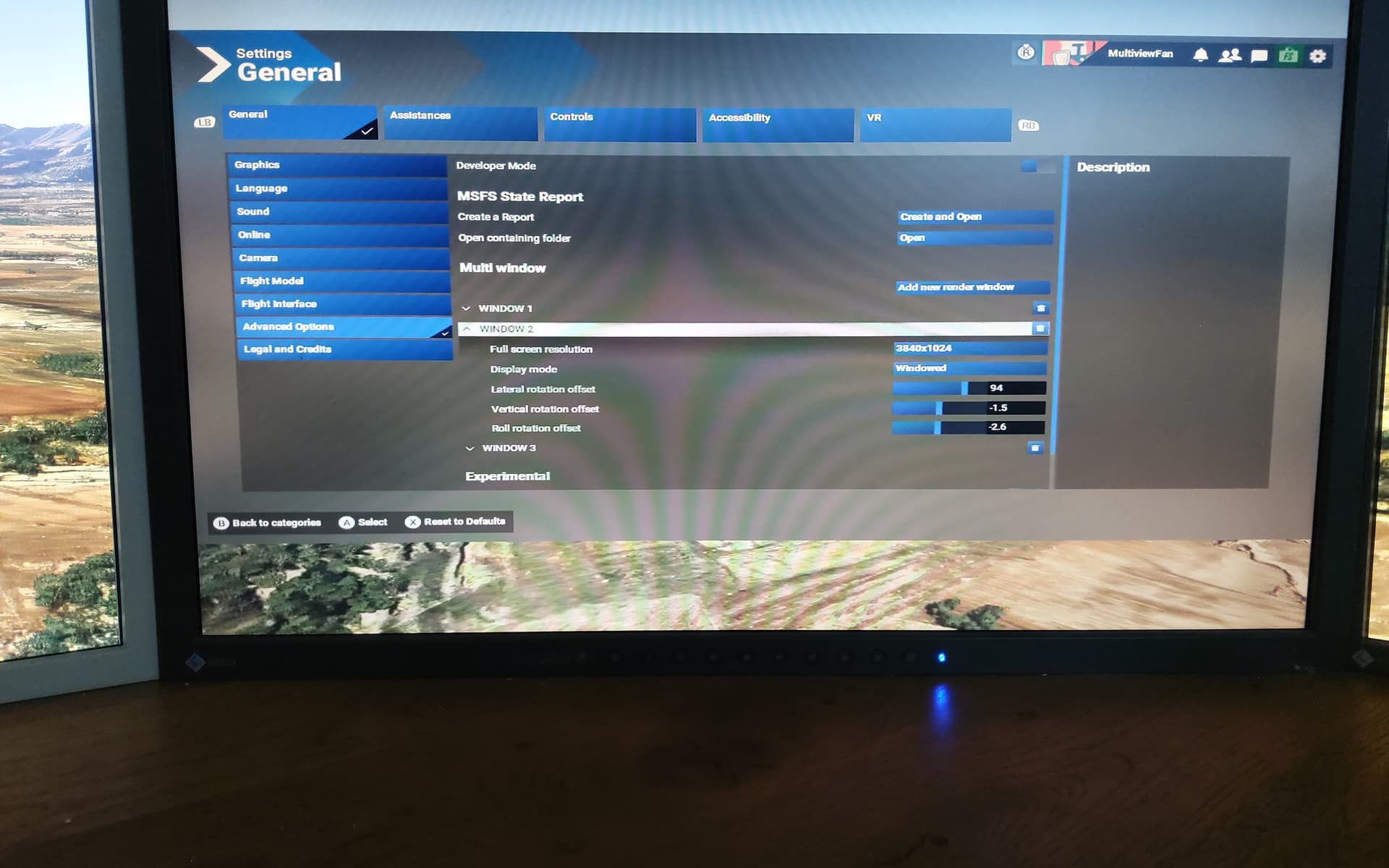
After 2 new windows had been added and the windows properly arranged on the 3 monitors the main window contains a huge user interface with a blurred background.
Left monitor is 1
Middle (main) monitor is 2
Right monitor is 3
The content of the two side monitors (1 and 3) changes to some kind of moving external scenery. It should be the a static version of the content of the main monitor (2), for instance the ‘cockpit view’.
What’s worse the content of the main monitor (2) changes to a huge user interface with a blurred background. Monitor 2 is supposed to be the reference monitor for the two side monitors.
It should display whatever the user wants (cockpit view, or an external view, either aerial or on the ground).
I tried to use this panning external view to align the monitors, but it is impossible for at least two reasons:
- The blurred background of the main display removes all references between the main and side monitors
- The panning external view is in motion, so even if there was reference on the main monitor, due to the movement it is impossible to get accurate measurements (or even visual estimates) to align the side monitors to the main one.
I would prefer if there were a few test patterns with a grid, lines, circles, with reference point that can be used to align the two side monitors (1 and 3) to the main one (2).
Also, it would be nice if the zoom level was taken into account, so when the zoom level changes, the content of the two side monitors was recalculated and rendered correctly.
In my case I have three 43" 4K TVs. For lack of space in my room the two side monitors had to be under different angles. Monitor 1 is mounted to about 70 degrees and monitor 3 is 60 degrees from the main monitor. I think, since the settings are different for the two monitors, they can be individually adjusted.
[PC Only] Did you remove all your community mods/add-ons? If yes, are you still experiencing the issue?
YES
FREQUENCY OF ISSUE
How often does this occur for you (Example: Just once, every time on sim load, intermittently)?
Every time the sim is running
REPRODUCTION STEPS
Please list clear steps you took in order to help our test team reproduce the same issue:
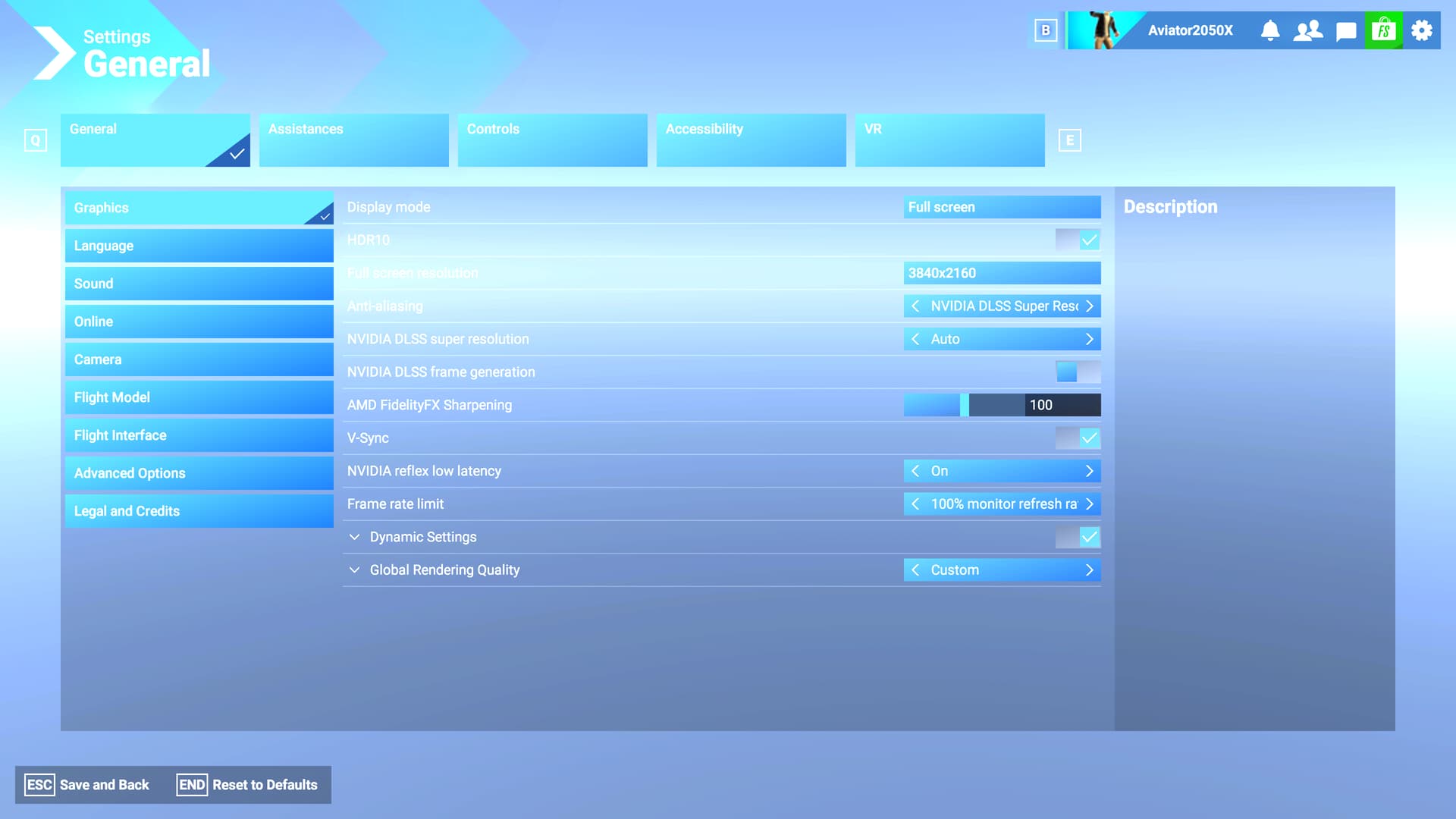
- Settings → Advance Options
- Add new render window
- The new GUI show up. Replaces my cockpit view with a huge GUI and with a blurred background.
The two side monitors also change content from my desired view (e.g. cockpit view) to a moving/panning external view.
YOUR SETTINGS
If the issue still occurs with no mods and add-ons, please continue to report your issue. If not, please move this post to the User Support Hub.
What peripherals are you using, if relevant:
[PC Only] Are you using Developer Mode or have you made any changes to it?
[PC, MSFS 2020 Only] Are you using DX11 or DX12?
[PC Only] What GPU (Graphics Card) do you use?
NVidia DGX 4090
[PC Only] What other relevant PC specs can you share?
MCU intel i
Processor|Intel(R) Core™ i9-14900K 3.20 GHz|
Installed RAM|32.0 GB
MEDIA
Please add a screenshot or video of the issue occurring.
[END OF FIRST USER REPORT]
 For anyone who wants to contribute on this issue, Click on the button below to use this template:
Do you have the same issue if you follow the OP’s steps to reproduce it?
•
Provide extra information to complete the original description of the issue:
•
If relevant, provide additional screenshots/video:
•
 For anyone who wants to contribute on this issue, Click on the button below to use this template: