Hi all,
struggling with improvements here, I have just ditched 3 x 50" 4K screens in favour of 3 x LG Ultragear 32" 1440 screens, one of the many reasons was to try and gain some FPS. The picture quality is much better but my FPS has stayed the same I had the 50" screens as a 2K-4K-2K triple setup, and was seeing 21-35 FPS, with the 32" screens I am seeing 21-38 FPS
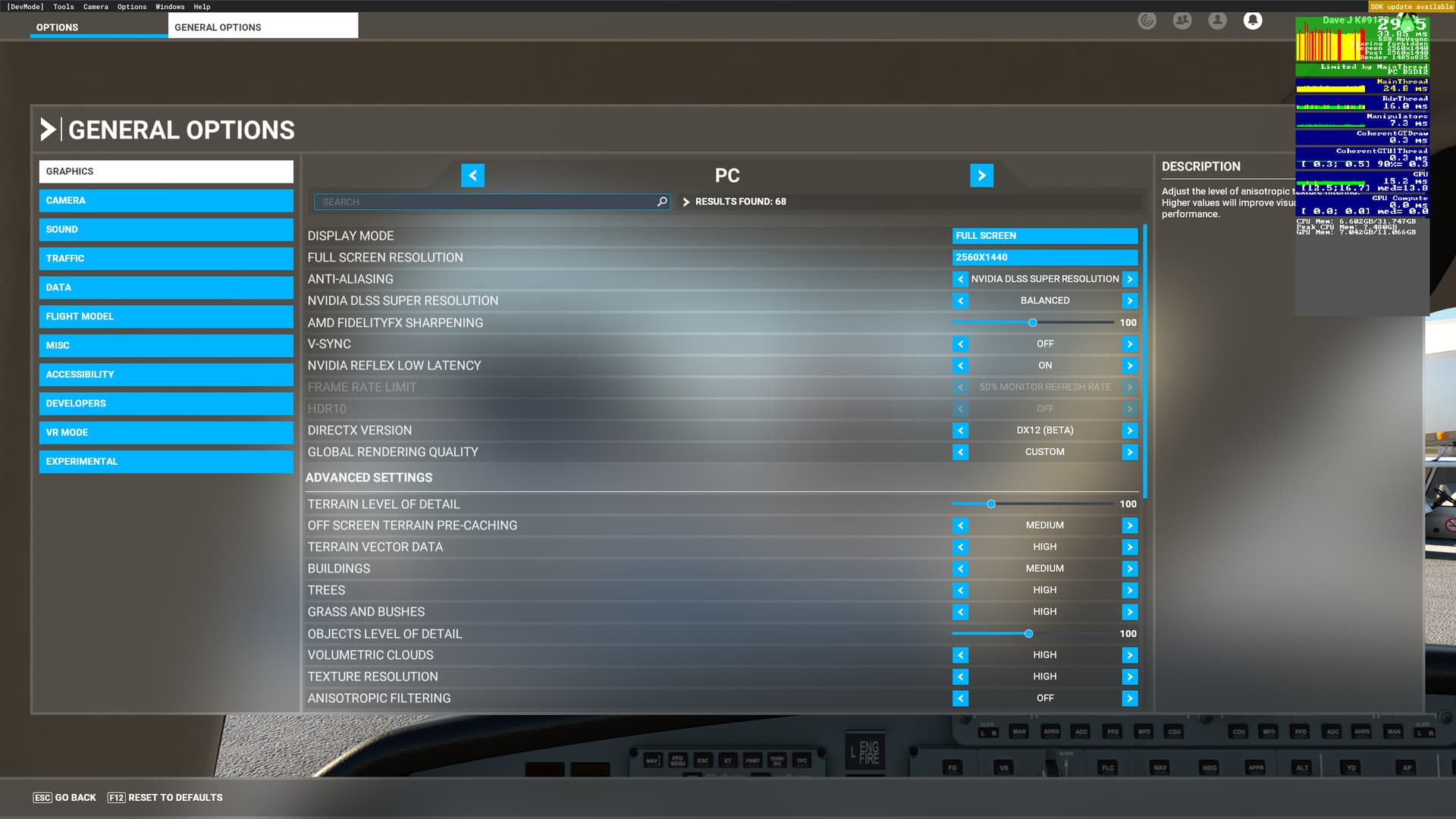
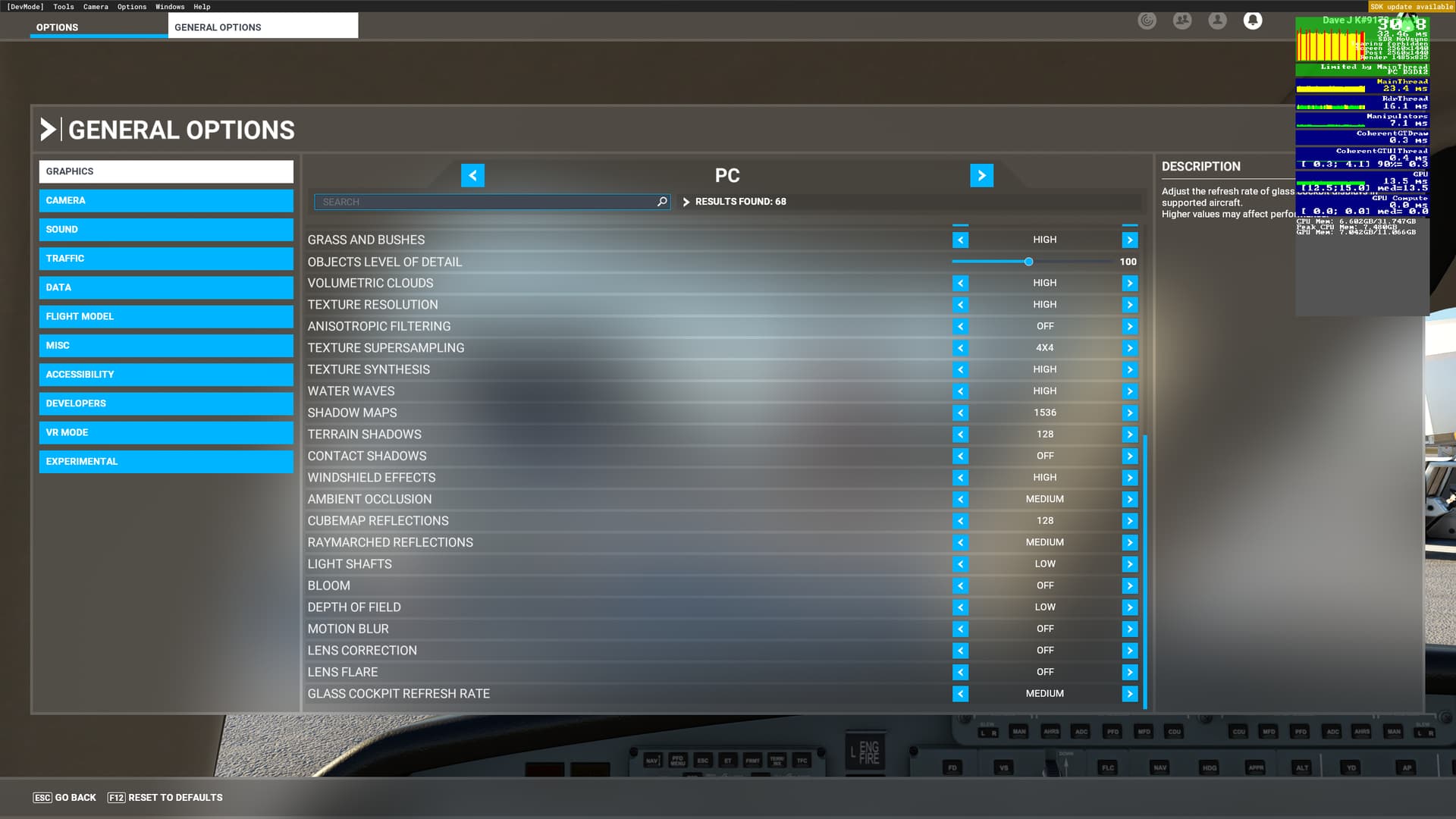
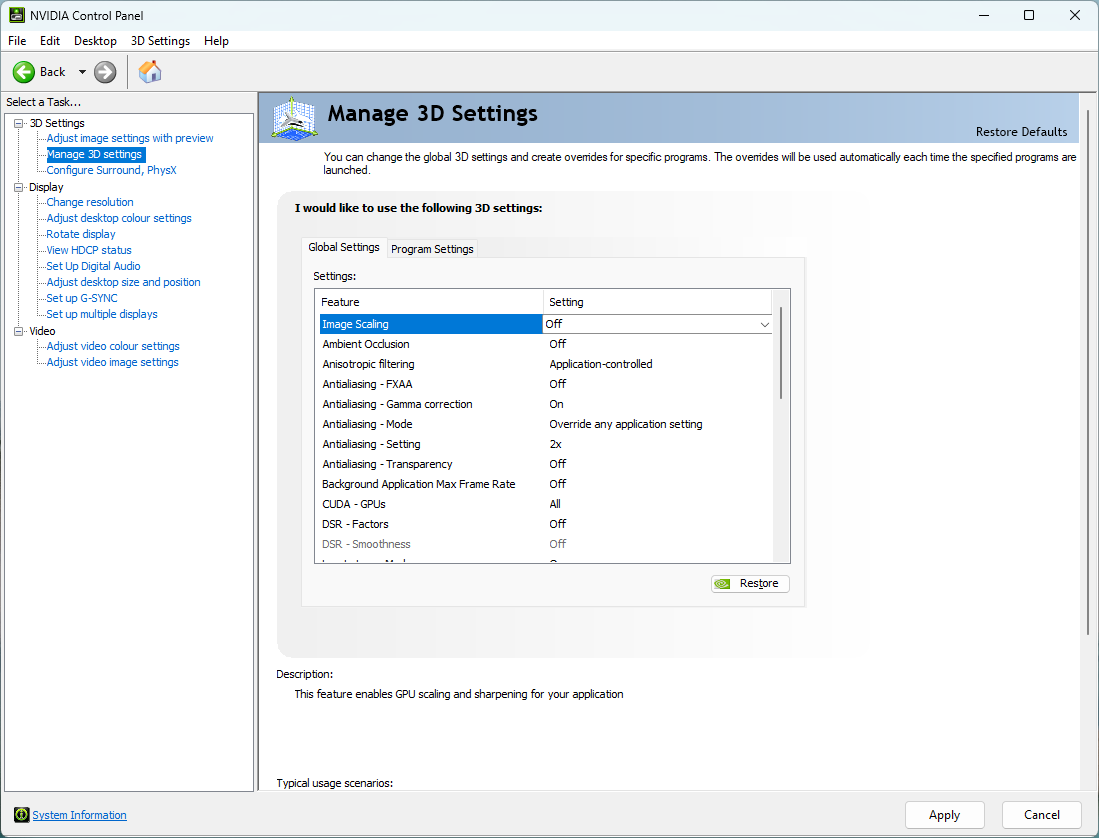
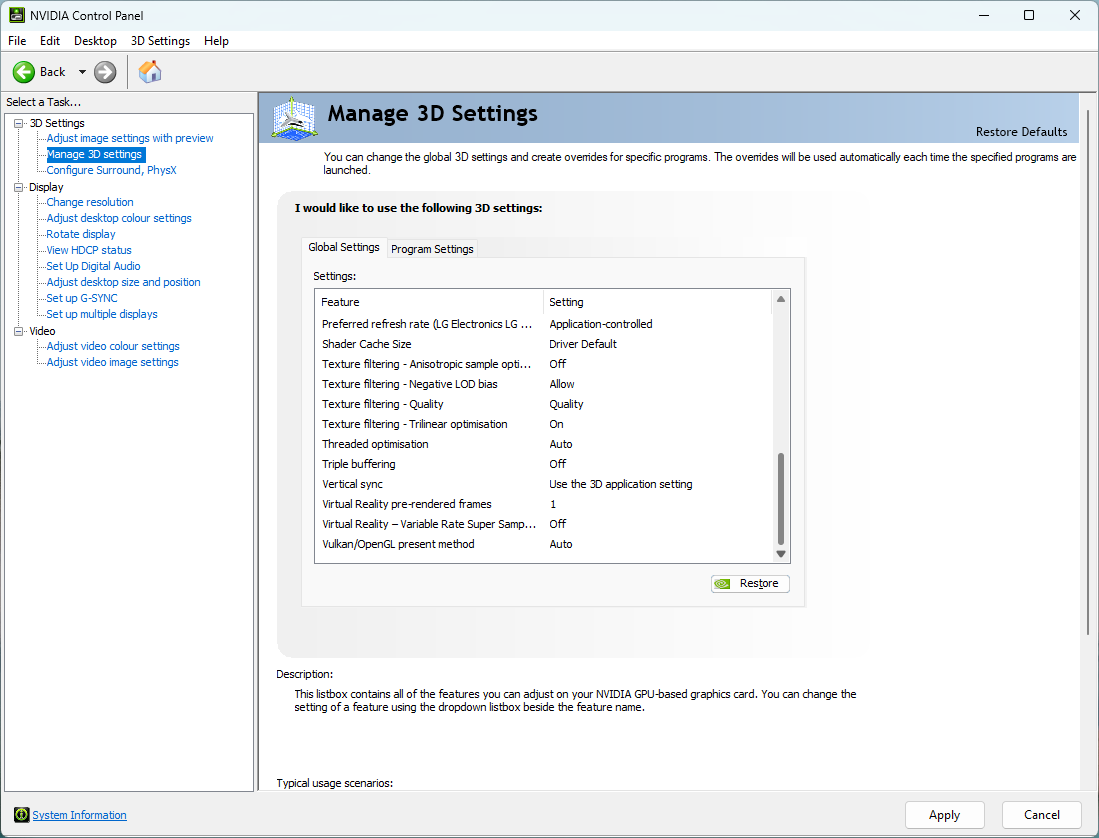
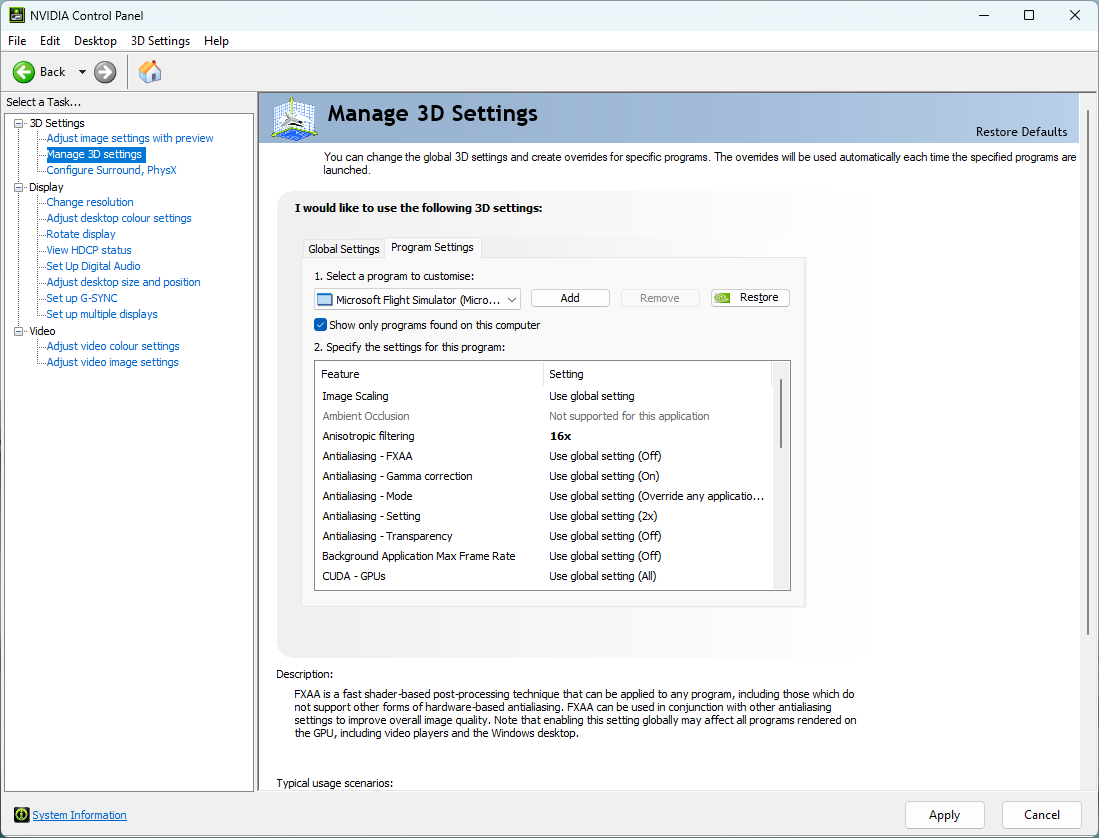
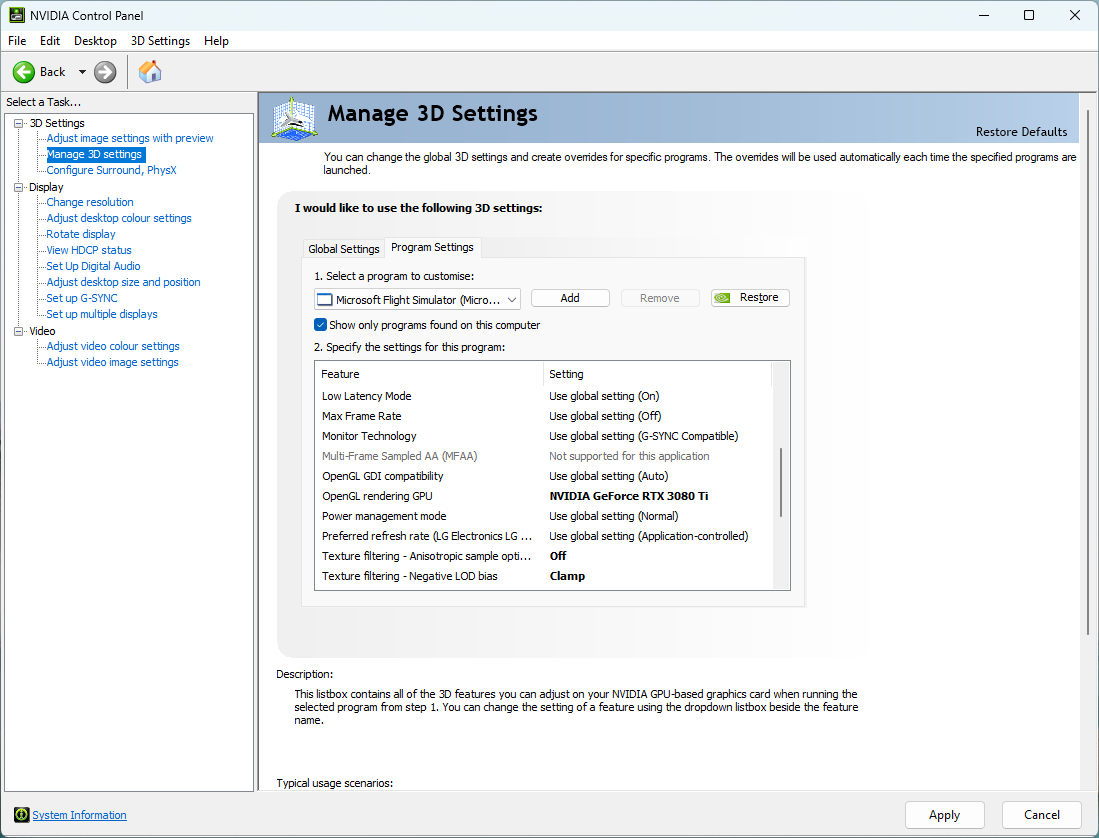
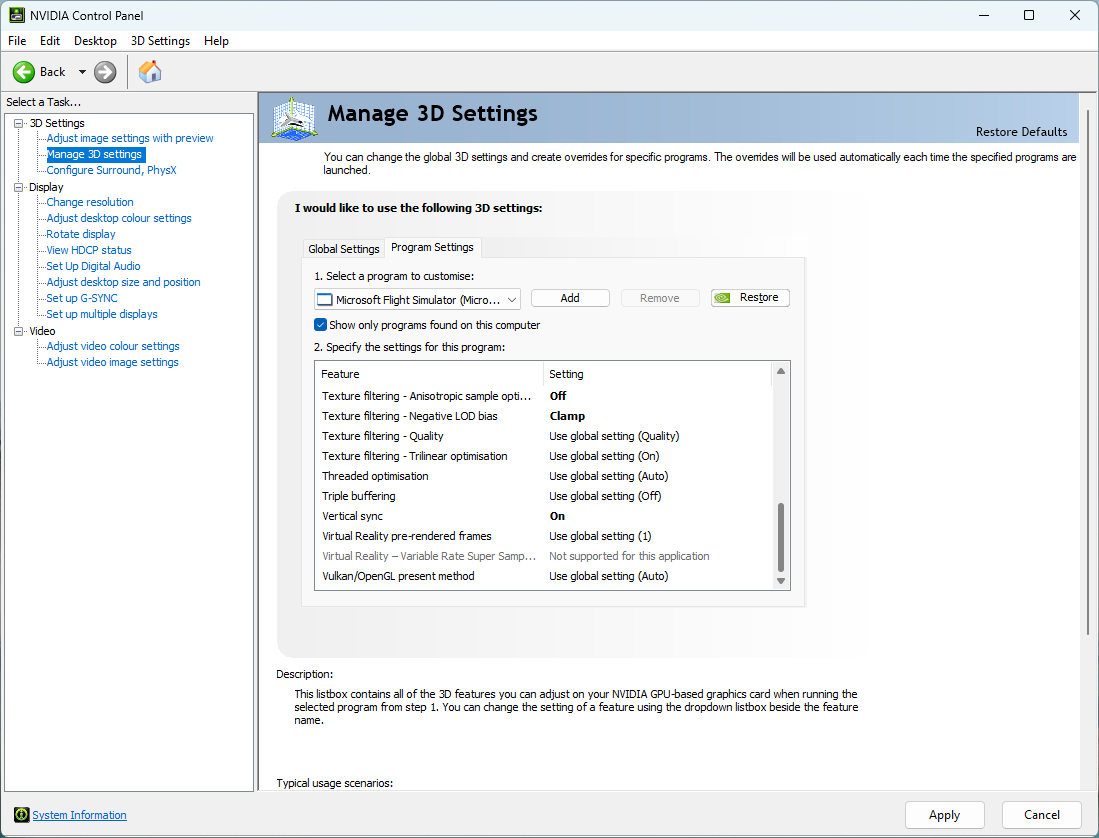
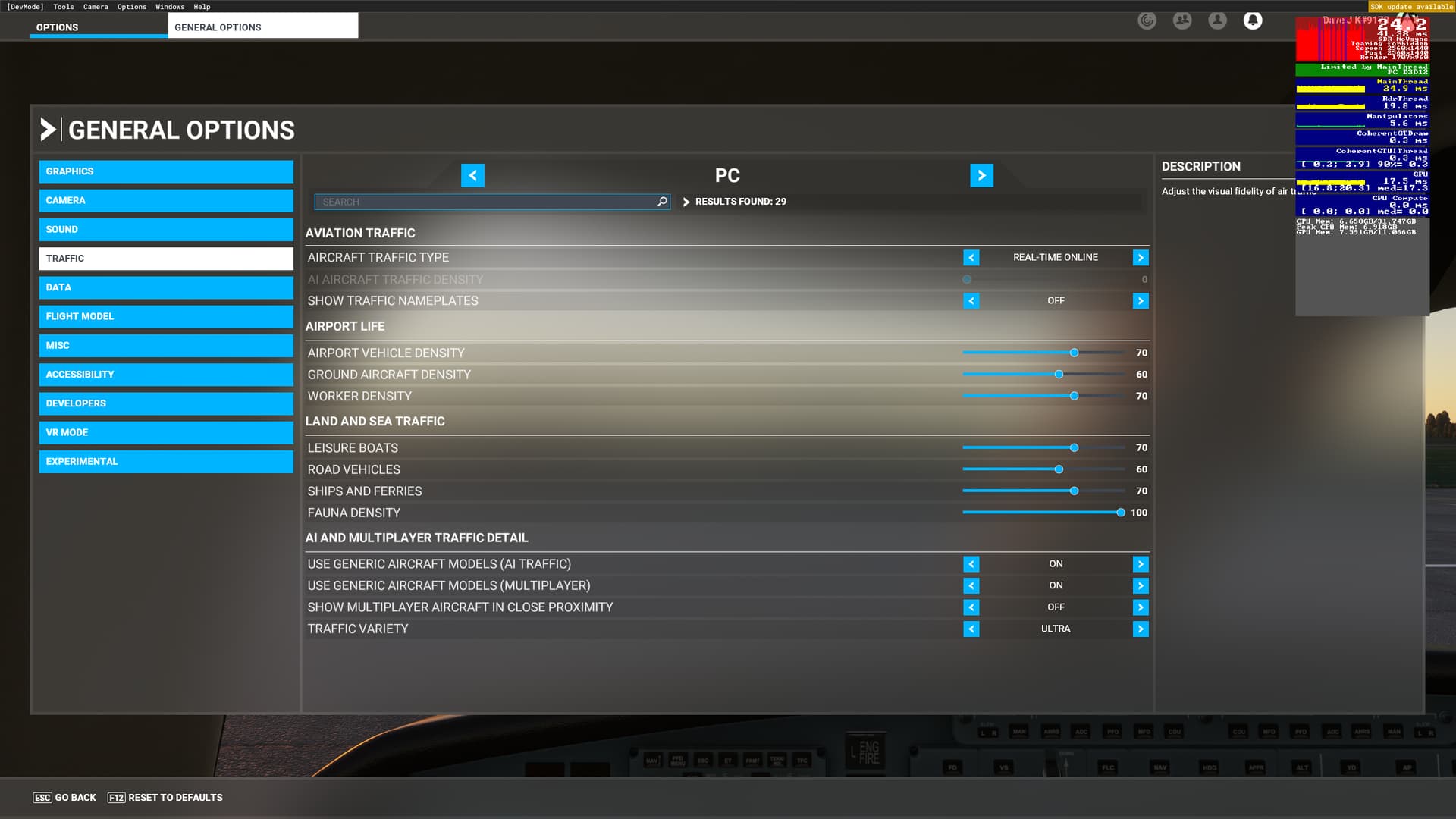
I was expecting some improvement at least. My display shows mainthread limited, so i am trying to figure out what to attack to get some FPS in here. Below are pictures of all relevant settings I hope, maybe if someone has some spare time they could glance over it to see if i have something obvious set wrong?
The system is an intel i12900K, RTX3080ti, 32Gb/3600, Z690 mobo
I also use two 1080p touch panels for my instruments as on a triple you cant really see any of the cockpit panel and touch-screens really boost the realism. They are connected via a dual USB-HDMI adapter and run at 60Hz.
By dropping to a lower resolution all you have acheived is easing pressure on the gpu when in fact the cpu is the bottleneck. Start by using ultra settings on a DLSS quality or TAA 100% and once you have a better mainthread/gpu balance you can then go in search of better fps…
PS. also in NVCP set texture filtering to ‘high quality’, the difference is palpable.
What is the best indicator that shows this please?
I did think it wouldn’t make a difference with CPU but the main reason for change was better picture quality which it has achieved, its also not so “in your face” as sitting so close to three 50" screens was, 2K on a 50" is very noticeable as well
It may differ with hardware but if I have approx equal mainthread / gpu frame times at 500 - 1000ft above heavy scenery then I know I’m good
The key here is reducing load on your cpu, try disabling unneccesary apps in the background etc. e.g. there’s nothing in the task manager start menu that is essential, if it was you wouldn’t get the choice.
Ok, I whacked it up to Ultra and it only lost about 5 FPS giving about 28. On High-End and DLSS it gave about 31, on TAA about 25.
With no pop-out screens I get about 44 so it looks like the pop-outs are costing me some 19 FPS avg.
Putting TLOD down to 10 made little difference in FPS, still firmly mainthread limited.
Its not thermal, CPU was about 60c, GPU about 72c, I checked in task manager and event viewer and it looks like the whole box is doing very little - the GPU was running about 10% and the CPU total about 19%. There were a few ‘hot’ cores but most were parked which i guess means ‘doing nothing’
Is there a way to get popouts working with less loss? I can’t fly without them as on a triple there is no panel showing really, I can’t get on with TrackIR on the triple setup either, only single monitor.
I’m this box can do more surely??
Maybe a BIOS setting wrong?
I did download the Intel Extreme Tuning app that i saw in a video for monitoring stuff but it does not run as it says i have core protection turned on? and need the latest BIOS update and turn off virtualisation?
Traffic might not be your main contributor, but as an experiment you can turn it off and just do and A-to-B comparison to see what it is responsible for. The tricky thing with using real-time traffic is that sometimes the sim will inject a huge amount of ground and air traffic (say, hanging out at KORD) and other times in sparse areas you’ll have very little.
If traffic is something you want to control, then you could turn it off and use something like the FSLTL injector and set the number of aircraft as low or as high as you want depending on CPU impact.
The pop-out thing is a long standing bug. It used to be a lot worse if I recall, but Asobo still needs to make improvements there I think.
Ok, thanks, i’ll try again and do the A/B comparison with traffic on/off and all other settings the same. If it swung the balance back to GPU limited I’d turn traffic off forever
Spent a good few hours messing with my settings this morning, too many in fact as now I don’t have time for a flight
Anyway, I have piles of notes with various settings and results scribbled on them, I won’t bother listing it all suffice to say that I think I have sorted it to the point where I can fly again
Settings are - DLSS Super & Quality, DX12(beta), High-End PC settings no tweaks, Vsync, Gsync on in NVCP
Scenario used - CJ4 WT on the tarmac at Duxford with a custom scenery loaded, 3 pop-out windows, three 1440p screens, Airmanager. Weather switched from clear to clouds to rain for comparison.
This gives me 45FPS now, this is totally usable and a big jump from the 21-38 I had. The biggest thing I changed was to go to Nvidia control panel and reset both the global and FS2020 settings pages to factory, no tweaks at all.
There is an FPS drop when Airmanager is loaded, a massive drop when the screens are popped out still. I have read that moving the two airmanager screens from USB to the integrated GPU ports is better - I can try that when I get a DP to mini HDMI cable or adapter as the mobo only has 1 HDMI and 1 DisplayPort socket.
Bringing up TLOD and/or OLOD only affects the CPU so makes the situation worse, the GPU is still not running at capacity but nothing really seems to work it harder without affecting the CPU as well. I have also set traffic and worker/vehicle densities to 50% but there was practically no effect on FPS with it all on or off.
Hopefully it will retain the performance after I restart tomorrow and I can finally get a smooth flight
Increase renderscale or as I prefer, create a custom desktop 50% larger in both directions and use DLSS (quality) to render back to native size (for extra clarity and sharpness you can also use image scaling in the NVCP global settings). On my monitor the texture filtering is better this way rather than using renderscale but either method should not affect the cpu. Another thing to consider is DLSS + DLAA
It will make the gpu work harder which basically improves quality and gives more headroom for the cpu. That usually means less likelyhood to stutter but in extreme cases it can also improve frame rates.
Again this is system dependent but once you have a decent base then often a good way to find a few more frames is by dropping clouds back to high.
I think its probably good to go, I made three flights today, all sub 1 hour as is usual for me in the CJ4.
Mix of custom and stock airport scenery. The FPS was good from 35 to 58 all the time, the only point it tanked to 22 was the last landing at Heathrow but the traffic/planes were very busy as its still on real-time traffic. I don’t normally fly there.
Further to the point of Sync, having done a whole lot of reading, it’s still as clear as mud but it seems I am not capable of using Gsync anyway as my LG Ultragear monitors are only Gsync Compatible and have a Gsync range of 60 to 165Hz - the wonders of FS2020 will not (yet) get me above 58Fps so i’m pretty much stuck in Vsync, I think.
I might play about a little with this confusion but at present its working so, time to fly.
I’m not sure where you read the information about G-sync having a 60 hz floor. Usually G-sync is either on or off. G-sync technically modifies the monitor refresh rate to the frame rate delivered by the GPU.
 I had the 50" screens as a 2K-4K-2K triple setup, and was seeing 21-35 FPS, with the 32" screens I am seeing 21-38 FPS