Description of the issue: When selecting “real time” with live weather enabled, the sim will bounce between live weather and standard conditions (ISA 0, 29.92) for a few seconds before reverting back to live weather conditions.
Weather settings:
FREQUENCY OF ISSUE
Every time
REPRODUCTION STEPS
Please list clear steps you took in order to help our test team reproduce the same issue:
Under “custom weather” ensure “live weather” and “real time” are enabled
Can replicate but just the OAT/ISA values are changing on the TBM/G3000 display. The indicated pressure does not change but since the altitude also change, I guess pressure may have changed too in the background.
Don’t know if a SU4 regression or also happens in the Live version.
Description of the issue:
When using the real-time toggle to reset the time to the current real-time while live weather is used, the weather resets to clear before loading back to the same live weather. When this is done in-flight, this causes the winds to suddenly drop to zero for a few seconds and violently reload to live weather even though no change was done to the weather section of the panel. This causes the aircraft systems to freak out as the weather is changed rapidly twice in a short span for a few seconds. In SU2 and earlier, using the real-time toggle would only affect time and not cause the weather to reload. The toggle was broken in SU3 so this issue was not present in SU3. This bug was introduced in SU4.
Weather: Any weather
FREQUENCY OF ISSUE
How often does this occur for you (Example: Just once, every time on sim load, intermittently) Always
REPRODUCTION STEPS
Please list clear steps you took in order to help our test team reproduce the same issue:
Load into a free flight at a location where the skies are not clear. Open the weather panel and set real-time and live-weather toggles to on. This issue is best observed when the skies are cloudy (avoid clear weather)
Drag the time slider to change the time out of real time. Observe the weather remains the same and the real-time toggle switches into the off position.
Click on the real-time toggle to switch back to real-time. Observe the weather immediately changes to clear skies and the same live weather reloads a few seconds later. This clearing of the weather shouldn’t happen as it disrupts the flight.
YOUR SETTINGS
If the issue still occurs with no mods and add-ons, please continue to report your issue. If not, please move this post to the User Support Hub.
What peripherals are you using: CH Fighterstick, Thrustmaster Warthog Throttle
[PC Only] Are you using Developer Mode or have you made any changes to it? No
[PC, MSFS 2020 Only] Are you using DX11 or DX12? NA
[PC Only] What GPU (Graphics Card) do you use? RTX507Ti
[PC Only] What other relevant PC specs can you share? AMD 9800X3D, 32GB RAM
MEDIA
Please add a screenshot or video of the issue occurring.
first of all, where on weather window you do changes because there are 2 optional pages where you can do that, this is important to know. My tests were on Live tab option page (historical 24h).
I can’t abs reproduce your situation because my sim working abs differently with weather load times. I don’t see that std weather a moment, no change on aircraft pressure indication. Better say, the sim working everytime differently especially with pressure change I did push with B key to set local weather pressure after change visualy.
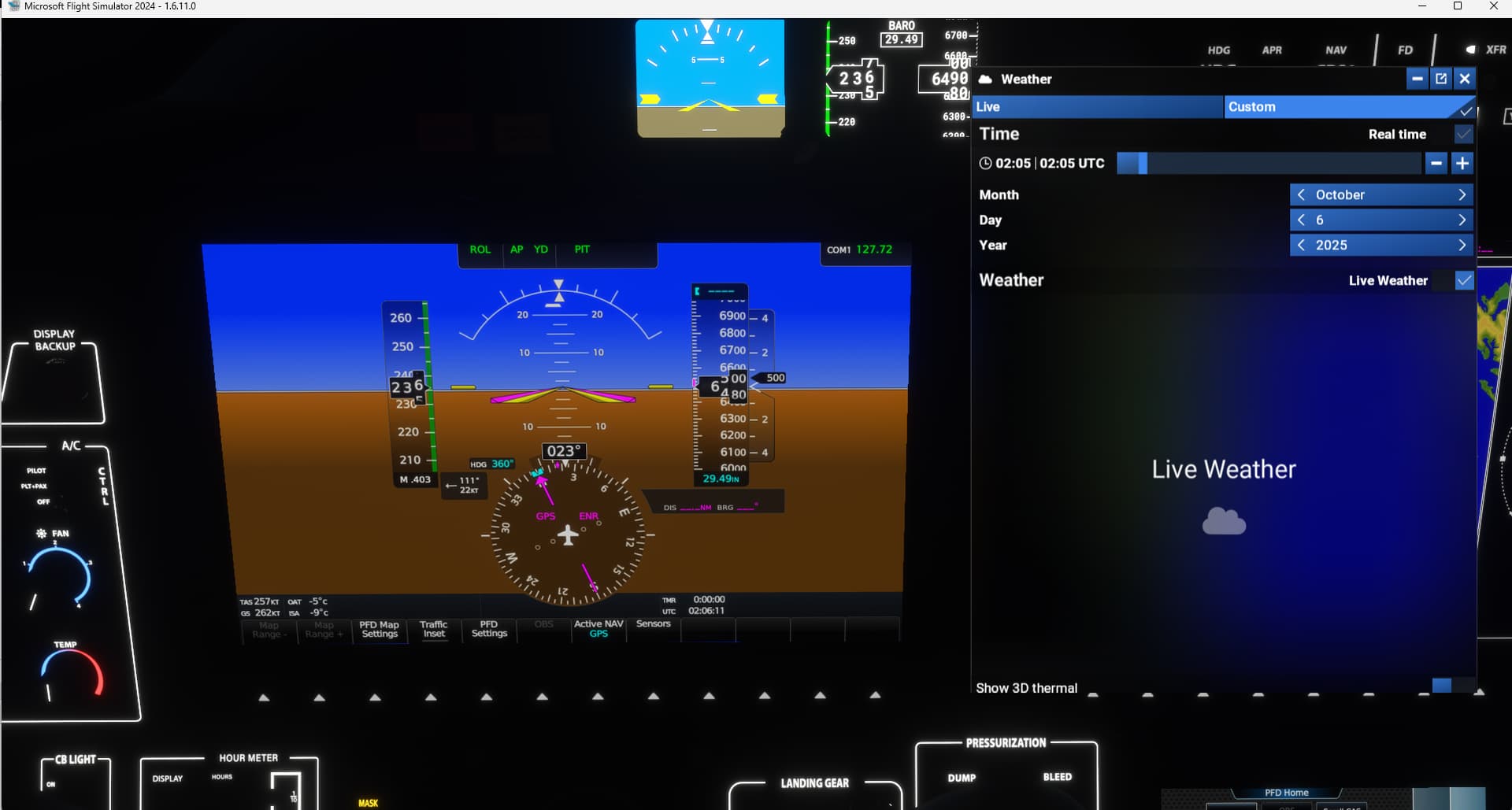
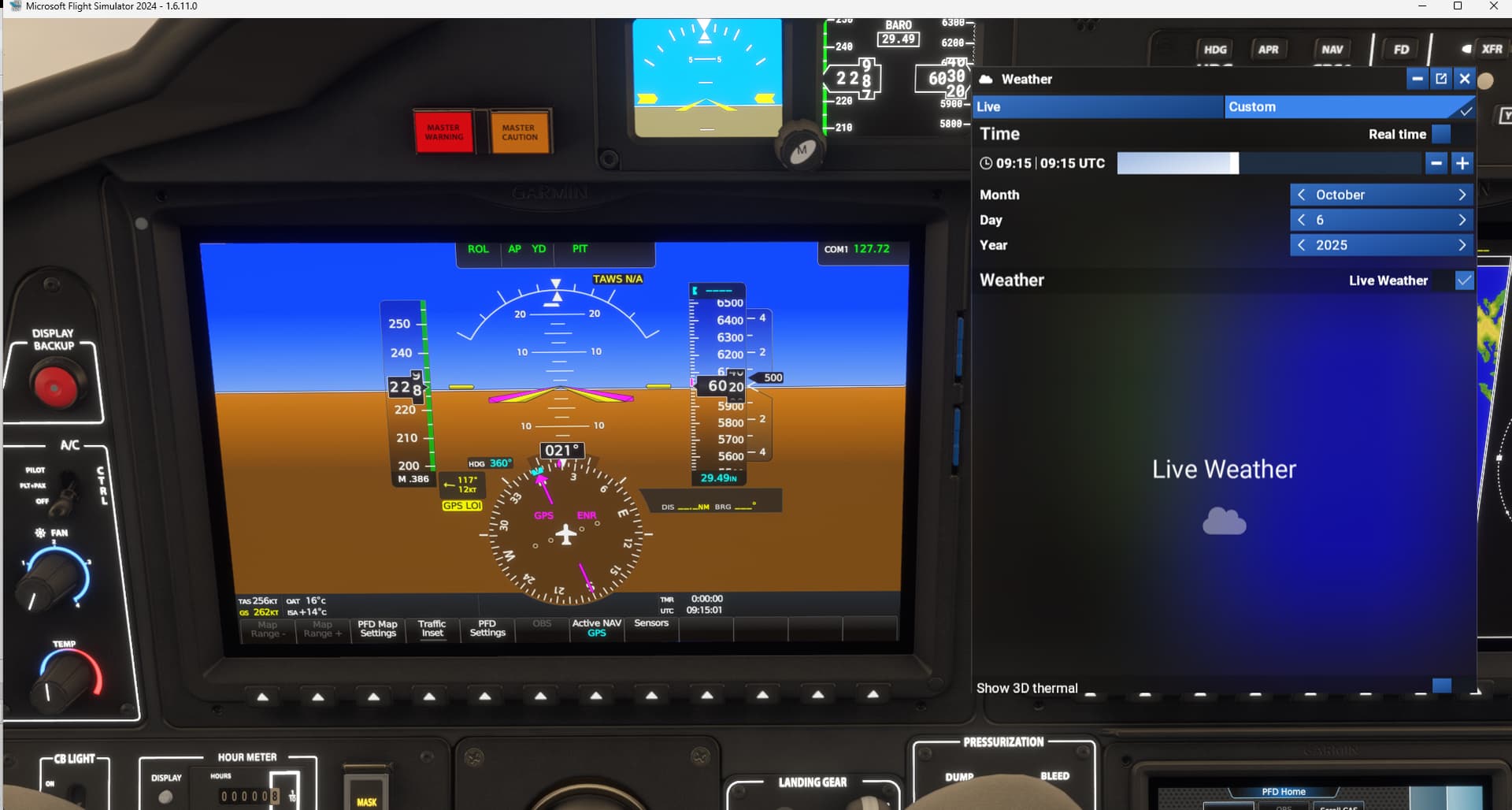
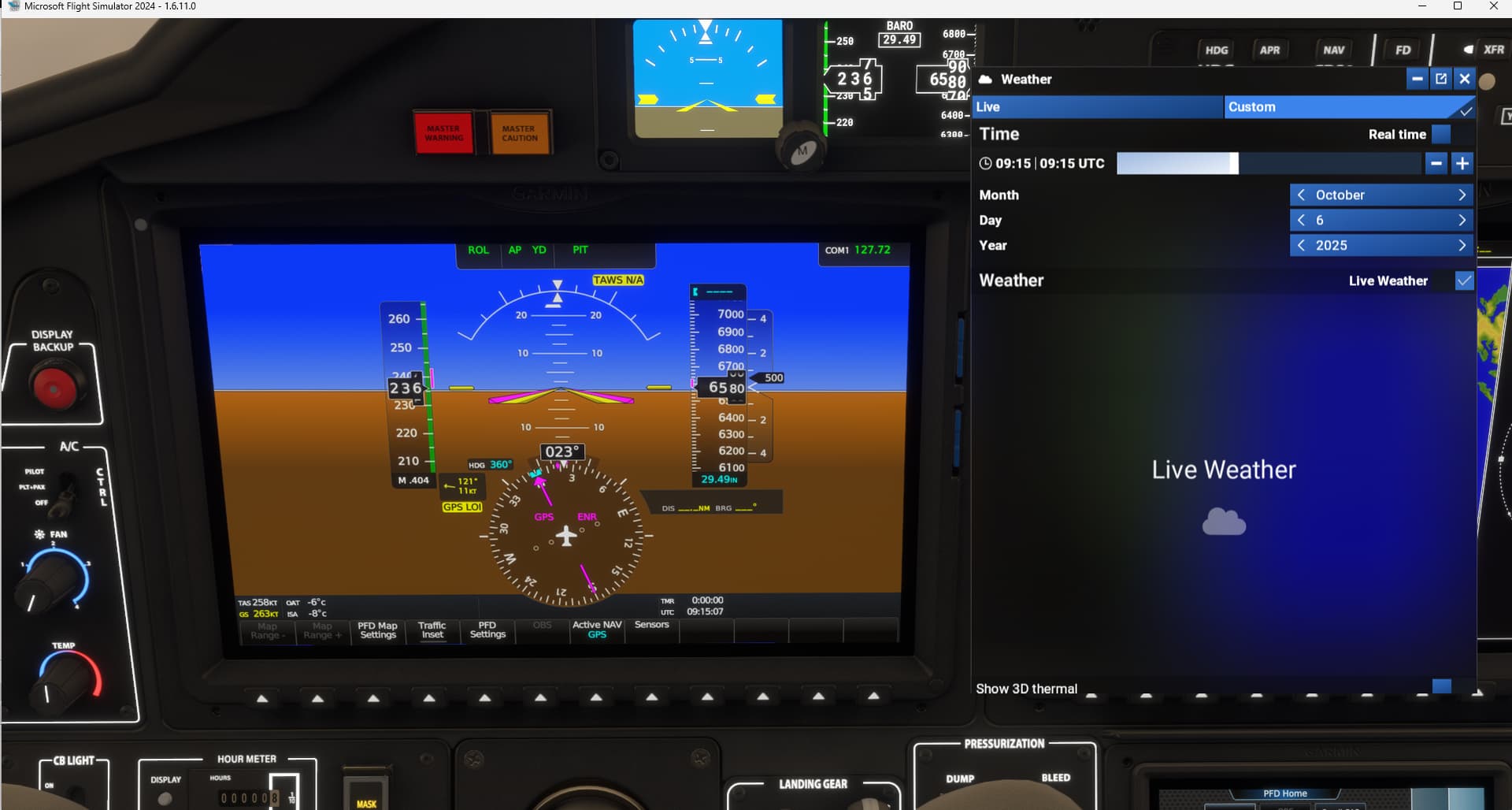
 I did push with B key to set local weather pressure after change visualy.