ISSUE DESCRIPTION
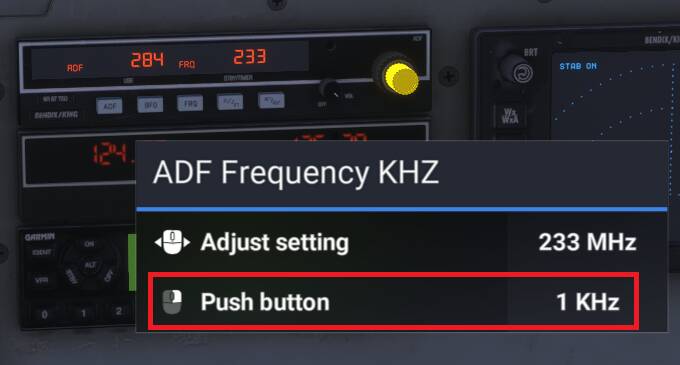
The toggle on the smaller ADF rotary does not switch between 1/10KHz frequencies, unable to dial in the 10KHz (2nd digit) of the ADF frequency
FREQUENCY OF ISSUE
Persistent
REPRODUCTION STEPS
Please list clear steps you took in order to help our test team reproduce the same issue:
-
Hold LMB + Press RMB to switch ADF smaller rotary between frequencies
-
No changeover occurs, rotary still reads 1 KHz
YOUR SETTINGS
PC - MSFS 2024
MEDIA
Cannot replicate. It is a little bit tricky: you need to press at the same time 1st the left mouse button then the right one and then you can change the 10KHz value:
That’s the way it works for me, on multiple aircraft. It’s the same for other instruments as well, like the knobs on the G1000, and 530/430.
I tried this but was still unable to switch frequencies.
Tried LMB (hold) + RMB (press) together, didn’t work.
Tried LMB (press) + RMB (press) in quick succession, didn’t work
EDIT:
Finally got it to work, so I have to HOLD LMB, HOLD RMB and then scroll the wheel altogether??? Surely this cannot be the default go-to as most controls of this nature in the sim are a switch, not a hold control.
No need to scroll the wheel, just: LMB (hold) + RMB (hold) + move the mouse right or left
The same device on the Piper Dakota and C172 functions as a clickover, without the need to hold down buttons. But I guess it’s whatever, minor issue.