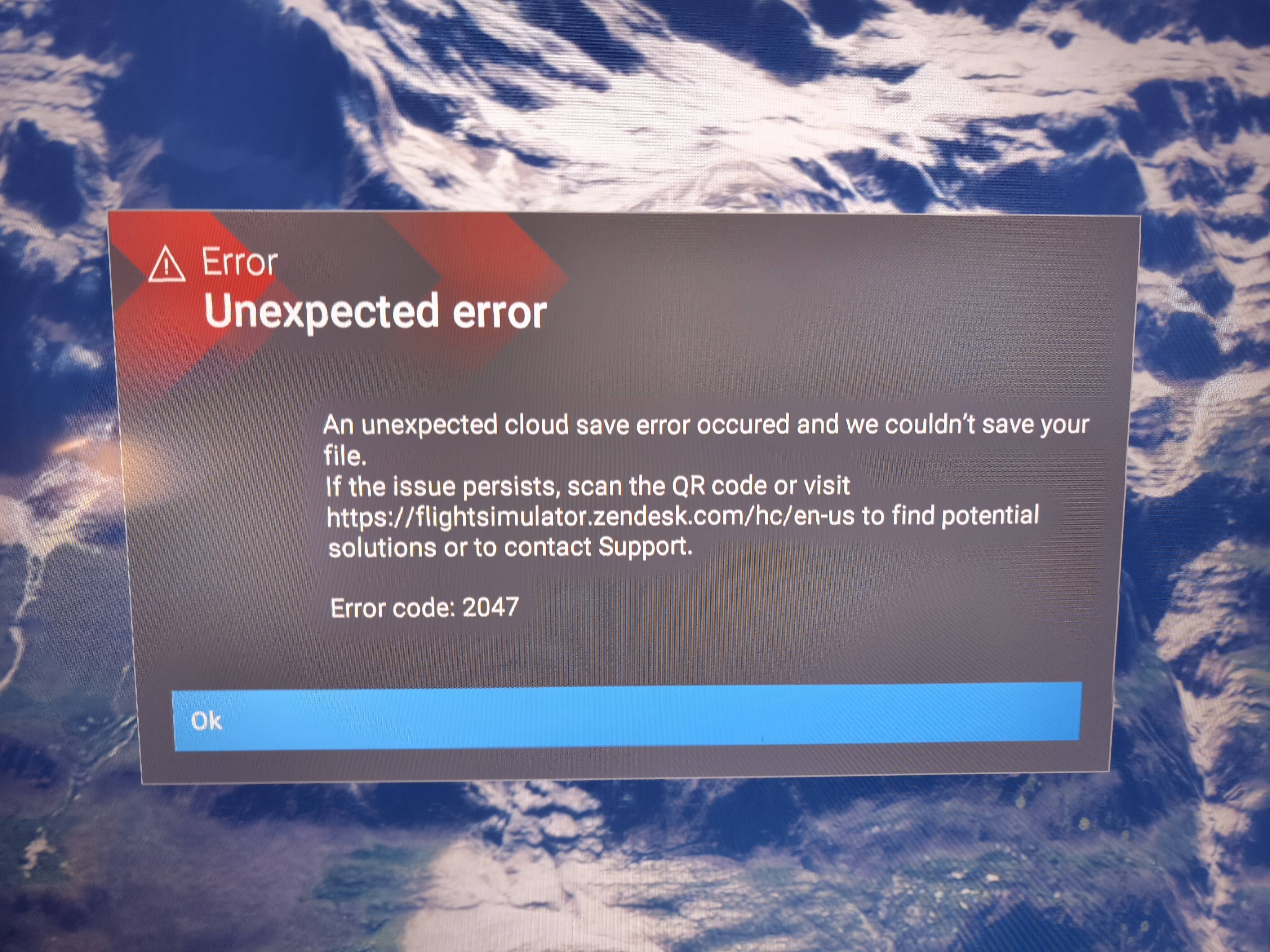
I’m experiencing this issue on Xbox X as well. Not on every session but it does seem to be getting more frequent. While the message is on screen all controls are locked. Only fix is to start a new session.
I just started getting this error last night on Xbox Series X, still happening today. Hopefully this can get resolved soon. May have to shelve this game again until this gets fixed. Laughing because it’s ridiculous. One thing after the next.
Yes, it’s frustrating and sad. I just tried it now. After a few minutes of flying the challenge league, the error again. I also have a second unused account on Xbox. I tried launching MSFS in it. So no history, no personal settings. And the error also appeared. MSFS 2024 is simply unusable for me on Xbox. I wonder how many users on Xbox are affected by this. But probably not many. So there’s no fix in sight. Should I try deleting it all from Xbox and reinstalling it? I don’t really want to do it.
Happened to me for the first time 2 days ago.so far no repetition but it does make MSFS2024 unusable so if it’s a widespread issue the team need to do something about it very quickly…
I had this error code (XboxX) last week. Help line told me to delete my profile on MSFS2024 (Everywhere) which I did this morning (having suffered it off an on for a few days), which entailed three hours of reassigning my settings!
All seemed good but now it has come back!!! Only a shutdown gets rid of it, however you never know if it will be back!
I’ve been getting this error every since su4 dropped. Nothing fixes it even deleting local save game doesn’t help. I get it at least 20 times a day. Every session ends with this bs. Every su update fixes stuff and breaks stuff at the same time I’m so over it.
This is an example of extremely poor error handling. Errors are frustrating enough without compounding the error and making the experience so much worse.
Error message box too big and centrally located on the screen, blocking most of the view.
All controls are locked while the message box is on the screen.
The message box is displayed every 60 seconds.
The message says “unexpected error”. True for the first occurrence only. It also mentions scanning the QR code but there isn’t one.
A discrete message to the side of the screen that doesn’t freeze the controls would be adequate. The wording could say that another message will be displayed if the error is fixed, otherwise assume the error is still present.
Finally, what is the sim trying to save to Cloud every minute? It’s certainly not the stage of flight details although that would be useful if we could continue from a saved situation. Changes to control assignments and system settings are supposedly saved when we make them.
Please think about the user experience when designing the error handling procedure if the error doesn’t stop the flight don’t let the error handling make the situation worse.
I’ve had this error for the passed 2 weeks and have given up on the Sim. Can’t even appreciate the scenery as this error box pops up every 35seconds on Xbox there are no workarounds
Two weeks of virtually trouble free flying and the Error 2047 is back today.
Despite it being suffered by lots of people, unless the fault is voted for, Asobo won’t bother to fix it.
On the PC side, people are even be told to possibly reinstall Windows, to fix the snag! We can’t try this radical repair, thankfully! A reinstall of FS2024 is the only thing I’ve not tried, but that doesn’t fix it on PC.
 Laughing because it’s ridiculous. One thing after the next.