Flight Panels Website
Blog: News & Announcements – Flight Panels
Product Updates: Latest Product Updates & Release Notes – Flight Panels
Support Portal: https://support.flightpanels.io
Instagram: https://instagram.com/flightpanels
Discord: Flight Panels
Available From
Flight Panels Store: FlyByWire A32NX (2026 Edition) Stream Deck Profile
FlightSim.to: FlyByWire A32NX (2026 Edition) Stream Deck Profile
SimMarket: FlyByWire A32NX (2026 Edition) Stream Deck Profile
FlyByWire A32NX Stream Deck Profile
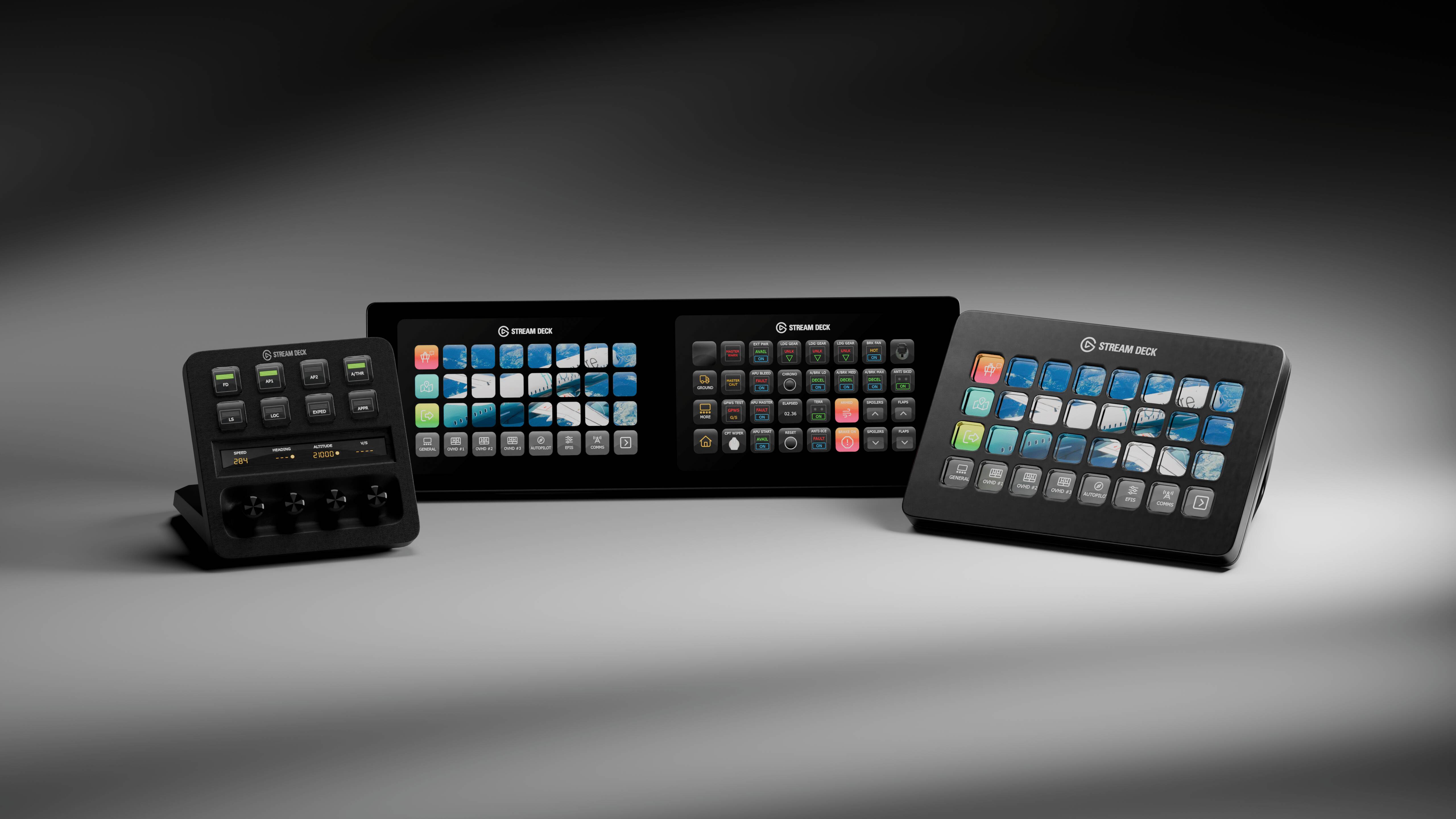
Introducing the FlyByWire A32NX (2026 Edition) Stream Deck Profile for Microsoft Flight Simulator 2020/2024, featuring 650+ custom designed and pre-programmed buttons across 26 pages, that match the unique look and feel of the aircraft.
Incorporating the latest features, functionality, design and technical methodologies, the FlyByWire A32NX (2026 Edition) provides an unparalleled level of detail that allows pilots to command the flight deck, whilst creating an extraordinary level of realism and immersion.
Beyond cockpit buttons, toggles and switches, the FlyByWire A32NX profile offers a wide range of additional features including ground services, aircraft performance metrics, ATIS information, cockpit feature controls and much more.
Available Product Versions
This product includes both 32 and 15 key profiles. The 32 key profiles are compatible with the Stream Deck XL, Stream Deck Mobile (iOS & Android) and Corsair Xeneon Edge, whilst the 15 key profiles are designed for the Stream Deck MK.2, Stream Deck Mobile and Corsair Xeneon Edge.
Installation of our profiles is extremely quick and simple. Once purchased, you’ll be provided with an installer that will automatically install and configure all of the necessary software. Need help? Our friendly team is on hand via email, live chat and Discord.
Note: Version 7.1.1+ of the Stream Deck application is required.
To view all product images, click here.