Version 4.0 updates:
This latest version has many new features and should be easier to use than older versions.
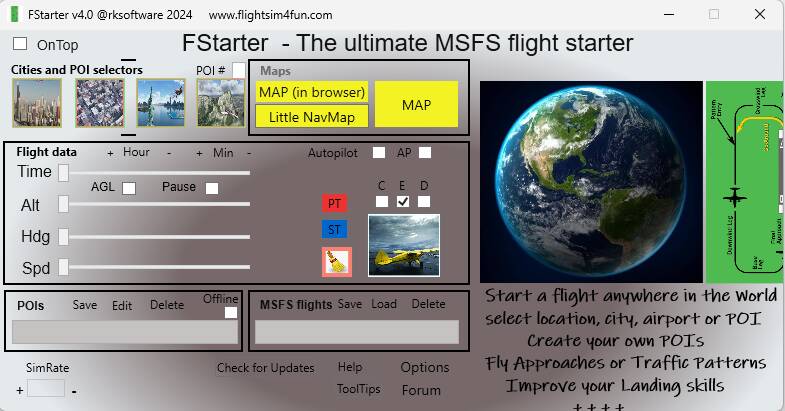
New and simpler UI.
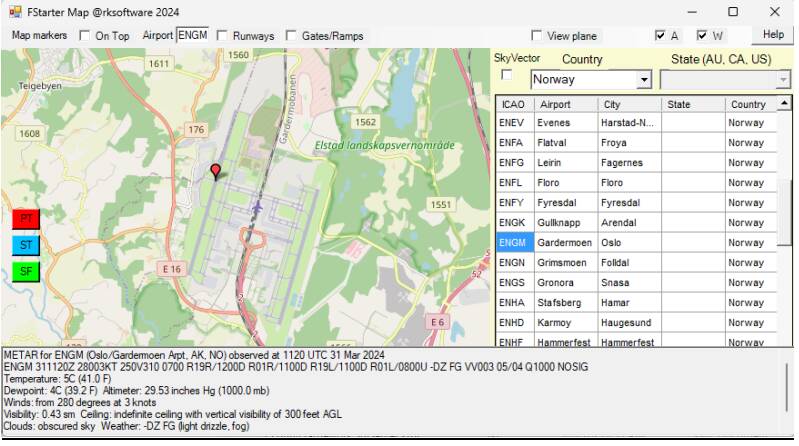
New MAP.
Bug fixes.
Updated documentation.
Choose your start location from 3D cities, cities, MSFS POIs, or your own
custom POIs.
Set altitude, heading, speed, and time for your flight.
Custom Approaches and Landings:
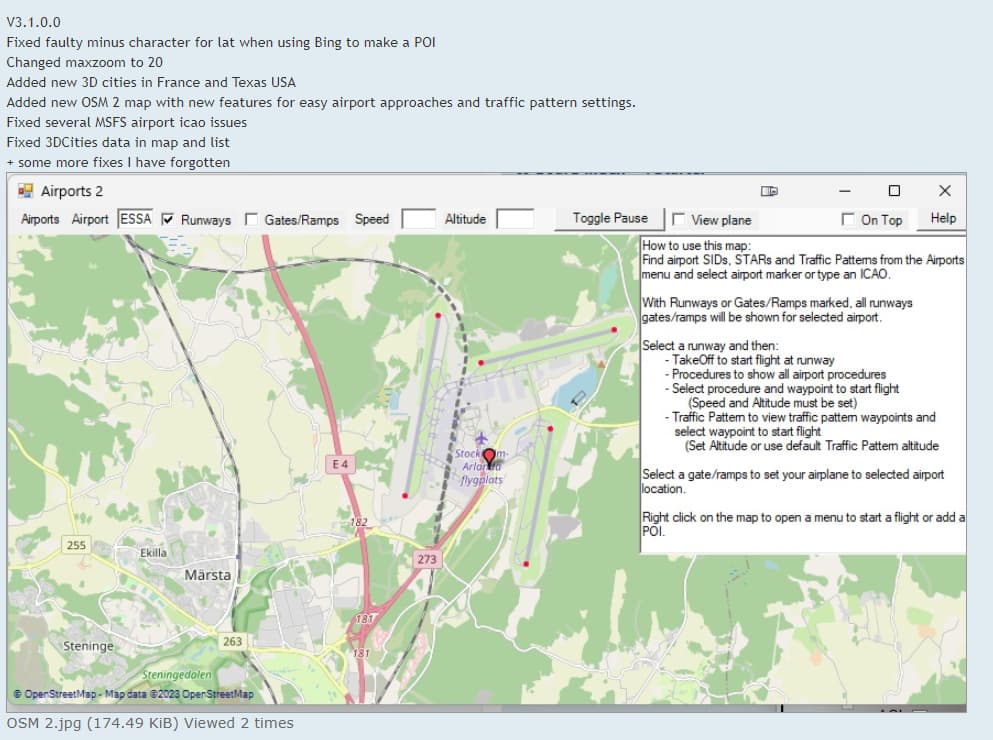
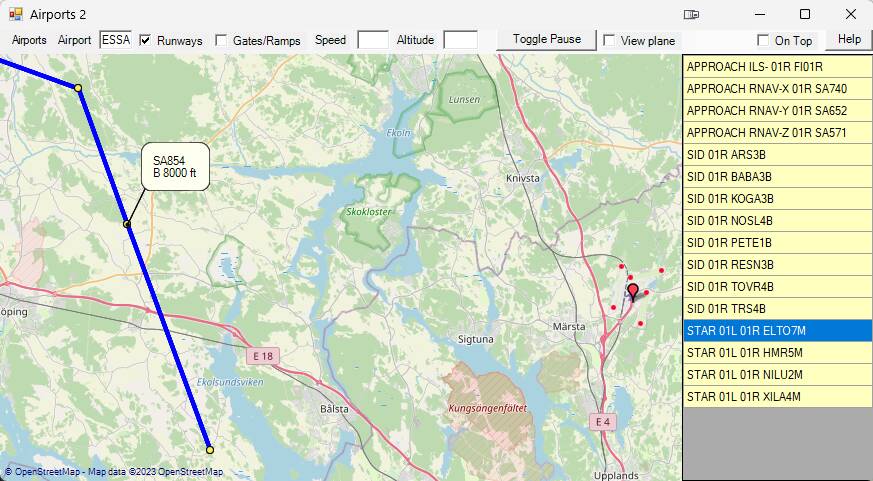
Create custom approaches, landings, or traffic patterns at any airport.
Train and repeat your flight until you can land in any type of weather.
Data Management:
Save and start flights using complete MSFS stored data.
User POI Lists:
Utilize up to 4 user POI lists, allowing you to add thousands of custom points of
interest.
Live Aircraft Marker:
Track your airplane’s movement with a dynamic marker on the map.
Time and Sim Rate:
Set time of day and Sim Rate.
Key Features:
Access and select your own POIs, MSFS 3D Cities, MSFS POIs, and saved flights via lists and maps while tracking your aircraft’s movement on the map.
Effortlessly initiate a flight above or in proximity to a chosen POI.
Choose a starting flight location from 3D Cities, Cities, MSFS POIs, or your own POIs lists or directly from the map.
Customize flight conditions such as altitude, heading, speed, and time for any start-flight scenario.
Develop custom approaches, landings, or traffic pattern scenarios at any airport.
Commence your flight from diverse terrains - be it a field, shoreline, or atop a building, starting from any location on the map.
Save and start flights using comprehensive MSFS stored data.
Utilize up to 4 user POI lists, enabling the addition of thousands of user POIs.
FStarter offers an intuitive and comprehensive platform for navigating the MSFS world, granting you the freedom to create and experience flights tailored to your preferences.
Bug fixes, new MSFS WU13 landmarks(POIs) and new improved map features.
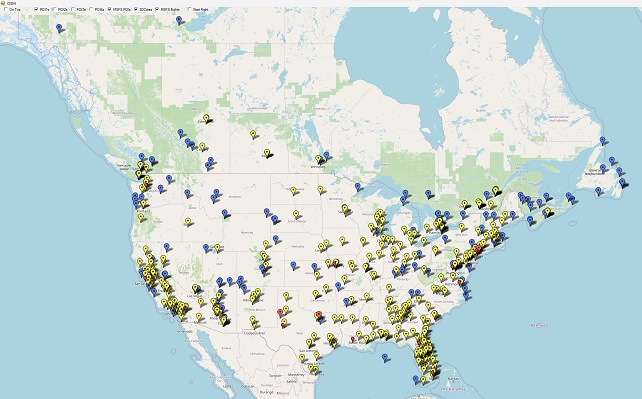
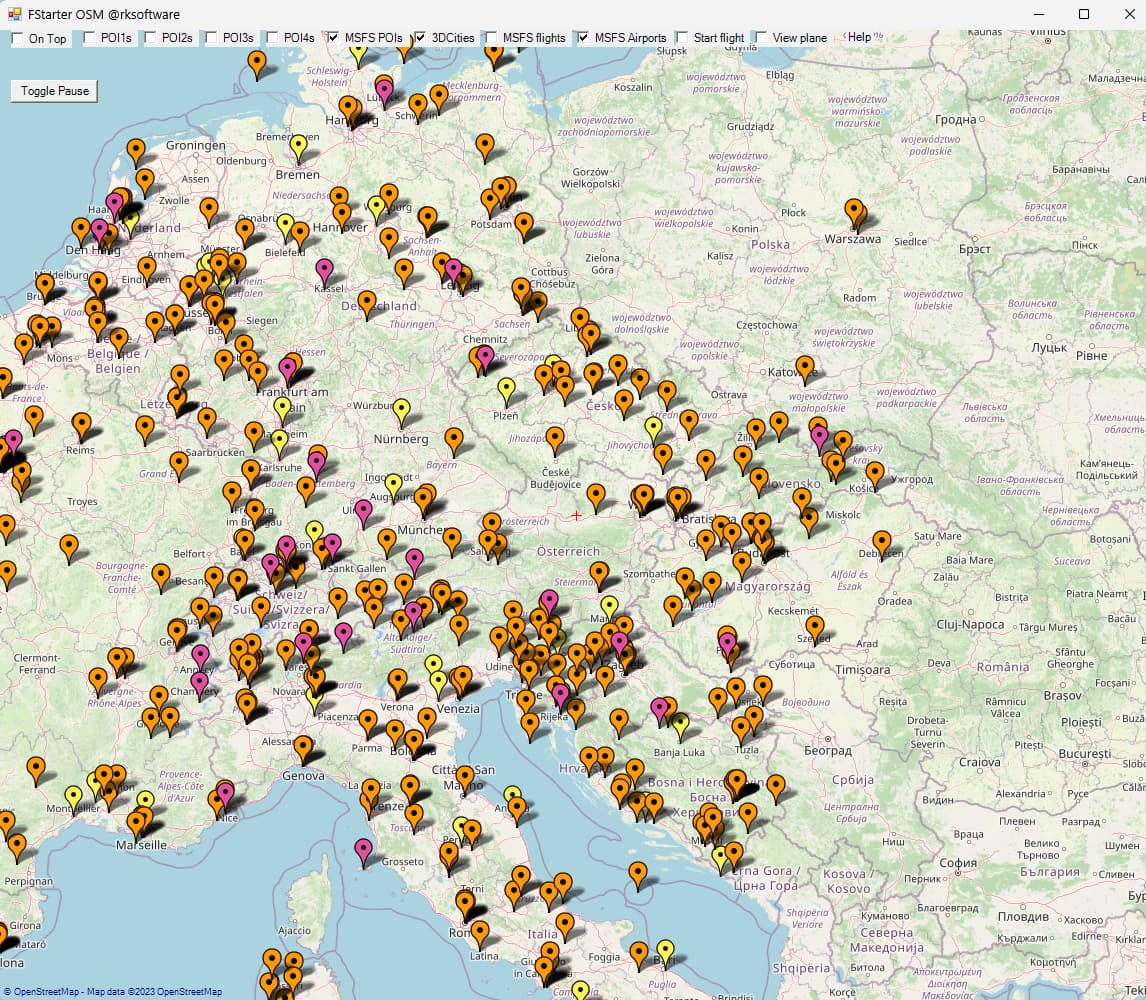
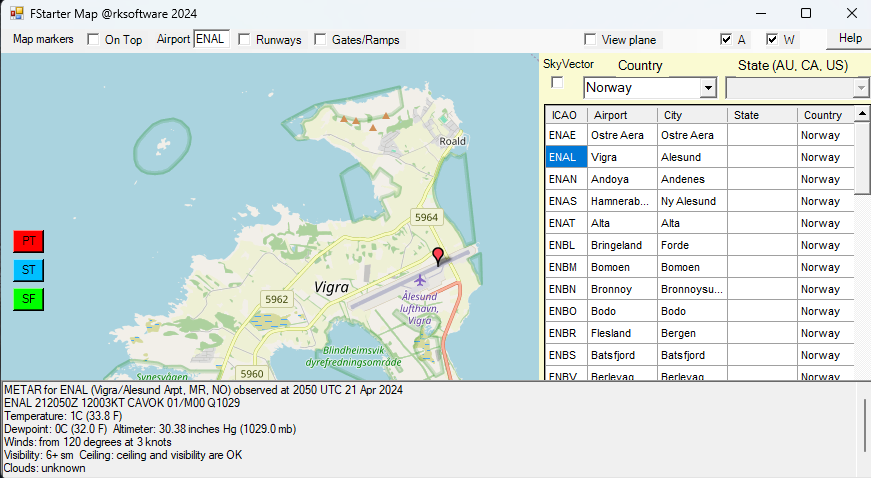
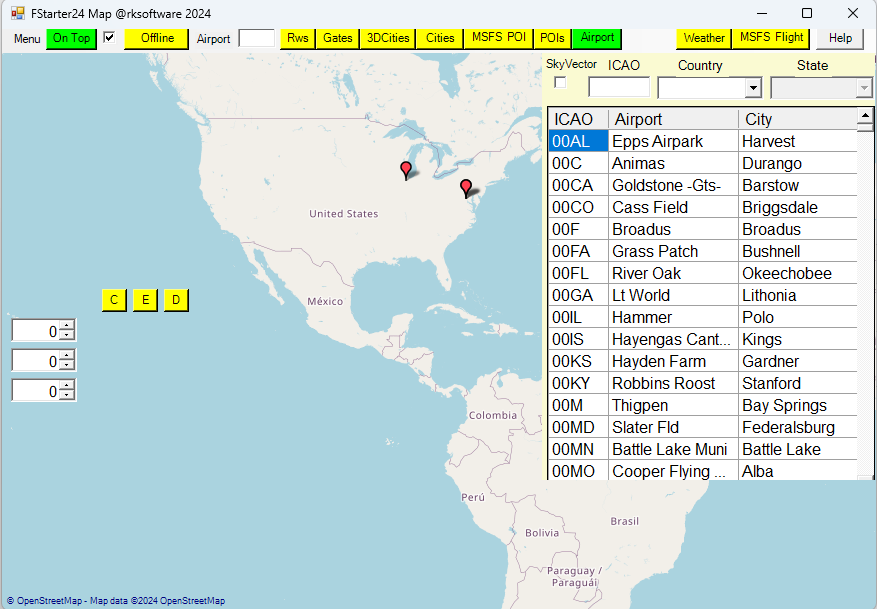
The new map functions now let the user both view and launch MSFS flights, MSFS landmarks, 3D cities and own created POIs directly from a map.
Map shows all MSFS 3D cities and MSFS POIs in USA and Canada.
FStarter v3.0.0 now released
The app that enables MSFS users to easily setup flights and explore the wonderful Earth in MSFS flight simulator directly from the new OSM map.
Fixed bugs for user with regional settings that use comma as decimal delimiter
Fixed bug in Airport map
Fixed crash for some users when opening OSM map
Added MSFS airports to OSM map
V3.2.0.0
Simplified fstarter.ini settings
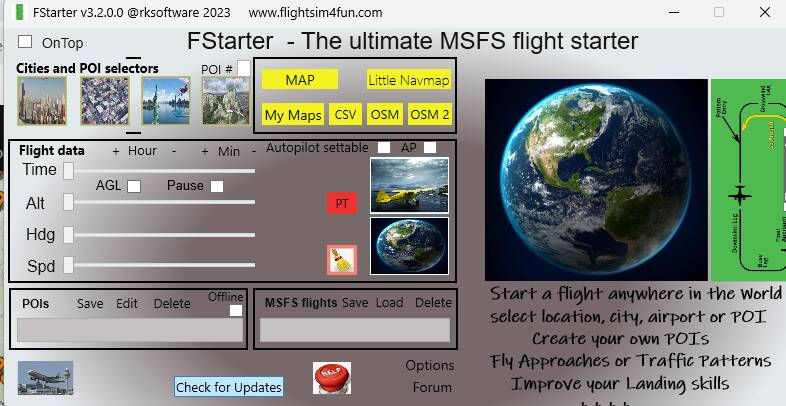
Improved ToolTips for buttons, lists and labels.
Added Pause function to select PAUSE or UNPAUSE when teleporting and PAUSE button.
Added all World Update 14 3Dcities, airports and POIs that can beselected from lists or map.
bug fixes
Easy update from FStarter’s “Check for update” button.
V3.3.0.0
Changed PAUSE button to use default PAUSE instead of ACTIVE PAUSE for better stability.
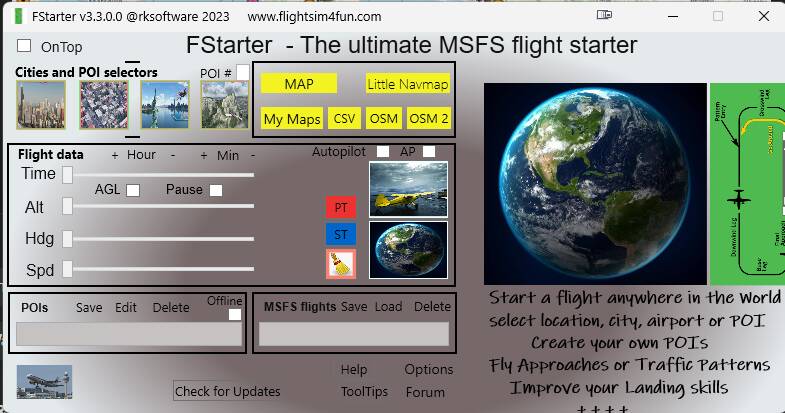
Added SLEW TOGGLE button
Added Airplane is set to SLEW mode if airplane is teleported to a ground position.
Added and improved ToolTips info
Added button to toggle ToolTips ON or OFF
Added Newcastle UK as a 3DCity
Added the City Update IV’s new EDDK airport and 3DCities (Annemasse, Geneva, Ghent, Luxembourg City, and Rotterdam)
Fixed View mode for airplane on map issues(OSM and OSM2) that after some time could freeze the map function..
Fixed Scroll issues in OSM maps.
Fixed Selecting a 3Dcity on OSM would teleport to wrong 3Dcity with the same name in another part of the world.
Fixed Starting with Takeoff from OSM2 after OSM functions has been used doesn’t work as it uses the last flight setting used in OSM.
Fixed OSM and OSM2 do not close when main window is closed after OSM and OSM2 functions have been used.
Fixed: Airport with 3 runway heading will not set Takeoff rwy correctly.
Removed MSFS 3DCities selection in OSM2 map. MSFS 3DCities can still be viewed and selected in the 3DCity list and in OSM.
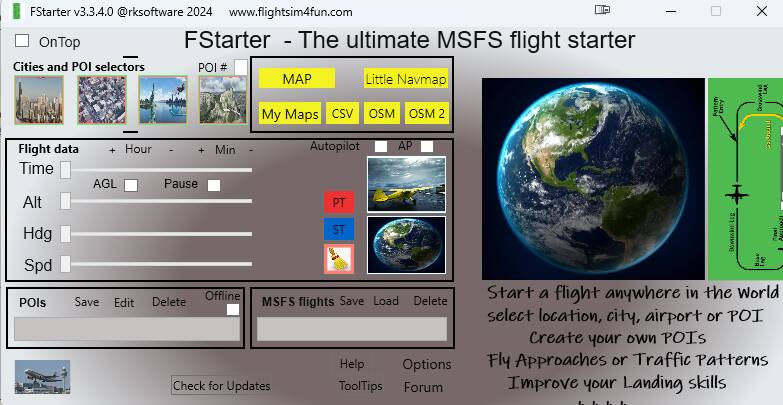
Added new 3DCities, new MSFS airports and 90 new POIs that came with World Update 15:
3DCities:
Oslo in Norway
Gothenburg, Visby, Malmö, and Linköping in Sweden
Aarhus, Copenhagen, Frederikssund, Roskilde, and Odense in Denmark
MSFS Airports:
Ivalo Airport (EFIV) in Finland
Akureyri International Airport (BIAR) in Iceland
Kiruna Airport (ENSQ) in Sweden
Leknes Airport (ENLK) and Mo i Rana (ENRA) in Norway
Changed Pause function back to Active Pause to enable changes to airplanes
settings more easily.
Bug fixes.
Welcome to FStarter! With our intuitive interface, you can effortlessly navigate and explore the vast MSFS world. Here’s what you can do with FStarter:
Explore the MSFS World:
Easily start your flight in the stunning world of Microsoft Flight Simulator.
Start your flight from any location using a simple mouse click on a map.
User-Defined Points of Interest (POIs):
Select a spot on a map or your actual flight location and add it as a custom POI.
Save your favorite locations, whether it’s your house, school, cabin, or an airport
runway.
Flight Scenarios:
Begin your flight in the air or on the ground at any altitude, heading and speed.
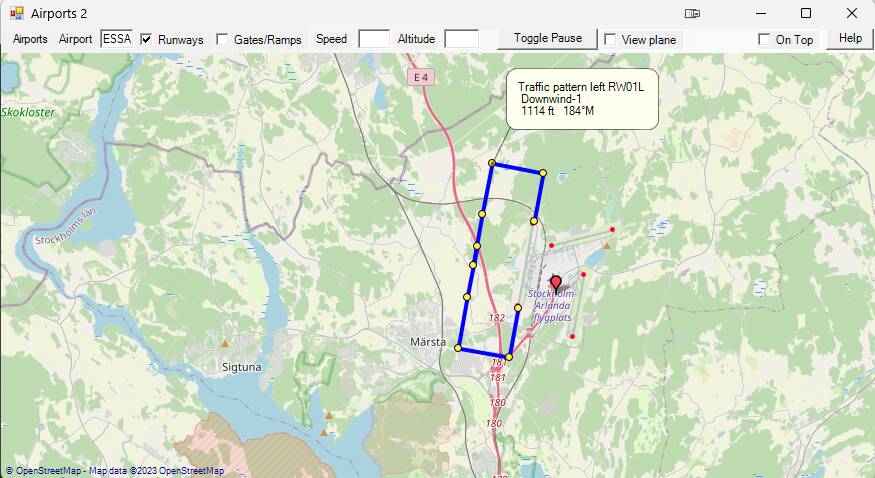
Define specific scenarios, such as an airport traffic pattern (Final, Downwind,
Base, Entry), complete with altitude, distance, and speed settings.
Create any other imaginable flight situation.
Interactive Maps and Lists:
View and manage your own POIs, MSFS 3D cities, MSFS POIs, and saved
flights.
Observe your airplane’s movement on the map.
Flexible Start Locations:
Choose your start location from 3D cities, cities, MSFS POIs, or your own
custom POIs.
Set altitude, heading, speed, and time for your flight.
Custom Approaches and Landings:
Create custom approaches, landings, or traffic patterns at any airport.
Train and repeat your flight until you can land in any type of weather.
Data Management:
Save and start flights using complete MSFS stored data.
User POI Lists:
Utilize up to 4 user POI lists, allowing you to add thousands of custom points of
interest.
Live Aircraft Marker:
Track your airplane’s movement with a dynamic marker on the map.
Time and Sim Rate:
Set time of day and Sim Rate.
Key Features:
Access and select your own POIs, MSFS 3D Cities, MSFS POIs, and saved flights via lists and maps while tracking your aircraft’s movement on the map.
Effortlessly initiate a flight above or in proximity to a chosen POI.
Choose a starting flight location from 3D Cities, Cities, MSFS POIs, or your own POIs lists or directly from the map.
Customize flight conditions such as altitude, heading, speed, and time for any start-flight scenario.
Develop custom approaches, landings, or traffic pattern scenarios at any airport.
Commence your flight from diverse terrains - be it a field, shoreline, or atop a building, starting from any location on the map.
Save and start flights using comprehensive MSFS stored data.
Utilize up to 4 user POI lists, enabling the addition of thousands of user POIs.
FStarter offers an intuitive and comprehensive platform for navigating the MSFS world, granting you the freedom to create and experience flights tailored to your preferences.
What is new?
All City Update 7,8,9 3DCities have been added to Map.
All World Update 17 3DCities,Bespoke Airports and MSFS POIs have been added to Map.
FStarter24 let you now explore
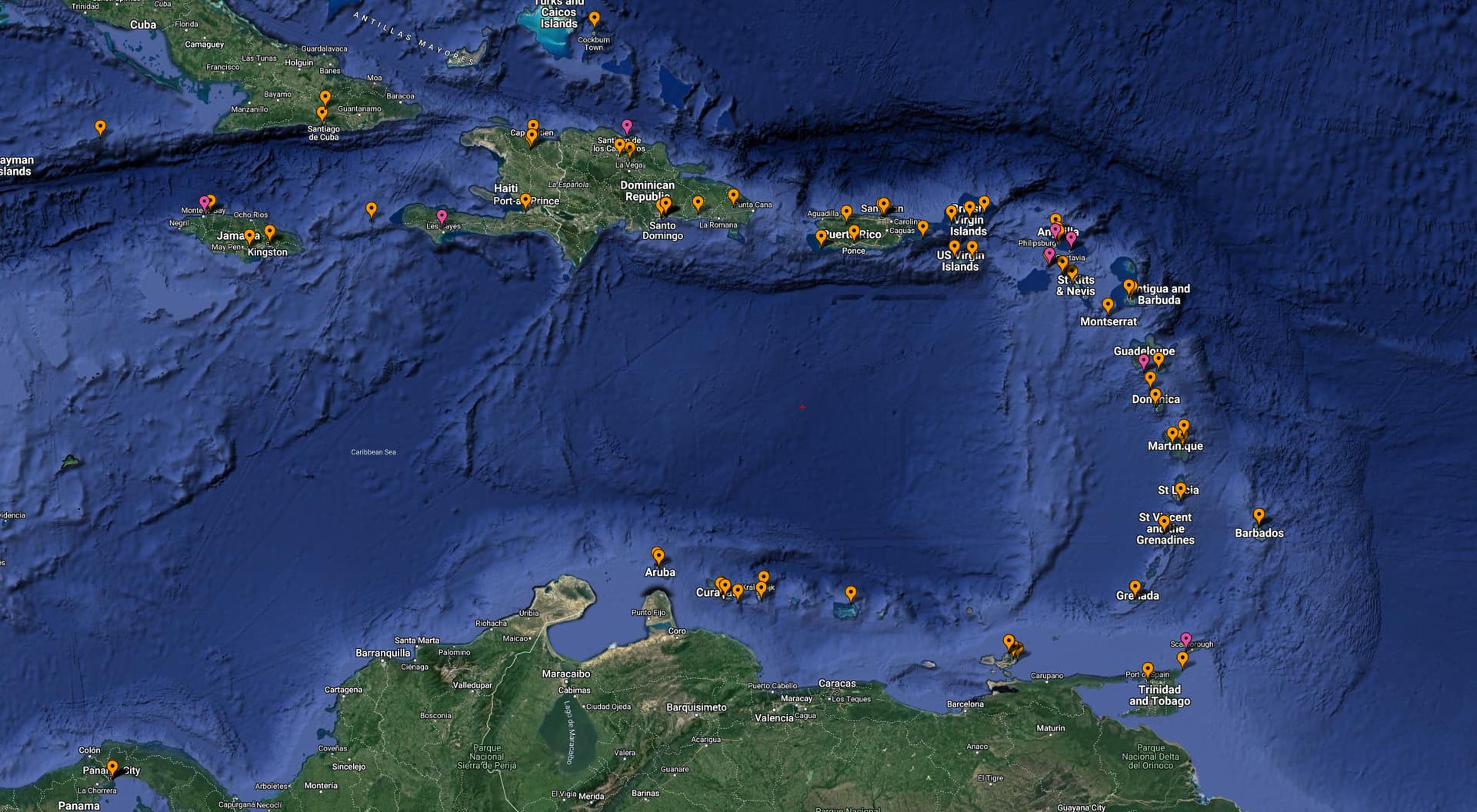
all MSFS POIs (a total of 1664) with a mouse click
all MSFS 3DCities (a total of 484) with a mouse click
all MSFS Bespoke Airports (a total of 147) with a mouse click
FStarter24 is a brilliant utility for Microsoft Flight Simulator 2024 that gives you supercharged control over where, when, and how your flight starts—like having a teleport button for aviation!
If you’re wondering whether it’s worth trying—absolutely, especially if you love practicing landings, sightseeing, or testing aircraft in specific situations. It really shines for flight training or content creators who need consistent setups.
Key Features of FStarter24
Start Anywhere : Instantly launch a flight from any spot on the globe — mountaintop, backyard, or final approach leg.
Custom Scenarios : Define altitude, heading, speed, and even traffic pattern legs (Final, Downwind, Base, Entry).
Interactive Maps : Use dynamic maps to select Points of Interest (POIs), 3D cities, or saved locations.
Flight Training : Practice landings and approaches repeatedly with precise setups.
Live Aircraft Tracking : Watch your aircraft move on the map in real time.
Time & Sim Rate Control : Adjust time of day and simulation speed before takeoff.
SimBrief Integration : Import flight plans and start from any waypoint or segment.
Why It’s a Game-Changer
Unlike the default MSFS world map, FStarter24 lets you skip the loading screen and jump straight into action with your preferred conditions. It’s especially useful for training, sightseeing, or testing aircraft performance in specific scenarios.
FStarter24 is ideal for training, exploration, and scenario testing.
You can simulate emergency landings, practice short final approaches, or just buzz your favorite landmark.
It’s also a huge time-saver — no need to load into a gate and taxi for 10 minutes just to practice a landing.
If you’re serious about customizing your flights or want to squeeze every drop of realism and flexibility out of MSFS2024, FStarter24 is a game-changer.




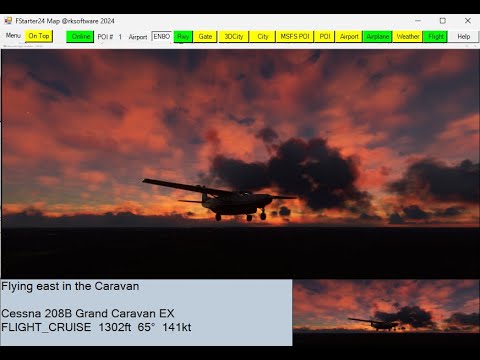
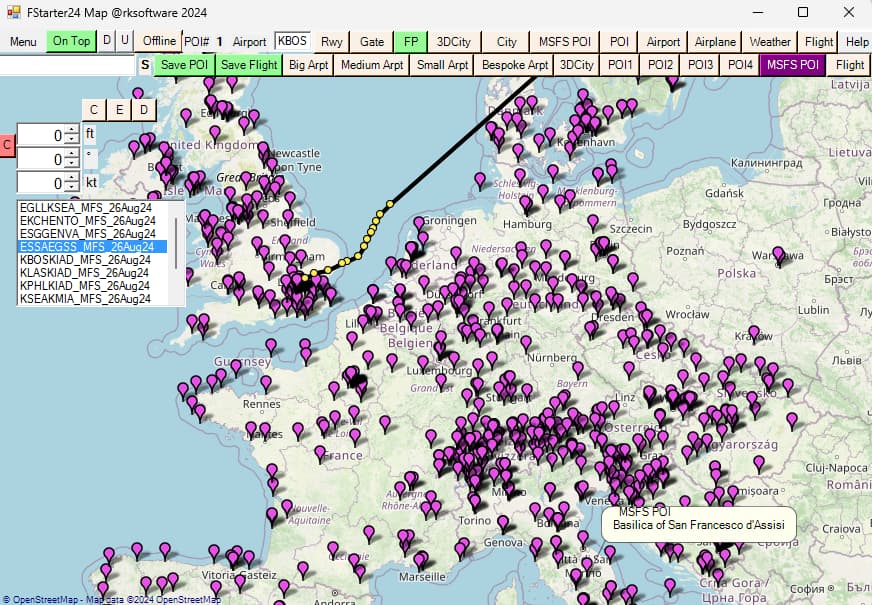
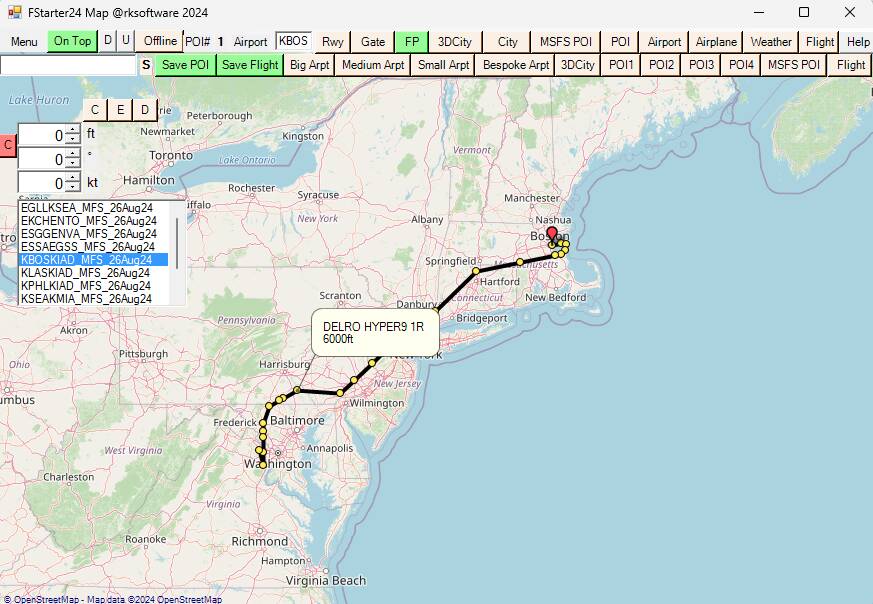
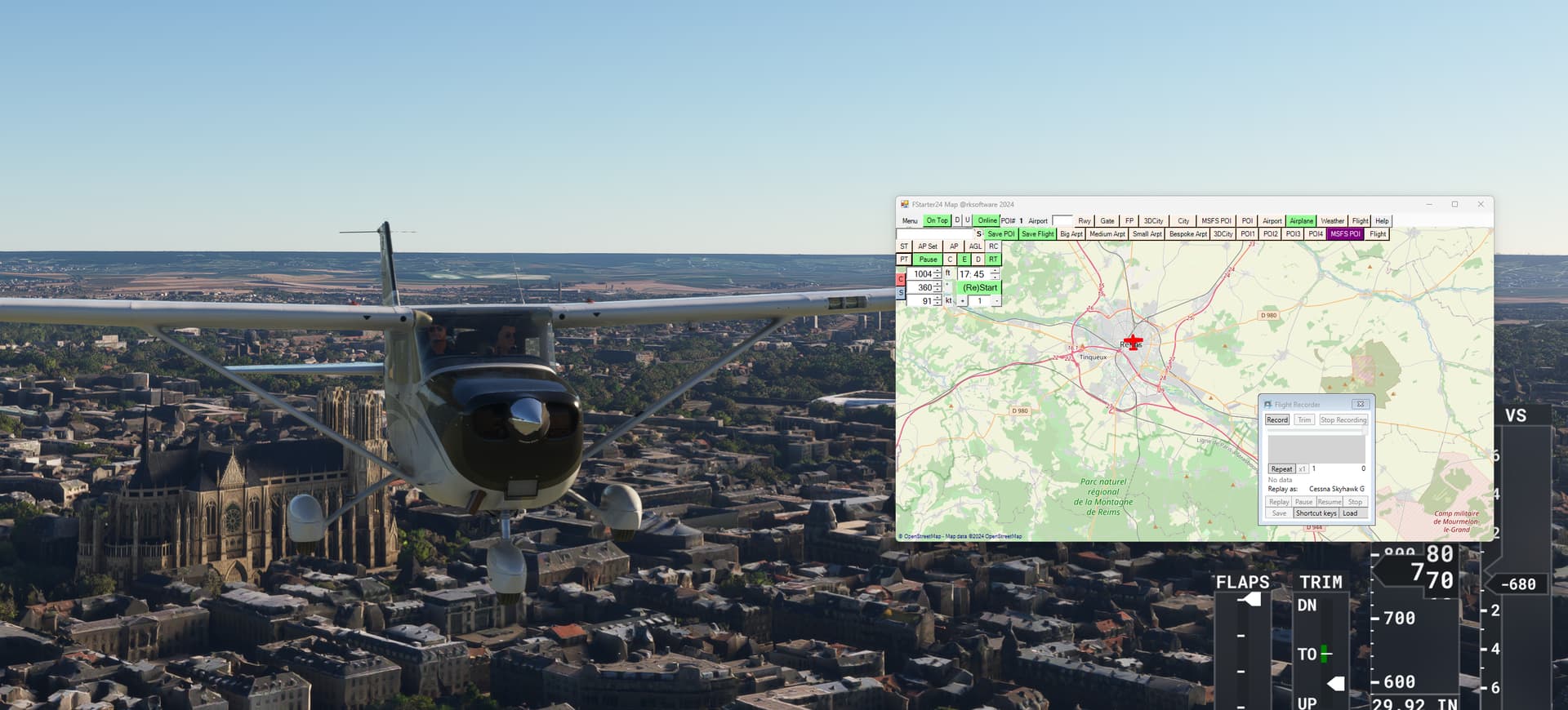

 If you’re wondering whether it’s worth trying—absolutely, especially if you love practicing landings, sightseeing, or testing aircraft in specific situations. It really shines for flight training or content creators who need consistent setups.
 Key Features of FStarter24
 Why It’s a Game-Changer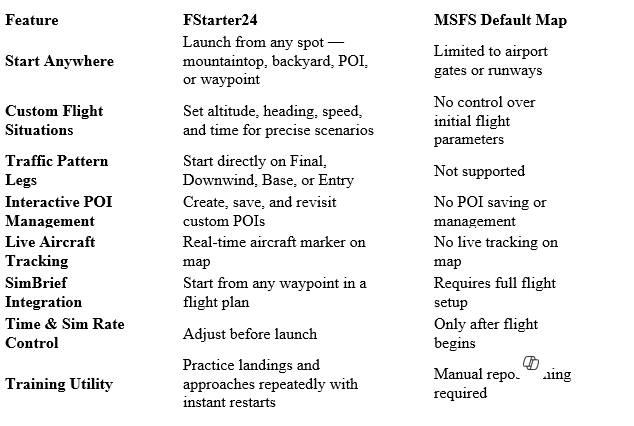
 Why It Matters