I saw a youtube video which states that Bing maps gets updated every 4 years for the sim, and there is a contract to have it refreshed in 2025.
Now when in 2025 this will be carried out and how long it will take to process the data and it make its way to the sim is not known.
If what what was stated is true, and I have no reason to doubt it. It would explain the age of what is currently there.
Photogrammetry and imagery is a love hate thing for me.
On one hand I like photogrametry because it’s scans of real buildings and from above it’s more realistic in that sense. I can point out things exactly in real life. Really add to the realism.
On the other, it’s sparse, doesn’t cover enough area in spots. Up close it’s melty and terrible and the imagery is not as current as regular aerials. Thus making the autogen just look more crisp and flush without cutoffs between the two.
The melty thing I accept is where tech is at. But expand the coverage and use updated aerials on photogrametry please.
Oopsie. Sorry, I didn’t know that. I just wanted to post a good workaround for a stuff which is really annoying, when imagery is old or doesn’t load at all due to slow servers. I will not repeat this mistake, let’s eat what is given.
In some places the Bing imagery in Maps seems fairly new. Around Cambridge (UK) it looks newer than google maps, the problem is that Cambridge is a photogrammetry city in Bing and the updated imagery has cut off the photogrammetry in a weird way, some buildings are cut in half now. IIRC the in sim maps are using the older Cambridge imagery which is really quite dated.
I think what bothers me more is that the photogrammetry on Bing Maps looks better than the in sim photogrammetry.
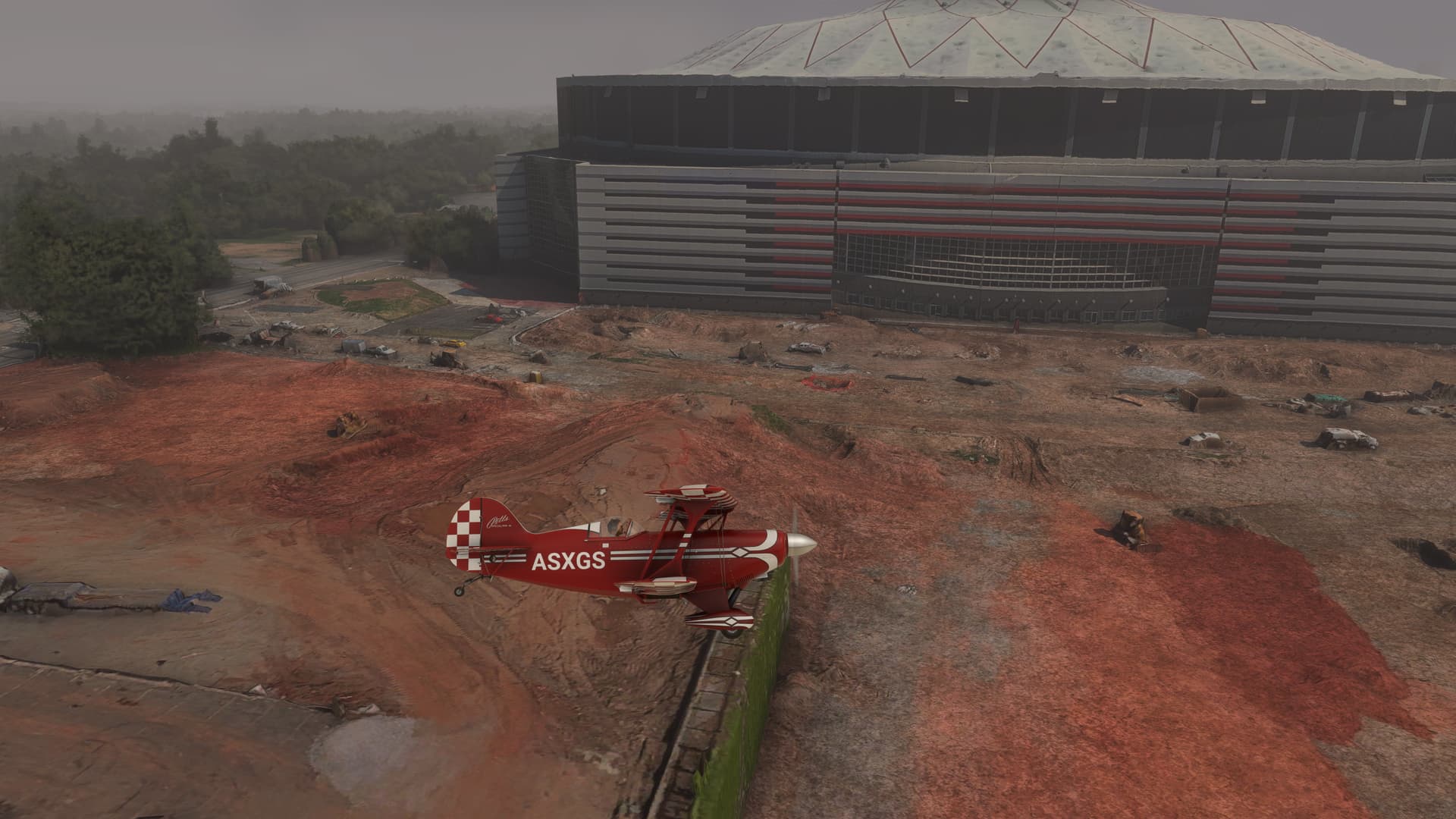
I have installed SU 16 and all related Content Manager updates as well. My World Map shows Atlanta, GA, USA with updated imagery. But, when I fly there, the older version Bing Maps are still in my flying images. Specifically, the older Georgia Dome stadium was replaced with a new Mercedes Benz stadium in 2017. World Maps now show the new MB Stadium, but when I fly, the older version stadium is what shows up. Is there additional changes I need to make in settings to actually see the updated imagery from the SU 16 updates? If so, what are the steps to accomplish this?
I live and fly in Virginia and the native Bing Maps and corresponding photogrammetry is over 10 years out of date. Please figure out a way to incorporate more current data to MSFS2024 to make the experience more immersive and relevant. It is absurd that it is 2025 and I am seeing data from 2010. Thank you!
Did Bing Maps regress with SU3 for MSFS2024? Flying around KIWA (Mesa Gateway near Phoenix) looks 10 yrs older than previous map before SU3. At least before my house was built. Now it’s still a farm field!
Well I just used Bing to look at my house and it showed both cars on the drive which I sold over 5 years ago so I can see why the data in MSFS looks outdated.

 Lots of places like that I’m afraid.