If you’re using a plane with an AP that trims, just bind trim up/down buttons on the top of they yoke (where they normally are IRL in those planes), and don’t use the trim wheel.
As long as you don’t touch the wheel, it will not upset the trim.
I love the trim wheel in GA planes (one of the best in the market, full stop), and use trim up/down buttons mapped to the left hat on the yoke for airliners.
I hope they fix this with a firmware update. Your solution is to go around the obvious problem instead of solving it in the first place. Which I think is the wrong way with this price range of product. Honeycomb doesn’t have this problem because they didn’t implement a fake axis.
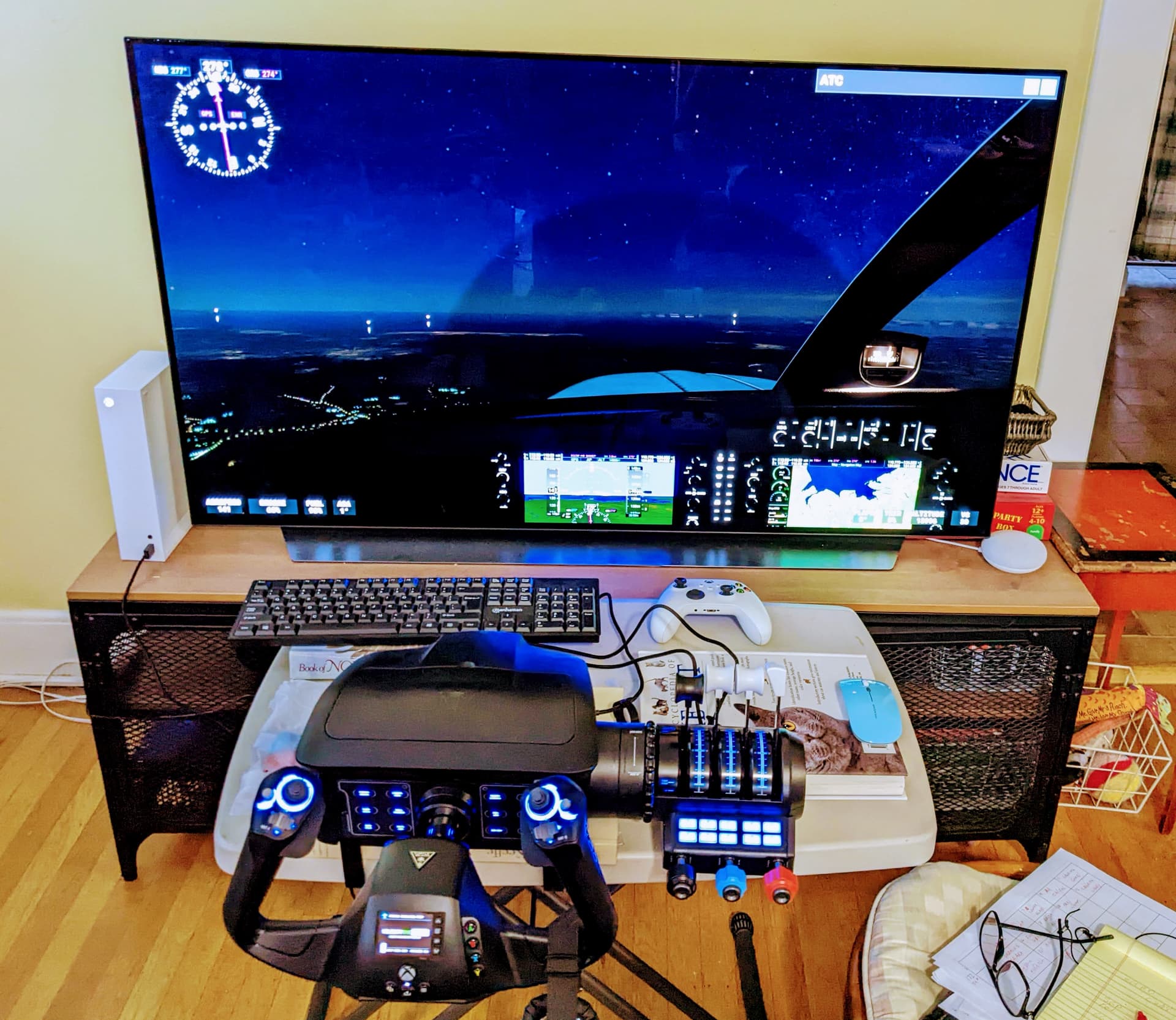
My set — really enjoy it.
But and there is always a but … I have is no future plan ever to own a MS PC. I use a unix clone of some sort or other ie Apple or Red Hat . My I suggest a reset program for those OS.
Thank you
dw
ps the large books are used as a weight to hold the table from moving as I climb or descend.
Apologies if discussed before, I’ve had everything working very well with this for the most part. One issue I have noticed is that when I am in a cruise flight (with Bonanza or Baron58) on cruise the plane will rock violently to the right occasionally and sometimes throw itself out of auto pilot into a right dive. I am not sure if it is related to the VelocityOne or not, but I did not notice this when I was operating on just the xbox controller with no assists.
You most likely touched one of the other controls devices which also move the plane.
A candidate would be the original controller.
I am currently flying the JU52 around the south polar sea (Indian ocean, Kerguelen to Crozet island) and have some lengthy streches of level flight to do.
I have unmapped all plane controls from the controller (and mouse), to use it only for the camera and while the occisional “air hole” can drop the plane or shake it a bit around (lve weather), the machine stays stable in the general direction and altitude.
However, the pause mode is still bugged as it was right from the start of the game on the XBox (SX), e.g. if you resume from the pause, you experience the plane to lurch violently (alas to the left, not to the right as in your case) and the autopilot gets set to off.
Which is an error with the sim itself, not the VC1 yoke.
Good suggestions, I’ll be careful on cold startup to which controls I am using. I use a mouse for the switches and such internally so I’ll pan down using that instead of the controls on the yoke.
I’ve had this issue too and raised it with Turtle Beach. I think they said it was an issue with FS and not with the controller itself. That was on the Discord but maybe they can confirm here too.
Seen that same issue with MSFS. Sudden violent dive to the right, AP goes off. No idea what causes it.
Happened to me several times on the Balkans to Greece bush flight.
The pause issue happened to me before I owned a V1. I have learned that when I ‘pause’ I get ready by, before I ‘resume’ I pull back the throttle(s), have my hands on the yoke (remember to be smooth) and then once back on course have the AP re-set on. BTW I once had the engines shut down. I’m only guessing of course but I think this issue has something to do with ‘live’ time.
@JamesTBS6584 Is there any ETA for reverse detente functionality? Also, is it possible to purchase additional caps for the throttle? I’d like a few more prop and mixture caps.
This morning I had a 3 hour route with a few friends and I turned live weather off, standard conditions. Interesting enough the plane flew great, no dives to the right at all. I wonder if it is tied to live weather?
Interesting. I know live weather had all sorts of issues in the last update, but hadn’t heard of any connection with the dives to the right. Will give it a go myself this weekend and will see what I can find out too.
I just received my second VF1 after returning the first due to the excessive wobble on the yoke. So far the new unit seems much improved, reduced yoke wobble, and also more resistance on the throttle levers which is good. I checked the serial # of the two units and the newer one does indeed have a higher serial number, so maybe the have addressed these issues?
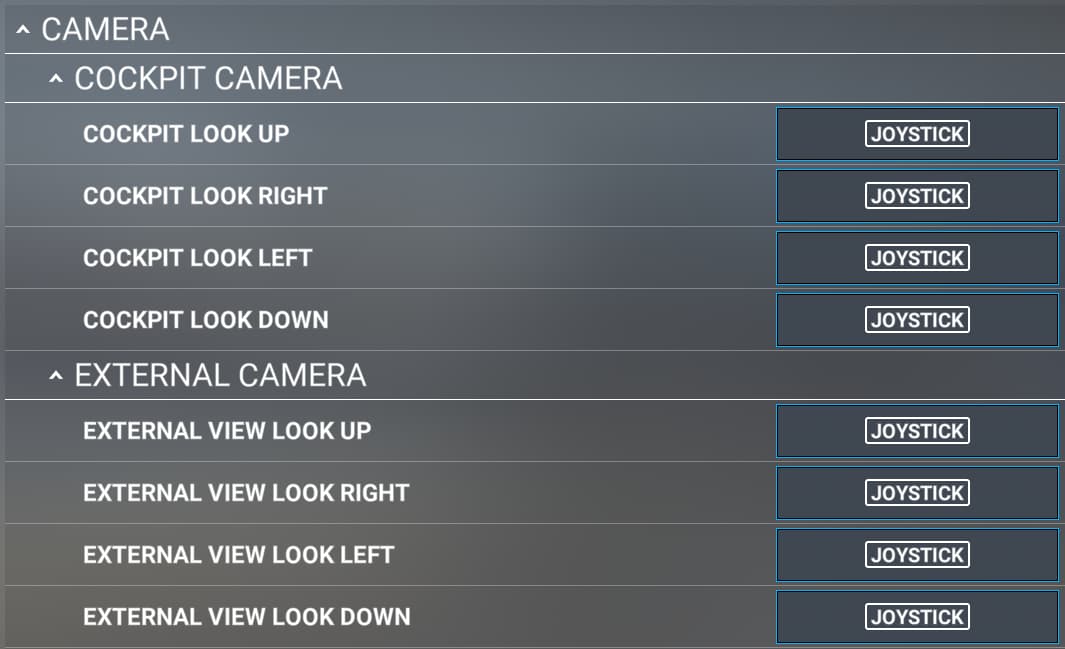
So now that I will likely be keeping this unit, I am spending some time getting the control configured. I’m trying to reconfigure the Right POV-2 switches on the yoke, but all directions are just recognized as ‘Joystick’ in MSFS controls config.
Can anyone confirm this is normal? I assume they are all different input, but just showing the same name? I should be able to remap without conflict if they all have the same name?
I returned my first V1F dues to the same quality issues, good to know yours is much improved, I’m still going to hold off for a few more months to see if build quality is improved further (it would take a couple of months to modify plastic injection tooling for example). Do you have any play between the shaft and yoke?
The yoke is seemingly putting out all kinds of minmal signals all the time.
So when you use “scanning” you sometimes get combinations of up to 4 axiisses(?) silmutanuously.
When you try it a second time it usually works if you do not touch anything else.
However, every cardinal hat direction is also available as a assigment from the dropdown menu, e.g. “Joystick POV UP_LEFT”.
Perhaps this is what you are looking for? (I assigned these to the quickviews, 0, 45, 90, 120 deg.)