Have you considered a HOTAS product? There are several from Thrustmaster and Logitech from major retailers, can return if you don’t like. Good all in one solutions with plenty of keybinds and all the functions to get by for a good flight experience.
Mine was so bad I sent it back could not fly with it
Trouble with a HOTAS is that they are not found in most GA planes 
Absolutely true. It’s part of the reason I bought the Turtle Beach yoke, even has the vernier knobs. However, had to return it for the poor quality issues mentioned above. I found that I value a good/reliable control experience over something appearing more realistic but with useability issues. Hence why I suggested the HOTAS. Whatever gets the job done!
I have both TM and Hotas for my PC and FSX but they do not work on the xbox. I only used a flight stick for Helli’s and the odd Cirrus Sr 22 flight, so it was mostly a dust collector. I may get a stick for MSFS, but only for the appropriate aircraft.
The Boeing yoke would interest me if I still flew airliners like I did in FSX, but with the improved graphics of MSFS I’m pretty much a GA guy now, and love the low and slow. As such I love the throttle quadrant with the V1, and the hat switches are pretty sweet.
I will have to do some research and see what options I have for xbox, but it sounds like there are cons with every type, and so like you mentioned you have to decide with what you will live with. LOL. Thanks for the advice though, much appreciated.
Wish you the best of luck in finding what you’re looking for!
I’ll say one last thing about the Boeing Yoke though: I use it exclusively for GA flying and I think it’s actually wasted on airliners. The resistance it offers up on both axes is something you want to use in hand flying. One example of this: When I had the turtle beach I was always chasing trim with the wheel. One moment too high, one moment too low. On the Boeing, because of the resistance in the mechanism, I can essentially feel where I no longer have to put any more input to maintain level flight. It’s not force feedback, but it does emulate it in a fashion because I can tell by feel when I no longer have to push or pull. And it’s granular all the way to centre. Hand flying small planes is a joy with it. I feel like it’s wasted when I’m on autopilot.
And if the pendular action bothers you, just fly planes like the Beaver. The yoke set up exactly matches the Boeing yoke’s moment.
If you ever start flying yoke planes again I’d recommend picking one up from Best Buy or something just to try it out.
1 Like
The good news is I got my V1F today and everything is working fine except for changing the light color. Did my FW update to 1.4 and no problems there. It was suggested to me to have the Xbox on with the V1F connected then disconnect the USB on the V1F plug it back in and then do a FW update.
The other good news is I don’t have to land a GA plane for a living! I’m terrible.
2 Likes
One recommendation for the VelocityOne Flightstick…
Would be nice if the throttle sliders were side by side as opposed to how they are now.
2 Likes
Hi, I have a slightly off topic technical question.
I come from the sim racing community so my peripheral of choice is a steering wheel w/pedals.
How is it that Turtle Beach have been able to make a peripheral with so many buttons, axes, hats and throttle levers work on the Xbox?
My experience with steering wheel controllers (Logitech & Fanatec) are that there are always some buttons that can’t be mapped or are duplicates. The technical support from these manufacturers is severely lacking and the excuse is always that the Xbox can only support a limited number of inputs…
How is it that TB has made the whole device functional?
Many thanks
I believe it is because of the next generation consoles this is becoming more of a possibility. In the past with the xbox 360 and xbox one I don’t think the usb bus was powerful enough to take that many inputs or power the peripheral fully. I think its just a sign of the times and the tech becoming more available.
Hey all
Does anyone know if it’s possible to set the default screen on the yoke to display the chronometer rather than the landing screen?
If this isn’t a possibility I wonder if I could add it as a possible suggestion for consideration @JamesTBS6584?
1 Like
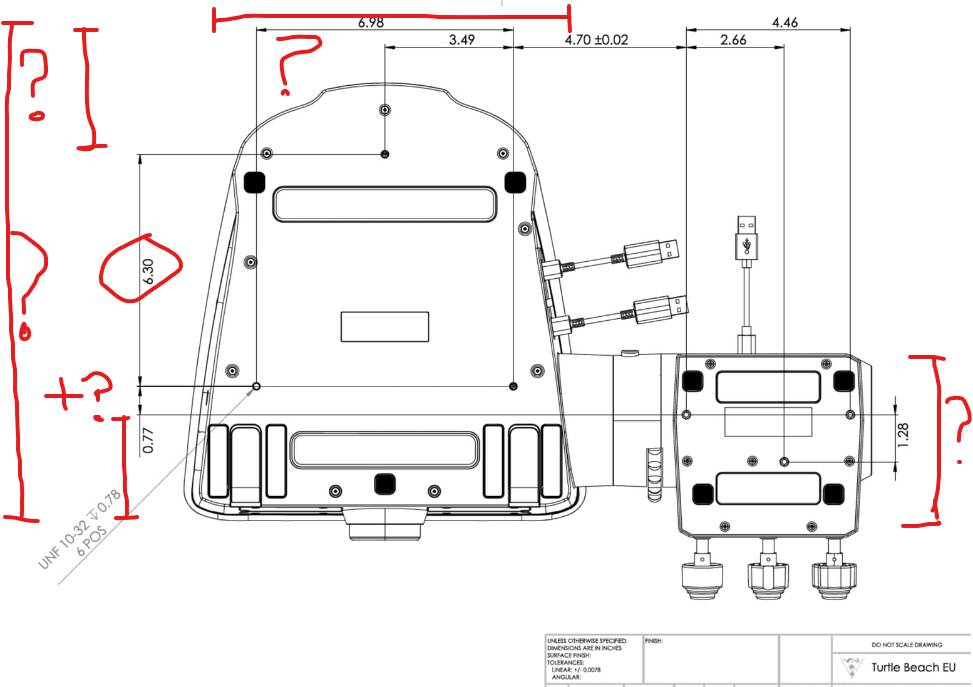
the depth of the base is missing… we can’t calculate it. would you have it please?
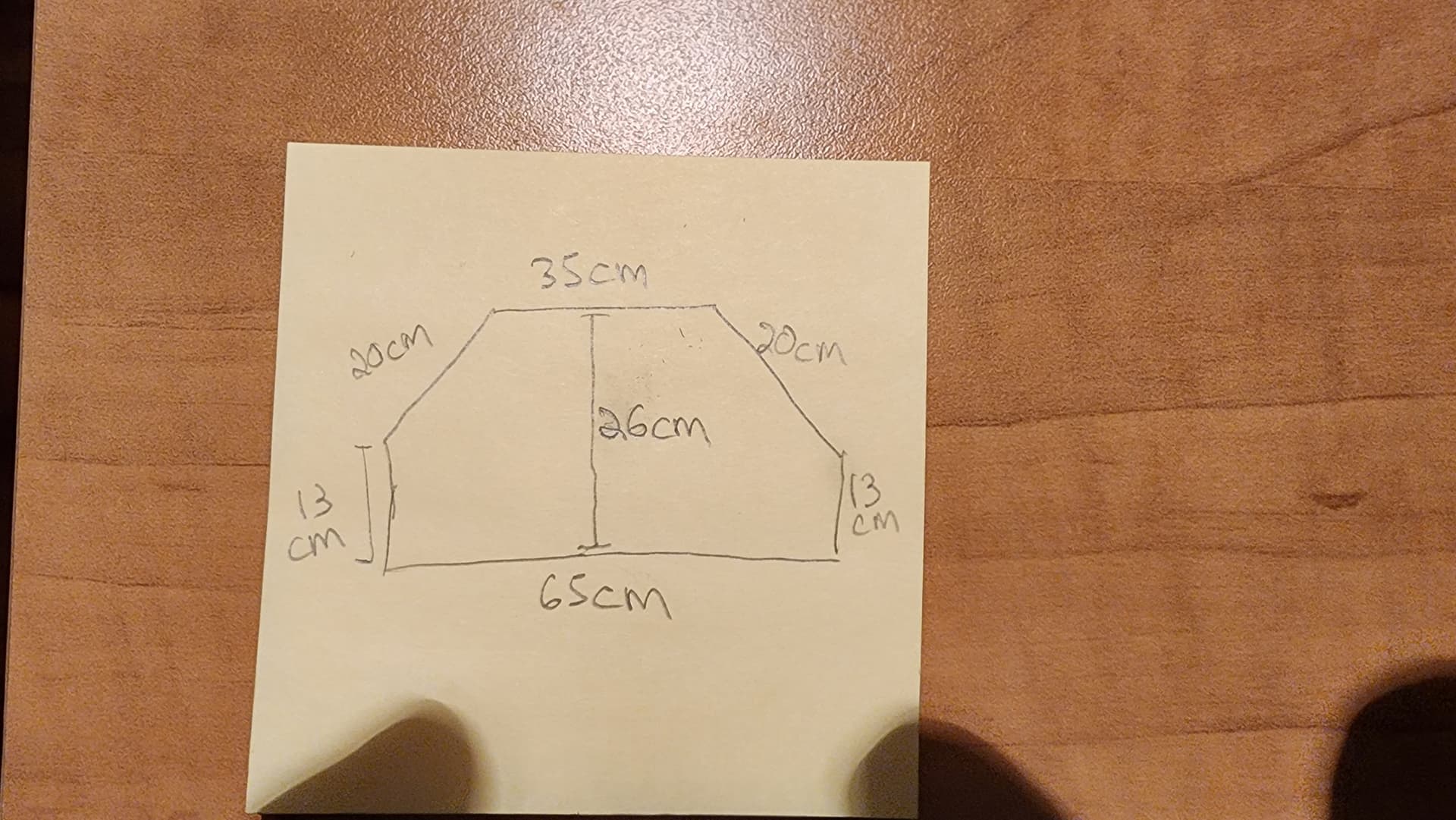

the depth of the object cannot be seen on the graph. This graph was designed to know the distance between the anchor holes

Just received the V1 stand.
VERY NICE.
1 Like
thank you
what is your best youtube video to configure in game? thank
I would start here…
Got the stand too, and the pedals. Mounted the yoke on a slight tilt backwards, so I have a good view of the indicator lights.
Took a bit of time to mount everything, do not forget to push the 4 little black rubber bumpers in the holes on the side extension before screwing the throttle extension down using the 3 mounting screws.
Also found out quickly, a game chair on swivelling wheels isn’t a good seat when wanting to use the pedals accurately when I put the stand against my computer desk and have a bit of a higher seating position.
Have removed the pedal’s heel pads and put the toe pads more upright and increased the separation. Everything seems well thought out and sturdy.
As with all pedals mounted to a stand, a footplate of sorts seems desirable to support your heels as you move and relax your feet. The heel supports are quite long, but your heel is almost 3 inches off your floor cover.
Also, always clean your shoe’s soles, or use smooth soles, as pedals seem to collect a lot of dirt quickly. Noticed the TB pedals are closed on the underside, so best use a vacuum cleaner on the slots often to keep dirt out of the mechanism.
All in all, a versatile, comfortable and sturdy combination that looks really nice and ‘finished’ too. Quite expensive cash outlay, but hopefully it will last.
Now I am going to try the stand using a lower sofa type of seat. Adjusting height and angle of the yoke and throttle is very easy.
Probably, with this high seat in a game chair, the full pedals might be more comfortable, while in a low sofa type of seat, the upright toe pedals might be more comfortable, just like in racing games and driving simulations?
Now, where to put my stack of Logitech panels?
Or my 27" touch screen for the DCS Helios cockpit system?