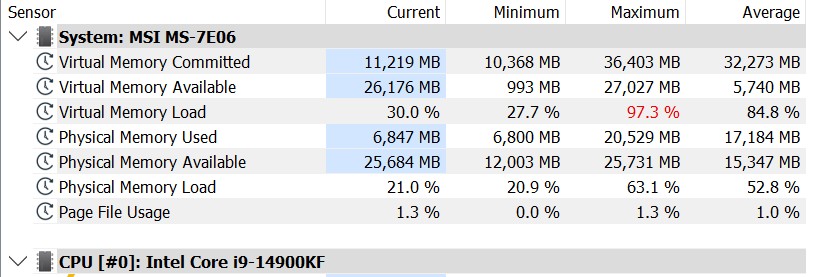
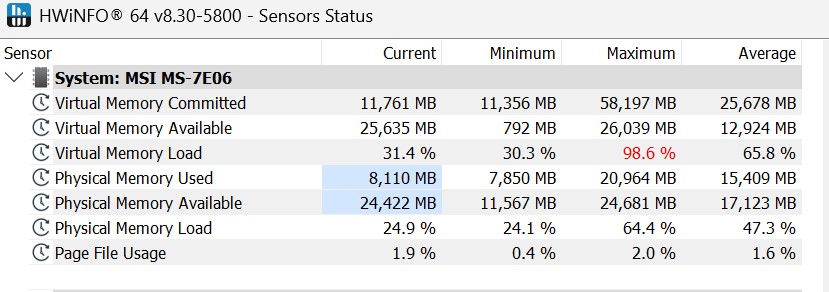
I keep having CTD and when I run HWINFO it shows my virtual memory load is in the red. So I increased the virtual memory paging file to 45G, then 96G, and finally to a whopping 192G. I continue to have CTD’s. My last stable HWINFO was back on 11/7, nothing has changed since then except the NVIDIA update (rolled back, no changes) and in the driver log there was a MSI update. I have researched and researched and am out of options at this point.
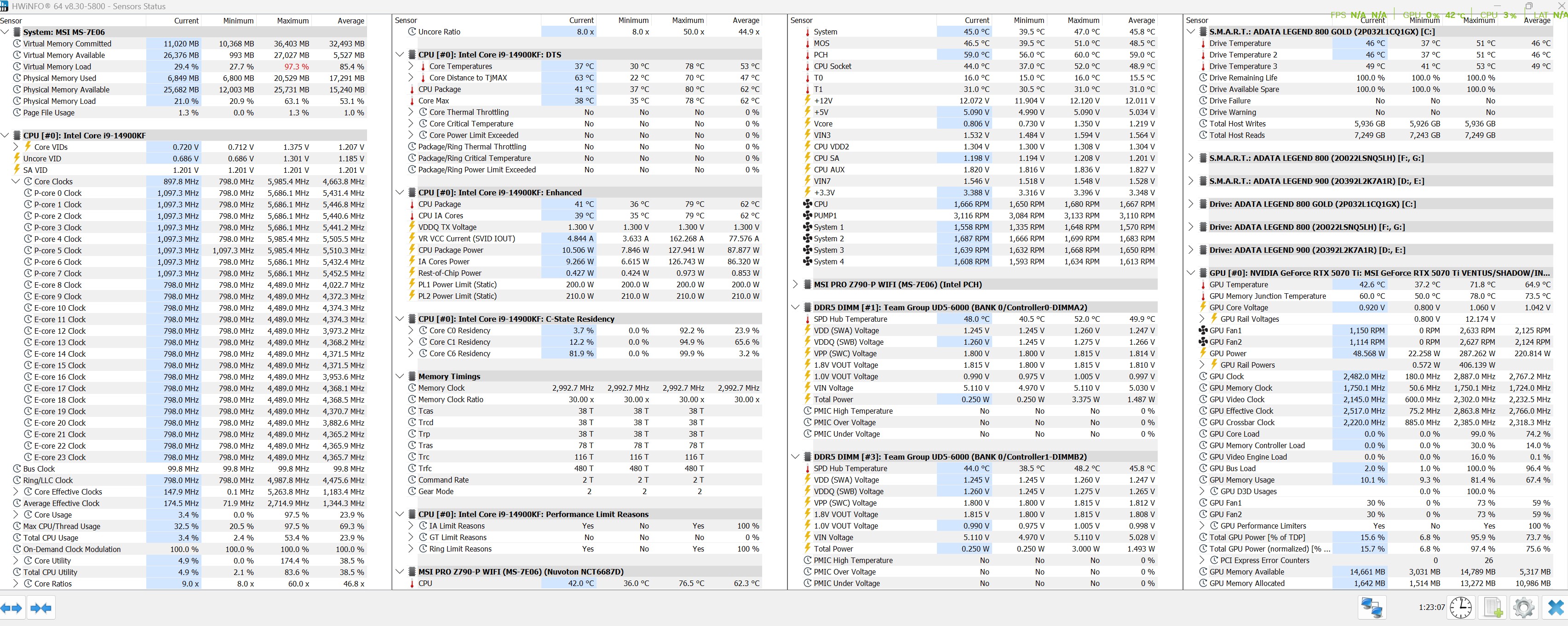
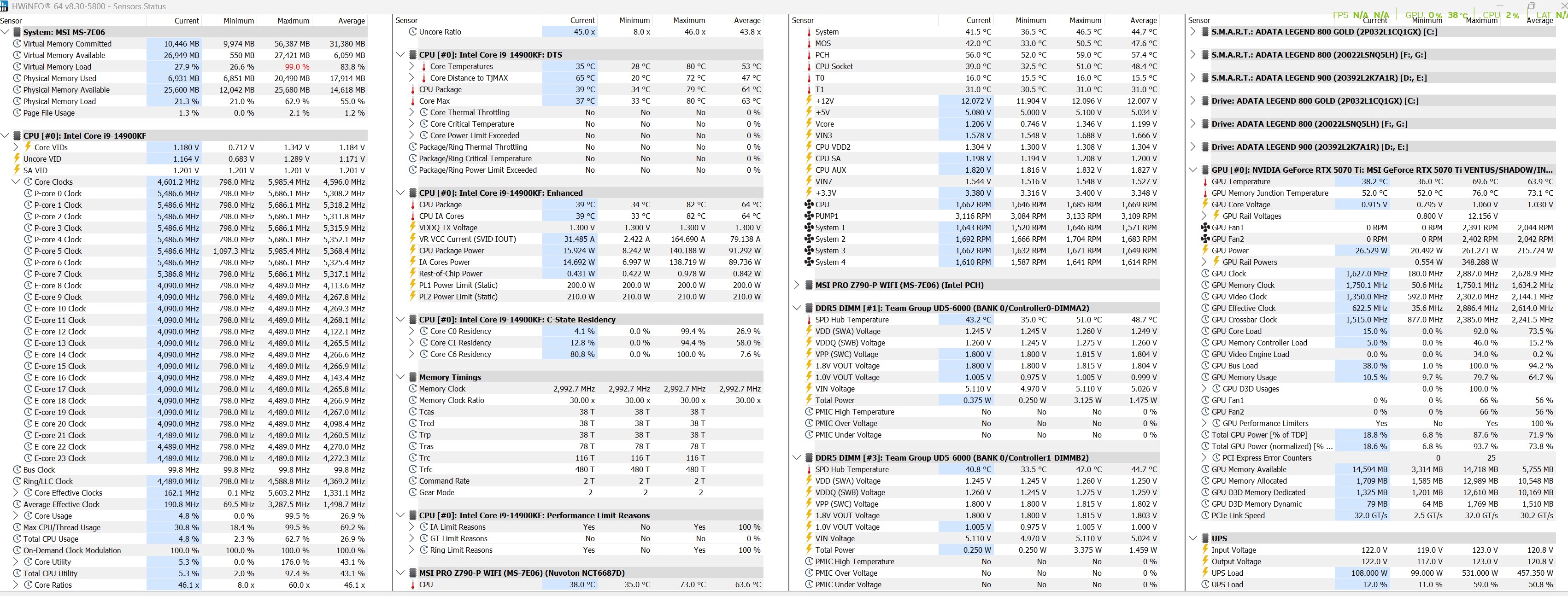


I’m not sure what you think the problem is.
Large paging files won’t do anything for the sim alone. The sim process is limited by the physical RAM.
So 32G of RAM is not enough? It has been just fine for 7 months. In fact, an identical flight with the same plane back on 11/7 (see below) only resulted in 77% max virtual memory load and now it is consistently over 90%.
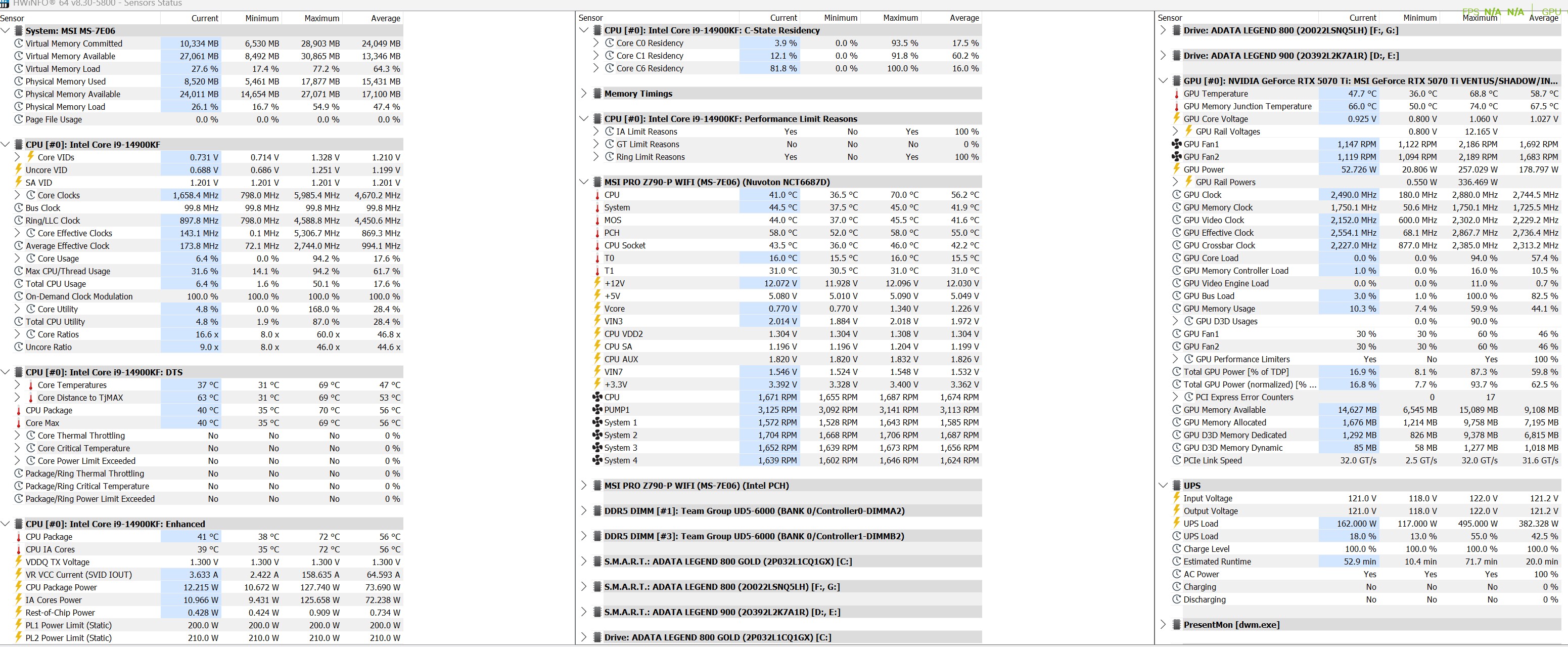
Ran Windows Memory Diagnostics……report says no issues
Tried about a 45min flight, virtual load hovered around 89% and then 5 min from landing, spiked to 99.4% and CTD
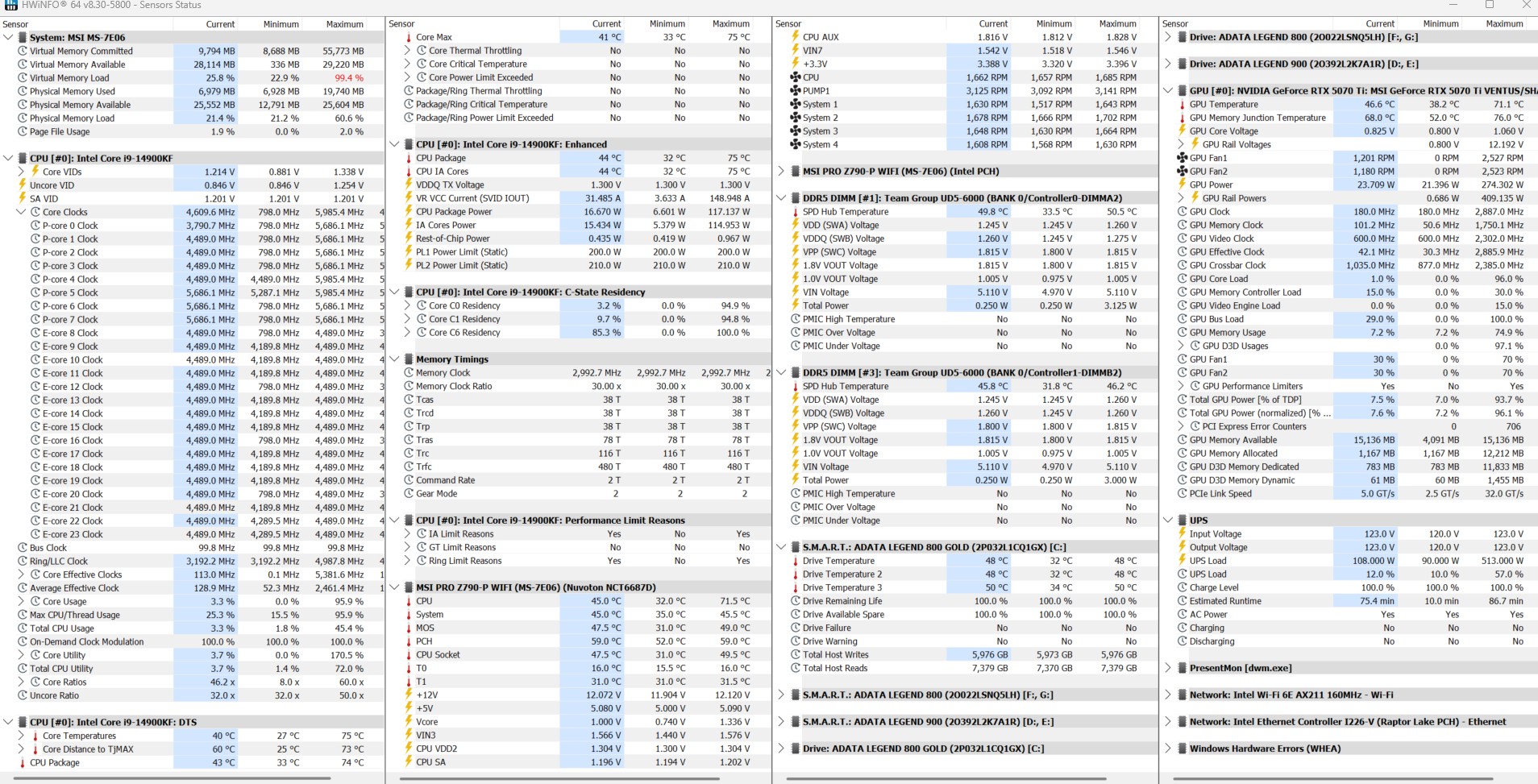
The page file is not your issue nor would you want it to be. I would suggest using DDU (in safe mode) to perform a clean wipe of your display drivers and re-install them. Also clean out all of you cache folders and then try re-installing the sim if that doesn’t work.
btw…32 GB is probably the low limit now for FS2024. You may want to consider 64 GB but with prices these days, you may want to wait.
Thank you, I have a 4 day weekend so I will go through the clean wipe process and hope I don’t get locked out of safe mode. And yes, I wanted 64gb and should have gotten it back in April when I was motivated. I just took a look at RAM prices and I will deal with the issues for now. I just had a really good run of 7 months of zero CTD’s and I thought I was going to be fine.
BTW… I should have also mentioned to make sure it isn’t an add-on that might be causing you CTD. I had a couple crashes about a month ago that ended up to be FSLTL that was the cause. They issued an update that resolved it.
You mean an add-on as from the Marketplace? I haven’t touched anything with this program since I got it because I have read about all the issues. I figured I would wait a year (or two) to try and customize things.
Well, FSLTL isn’t from the Marketplace but a third party download. In any case if you haven’t added anything to your community folder then it’s a none issue.
1 Like
CTD is very rare for me.
But I’m 100% sure the latest Nvidia driver caused the latest beta to CTD a few times.
Now rolled back to what Win 11 installed, no CTD.
I agree 64GB is sensible. 2x32 is my goal for a motherboard upgrade, leaving another 2x32 when affordable. No I don’t push RAM to breaking point settings; I engineer stability where I can.
1 Like
With all due respect to all the experts, I just do not accept that my 32G RAM that has been fine for 7 months is now not enough to run this game. Now maybe I have a hardware problem or something else, but I just don’t think going to 64gb is going to be a miracle fix here. Please prove me wrong.
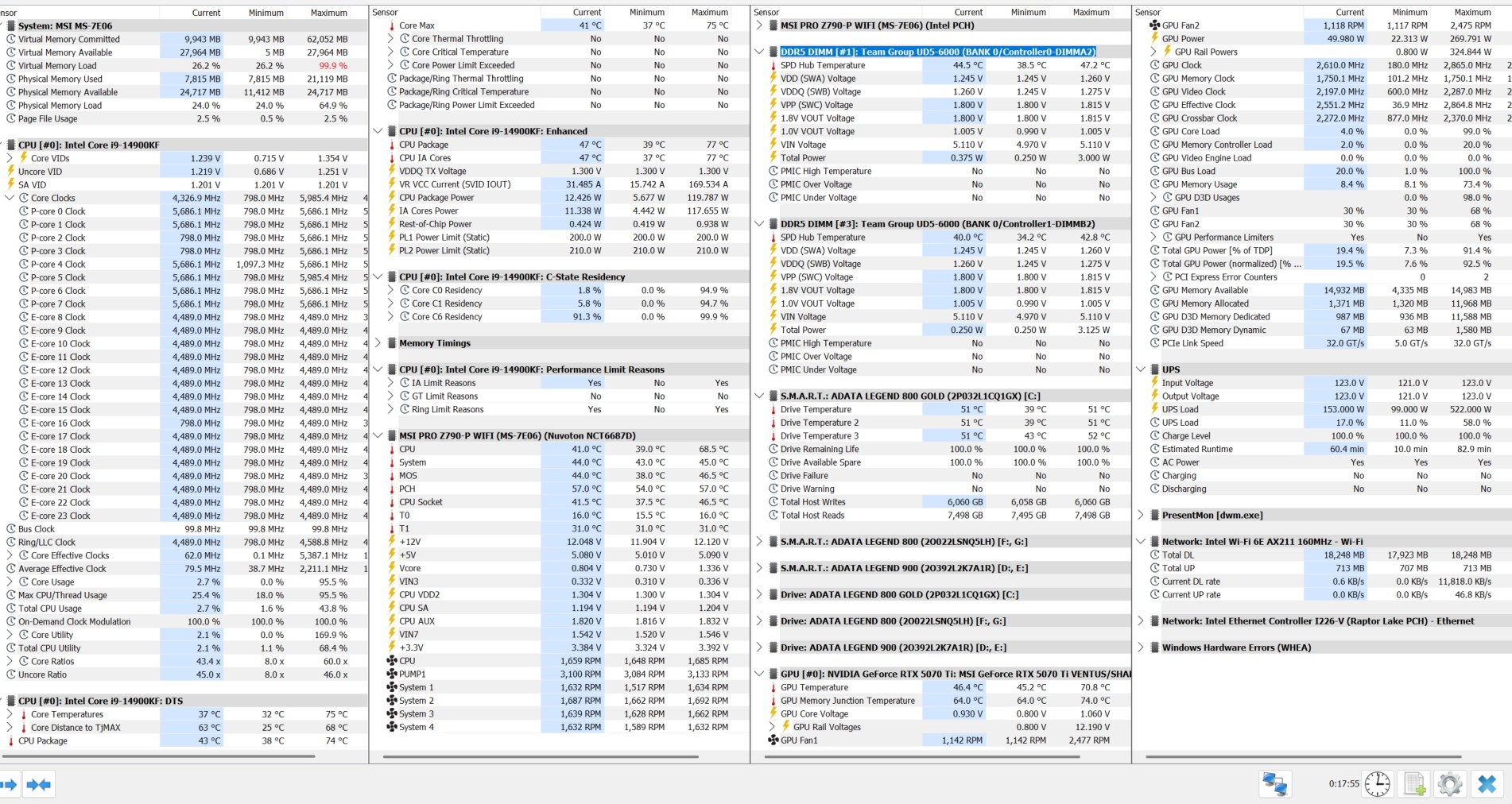
Personal Comments and Observations
I think it’s been a few decades since I’ve had to manually manage a page file in Windows. And my new rig is 32GB of RAM as well. My previous rig had 64 GB. And before that - there was a 16GB RAM Ryzen 5. None of them required page file manual management to run the sim.
Tbh, I think your issue could be with an Add-On, Marketplace or Community. For Community - it’s as simple as renaming your existing Community folder and restarting the sim. The Marketplace stuff - you can Disable it and restart the sim. The latter is a lot easier than 2020 because the older sim would have forced you to uninstall the DLC using Content Manager.
Those two steps could go a long way to pointing where the issues are (or aren’t). And it’s honestly not a heavy lift.
1 Like
For what its worth, I have 32 GB of 5200 MHz DDR5 CL40 RAM and MSFS 2024 runs just fine with that amount.
However, I do not run any other programs other than LittleNavMap when running MSFS, and have taken great pains to avoid any program that auto-loads itself when the PC starts up or I log on - i.e., other than the essential windows services, nothing else is consuming memory when MSFS is running.
1 Like