 Thank you for using the Bug section, using templates provided will greatly help the team reproducing the issue and ease the process of fixing it.
Are you using Developer Mode or made changes in it?
yes, to show sim visibility value
Have you disabled/removed all your mods and addons? If the issue still occurs with no mods and add-ons, please continue to report your issue. If not, please move this post to the Community Support section.
yes
Brief description of the issue:
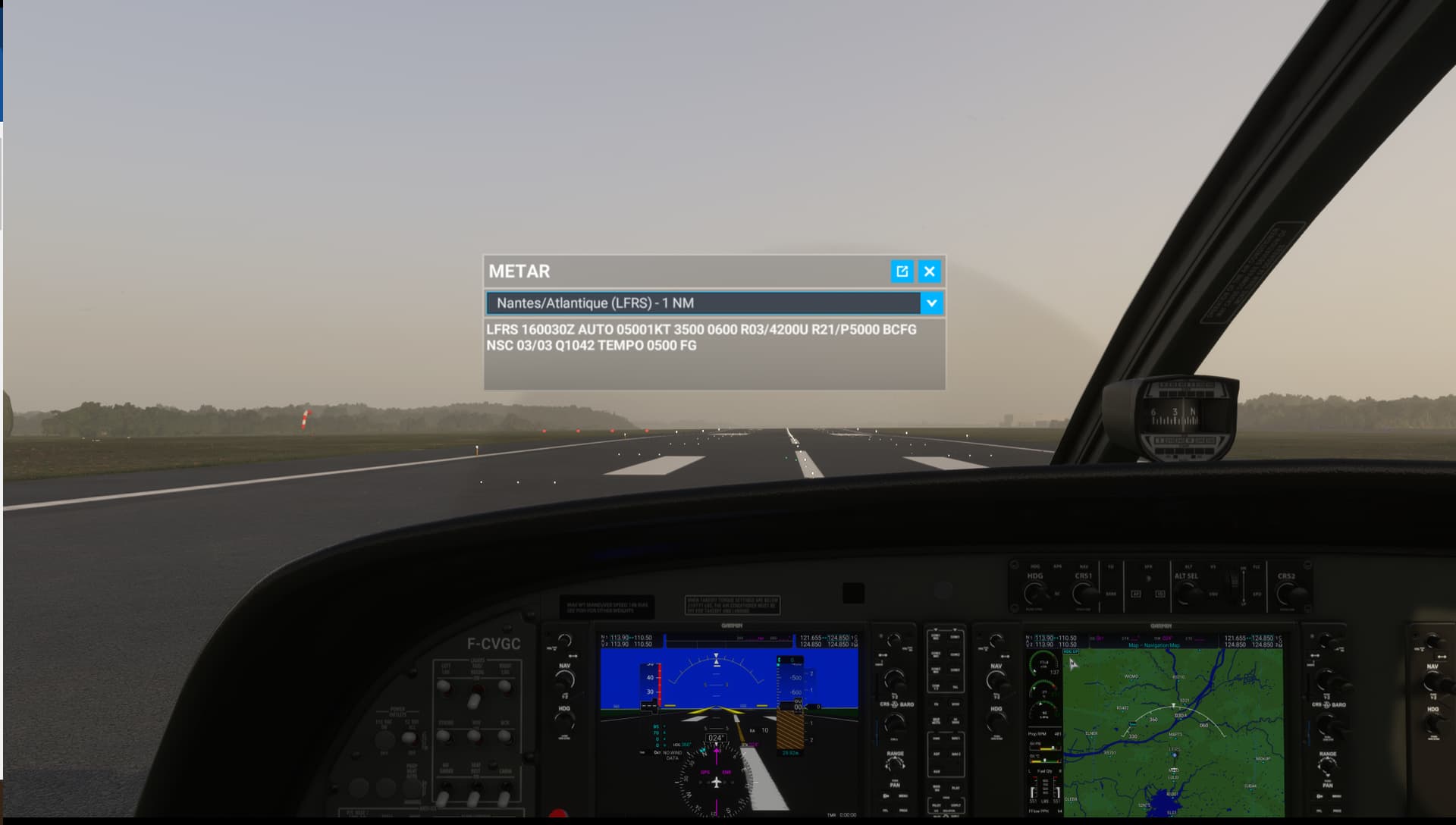
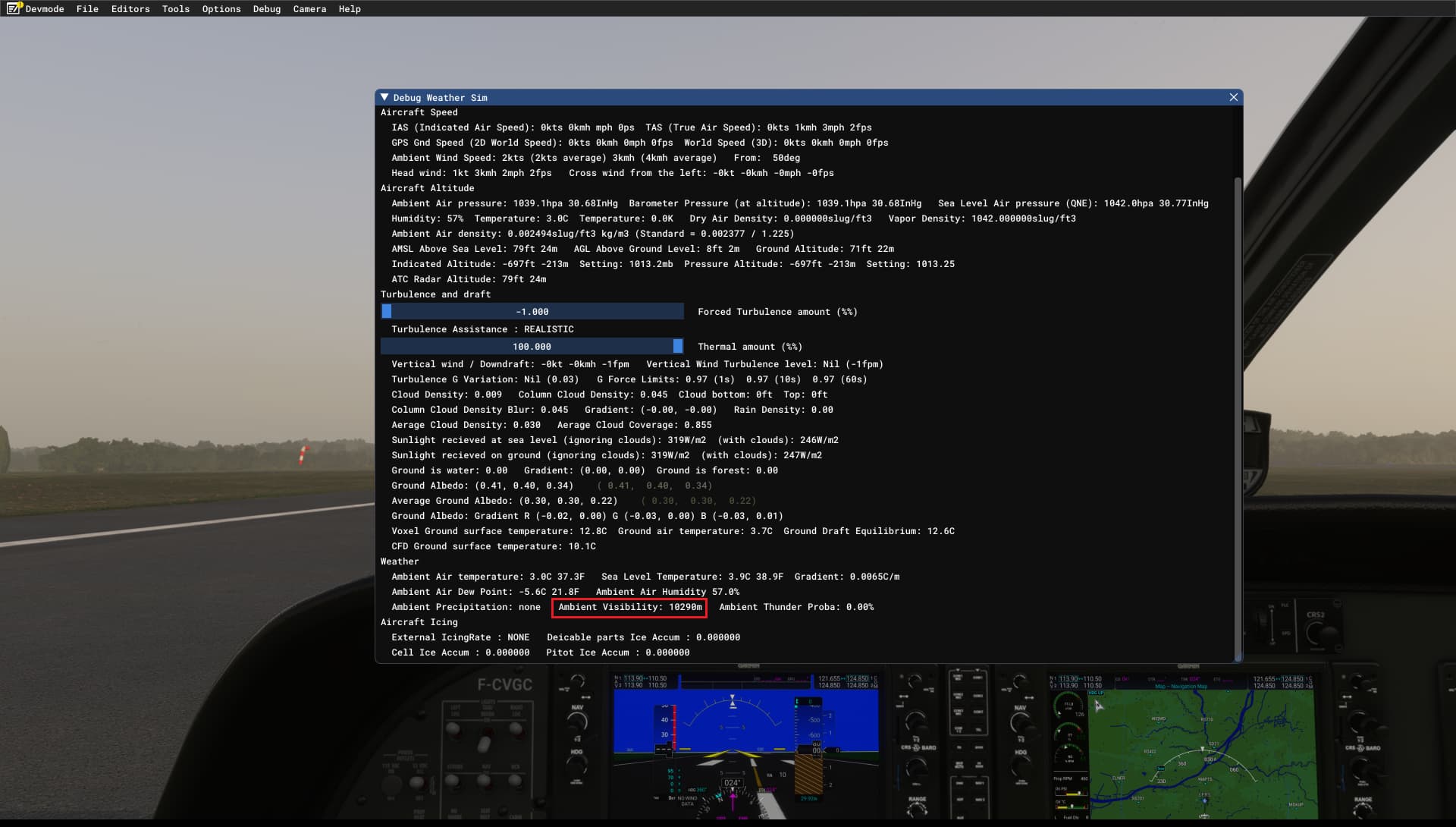
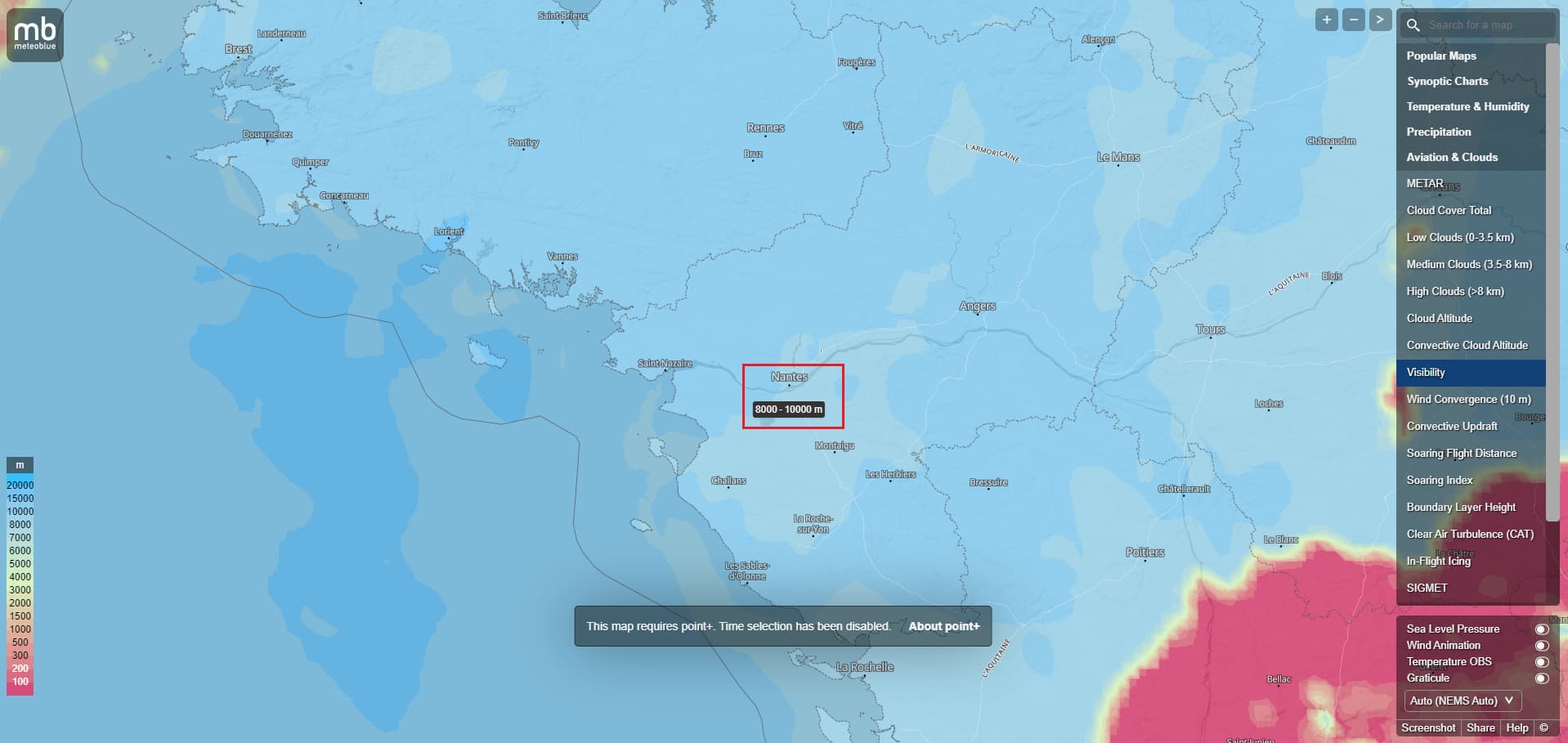
Visibility from METAR has been implemented in one of the previous SU but is not always correctly retrieved/represented into the sim. Maybe cannot parse some specific METAR structures ? (see the one in below screenshot #2). In example provided, METAR reports 3500m but the sim took another value of about 10200m (looks like the MB Forecast instead but from my knowledge the sim is not using visibility data from MB. So what’s the source of those 10000m ?)
Provide Screenshot(s)/video(s) of the issue encountered:
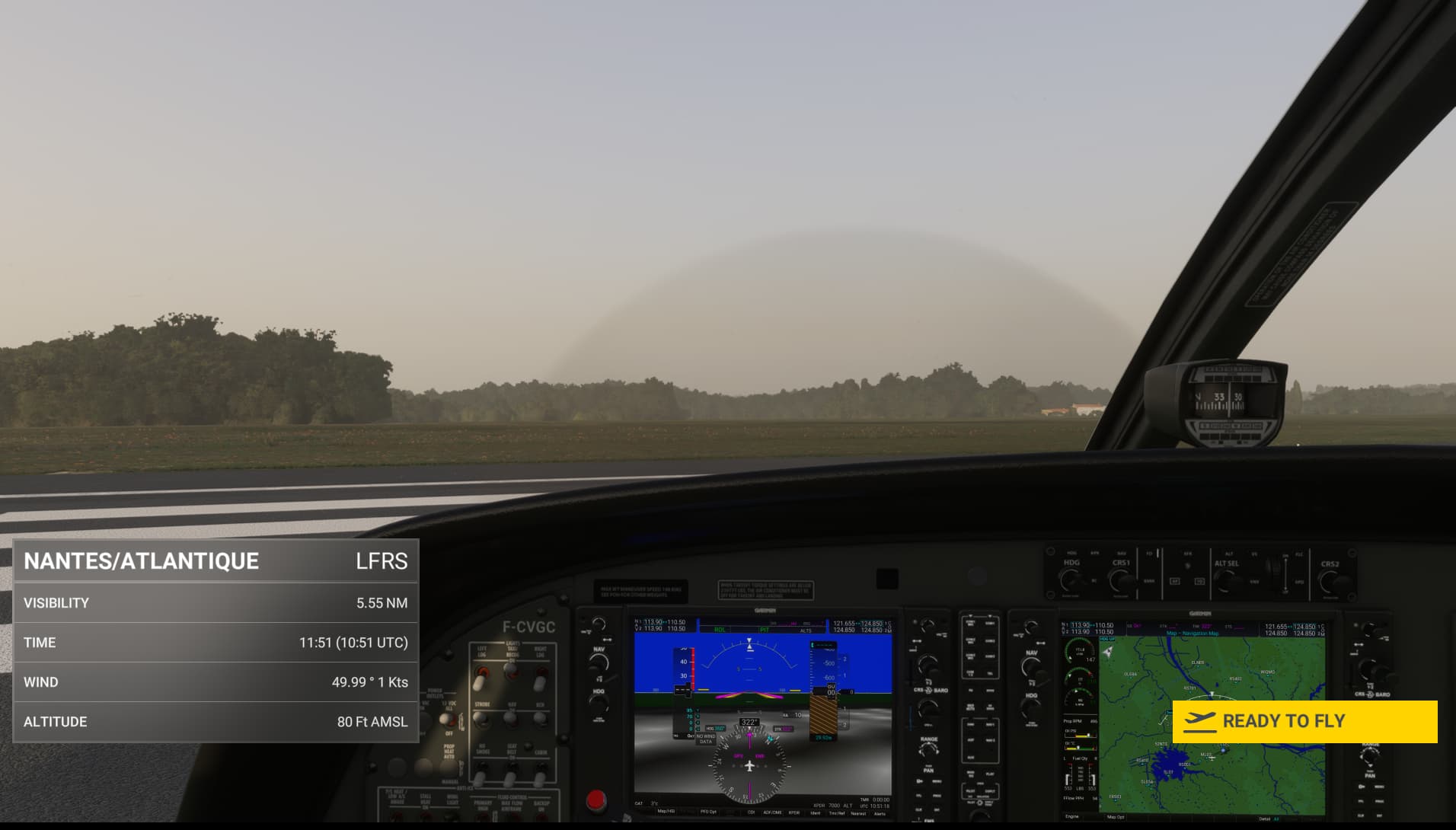
After having clicked on “FLY” and before clicking “Ready to Fly” that windows shows up, visibility is 5.5 NM (should be converted into meters since I am in Hybrid), 10186m
METAR reports 3500m:
Visibility rendered in the sim is 10290m
MB Forecast: between 8000m & 10000m
Provide coordinates (DevMode > Options > Display position)
LFRS
Provide time & date of the observed Weather issue
01:00 UTC December 16th
Detailed steps to reproduce the issue encountered:
Go at an airport with a METAR that contains reduced visibility and a complex string, compare METAR reported visibility vs visibility in the weather debug window
PC specs and/or peripheral set up if relevant:
Build Version # when you first started experiencing this issue:
1.35.21.0
 For anyone who wants to contribute on this issue, Click on the button below to use this template:
Do you have the same issue if you follow the OP’s steps to reproduce it?
Provide extra information to complete the original description of the issue:
If relevant, provide additional screenshots/video: