I have not used VR in forever and just hooked up my Quest 3 and am sitting here trying to make sense of how to manipulate various controls in the aircraft.
The VR preferences state something about holding the trigger to grab the yoke, but that doesn’t work. It seems like the thumbsticks are set to manipulate the yoke and pedals and always do no matter what other controller buttons/triggers are pressed or held.
I can click the right stick to put the pointer into a mode that lets me highlight various controls in blue, but for controls that have various positions, such as knobs, multi-setting switches, and axis, I’m unable to move them after getting them selected via the VR controllers.
Could anyone shed some light on how this is meant to work?
I do have a yoke, throttle quadrant and rudder pedals, so I don’t need the controllers to manipulate any of that business and I will also manipulate switches, et al, with my mouse, but I do wish to understand how to use the actual VR controllers, because I am a curious creature.
The VR controllers just don’t really work, hence my comment on not bothering, curiosity aside. Most planes won’t work very well with them (click spots etc) and while you might be able to “grab” the stick/yoke it’s really not worth it.
Firstly, make sure the correct control profile is assigned to the controllers as MSFS has a habit of shifting those things of it’s own accord.
Then the “index trigger” is your main button. This should allow you to point at things and “grab” them. e.g. Yoke, Throttle, etc. and then while holding the trigger, move your hand (e.g. for throttle, keep the trigger pressed and move back and forth) Rotaries work the same same, point at them, “grab” them with the index trigger and then rotate your hand as you would IRL.
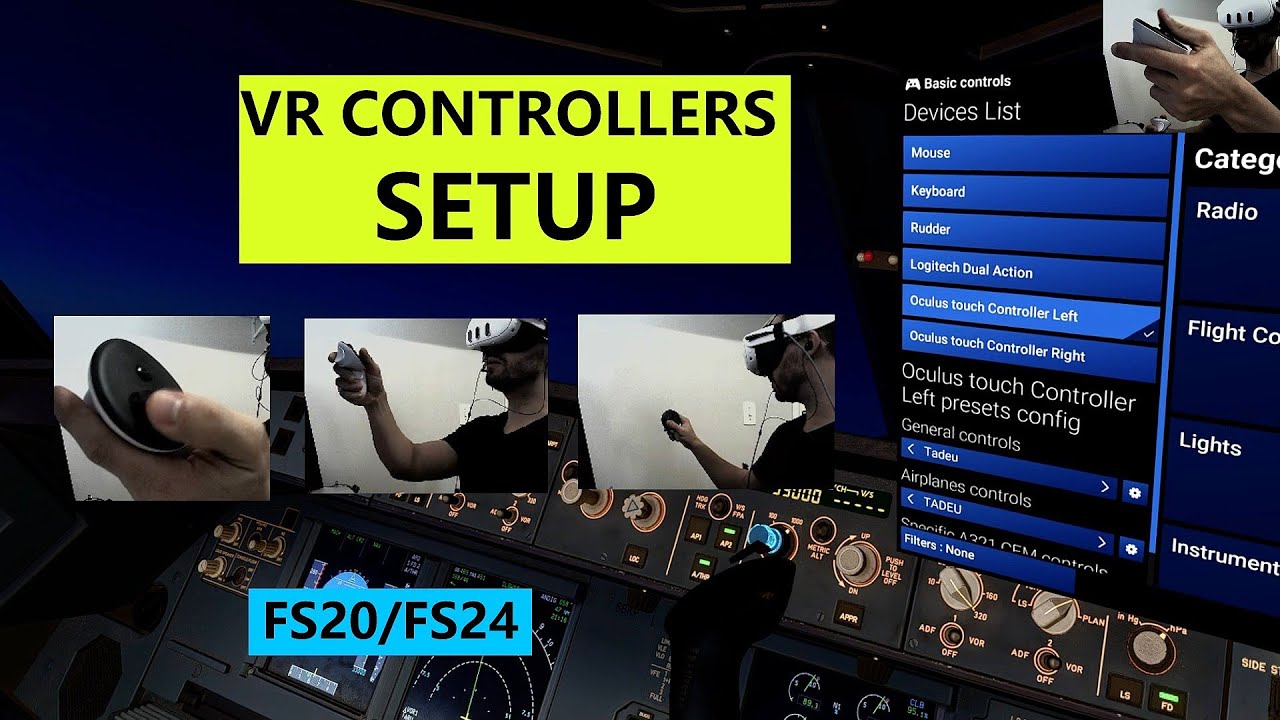
To be fair, for me, use of VR controllers it’s an state of art of how to mimic exactly what I do in real life at the Airbus cockpit.
This is the settings that I’m using.
I use exclusively the controllers to interact with the panel, this way I don’t lose my muscle memory in my real duties. It’s so immersive that it really blows my mind.
The tracking in quest 3 it’s so good that I prefer to loose a bit of visual quality over a pimax headset only because of this precision with my interactions.
Hi, I also loved interacting with the FBW320 using the VR controllers but recently I find they don’t work for me - I don’t know if this is to do with MSFS24 or to do with an update to the FBW320. When I hold them over a control, it doesn’t highlight blue to be selected. Even my normal buttons on my controller (toggle raycast, toggle toolbar) don’t seem to work in this aircraft. Is this something you have experienced? Many thanks !