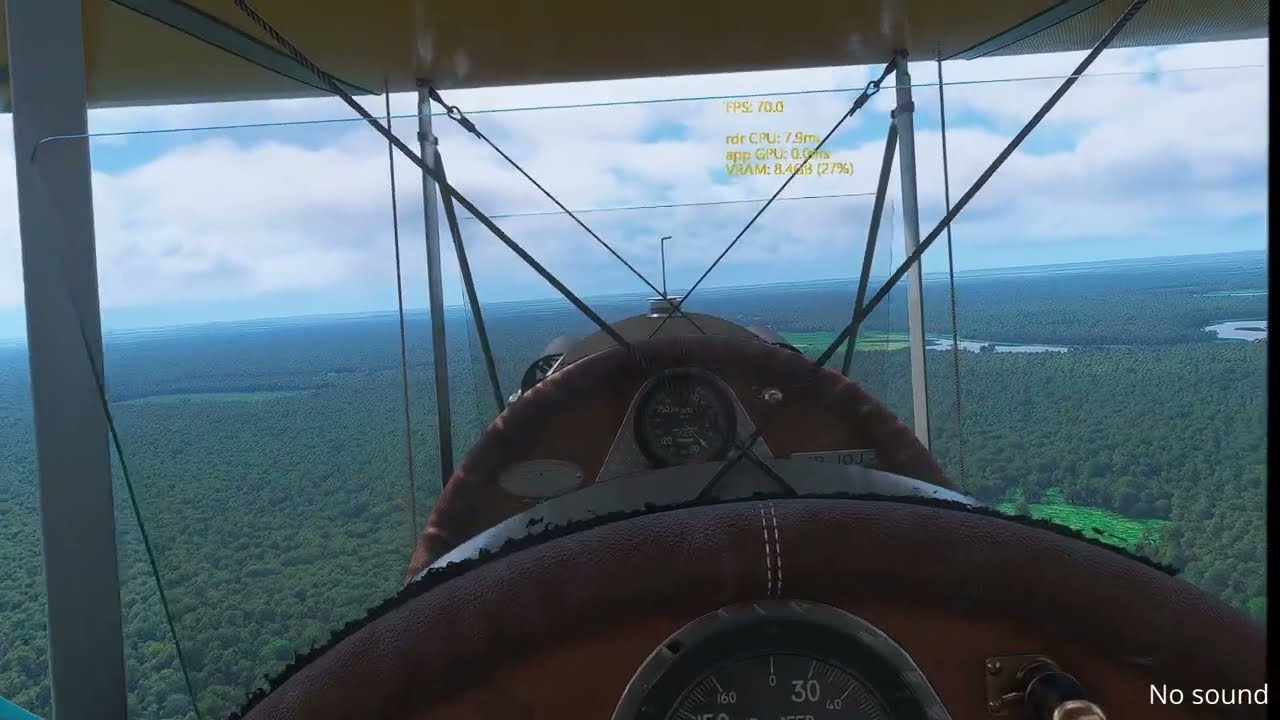
Following the SU6 update in MSFS2024, issues with reprojection have arisen. Prior to SU6, DEPTH reprojection for VR worked flawlessly. After the update, image overlapping occurred, resulting in a “floating” or swimming visual effect—despite high frame rates and excellent render times (under 10 ms). These symptoms were not present previously with the same hardware and drivers. Disabling reprojection eliminates the floating effect (wobbling or slight shifting), but introduces typical stuttering in demanding areas, which is to be expected in such cases. Interestingly, the “floating” effect manifests only in specific parts or sections of the image. It is particularly noticeable when moving one’s head in VR. This reprojection malfunction is most apparent in the external view, looking out from the pilot’s seat. Before the SU 6 update, I didn’t have this “floating/wavy” image effect and everything worked very well; the image was smooth and stable.
FREQUENCY OF ISSUE
Whenever reprojection is enabled (Depth setting in MSFS2024). This problem still persists in the current version, 1.8.16.0.
REPRODUCTION STEPS
Please list clear steps you took in order to help our test team reproduce the same issue:
Launch the simulator.
Do not restrict the simulator’s operation with any external programs, limiters, etc.
Make sure you have Depth reproduction enabled in the VR options.
Choose any airport and aircraft, and start a flight in VR mode.
Look around you, paying particular attention to the ground and the surroundings from the pilot’s perspective.
YOUR SETTINGS
[PC Only] Are you using Developer Mode or have you made any changes to it?
No.
[PC Only] What GPU (Graphics Card) do you use?
RTX5090
[PC Only] What other relevant PC specs can you share?
i9 13900K, 64GB RAM
Meta Quest (up of date)
MEDIA
Below is an example of what it looks like. The video was recorded directly from the headset. You can see a “floating effect” when reprojection is enabled; the effect disappears when it is turned off. The frame rate is high (69–72 at 72 Hz, with a frame time under 10 ms—very good). Despite this, reprojection is currently not working correctly, causing kind of jittery, wavy image.
By the way, the video quality isn’t great because it was recorded using the Meta Quest headset’s built-in tool. Also, just in case anyone asks—no, that isn’t a heat haze effect from the exhaust pipes.
Meta Quest headsets do not benefit from Reprojection Depth — especially when tools like the OpenXR Toolkit or Virtual Desktop are used. In fact, the issues associated with enabling it have been known for a long time, well before SU6. You should disable it entirely when using Quest headsets.
Unfortunately, I completely disagree with that. I’ve always had Depth Reprojection enabled, but ASW disabled. I didn’t have this problem before SU6, but it appeared afterwards. It worked perfectly and the image was smooth—using the same headset and the same configuration (including drivers). Disabling Depth in SU6 eliminates the floating screen issue, but causes stuttering in certain situations. The problem is related to changes introduced in SU6 for VR. Btw. You are the only one who says that, and you have the right to do so and you have already expressed your opinion in another thread, so please do not spam every topic with a reply just because you don’t like something.
Fortunately, I don’t need, because I possess not only the knowledge but also clear evidence of how things were and how they are now.
The mechanics of the Depth feature: When the game sends the depth map (Depth Buffer) to the Meta/OpenXR compositor, the ASW (Asynchronous SpaceWarp) algorithm uses it to correct for parallax and perspective. This prevents the geometry of the dashboard and sights from warping when you turn your head, while maintaining reprojection across varying frame rates—technically defined as such, though I call it “dynamic reprojection.” It worked perfectly in MSFS2020, and subsequently in MSFS2024 prior to SU6.
Meta Link (both via USB cable and AirLink) fully supports this extended OpenXR layer. It transmits object distance data in 3D space directly from the game engine to the Meta Horizon / Oculus Runtime software, enabling precise spatial reprojection.
In the other thread, there are many people who have observed the same problem, which might also be linked to a perceived drop in FPS. You’ve said your piece; don’t keep the discussion going if this doesn’t affect you. EOT.
I don’t know what caused your problems, but it’s unlikely that they have anything to do with SU6. Then significantly more users of glasses who really benefit from reprojection would have reported. The timing is coincidence.
I will never understand how one reported case should be enough evidence for a general problem that would affect thousands of users.
I checked the situation with SU7 today; unfortunately, nothing has changed compared to SU6, the issue hasn’t been addressed or resolved, and we still have that “floating” image effect when the Depth option is enabled.
FYI. I know WU has nothing to do with it, but after the new WU Poland +Baltics + Base Content, the problem with Deph reprojection persists. We still have a floating image and honestly, it’s impossible to fly in MSFS2024 anymore :(.
Came across this thread a bit late, but I can confirm that SU6 broke something about how the ASW + Quest link works. I experience similar “floating” thing, however it is especially noticeable in the left eye, top left quarter of the screen. Surprisingly this quarter artifact goes away while FOV stencil is off in ODT. SU7 didn’t solve it yet so VD+OFXR Bridge is my rescue so far.