ISSUE DESCRIPTION
Description of the issue:
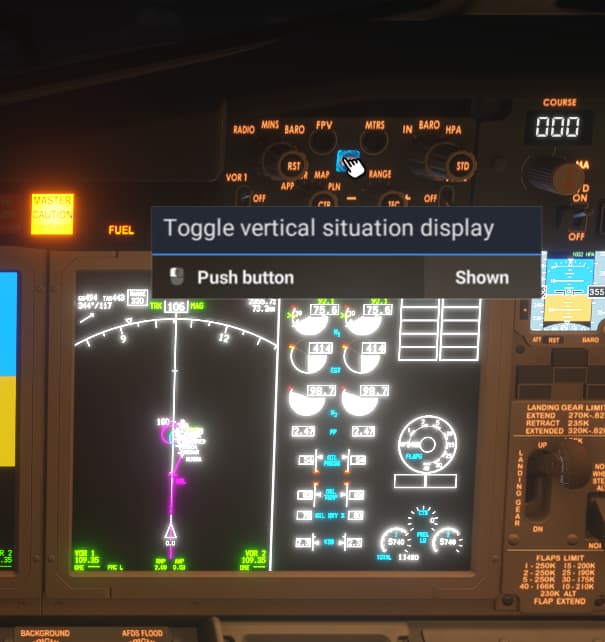
the VSD button doesn’t say INOP so it should work but it doesn’t.
Clicking it has no effect.
If applicable, which aircraft is experiencing this issue:
737 MAX
[PC Only] Did you remove all your community mods/add-ons? If yes, are you still experiencing the issue?
FREQUENCY OF ISSUE
How often does this occur for you (Example: Just once, every time on sim load, intermittently)?
Never works
REPRODUCTION STEPS
Please list clear steps you took in order to help our test team reproduce the same issue:
- Fly 737 on approach.
- Click VSD button
YOUR SETTINGS
If the issue still occurs with no mods and add-ons, please continue to report your issue. If not, please move this post to the User Support Hub.
What peripherals are you using, if relevant:
[PC Only] Are you using Developer Mode or have you made any changes to it?
[PC, MSFS 2020 Only] Are you using DX11 or DX12?
[PC Only] What GPU (Graphics Card) do you use?
4080
[PC Only] What other relevant PC specs can you share?
i9-10850k 64GB
MEDIA
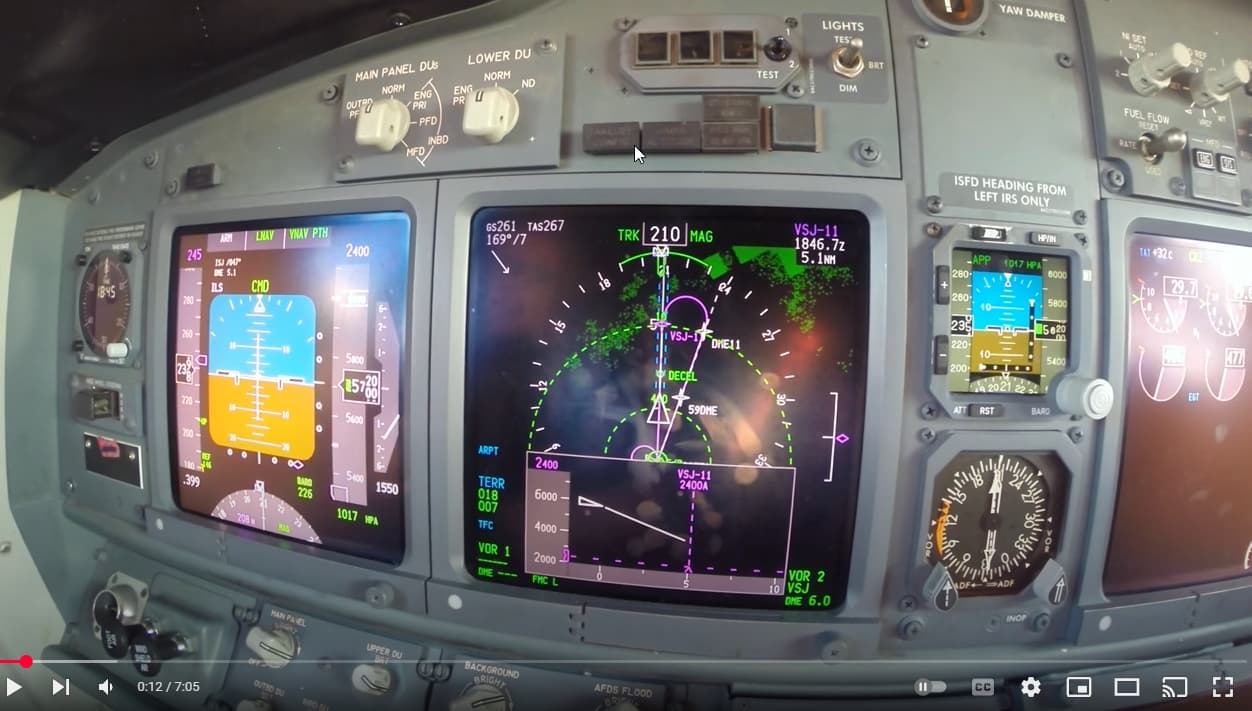
Please add a screenshot or video of the issue occurring.
[END OF FIRST USER REPORT]
 For anyone who wants to contribute on this issue, Click on the button below to use this template:
Do you have the same issue if you follow the OP’s steps to reproduce it?
•
Provide extra information to complete the original description of the issue:
•
If relevant, provide additional screenshots/video:
•