Since October the 12th, when MSFS servers migrated to a new cluster I keep getting the below message. When I press OK MSFS loads satisfactory. Anyone of you has the same problem? I am rinning MSFS on a PC and I bought it from Microsoft Store.
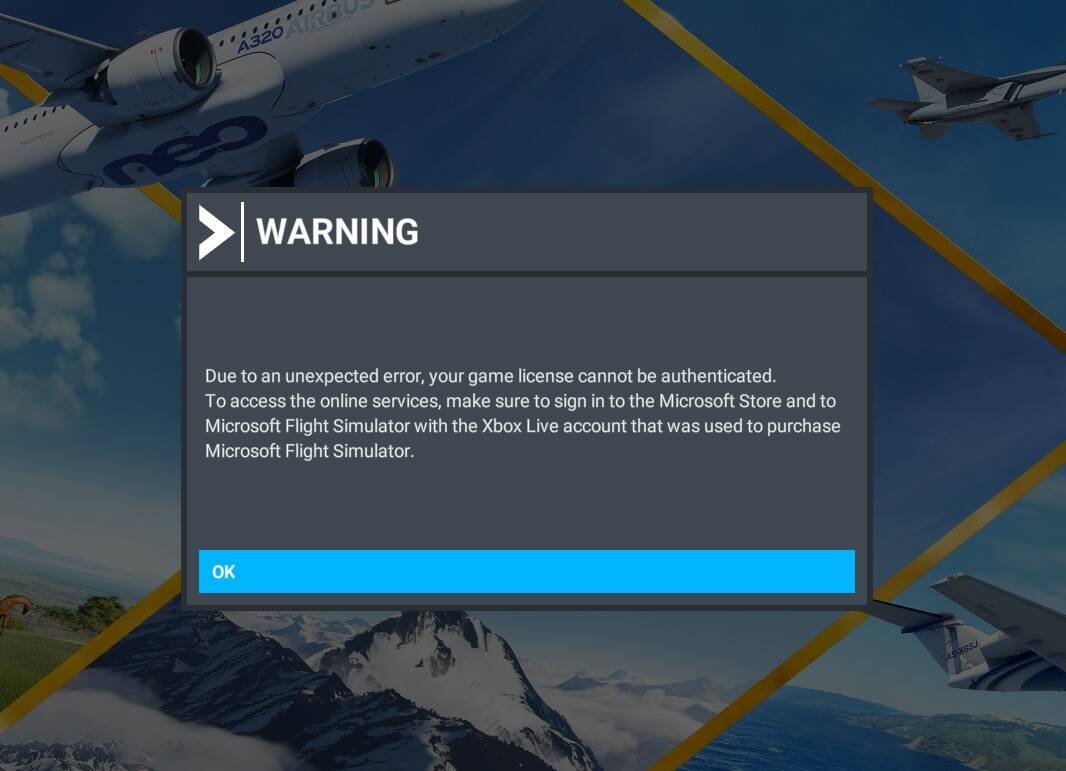
Hey there, @TemperedPaper48. Sorry to see you having this issue. I have not seen others post this since the migration. Suggest you file a Zendesk ticket.
I’m having this issue too. I’m trying reinstall right now.
There is also a dedicated support page for this topic
The first solution offered is to simply click “Ok” which doesn’t really seem like a solution to this message appearing but alright. It seems it could also be an issue with gamingservices, in which case, cross your fingers that it actually updates correctly and you don’t get stuck in the dreaded “gamingservices won’t update” loop.
Why reinstall? If you press OK it doen’t work?
I followed Microsoft solution (update, Microsoft Store, sign out, restart,sign In) but still I get the message. When I press OK then it loads OK. I hope Microsoft sort this out.
No, in my case each time reset all my settings again and again ((
If you’re getting this message, try closing the sim. Sign out of both MS Store and XBox apps. Reboot your PC. Start the sim, and log in from there. This has helped some others with this message.
About settings resetting; only close down the sim with the option on the bottom left of the main screen in MSFS. Don’t ALT-F4, or use the cross in the top right. This can prevent your settings syncing back to the cloud correctly.
1 Like
I did that (MS Store) but I still get this Warning message, but the good thing is that when I press OK then the game loads correctly.
It’s not new. I had it a week ago and once a few months ago, maybe last year. I just click OK and carry on.
I think it’s what IT people call “One Of Those Things”.
Very strange. I left my vacation home and came back home and here I get no Warning message…How come?
Maybe your connection / router is less stable at the vacation home.
Microsoft probably makes note of your home router’s mac address and IP address and uses that as part of the authentication process. When you go to your vacation home the Router and IP address are different than the one at home.
I don’t think so because before the migration to the new servers it was working OK
Check OS date & time settings.
Click sync now.
Also check time zone.
Restart PC.
I’m having the same problem on my WIn11 PC, also since the 12th of October.
I get this message EVERY TIME I start the sim. I can click OK but then also lose all my settings, I have to set up MSFS again and again. Clearly, my settings are not getting synced.
I tried all fixes and suggestions I found on Zendesk - no luck. I also setup a new windows user account and reinstalled the sim, but the problem persists.
I’m convinced the issue is at MS’ end but so far, Zendesk support wasn’t able to help.
Microsoft / Asobo - look into this ASAP please!
have the same problem. please help…
All the settings (OS date & time) are correct but still no solution…
So what do I do to fix this?
Another licence problem here. Got the same message.
My settings are still the same and I see my user name in the upper right corner. It says status offline though.
EDIT: as per Zendesk I executed the steps under UPDATE GAMING SERVICES AND RE-ENTER YOUR CREDENTIALS
When I started MSFS I logged in with my new password. After closing and reopening the sim the message was gone. I hope it stays that way.